NETWORK INSIGHT · BGP ENGINEERING GUIDE
What Is BGP? From Routing Fundamentals to Internet-Scale Engineering
The Border Gateway Protocol (BGP) connects independently administered networks and allows them to exchange information about reachable IP prefixes. It is fundamental to Internet routing, but understanding BGP means going beyond the idea of finding the shortest path: engineers must understand routing policy, path attributes, reachability, failure behaviour and the relationship between control-plane decisions and packet forwarding.
In this engineering guide, we move from the foundations of routing to the mechanisms that make BGP useful at scale. You will explore how routers learn routes, how BGP evaluates competing paths, how routing policies shape traffic, and how engineers investigate failures when the selected route does not produce the expected result.
How BGP connects independent networks
BGP exchanges reachability information between routers. Explore the four stages from independently operated networks to packet forwarding.
SECTION 01 · SEE THE SYSTEM
BGP Architecture: How Networks Exchange Routes
The Border Gateway Protocol (BGP) enables independently operated networks to exchange reachability information and apply routing policy at Internet scale. Understanding how advertisements move between autonomous systems is the first step towards explaining why a router selects a particular route—and whether traffic can actually use it.
Understanding BGP as a system
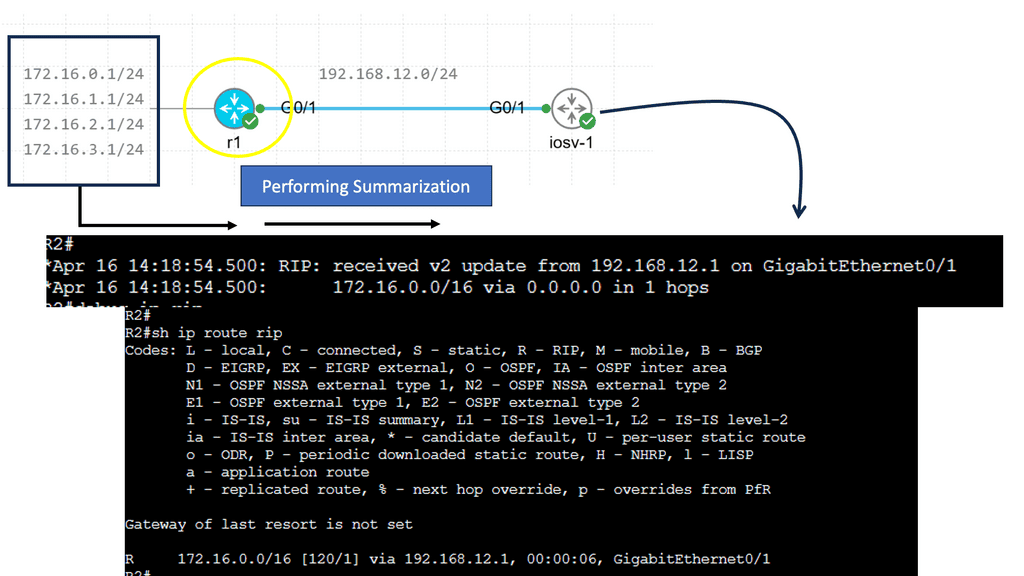
An autonomous system (AS) is a collection of IP networks and routers administered under a common routing policy and identified by an Autonomous System Number (ASN). BGP allows these networks to advertise the IP prefixes they can reach.
A receiving network evaluates those advertisements against its routing policy and other available paths. The selected route is not necessarily the physically shortest path, the lowest-latency path or the path with the fewest routers. BGP decisions depend on route attributes, policy and the router's decision process.
The central engineering distinction is simple: BGP determines routing reachability and path preference; the forwarding plane uses installed forwarding information to move packets.
1.1 The main components of a BGP network
BGP operation depends on several components working together. Each contributes a different part of the route's journey from advertisement to packet forwarding.
Autonomous systems
Administrative routing domains identified by ASNs. eBGP commonly exchanges routes between these domains.
BGP peers
Routers that establish BGP sessions and exchange reachability information. iBGP distributes BGP routes within an AS.
Route attributes
Attributes such as LOCAL_PREF, AS_PATH, MED and NEXT_HOP contribute to route evaluation and policy decisions.
Routing and forwarding tables
Routing processes evaluate candidate paths. Usable routes may then be installed in the forwarding information base (FIB).
1.2 How BGP routes move between networks
Consider three autonomous systems connected in sequence.
AS65003 advertises the example prefix 203.0.113.0/24.
AS65002 receives and evaluates that advertisement and may pass
the route to AS65001 if its export policy and BGP rules permit.
As routes cross AS boundaries, the AS_PATH attribute records autonomous systems traversed by the advertisement. Routers normally reject routes whose AS_PATH contains their own ASN, helping prevent routing loops. Policy determines which routes are accepted and which can be advertised onwards.
This is a conceptual lifecycle, not a guarantee that every received route reaches the final stage. A route can be rejected by import policy, lose to another candidate, be ineligible for installation or remain unusable because its next hop cannot be resolved.
1.3 BGP sessions: the control channel
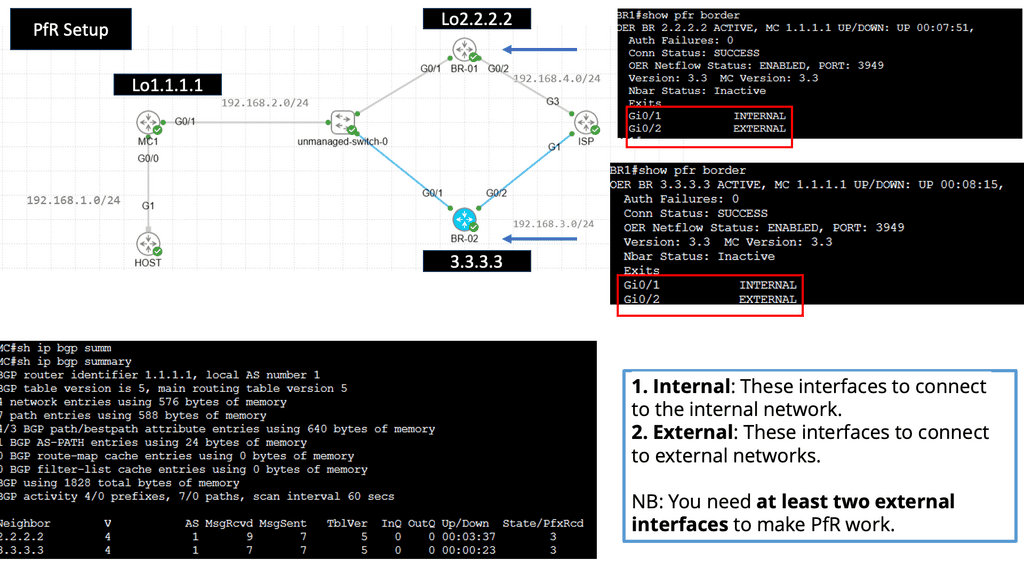
BGP peers exchange routing information over TCP, conventionally using destination port 179. Before exchanging routes, peers establish a session through the BGP finite-state machine.
- Idle: The connection process is not actively established.
- Connect: The router is attempting to establish the TCP connection.
- Active: The router is retrying or attempting to establish the connection.
- OpenSent: An OPEN message has been sent and the router is waiting for the peer's response.
- OpenConfirm: OPEN negotiation has progressed; the router awaits a KEEPALIVE or another valid event.
- Established: The peers can exchange routing information.
An Established session confirms that the BGP relationship has progressed to route exchange. It does not prove that a specific prefix is accepted, selected or forwarded. Check neighbor state and counters, then inspect received routes, policy results, next-hop resolution and the forwarding entry.
1.4 Route selection: policy before assumptions
A router may learn several routes to the same destination. BGP evaluates eligible candidates using its decision process, route attributes and configured policy. Common attributes include:
LOCAL_PREF
Expresses preference within an AS. A higher value is normally preferred and is typically evaluated before AS_PATH length.
AS_PATH
Records the sequence of ASNs traversed by an advertisement. A shorter path may be preferred when earlier criteria are equal.
MED
Can suggest a preferred entry point into an AS. Comparison behavior depends on implementation and configuration.
NEXT_HOP
Identifies the next-hop address used to reach the destination. That next hop must be resolvable for normal forwarding.
COMMUNITIES
Tags that can support routing policy, including route propagation controls and preference changes.
IMPORT / EXPORT POLICY
Controls which routes a router accepts and which routes it advertises to particular peers.
Never diagnose a route using one attribute in isolation. A route with a longer AS_PATH can win because it has a higher LOCAL_PREF. Conversely, a route with attractive attributes may remain unusable when its next hop cannot be resolved or policy prevents installation.
1.5 The control plane and forwarding plane
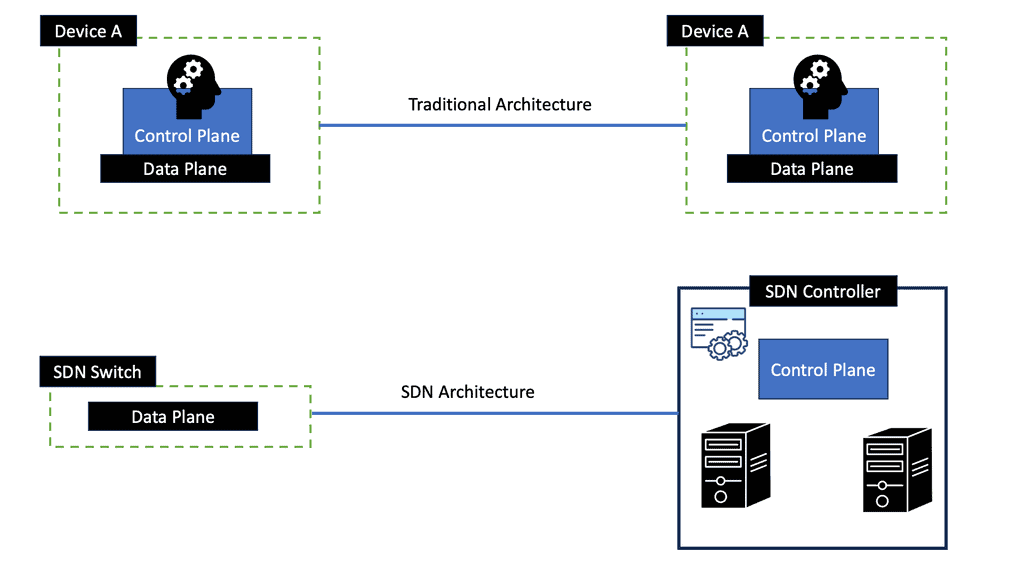
BGP operates in the control plane: it exchanges reachability information and contributes to routing decisions. The forwarding plane uses installed forwarding entries to send packets towards their destinations.
What does the router believe?
Inspect peer state, received and accepted routes, attributes, policy decisions, the selected route and next-hop resolution.
What can the router forward?
Inspect the installed FIB entry, outgoing interface and next-hop information. Where appropriate, validate with controlled traffic tests.
A router can have an Established BGP session without a usable route for a required prefix. A route can also appear in routing information while a next-hop or forwarding-programming issue prevents traffic from following the expected path. The exact diagnosis depends on platform behavior and the available evidence.
BGP is a policy-driven route exchange system, not simply a shortest-path calculator. Trace the route from its advertisement and peer session through policy, candidate selection and next-hop resolution to the installed forwarding entry. Each stage provides different evidence, and each can fail independently.
How a BGP Route Moves Through the Network
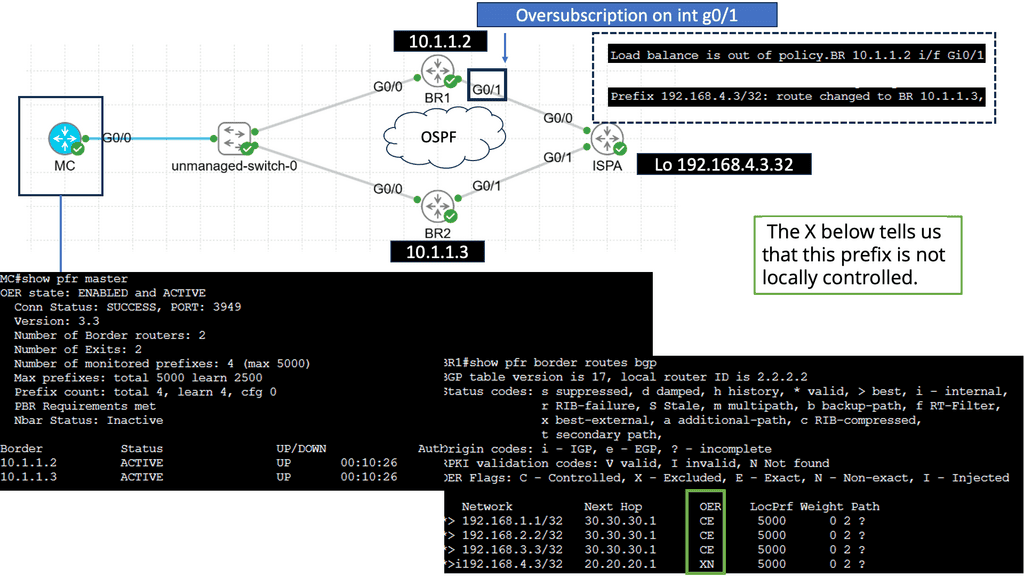
What can you actually see from a BGP router?
Choose an evidence category to see which part of the routing process it helps you inspect.
SECTION 02 · OBSERVE THE EVIDENCE
BGP Routing Evidence: What Can the Router Actually See?
A routing problem rarely reveals its cause through a single status indicator. Engineers need to distinguish peer connectivity, route reception, policy acceptance, best-path selection, next-hop reachability and forwarding state. Each observation answers a different question about the network.
2.1 Build an evidence-based view of BGP
BGP troubleshooting begins by identifying what is known, what is missing and which observation can confirm the next hypothesis. A neighbor may be Established while a required prefix is absent. A prefix may be received but rejected by policy. A route may be selected but unusable because its next hop cannot be resolved.
Rather than treating these conditions as one generic routing failure, inspect the system at several evidence points.
Peer-session evidence
Check neighbor state, uptime, negotiated capabilities, message counters and session resets. These observations help establish whether the control connection is functioning.
Route-reception evidence
Determine whether the expected prefix is advertised by the peer and received locally. Missing routes may point to advertisement, filtering, address-family or session issues.
Selection and policy evidence
Inspect accepted candidates, route attributes, import policy and the selected route. The received route may not be the route used by the router.
Forwarding evidence
Check next-hop resolution, the active routing-table entry, the installed FIB entry and—where appropriate—controlled traffic tests.
2.2 Read the routing evidence in layers
A useful operational approach is to move from the neighbor relationship towards the actual forwarding result. The commands below are common Cisco IOS-style examples; exact syntax and available detail vary by network operating system.
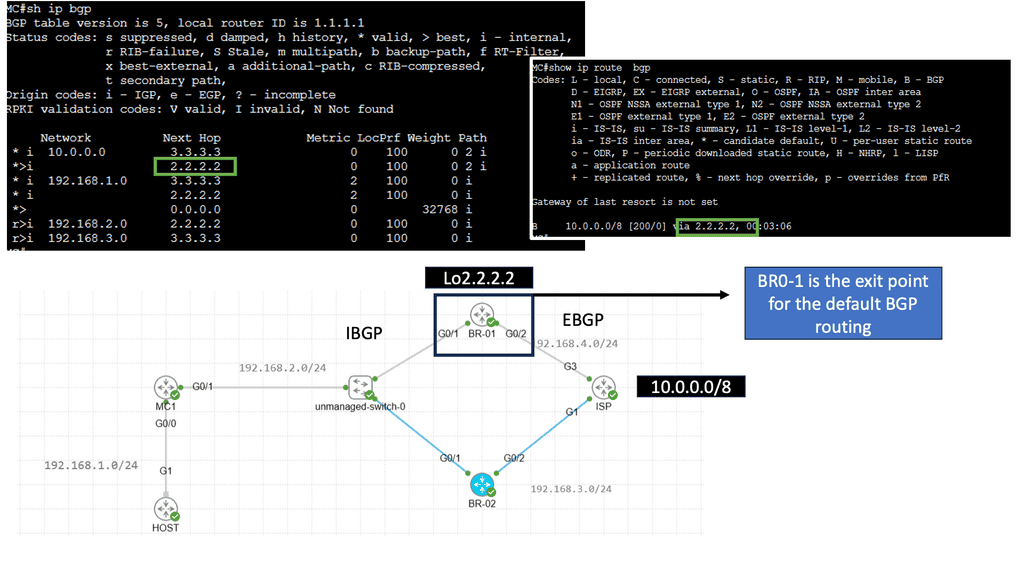
| Evidence point | Example command | Question answered |
|---|---|---|
| Neighbor state | show ip bgp summary |
Are peers established, and are message counters or uptime unexpected? |
| Peer detail | show ip bgp neighbors |
What capabilities, timers, policies and session details are visible? |
| Candidate routes | show ip bgp |
Which BGP paths are known, and which route is selected? |
| Specific prefix | show ip bgp 203.0.113.0 |
What candidate paths and attributes exist for this destination? |
| Routing table | show ip route 203.0.113.0 |
What route is active for the destination in the routing table? |
| Forwarding entry | show ip cef 203.0.113.1 |
What forwarding next hop and outgoing interface are installed, where supported? |
These commands are illustrative, not universal. Use the equivalent commands for your platform. A BGP table, global routing table and forwarding table answer different questions; none should be treated as a substitute for all the others.
2.3 Received, accepted, selected and forwarded are different states
Route visibility is not binary. The same prefix can be present at one stage of processing and absent at another. Understanding these distinctions helps avoid incorrect conclusions during an incident.
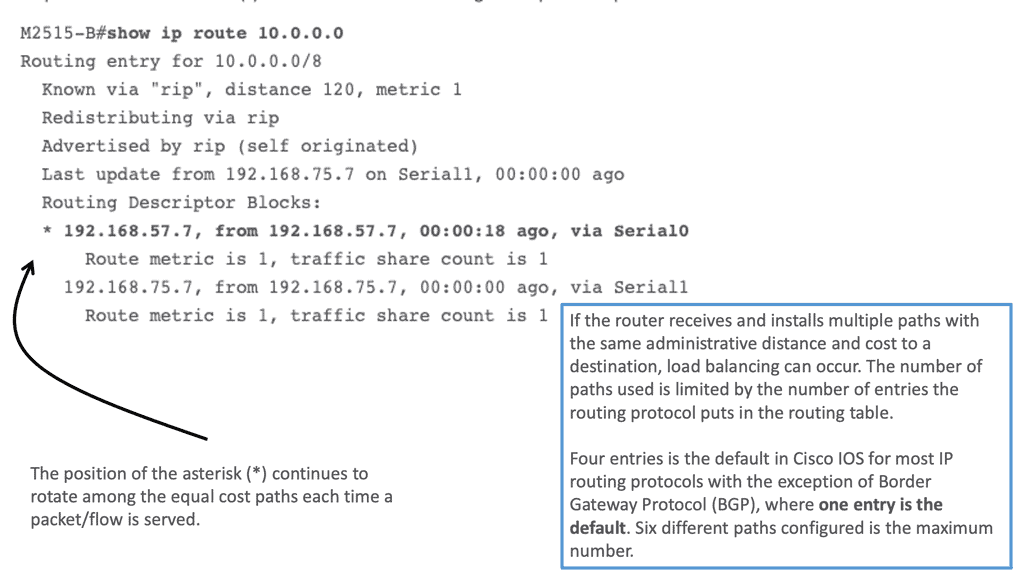
Additional paths may remain visible in the BGP table even when only one path is selected for ordinary forwarding. Features such as multipath or Add-Path can change which paths are installed or advertised, depending on configuration and platform support.
2.4 Use telemetry to establish a baseline
A single snapshot shows a condition at one moment. Operational telemetry adds time and context, helping engineers distinguish a persistent fault from a transient event or expected convergence.
- Session history: Track peer resets, uptime changes and state transitions.
- Update activity: Look for unexpected bursts of route advertisements or withdrawals.
- Prefix counts: Compare received or accepted route counts against an expected baseline.
- Attribute changes: Identify changes in LOCAL_PREF, AS_PATH, MED, communities or next hop.
- Forwarding changes: Correlate route installation and next-hop changes with traffic symptoms.
Baselines should account for planned maintenance, normal routing churn, topology changes and legitimate policy updates. A high update rate or changing prefix count is a clue to investigate, not proof of a fault by itself.
2.5 Compare observations from the right vantage point
BGP is distributed: different routers can hold different route candidates and make different decisions because of their peers, policies, topology and available information. A route visible on one router may be absent on another, and the same prefix may have different preferred paths at different points in the network.
When comparing observations, record the router, VRF or routing instance, address family, prefix, peer and timestamp. This makes it easier to determine whether two outputs describe the same routing context.
Compare like with like: the same prefix, routing instance, address family and approximate point in time. If two routers disagree, investigate their inputs and policies before assuming one of them is incorrect.
2.6 What the evidence does—and does not—prove
Routing evidence narrows the investigation, but each observation has limits. An Established session does not prove that the expected route was received. A selected route does not, on its own, prove that the FIB contains a usable entry. A forwarding entry does not guarantee that every downstream device or remote destination is reachable.
Build confidence by correlating multiple observations: session state, route attributes, policy outcome, next-hop resolution, forwarding state and a suitable end-to-end test. This turns a collection of outputs into an evidence-based explanation.
Observe BGP as a sequence of distinct states, not a single healthy-or-unhealthy indicator. Confirm the peer, inspect the route, understand the policy decision, verify the active route and examine forwarding. Correlate these observations over time and across the relevant routers before deciding where the fault lies.
Three Views of One BGP Route
| Check | Expected evidence | Current result |
|---|---|---|
| Peer state | Established | PASS |
| Prefix received | 198.51.100.0/24 | PASS |
| Import policy | Accepted | PASS |
| Next hop | Resolvable | PASS |
| FIB entry | Installed | PASS |
Two routes. One selected path. What happened?
Use this simplified incident to practise separating a routing symptom from its possible cause.
LOCAL_PREF: 100
LOCAL_PREF: 200
SECTION 03 · INVESTIGATE THE CAUSE
BGP Path Selection: Investigating Routing Failures
When traffic takes an unexpected path or a destination becomes unreachable, the visible symptom rarely identifies the root cause. Engineers must determine whether the route is missing, rejected by policy, losing to another candidate, or unable to provide a usable next hop. The goal is to turn routing outputs into a defensible explanation of what happened.
3.1 Start with the symptom, not the assumption
A BGP incident can present as packet loss, a change in the preferred path, a missing prefix, repeated neighbor resets or an unexpected increase in routing updates. These symptoms can have different causes even when the user-facing impact looks similar.
Before changing configuration, define the affected prefix, the affected routers, the approximate start time and the expected routing outcome. Compare the current state with a known-good baseline or the intended routing policy.
Missing route
Establish whether the prefix is originated, advertised by the peer, received locally and permitted by import policy. Check the address family and relevant filters.
Unexpected best path
Compare eligible candidates and their attributes. Determine which decision criterion explains the selection before changing LOCAL_PREF, AS_PATH or MED policy.
Unreachable next hop
Check the recursive route to the BGP next hop, the relevant IGP or static reachability and any next-hop-self or route propagation design requirements.
Session instability
Correlate peer-state changes with logs, TCP connectivity, interface events, timers and route withdrawals. Avoid treating every route change as a session fault.
3.2 Follow a structured investigation workflow
Use a repeatable process that moves from the reported symptom towards the specific control-plane or forwarding condition responsible for it.
Record the evidence before making a change. If several settings are modified together, it becomes harder to establish which condition caused the failure and which change actually fixed it.
3.3 Investigate why a route wins
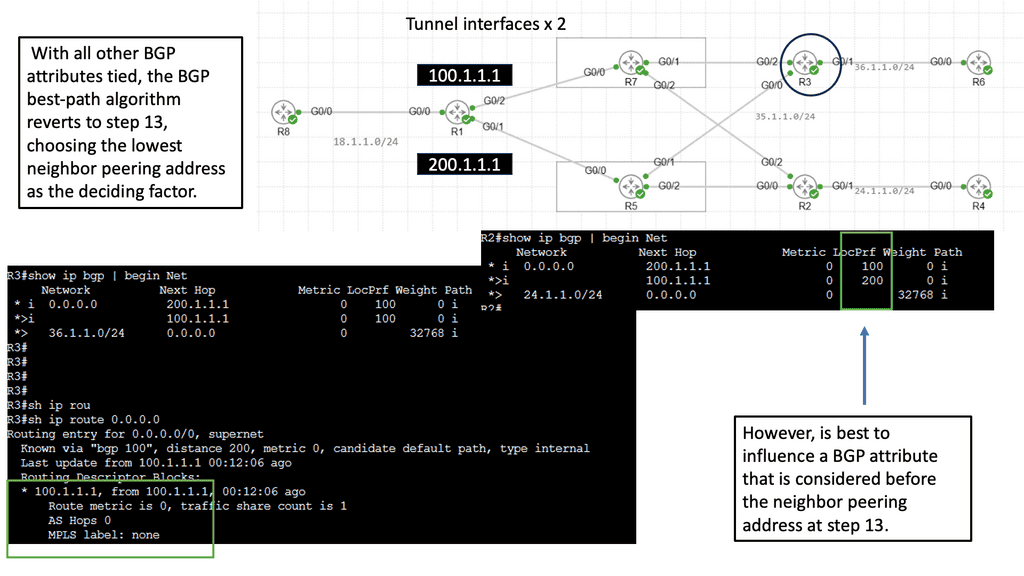
Suppose a router learns two eligible routes to the same prefix. Path A has a shorter AS_PATH, but Path B has a higher LOCAL_PREF. In common BGP decision processes, LOCAL_PREF is evaluated before AS_PATH length. If earlier criteria and eligibility conditions do not override the comparison, Path B can therefore be selected.
The example illustrates why path length alone is insufficient. The engineer should inspect the actual selected route, candidate attributes, import policy and platform-specific decision process. A simplified attribute comparison is not a substitute for the router's full best-path explanation.
3.4 Diagnostic matrix: match evidence to the next check
Use the following matrix to choose the next observation. It is a troubleshooting guide, not an automatic diagnosis: several different faults can produce the same initial symptom.
| Observed symptom | Possible explanation | Next evidence to collect |
|---|---|---|
| Peer is not Established | TCP reachability, configuration, authentication, timers or remote-peer issue | Neighbor detail, logs, interface state and TCP connectivity |
| Peer is Established; prefix absent | Missing advertisement, address-family mismatch, route filtering or policy rejection | Peer advertisements, received-route detail and import policy counters |
| Prefix is received but not selected | Another candidate wins, or the path is ineligible | All candidate attributes, best-path reason and eligibility details |
| Route selected; traffic fails | Unresolved next hop, missing forwarding entry, downstream failure or filtering | Routing table, recursive next-hop route, FIB and controlled traffic tests |
| Route changes repeatedly | Unstable peer or link, changing policy, repeated withdrawals or upstream instability | Timestamped logs, session history, UPDATE activity and interface events |
3.5 Check next-hop reachability and route propagation
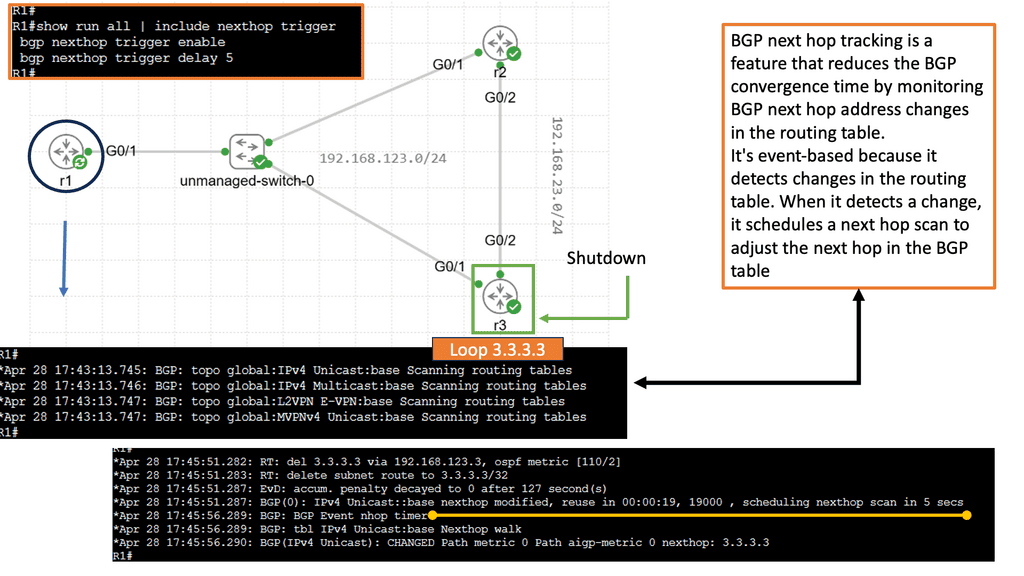
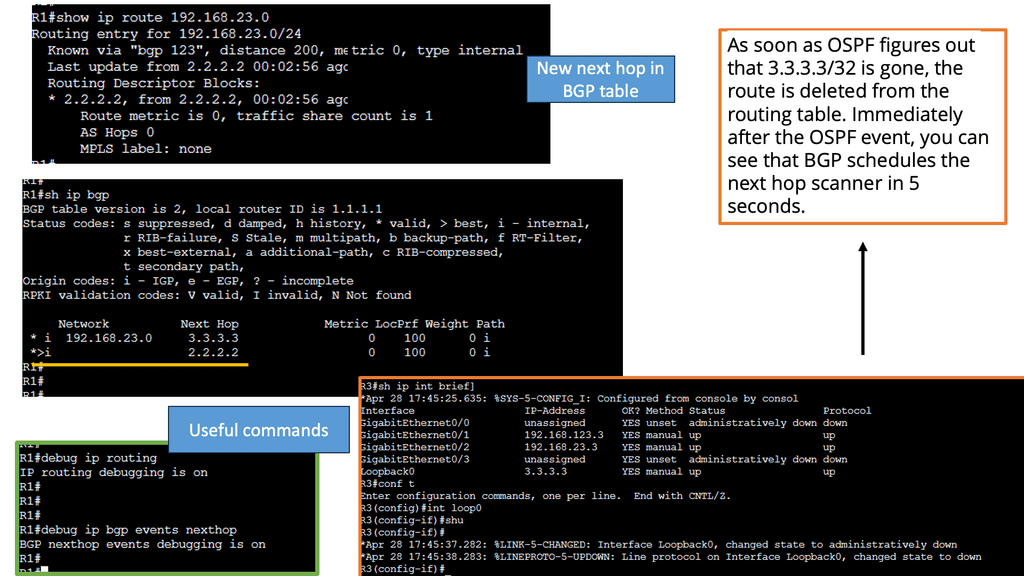
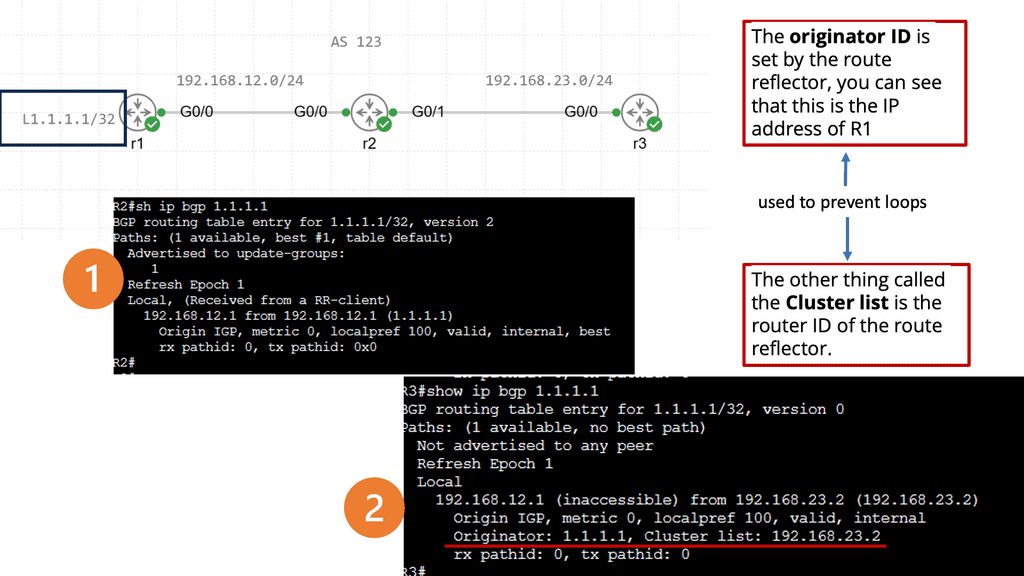
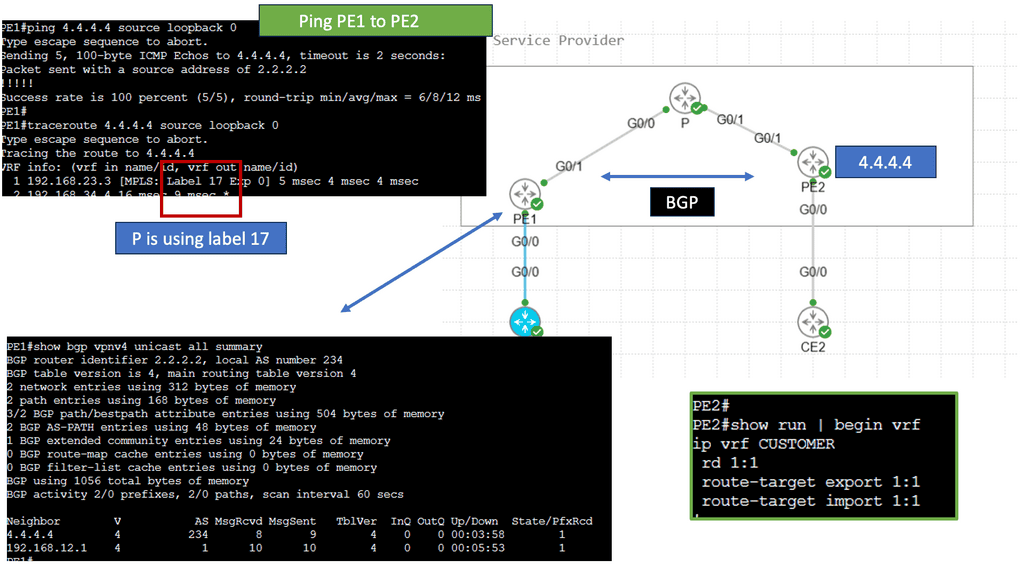
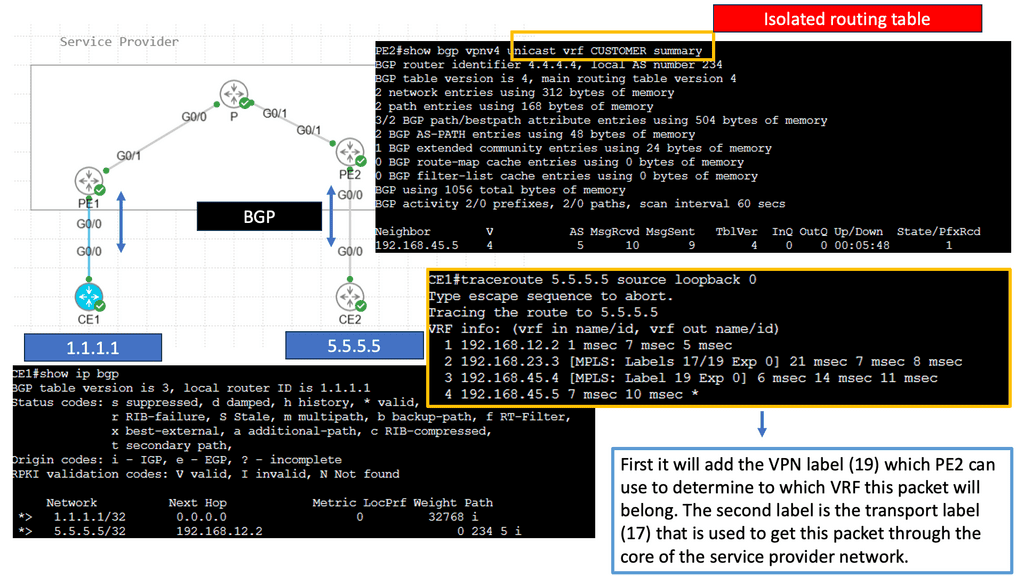
A route can look attractive in the BGP table but remain unusable if the router cannot resolve its NEXT_HOP. This is especially important in iBGP designs, where the advertised next hop may refer to an address that is not reachable from the receiving router's routing table.
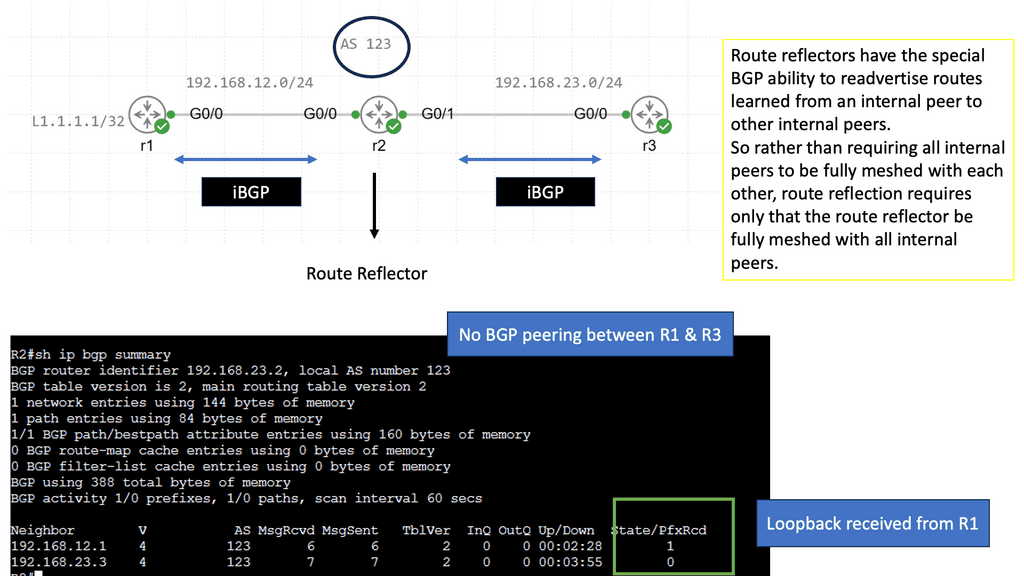
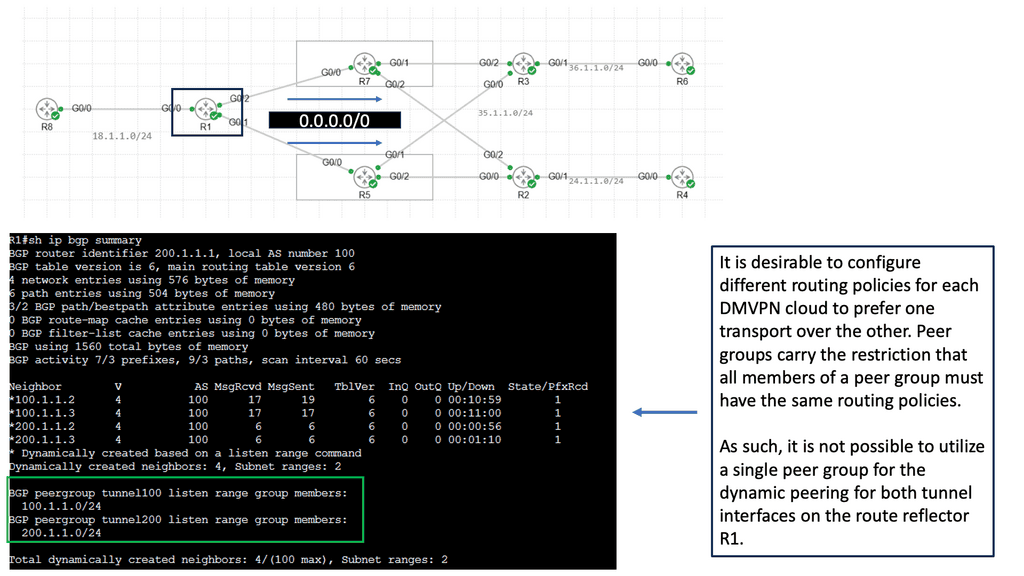
Inspect the next-hop address and determine how it is resolved. Verify the relevant IGP or static route, the outgoing interface and any intended next-hop rewriting behavior. Also check whether route-reflector or other propagation policies explain why a particular router does not see a candidate path.
Distinguish a route that was never received from one that was received but rejected, a route that lost best-path selection, and a selected route that cannot be resolved or forwarded. Each condition requires a different corrective action.
3.6 Remediate one cause and retest
Once the evidence supports a root-cause hypothesis, select the smallest safe corrective action. Depending on the diagnosis, this could involve correcting a prefix filter, restoring next-hop reachability, fixing a peer configuration, adjusting a routing policy or repairing an unstable underlying link.
- Capture the relevant pre-change route and neighbor state.
- Confirm the proposed change addresses the identified condition.
- Apply the change through the appropriate change-control process.
- Recheck peer state, route attributes, selection and forwarding.
- Validate the affected traffic and monitor for recurrence.
Do not assume that a newly Established session or a restored prefix alone proves recovery. Verify the actual forwarding path and the service impact relevant to the incident.
Find the stage where the expected route behavior diverges from reality. Scope the incident, collect evidence, test the best-path and reachability hypotheses, then make a controlled correction and verify the forwarding result. A defensible diagnosis explains both the symptom and the evidence that supports the root cause.
BGP Path Investigation: Find the Actual Failure
Two candidate paths exist for the same prefix. Follow the evidence from route reception through policy, next-hop validation, best-path selection and forwarding. Introduce a fault to see how the diagnosis changes.
01 / Candidate Route Evidence
Route comparisonAn engineer needs to explain which path should be selected for 203.0.113.0/24. Path A has a lower LOCAL_PREF; Path B has a higher LOCAL_PREF but a longer AS_PATH. Determine what is usable and why.
02 / Live Engineering Readout
Evidence 01Start with the BGP peer state
Advance the investigation one stage at a time. Each stage adds evidence; a healthy session alone does not prove the route is usable.
03 / Incident Timeline
Evidence logInvestigation ready. Select a fault if desired, then step through the evidence.
04 / Controlled Fault Injection
Scenario controlsApply a fault before or during the investigation, then reset or advance through the evidence again. These controls alter this simulation only.
Available scenariosA route change is not the same as a recovery
Tick each verification stage as you investigate a routing incident. The checklist tracks your progress; it does not inspect a live router or network.
SECTION 04 · CORRELATE & OPERATE
BGP Dependencies: Remediation and Recovery Verification
Restoring a BGP session or seeing a prefix return does not automatically prove that a routing incident is resolved. Engineers must correlate BGP state with next-hop reachability, routing-table installation, forwarding behavior and the application or service affected by the incident. Recovery is complete only when the expected outcome has been verified.
4.1 Follow the dependencies from route to service
BGP relies on other network components. A route may be advertised correctly while the underlying transport, next-hop reachability or forwarding path is broken. Similarly, a recovered peer session may restore control-plane exchange before all required routes and traffic paths have converged.
Treat this sequence as a diagnostic model, not a universal implementation timeline. Routing systems may process and install changes differently, and traffic can depend on multiple devices or paths beyond the router being investigated.
4.2 Correlate evidence across network layers
A reliable recovery assessment combines observations from the BGP process, the routing system, the forwarding plane and the affected service. Correlation helps identify whether the original failure remains present or has moved to another dependency.
BGP and routing policy
Confirm the expected peers are stable, required prefixes are present, policy permits the routes and the selected path matches the intended routing design.
Next-hop reachability
Confirm that the selected next hop resolves through the appropriate IGP, static route or other supported mechanism. Check relevant interfaces and dependencies.
Forwarding installation
Verify the active routing-table entry and corresponding forwarding entry. Confirm that the outgoing interface and next-hop information are consistent with the intended path.
Traffic and service health
Use appropriate reachability tests, flow telemetry, counters and application checks to establish whether the original user-facing symptom has actually cleared.
Compare events on a common timeline. A peer reset, route withdrawal, next-hop change, interface event and traffic drop may be related—but their timestamps and evidence must support the relationship before assigning a root cause.
4.3 Apply remediation in a controlled way
Select a corrective action that addresses the evidence-supported cause, rather than changing several unrelated settings at once. The correct action depends on the failure: a policy rejection needs a different fix from a failed TCP session or an unresolved next hop.
- Preserve the baseline: Capture relevant peer, route, policy and forwarding state before making a change.
- Confirm the hypothesis: Identify the specific observation that supports the proposed correction.
- Choose the smallest safe change: Follow the appropriate change-control and rollback process.
- Re-evaluate the route: Check the expected advertisement, accepted route, selected path and next hop.
- Validate the service: Confirm the original traffic or application symptom has cleared.
4.4 Verify recovery with explicit evidence
Recovery should be measured against the original failure and the service requirements. A route reappearing in the BGP table is evidence of progress, but it is not sufficient on its own to establish end-to-end recovery.
Operational recovery checklist
This checklist is a manual guide, not a live network health check. Marking these items as verified should be based on actual device output and appropriate service tests, not simply on the passage of time after a configuration change.
4.5 Understand security and routing integrity
Operational verification also includes checking that recovery has not introduced an unintended route or weakened routing policy. Route leaks, accidental advertisements and incorrect origin information can affect reachability well beyond a single router.
- Prefix and AS-path filters: Confirm route advertisements remain within the intended policy boundaries.
- Maximum-prefix controls: Check that protective limits are appropriate for the peer and expected route volume.
- RPKI origin validation: Where deployed, review origin-validation state against the relevant Route Origin Authorization (ROA).
- Communities and export policy: Confirm route tags and propagation rules have the intended effect.
- Change records: Record the cause, corrective action, evidence and any follow-up monitoring required.
RPKI origin validation helps assess whether the origin ASN is authorized to originate a prefix. It does not validate the entire AS_PATH or prove that a route is otherwise correct. It should therefore be treated as one part of a broader routing-security and operational-verification process.
4.6 Close the incident with a defensible explanation
A useful incident record explains what failed, what evidence established the cause, which change was applied and how recovery was verified. This is more valuable than recording only that a BGP neighbor returned to Established.
Where possible, preserve relevant timestamps, before-and-after route attributes, session history, forwarding observations and traffic-test results. These records support future troubleshooting and help identify recurring design or operational weaknesses.
Recovery is a verified outcome, not a single green status indicator. Correlate BGP session health, route policy, next-hop reachability, forwarding installation and the affected service. Apply a controlled correction, validate the original symptom and monitor for recurrence before closing the incident.
BGP Recovery Lab: Correlate, Remediate, Verify
A route can look healthy in one table while traffic still fails. Correlate peer state, policy, next-hop reachability, the forwarding entry and a simulated service probe before declaring the incident resolved.
01 / Correlated Network State
Illustrative topologyA destination route is expected, but the simulated probe fails because the preferred path's next hop is unreachable. Diagnose the dependency, apply the recovery action, and verify every layer.
02 / Recovery Verification
Five checksStart with routing dependencies
Confirm the route, then test the next-hop dependency. Continue through forwarding and service validation instead of treating a single green status as recovery.
03 / Operational Event Timeline
Correlated events04 / Interpretation Guide
What the evidence provesEngineering Summary · BGP Fundamentals
Conclusion: Understand the Route, Prove the Outcome
Border Gateway Protocol is more than a mechanism for exchanging routes. It is a policy-driven routing system in which peer relationships, route attributes, next-hop reachability and forwarding state combine to determine how traffic moves between networks. Understanding those relationships is essential for designing reliable networks and troubleshooting real-world routing incidents.
Understand the architecture
Identify autonomous systems, BGP peers, eBGP and iBGP relationships, and the role of routing policy in exchanging reachability information.
Read the evidence
Examine session state, received routes, attributes, policy decisions, next-hop reachability and the route installed for forwarding.
Investigate systematically
Trace a routing problem from its symptoms to the relevant control-plane evidence. Test a specific hypothesis instead of changing configuration without confirming the cause.
Verify recovery
Confirm that the intended route is selected, the next hop is reachable, forwarding state is correct and the affected service has recovered.
A BGP session being established does not guarantee that the correct route is selected or that traffic can reach its destination. Reliable troubleshooting correlates routing information, policy, forwarding evidence and actual service behaviour before an incident is closed.
Continue building your routing expertise by applying these principles to route selection, route propagation, failure investigation and recovery verification in controlled lab scenarios.