
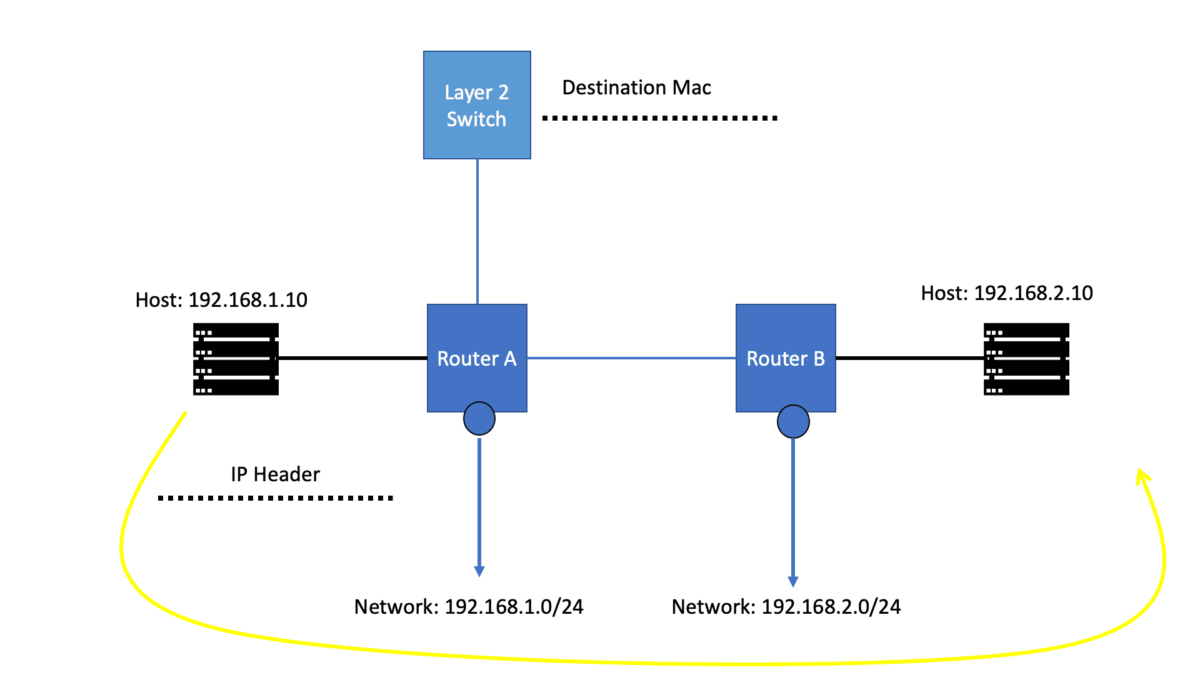
IP Forwarding: How Routers Move Packets Through a Network
IP forwarding is the process that moves packets from an incoming interface towards their next destination. Every routed packet depends on a forwarding decision: which destination prefix matches, which next hop should be used, and which outgoing interface can deliver the packet closer to its destination.
Routing and forwarding are closely connected, but they perform different jobs. Routing protocols and static configuration provide reachability information. The router uses that information to populate its routing state and construct the forwarding information used to process packets. Understanding this relationship is essential when diagnosing unreachable networks, unexpected paths, asymmetric traffic and failures following a topology change.
This engineering guide follows the forwarding process from the routing information a router learns to the decision made for an individual packet. Rather than treating routing protocols as isolated topics, we'll connect their behaviour to the forwarding result an engineer can observe and troubleshoot.
What you will learn
A routing table entry alone does not prove that a packet will reach its destination. Engineers must establish the installed forwarding entry, next-hop reachability, interface state and behaviour along the actual path. When forwarding fails, the objective is to identify the precise stage where the expected packet journey breaks down.
Read, experiment, diagnose
The guide is organised into five sections, each beginning with an introduction and followed by technical explanations and a practical interactive lab. Use the table of contents to navigate directly to a topic, then work through its experiment to test the forwarding behaviour and understand the evidence behind each result.
Section 1 · Foundations
IP Routing and Forwarding Fundamentals
Before troubleshooting a routing problem, establish what a router actually does with a packet. Routing determines usable paths through a network; forwarding applies the installed forwarding state to move each packet toward its destination.
From an incoming packet to an outgoing interface
A router receives a frame on an interface, processes its Layer 2 header, examines the network-layer packet and performs a lookup using the destination IP address and the applicable routing context. The result identifies a forwarding action, typically including a next hop and an outgoing interface. The router then prepares the outgoing Layer 2 frame and transmits it, provided the required state and policies allow it.
Layer 2 switching
A switch uses Ethernet forwarding information, VLAN context and destination MAC addresses to decide where to send a frame within a Layer 2 domain.
Layer 3 routing
A router uses IP forwarding information to determine how a packet should progress between IP networks. The outgoing frame normally has a new Layer 2 header for the next link.
Control plane
Routing protocols and local configuration build and maintain routing information. Route selection determines which paths are eligible to be installed for forwarding.
Forwarding plane
The forwarding plane applies installed entries to packets. A route visible in routing state is not sufficient proof that end-to-end delivery will succeed.
Keep route calculation separate from packet forwarding. When traffic fails, verify both the control-plane decision and the data-plane path rather than assuming one proves the other.
Prepare for the interactive lab: Trace the packet journey
Follow a packet across a simple routed topology. Identify the ingress interface, destination lookup, next hop and egress interface. Use the observed forwarding steps to explain where delivery could fail.
IP Routing and Forwarding Fundamentals
Before investigating routing tables or packet-processing decisions, we need to understand the basic journey of an IP packet. A host generates traffic, a network device examines the destination, and each router along the path determines how to move that packet towards its destination network.
The terms routing and forwarding are often used together, but they describe different operations. Routing establishes reachability and selects routes. Forwarding uses the installed forwarding information to process individual packets. This distinction provides the foundation for understanding how networks operate and where to investigate when traffic fails.
1.1 · Layer 2 switching and Layer 3 routing
Devices on the same IP subnet can generally communicate through Layer 2 switching, provided the required addressing, VLAN and connectivity conditions are in place. Ethernet switches learn source MAC addresses and use their MAC address tables to determine how to forward Ethernet frames within a bridged network.
Communication with a destination outside the local IP subnet normally requires a Layer 3 forwarding decision. The host sends the packet to its configured default gateway, encapsulated in an Ethernet frame addressed to the gateway's MAC address. The router removes the incoming Layer 2 encapsulation, examines the IP destination and determines the next forwarding action.
Switching frames
A switch uses its MAC address table and VLAN context to select an egress port, flood eligible unknown traffic, or filter a frame when appropriate. The destination IP prefix is not the normal basis of Ethernet switching.
Forwarding IP packets
A router performs a Layer 3 lookup against the packet's destination IP address, selects a matching forwarding entry, resolves the next hop and chooses an outgoing interface when a usable route is available.
1.2 · What happens when a packet reaches a router?
Consider a client in subnet 192.168.10.0/24 sending traffic to a server in subnet 192.168.20.0/24. The client identifies that the destination is outside its local subnet and sends the packet to its default gateway, for example 192.168.10.1.
The router then performs a series of operations. The precise implementation varies between platforms, but the logical forwarding process can be understood as follows.
- Receive and validate. The router receives the frame, processes the Layer 2 encapsulation and performs the applicable packet validation.
- Identify the IP destination. The router examines the destination address in the IP header and looks for a matching entry in its forwarding information.
- Select the forwarding action. The lookup identifies the applicable route or forwarding action, including a next hop and outgoing interface where required. A more specific matching prefix takes precedence over a less specific prefix.
- Resolve the next hop. The router uses its forwarding state and neighbour-resolution information to determine how to reach the next hop on the outgoing link.
- Transmit the packet. Where forwarding is permitted and the required information is available, the router updates relevant Layer 3 fields, constructs the appropriate outgoing Layer 2 frame and transmits it towards the next hop.
This process repeats at each routed hop until the packet reaches its destination network or encounters a condition that prevents successful delivery. A router does not normally need to know the entire end-to-end path in advance; it makes a forwarding decision using its own installed forwarding information.
1.3 · Routing control plane versus forwarding data plane
The control plane learns and evaluates reachability information. Routes may originate from directly connected networks, static configuration or dynamic routing protocols. A router evaluates candidate routes according to its routing process and installs eligible routes into its routing information base (RIB).
The forwarding plane uses the resulting forwarding information base (FIB) to make packet-forwarding decisions. The FIB is optimised for lookup and may be programmed into specialised forwarding hardware. The RIB and FIB are related, but they are not interchangeable: the presence of a route in one view does not by itself prove successful end-to-end delivery.
When a destination is unreachable, inspect the route selected for the destination, the corresponding forwarding entry, next-hop reachability, outgoing interface state and relevant Layer 2 adjacency information. Then test the path and confirm where the observed behaviour first differs from the expected forwarding decision.
1.4 · Why routing protocols matter to forwarding
Routing protocols help routers learn and maintain reachability as networks change. RIP uses hop count as its metric. OSPF and IS-IS distribute link-state information and calculate paths using their respective link-state algorithms and metrics. EIGRP uses a composite metric and a diffusing computation mechanism, while BGP exchanges reachability between routing peers and applies policy to route selection and advertisement.
These protocols do not forward every application packet themselves. They contribute routing information that can affect which routes are selected and installed. Forwarding then applies the installed decision to traffic. Understanding this relationship is essential when investigating a route change, a failed link, a missing next hop or a forwarding path that differs from expectations.
Trace the packet journey
In the interactive lab immediately below this section, follow a packet from a client to a remote subnet. Examine the local gateway decision, the router's destination lookup and the outgoing interface. Then change a forwarding condition and observe how the packet journey changes. Use the engineering readout to connect each action to the underlying networking principle.
Trace the IP Packet
Follow a packet from a client to a remote server. Watch the router make a Layer 3 decision and rebuild the Layer 2 frame.
Live packet path
STEP 0 / 8Step forward to see how a host sends an IP packet to a destination on another subnet.
Frame & interface telemetry
LIVE| Current device | Client |
|---|---|
| Ingress interface | — |
| Egress interface | — |
| Ethernet source MAC | — |
| Ethernet destination MAC | — |
| Layer 2 action | No frame sent yet |
| Layer 3 action | Packet not yet routed |
Forwarding decision
ROUTER LOOKUP| Connected network | Outgoing interface | Status |
|---|---|---|
10.1.1.0/24 | Gi0/1 | Connected |
10.2.2.0/24 | Gi0/2 | Connected |
The destination IP determines the Layer 3 forwarding decision. The router uses its forwarding table to select an outgoing interface.
Simulates the selected router interface becoming unavailable. Reset restores the link.
Packet event timeline
0 / 8 EVENTSSection 2 · Routing State
Routing Tables, RIB and FIB
To understand why a router chooses a particular path, inspect the routing information it has learned, the route it selects and the forwarding entry it installs. The RIB and FIB are related, but they serve different purposes.
From route learning to packet forwarding
Connected routes, static configuration and routing protocols can supply candidate routes. The routing process evaluates those candidates using route preference, protocol-specific selection rules and policy. An eligible selected route may then be programmed into the forwarding information base, where it supports packet lookups.
Routing Information Base (RIB)
Contains routing information maintained by the routing system, including routes from different sources and the routes selected for use. The exact display and organization depend on the platform.
Forwarding Information Base (FIB)
Contains the entries used by the forwarding plane to make packet-forwarding decisions. These entries may include prefixes, next hops, interfaces and platform-specific forwarding actions.
Route selection
Determines which route is preferred for a destination among available candidates. Administrative distance, preference and protocol-specific rules vary by implementation.
Longest-prefix match
During a destination lookup, the most specific matching prefix is normally preferred among applicable FIB entries. This forwarding lookup is distinct from route selection.
Do not stop when a route appears in the RIB. Check the selected route, the corresponding FIB entry and whether its next hop is resolved and usable.
Prepare for the interactive lab: Inspect the RIB and FIB
Compare routing information with installed forwarding entries. Follow a destination prefix through route selection and installation, then investigate what a missing or unresolved FIB entry means for packet delivery.
Routing Tables, RIB and FIB
A router can learn several possible paths to a destination, but learning a route is not the same as forwarding a packet. To understand the actual forwarding outcome, distinguish the information learned by routing protocols, the routes selected by the routing process and the forwarding entries used to handle traffic.
The Routing Information Base (RIB) and Forwarding Information Base (FIB) serve related but different roles. The RIB represents routing information and selected routes maintained by the routing system. The FIB contains the forwarding information derived from eligible routes and used for destination lookups. Their exact implementation and display vary across platforms.
2.1 · From route learning to packet forwarding
A router may learn reachability through connected interfaces, static configuration or routing protocols such as OSPF, IS-IS and BGP. It evaluates candidate routes using the relevant protocol rules, route preferences and configuration. The selected route can then be installed into the routing table and used to program forwarding state.
RIB · Routing Information Base
Holds routing information and selected routes. It supports route evaluation, route installation and the control-plane processes that maintain reachability.
FIB · Forwarding Information Base
Holds destination-prefix forwarding entries used to select a next hop, outgoing interface or other forwarding action. Hardware platforms may program these entries into an ASIC or another forwarding engine.
2.2 · The route does not tell the whole story
Consider the destination prefix 10.20.30.0/24. A router might learn a route to this prefix from OSPF and another candidate from a different source. The router's route-selection process determines which route is eligible for installation according to the platform's routing rules and configuration.
Once the selected route is installed, the forwarding system needs sufficient information to carry traffic towards the destination. That can include a resolved next hop, an outgoing interface and Layer 2 adjacency information. If next-hop resolution fails or the interface is unavailable, the route information alone does not guarantee successful packet delivery.
| Information layer | Primary question | What to investigate |
|---|---|---|
| Learned route | How did the router learn the destination? | Protocol state, received advertisements, connected networks and static configuration. |
| RIB / routing table | Which route was selected for installation? | Prefix length, route preference, metric, policy and competing candidates. |
| FIB / forwarding table | What forwarding action will a destination lookup use? | Matching prefix, next hop, outgoing interface and programmed forwarding state. |
| Adjacency / neighbour state | Can the router transmit towards the next hop? | ARP or IPv6 neighbour discovery, Layer 2 reachability and interface status. |
2.3 · Longest-prefix match in the FIB
When forwarding a normal unicast IP packet, the router looks for matching destination prefixes in its forwarding information. Where multiple prefixes match, the most specific matching prefix is normally selected. This is known as longest-prefix match.
For example, a forwarding table may contain 10.20.0.0/16 through one next hop and 10.20.30.0/24 through another. A packet addressed to 10.20.30.45 matches both prefixes, but the /24 is more specific than the /16 and therefore takes precedence for that destination, assuming both entries are usable and the lookup is in the same forwarding context.
Route selection determines which route or routes are installed for a given prefix. Longest-prefix match determines which installed forwarding prefix applies to a packet's destination. These are separate decisions and should be checked separately during troubleshooting.
2.4 · Why the RIB and FIB can appear different
A routing table may contain routes that are not installed in the active forwarding table. A route might lose to a competing route for the same prefix, depend on an unresolved next hop, or be affected by platform-specific forwarding constraints. The exact causes and diagnostic commands differ by vendor and operating system.
Some platforms also expose additional tables, such as protocol databases, Adj-RIB-In and Adj-RIB-Out for BGP, hardware forwarding views, or separate routing and forwarding instances. These views answer different questions. A BGP route received from a peer, for example, is not necessarily the best route, the route installed in the main RIB, or the entry ultimately used to forward a packet.
Start with the destination prefix. Confirm the route source and selected route, inspect the forwarding entry, verify next-hop resolution and interface state, then test packet delivery. If the route is present but traffic fails, avoid assuming the routing protocol is at fault until the forwarding path has been checked.
2.5 · What to examine in the interactive lab
In the experiment below, use a destination address to compare candidate routes with the selected RIB entry and the resulting FIB lookup. Change prefix specificity or next-hop availability and observe which parts of the routing and forwarding state change. The goal is to identify the exact decision that explains the packet's outcome.
Inspect the RIB and FIB
Use the interactive lab immediately below this section to inspect candidate routes, identify the selected route and trace the destination lookup through the forwarding table. Compare longest-prefix match with route selection, then introduce a next-hop or interface problem and examine the evidence before deciding where the failure occurs.
RIB vs FIB: How a Route Becomes Forwarding State
Inspect candidate routes, install the selected route into the forwarding table, and trace a packet using the resulting forwarding entry.
Control-plane to data-plane topology
STEP 0 / 7The routing process can learn multiple paths. The router selects a route for installation, then makes forwarding state available to the data plane.
Live forwarding lookup
DATA PLANE| Lookup result | Not run |
|---|---|
| Matched prefix | — |
| Next hop | — |
| Egress interface | — |
| FIB entry | Not installed |
| Forwarding outcome | Waiting for FIB |
The RIB contains routing information. The FIB is the forwarding-oriented structure used to make packet decisions.
Routing Information Base (RIB)
CANDIDATE ROUTES| Prefix | Source | Preference | RIB role |
|---|---|---|---|
10.1.1.0/24 | Connected | Direct | Available |
10.2.2.0/24 | OSPF | Cost 10 | Available |
10.2.2.128/25 | Static | Admin 5 | More specific |
Teaching model: a simplified set of route candidates. Real operating systems use platform-specific route-selection and installation rules.
Forwarding Information Base (FIB)
INSTALLED ENTRIES| Prefix | Next hop | Interface | Status |
|---|---|---|---|
10.1.1.0/24 | Direct | Gi0/1 | Not installed |
10.2.2.0/24 | 10.0.0.2 | Gi0/2 | Not installed |
10.2.2.128/25 | 10.0.0.3 | Gi0/3 | Not installed |
Engineering event timeline
0 / 7 EVENTSSection 3 · Packet Processing
Forwarding Decisions and Packet Processing
A forwarding decision turns a destination address into a concrete action. Understanding the lookup, next-hop resolution, interface selection and packet handling sequence helps explain why a route can exist while traffic still fails.
How a router chooses the next step
The router evaluates the packet in the context of the receiving interface, routing table or VRF, destination address and applicable forwarding policies. It looks for a matching forwarding entry, resolves the selected next hop and determines how the packet should leave the device. The precise internal pipeline differs across router operating systems and hardware platforms.
Destination lookup
The forwarding lookup normally uses longest-prefix match among applicable entries. A more-specific prefix can therefore be used instead of a less-specific covering route.
Next-hop resolution
The router must have a usable forwarding action. For a directly connected Ethernet next hop, this often requires neighbor resolution through ARP for IPv4 or Neighbor Discovery for IPv6.
Header and Layer 2 handling
For ordinary routed IP forwarding, the IP hop limit or TTL is decremented and the IPv4 header checksum is updated. The outgoing Layer 2 header is prepared for the next link.
Policy and multipath
ACLs, firewall rules, VRFs, tunnels and other platform features can affect packet handling. With ECMP, eligible flows are commonly distributed using a hash rather than every packet being sent over every path.
Questions to ask when a forwarding result is unexpected
- Which routing context is handling the packet?
- Which prefix matches the destination, and is it the most specific applicable entry?
- Is the selected next hop reachable and resolved?
- Are interface state, access policies or encapsulation preventing transmission?
- If multiple paths exist, which ECMP member is selected for this flow?
Explain the actual forwarding action, not just the route that you expected to be used. Confirm the lookup result and next-hop resolution with platform state and traffic evidence.
Prepare for the interactive lab: Make and verify a forwarding decision
Use a destination address to test prefix matching, identify the selected next hop and outgoing interface, and examine how a more-specific route or an unresolved adjacency changes the forwarding outcome.
Forwarding Decisions and Packet Processing
A forwarding table provides the information a router needs to move traffic, but the packet still has to pass through the forwarding process. The router must identify the applicable destination prefix, determine the next forwarding action, resolve the outgoing adjacency and apply the relevant interface and policy rules.
Understanding this sequence helps separate a route-selection problem from a packet-processing problem. A route may be correct while traffic is dropped because of an unresolved neighbour, an interface failure, an access-control rule, a forwarding policy or another data-plane condition.
3.1 · The forwarding lookup
For ordinary unicast forwarding, the destination IP address is the primary input to the route lookup. The router compares that address with its installed forwarding prefixes and selects the most specific usable match. The result identifies a forwarding action, which may include a next hop, outgoing interface or a special action such as discard.
Destination IP address
The destination address is checked against the forwarding table. For example, a packet addressed to 10.20.30.45 may match both a /16 route and a more specific /24 route.
Forwarding action
The selected entry determines how the router should handle the packet, subject to next-hop resolution, interface availability, policy and other forwarding requirements.
3.2 · Longest-prefix match in practice
Imagine a router with the following forwarding entries: 10.20.0.0/16 via Router A and 10.20.30.0/24 via Router B. A packet destined for 10.20.30.45 matches both entries. Because /24 is more specific than /16, the router selects the /24 entry if it is installed and usable in the applicable forwarding context.
| Destination prefix | Example next hop | Specificity |
|---|---|---|
| 10.20.0.0/16 | Router A | Less specific · 16 network bits |
| 10.20.30.0/24 | Router B | More specific · 24 network bits |
| 10.20.30.45 | Router B is selected | Both prefixes match; /24 wins |
Longest-prefix match is not the same as comparing OSPF costs, BGP local preference or administrative distance. Those mechanisms help determine which route is installed for a prefix. The forwarding lookup then determines which installed prefix matches a particular destination address.
3.3 · Next-hop resolution and outgoing encapsulation
After selecting a forwarding entry, the router must be able to transmit towards the selected next hop. On an Ethernet link, this commonly requires a usable neighbour entry mapping the next-hop IP address to a MAC address. IPv4 commonly uses ARP, while IPv6 uses Neighbor Discovery.
If the next hop is unresolved, the router may initiate neighbour discovery, queue packets temporarily or drop packets, depending on the platform and circumstances. A valid destination route therefore does not guarantee that the outgoing Layer 2 frame can be constructed immediately.
- Match the destination. Find the most specific usable forwarding entry for the destination address.
- Identify the next hop. Determine whether the route is directly connected or forwards through another router or forwarding action.
- Resolve the adjacency. Confirm that the required neighbour and Layer 2 information are available on the outgoing link.
- Prepare the outgoing frame. Construct the appropriate Layer 2 encapsulation for the outgoing interface and next hop.
- Transmit or report a failure. Forward the packet when the required conditions are met, or apply the relevant drop, exception or error-handling behaviour.
3.4 · Header processing and policy checks
Forwarding can involve more than a destination lookup. Routers normally decrement the IPv4 Time to Live (TTL) or IPv6 Hop Limit when forwarding a packet. IPv4 routers also update the IPv4 header checksum after changing the TTL. If the TTL or Hop Limit expires, the packet is not forwarded normally.
Depending on the device and configuration, forwarding may also be affected by access-control lists, firewall rules, policy-based routing, VRF context, tunnelling, quality-of-service classification, NAT or other features. These mechanisms can change the selected path or prevent a packet from being forwarded even when a matching route exists.
Confirm the forwarding entry, but also check the forwarding context, next-hop resolution, interface state and applicable policy. If the route looks correct but packets fail, collect evidence from each stage rather than assuming the routing table explains the entire outcome.
3.5 · ECMP and multiple forwarding paths
Equal-Cost Multipath (ECMP) allows a router to use multiple eligible next hops for a destination when the routing and forwarding system determines that the paths qualify. The forwarding plane commonly uses a hash based on selected packet fields to distribute traffic across those paths.
The exact hash inputs and load-sharing behaviour depend on the platform and configuration. Distribution is not necessarily equal for every individual flow, and a single flow is commonly kept on one path to reduce packet reordering. When a next hop fails, the forwarding system may remove it from the usable path set and redistribute affected traffic.
3.6 · Diagnose the packet, not just the route
A useful troubleshooting method follows the packet through the forwarding process. Verify the source and destination, identify the applicable routing or VRF context, inspect the selected forwarding entry, check the next hop and interface, and then examine policy or counters that could explain a drop. A packet capture or controlled test can help establish where observed behaviour differs from the expected path.
Make and verify a forwarding decision
In the interactive lab immediately below this section, enter or select a destination, compare matching prefixes, and observe the chosen next hop. Then test a changed forwarding condition, such as a more specific route, unavailable adjacency or failed outgoing interface. Use the readout to identify the decision that changes the packet's outcome.
Inside the Forwarding Decision
Change the destination, inspect competing prefixes, and watch the router select a route, decrement TTL, and rewrite the Ethernet header.
Live packet-processing path
STEP 0 / 7Advance the packet through ingress processing, FIB lookup, and egress encapsulation.
Live forwarding decision
FIB LOOKUP| Ingress interface | — |
|---|---|
| Matched route | — |
| Next hop | — |
| Egress interface | — |
| New source MAC | — |
| New destination MAC | — |
| Outcome | Waiting for lookup |
The router uses the destination IP to select a forwarding entry. It does not choose the route based on the destination Ethernet MAC from the incoming frame.
Forwarding table
LONGEST-PREFIX MATCH| Prefix | Next hop | Interface | Prefix length |
|---|---|---|---|
10.20.1.0/24 | Direct | Gi0/1 | /24 |
10.20.0.0/16 | 192.0.2.2 | Gi0/2 | /16 |
10.20.2.0/24 | Direct | Gi0/2 | /24 |
172.16.0.0/16 | 192.0.2.5 | Gi0/3 | /16 |
The forwarding table uses the most-specific matching prefix. The /24 for 10.20.2.0/24 wins over the overlapping 10.20.0.0/16 entry.
Packet header inspection
BEFORE / AFTER| Header field | Ingress | After routing |
|---|---|---|
| Source IP | 192.168.10.10 | 192.168.10.10 |
| Destination IP | 10.20.1.25 | 10.20.1.25 |
| TTL | 64 | — |
| Ethernet source | 02:00:00:00:00:10 | — |
| Ethernet destination | 02:00:00:00:00:01 | — |
For ordinary IPv4 routing without NAT, the source and destination IP addresses remain unchanged across the router. The TTL decreases and the Ethernet header is rebuilt for the outgoing link.
Packet-processing timeline
0 / 7 EVENTSSection 4 · Network Change
Routing Protocols and Convergence
Forwarding depends on routing information that can change. When a link fails or a better route becomes available, routers must detect the change, update their routing state and install the appropriate forwarding entries. This process is known as convergence.
How routing protocols contribute
Different routing protocols discover and evaluate paths in different ways. RIP uses a distance-vector approach based on hop count. OSPF and IS-IS are link-state protocols that calculate paths from a network topology. BGP exchanges reachability information and path attributes, with policy playing a central role in route selection. EIGRP is generally classified as an advanced distance-vector routing protocol.
Detect the change
A physical interface event, adjacency loss, protocol timer or other detection mechanism identifies a possible topology or reachability change.
Recalculate or reselect
The routing system processes the new information using the protocol's algorithms, attributes and policies. Not every learned route becomes the selected route.
Update forwarding state
Eligible routing changes are installed into the forwarding plane. Programming, next-hop resolution and platform behaviour can affect when the new path becomes usable.
Verify traffic recovery
Check the forwarding path and real traffic. A routing protocol returning to a stable state does not alone prove that end-to-end connectivity has recovered.
A simplified convergence timeline
Convergence is a sequence of events, not a single switch. Measure detection, route processing, forwarding installation and observed traffic recovery separately.
Prepare for the interactive lab: Simulate a link failure and recovery
Observe the network before and after a link failure. Identify the lost path, check whether an alternate route is available, and verify the routing and forwarding changes needed to restore connectivity.
Routing Protocols and Convergence
Forwarding depends on the routes installed in a router, and those routes can change as network conditions change. Routing protocols exchange reachability information, evaluate paths and react to events such as a failed link, a recovered interface or a newly advertised prefix. Convergence is the process through which the routing system responds to these changes and reaches a new stable state.
A routing change does not instantly guarantee that every router has the same information or that every forwarding device has updated its forwarding state. During a failure, some packets may be lost, a path may temporarily be unavailable, or different parts of the network may briefly have different views of reachability.
4.1 · How routing protocols learn paths
Routing protocols use different mechanisms to distribute reachability and calculate routes. Understanding their differences helps explain why they react differently to topology changes and why their metrics cannot be compared directly across protocols.
RIP
RIP exchanges routing information with neighbouring routers and uses hop count as its metric. Its simplicity is useful for learning the distance-vector model, although its convergence and scalability are limited compared with many modern routing designs.
OSPF and IS-IS
Routers distribute link-state information within the relevant routing domain and calculate paths using a shortest-path algorithm. The resulting route depends on topology, configured metrics and protocol rules.
BGP
BGP exchanges reachability between peers and carries path attributes used for route selection and policy. Attributes such as AS_PATH and LOCAL_PREF help determine which route is preferred and how routes are advertised.
EIGRP
EIGRP uses a composite metric and a diffusing computation mechanism to maintain loop-free paths. Its behaviour differs from both classic distance-vector protocols and link-state protocols.
4.2 · Route metrics and path selection
A routing protocol's metric helps compare candidate paths according to that protocol's calculation rules. RIP uses hop count. OSPF uses interface costs accumulated along a path; in many implementations, the default cost is derived from interface bandwidth and a configured reference bandwidth. Operators can adjust costs to influence path selection.
BGP follows a different model. It evaluates a sequence of path attributes and policy rules, which may include LOCAL_PREF, AS_PATH, origin, MED and other implementation-specific tie-breakers. The exact decision sequence depends on the BGP implementation and configuration.
| Protocol | Routing model | Example path-selection input |
|---|---|---|
| RIP | Distance vector | Hop count |
| OSPF | Link state | Accumulated OSPF interface cost |
| IS-IS | Link state | Accumulated link metric |
| BGP | Path vector | Path attributes and routing policy |
| EIGRP | Advanced distance vector | Composite metric and feasibility conditions |
These metrics describe different things. An OSPF cost of 20 and a BGP LOCAL_PREF of 200 are not values on a common scale. A router first applies the relevant routing-protocol rules and route preferences to determine which route is eligible for installation. Forwarding then uses the installed result.
4.3 · What happens when a link fails?
Consider a router that can reach a destination through a primary link and an alternative path. When the primary link fails, the router must detect the failure, update relevant routing state, calculate or select an alternative route, and update the forwarding information when the new path becomes usable.
- Detect the event. A physical interface transition, protocol adjacency failure or configured liveness mechanism identifies that a neighbour or path is no longer available.
- Update routing information. The routing protocol processes the event and updates its topology or neighbour state as appropriate.
- Recalculate or select a route. The router determines whether another eligible path is available and applies the relevant route-selection rules.
- Update forwarding state. The selected forwarding action is programmed or refreshed, subject to the platform's implementation and any forwarding dependencies.
- Verify recovery. Confirm that the new path is installed and usable, then test traffic and examine packet loss, counters and end-to-end reachability.
4.4 · Convergence is more than a routing-table update
Convergence time depends on failure detection, protocol behaviour, topology, configuration, route calculation, implementation and forwarding-programming time. A network with an alternate route may recover more quickly than one that must discover a new path, but a backup path alone does not guarantee hitless recovery.
During convergence, a router may temporarily have stale information, a neighbour may be unreachable, or traffic may encounter a transient forwarding inconsistency. Depending on the topology and protocol, these conditions can result in packet loss, transient loops or blackholing. Fast-reroute and precomputed backup mechanisms can reduce disruption, but their coverage and behaviour must be verified for the actual design.
Record the failure-detection time, routing-state change, route-selection outcome, forwarding-table update and first successful traffic test. These are related events, but they are not necessarily simultaneous. Use timestamps and packet-level evidence instead of treating a changed routing table as proof that the application path has recovered.
4.5 · ECMP, alternate paths and topology design
Networks often use redundant links to provide resilience. With ECMP, multiple qualifying next hops can be installed for a destination, allowing traffic to use more than one path. In other designs, one route may be preferred while another remains available as a backup.
The result depends on topology, metric design, route policy and forwarding-platform behaviour. A backup path should be checked for reachability, capacity, policy consistency and the ability to carry the expected traffic after a failure. In leaf-spine networks, for example, routed links and ECMP can provide multiple Layer 3 paths without relying on spanning tree to block redundant routed links.
4.6 · Investigating convergence with evidence
When a route disappears or traffic is interrupted, inspect the relevant interface and neighbour state, routing-protocol events, candidate and selected routes, forwarding entries and traffic counters. Compare the observed sequence with the expected failure and recovery process. If routing state has converged but traffic still fails, continue into next-hop resolution, interface state and policy rather than stopping at the routing protocol.
Simulate a link failure and recovery
In the interactive lab immediately below this section, observe the initial route, introduce a link failure and follow the routing and forwarding changes. Compare the primary and alternate paths, then verify when traffic can use the recovered forwarding state. Focus on the order of events, not just the final route.
Routing Protocols & Convergence
Break a routing path, observe how the network detects the change, and step through the control-plane updates that lead to a new forwarding decision.
Network topology
Stage 0 / 5Routing table · R1
Illustrative RIB| Prefix | Next hop | Metric | State |
|---|---|---|---|
| 10.40.0.0/24 | R2 | 10 | Active |
| 10.40.0.0/24 | R3 | 20 | Backup |
Control-plane explanation
R1 has a usable route through R2. The backup path through R3 is available but has a higher illustrative metric.
Convergence event log
Newest event lastEngineering takeaway
Failure detection, routing-protocol processing, route selection, and forwarding-table programming are related but distinct steps. A backup route does not mean every router switches instantaneously.
Section 5 · Advanced Operations
Advanced Forwarding, Failures and Troubleshooting
Real networks add layers of forwarding context, redundancy and policy. VRFs, multipath routing, tunnels, access controls and asymmetric paths can make failures difficult to diagnose. A reliable investigation follows the packet and tests each dependency using observable evidence.
Why a valid route may not mean successful delivery
A destination can have a valid route while traffic is dropped, misdirected or unable to reach its destination. The router may be using a different VRF than expected, a next hop may be unresolved, a policy may reject the packet, or a downstream device may lack a usable return path. Troubleshooting requires checking the complete forwarding chain rather than relying on a single routing-table entry.
VRFs and routing context
Virtual routing and forwarding instances maintain separate routing contexts on supported platforms. Verify that the route lookup is occurring in the intended VRF and that the connected interfaces and next hops belong to the correct context.
ECMP and alternate paths
Equal-cost multipath can distribute eligible flows across multiple next hops. A failure affecting one path or one hashed flow may not affect every connection identically.
Blackholing and policy drops
Traffic can be discarded by a missing route, an unusable forwarding action, a null route, an access-control rule or a downstream policy. Counters and packet captures help distinguish these cases.
Asymmetric routing
The forward and return directions may use different paths. Stateful firewalls, filtering and missing reverse routes can cause failures even when one direction appears healthy.
A repeatable incident-investigation method
- Scope the incident: record source, destination, protocol, VRF, time and observed symptoms.
- Trace the forward route: inspect the selected route, FIB entry, next hop and outgoing interface at each relevant hop.
- Check dependencies: verify interface state, ARP or IPv6 Neighbor Discovery, encapsulation and applicable policies.
- Investigate alternate paths: inspect ECMP members, recent topology changes and any route or link failures.
- Verify the return path: trace responses back to the source and check for asymmetric-path or stateful-filtering problems.
- Confirm the result: repeat the test, compare counters and captures, and document the evidence supporting the diagnosis.
Diagnose the failing forwarding dependency before changing the network. A controlled test with a clear before-and-after comparison is more useful than making several changes at once.
Prepare for the interactive lab: Investigate a forwarding incident
Work through a simulated fault, identify the affected forwarding dependency and collect evidence before selecting a corrective action. Verify the result against routing state, forwarding state and the observed packet path.
Advanced Forwarding, Failures and Troubleshooting
Real networks combine routing protocols, forwarding tables, neighbour resolution, security policy, redundancy and platform-specific forwarding behaviour. When traffic fails, the challenge is to identify which part of that chain is responsible. A systematic investigation follows the evidence from the destination route through the forwarding path and out to the application.
This final section brings the earlier concepts together. It examines forwarding instances, ECMP, blackholing, asymmetric paths and the practical sequence an engineer can use to isolate a fault without confusing a routing symptom with the underlying cause.
5.1 · Forwarding contexts and VRFs
Large networks often separate routing and forwarding into distinct logical contexts. A Virtual Routing and Forwarding instance (VRF) maintains a separate routing context so that different tenants, services or network domains can use overlapping IP address space without sharing one common routing table.
Separate route state
Each VRF has its own routing context and eligible routes. A destination may be reachable in one VRF but absent from another, even on the same physical router.
Lookup in the correct table
The packet must be processed in the intended forwarding context. Inspecting only the default routing table can produce a misleading diagnosis when the traffic belongs to another VRF or routing instance.
VRF-aware troubleshooting begins by confirming the ingress interface, routing instance, source and destination addresses, and any configured route leaking or inter-VRF policy. A route in the wrong routing context does not automatically make a destination reachable to the affected traffic.
5.2 · ECMP and resilient forwarding
Equal-Cost Multipath can install multiple eligible next hops for a destination. The forwarding system commonly uses a hash of selected packet fields to assign flows to paths. This can improve aggregate link utilisation and provide alternative paths when one next hop becomes unavailable.
However, ECMP does not mean every packet is sent over every path, and traffic is not guaranteed to be divided evenly. Hash inputs, flow distribution, resilient hashing and failure handling vary by implementation. When investigating a path-specific fault, determine which next hop the affected flow is actually using.
5.3 · Common forwarding failure patterns
| Observed symptom | Possible cause | Evidence to collect |
|---|---|---|
| No matching route | Missing prefix, failed advertisement, wrong VRF or routing policy. | Routing table, protocol state, prefix advertisements and lookup context. |
| Route exists, traffic fails | Unresolved next hop, down interface, policy drop or stale forwarding state. | FIB entry, neighbour table, interface counters and policy counters. |
| Only some flows fail | ECMP path-specific issue, hash distribution, inconsistent policy or a partial failure. | Flow details, selected next hop, per-link counters and path-specific tests. |
| Traffic fails after a change | Convergence delay, unexpected route selection, incomplete programming or a dependency failure. | Event timestamps, routing logs, FIB changes and packet tests. |
| One direction works | Asymmetric return path, reverse-route problem, stateful firewall or policy mismatch. | Forward and return paths, reverse routing state, ACLs and session state. |
5.4 · Blackholing and asymmetric routing
A forwarding blackhole occurs when traffic is directed into a path that does not deliver it to the intended destination. This can happen when a route remains installed despite a downstream failure, a next hop is unusable, a discard route matches the destination or a forwarding dependency is broken. The precise cause must be established from the active route, forwarding entry and packet path.
Asymmetric routing occurs when traffic in one direction follows a different path from traffic in the other direction. It is not inherently a fault, but it can expose problems with stateful firewalls, NAT, path-specific policy or monitoring systems that assume both directions traverse the same devices.
Confirm forward-path reachability and return-path reachability independently. A successful ping or connection in one direction does not prove that the reverse route, stateful policy or application response path is working correctly.
5.5 · A repeatable forwarding troubleshooting method
A disciplined sequence prevents engineers from changing routing configuration before they have established where the packet is failing. Start with a defined test flow and work through each layer, recording the observed state.
- Define the affected flow. Record the source, destination, protocol, ports where relevant, ingress interface and routing context.
- Check the selected route. Verify that the destination has an eligible route in the correct RIB or routing instance, and understand why that route was selected.
- Inspect the forwarding entry. Confirm the longest-prefix match, next hop, outgoing interface and any special forwarding action.
- Verify the next hop and link. Check neighbour resolution, interface state, VLAN or Layer 2 reachability where applicable, and relevant link counters.
- Check policy and packet processing. Examine access-control rules, firewall state, VRF selection, encapsulation and other features that could affect the flow.
- Test the path and return traffic. Use appropriate pings, traceroutes, packet captures or application tests. Interpret each tool's limits: control-plane probes and application traffic may be treated differently.
- Correlate events and verify recovery. Compare routing events, forwarding updates, counters and test results. After a change, confirm that the original failure is resolved and that the intended forwarding behaviour remains stable.
5.6 · Design for failure, not just normal operation
A robust forwarding design should be evaluated under both normal and degraded conditions. Redundant links, alternative next hops, ECMP, fast-reroute mechanisms, appropriate routing timers and consistent policy can reduce disruption, but each introduces behaviours that need to be validated.
Test realistic failure scenarios: a link going down, a neighbour becoming unavailable, a route being withdrawn, a next hop failing while the interface remains up, or only one ECMP path experiencing loss. Observe the routing state, forwarding state and actual traffic separately. This is the difference between assuming resilience and demonstrating it.
A successful forwarding diagnosis connects three kinds of evidence: the route the control plane selected, the action the forwarding plane installed, and the behaviour observed in real traffic. When those three views agree, the network's behaviour is easier to explain, verify and maintain.
Investigate a forwarding incident
In the interactive lab immediately below this section, investigate a simulated fault using routing state, forwarding entries, interface and neighbour information, and traffic evidence. Identify the most likely failure point, make a controlled change and run the test again. The objective is to justify the diagnosis from evidence, not merely to make the symptom disappear.
Advanced Forwarding, Failures & Troubleshooting
Investigate a forwarding failure by changing the destination, injecting a link fault, and checking the route, next hop, and forwarding outcome. Learn to distinguish a routing problem from a forwarding-path problem.
Forwarding topology
Router R1 · ingressR1 forwarding table
Illustrative FIB| Prefix | Next hop | Interface | State |
|---|---|---|---|
| 10.50.1.0/24 | R2 | Gi0/1 | Ready |
| 10.50.2.0/24 | R3 | Gi0/2 | Ready |
| 0.0.0.0/0 | — | — | No default |
Diagnosis result
Choose a destination and run the diagnosis. The lab will compare the destination against the available forwarding entries and report the expected outcome.
Troubleshooting checklist
Evidence-led workflowEngineering lesson
Routing protocols help determine reachability and route preference. The forwarding plane uses the installed forwarding entry to process each packet. A route in a routing table is not, by itself, proof that packets can reach their destination.
Conclusion · Engineering Takeaways
From Routing Decisions to Packet Forwarding
IP forwarding is the point where a network's control-plane decisions meet the packets travelling through it. Understanding how routes are selected, installed and used by forwarding hardware makes it easier to explain both normal traffic flow and unexpected failures.
What this guide has established
A router does more than look up a destination address. It receives a packet, evaluates the forwarding context, selects a matching forwarding entry, resolves the next hop and outgoing interface, updates the relevant packet fields, and transmits the packet. Each step creates evidence that can be inspected when traffic behaves unexpectedly.
A route in the routing table does not, by itself, prove that a packet will be forwarded successfully. Verify the installed forwarding entry, the next-hop resolution, the outgoing interface, applicable policies and the actual packet path.
Five principles to take into production
Separate routing from forwarding
Routing determines which paths are eligible and selected. Forwarding uses installed forwarding state to process individual packets.
Inspect both RIB and FIB
The RIB records routing information and route selection. The FIB supplies the entries used for packet forwarding. Differences between them can reveal installation or resolution issues.
Check longest-prefix match
Forwarding normally selects the most specific matching destination prefix among applicable entries, subject to the device's forwarding context and policies.
Account for convergence
A routing change can take time to propagate and be installed. During that interval, traffic may be interrupted, lost or sent along a temporarily different path.
Follow the packet's actual path
Validate the source and destination, route lookup, next hop, interface, encapsulation, policy and return path. Use counters, logs and packet captures to corroborate the result.
Test failures, not just success
Remove a link, change a route or introduce a policy constraint in a controlled lab. Observe how the routing and forwarding state changes before drawing conclusions.
A practical troubleshooting sequence
When a destination is unreachable, work through the path in a repeatable order instead of assuming the routing protocol is at fault.
- Define the flow: identify source, destination, protocol and relevant VRF or routing context.
- Check route selection: confirm the active route and the most specific matching prefix.
- Verify the FIB: inspect the installed forwarding entry and its next-hop resolution.
- Inspect the egress path: validate interface state, Layer 2 adjacency, encapsulation and policies.
- Trace the return path: check for asymmetric routing, filtering or missing reverse routes.
- Re-test and record evidence: compare counters, logs, packet captures and state before and after the change.
Continue learning with Network Insight
Use the resources below to move from the forwarding fundamentals in this article to practical routing investigations and interactive BGP experiments.
BGP Learning Centre
Explore BGP architecture, route propagation, best-path selection and fault investigation, with a structured route from concepts to practical experiments.
Explore the Learning Centre ↗BGP Core Simulator
Investigate routing behaviour in an interactive environment. Explore route propagation, best-path decisions and how topology or link changes affect the network.
Launch the Simulator ↗Final takeaway: reliable forwarding depends on the complete chain from route selection to installed forwarding state and successful packet delivery. Diagnose that chain with observable evidence, one step at a time.

- BGP Solutions and Insights - October 8, 2026
- DMVPN - May 20, 2023
- Computer Networking: Building a Strong Foundation for Success - April 7, 2023