
Microsoft Foundry Architecture Explained
Microsoft Foundry provides a platform for developing, deploying, evaluating, and operating AI applications and agents using foundation models, connected tools, and enterprise governance controls.
Understanding its architecture requires more than knowing how to deploy a model. Engineers must understand the relationship between Foundry resources, projects, inference services, agent execution, identity, data access, evaluation, and production observability.
Inside a Microsoft Foundry AI Application
An enterprise application can connect to a deployed model directly or use an agent-based workflow that selects tools, retrieves information, and coordinates multiple operations.
Foundry projects organize application development resources and configurations. Model deployments provide inference capabilities, while supported agent services provide additional orchestration and tool integration.
Five Stages of an Enterprise AI Request
A model-driven application follows an execution path that depends on whether it uses direct inference, retrieval augmentation, or agent orchestration.
The following journey illustrates a representative agent-enabled application that uses model inference and connected tools.
Agent workflows are not always linear. A tool result may be sent back to the model for additional inference, and some requests may require several model and tool execution cycles. Evaluation and monitoring are supporting operational processes rather than mandatory sequential inference stages.
Three Layers Engineers Must Understand
Platform and Control
Foundry resources, projects, access management, model deployment configuration, and service-level governance.
Application and Execution
Prompts, model selection, application logic, agent workflows, tool permissions, and inference behavior.
Operations and Quality
Monitoring, tracing, evaluations, release controls, cost management, incident response, and model quality.
Separating these layers helps engineers identify where a failure originates. A model deployment can be healthy while an agent tool call fails. Similarly, an application can return successful responses while producing incorrect or poorly grounded answers.
Why Microsoft Foundry Matters for Production AI
Enterprise AI systems combine infrastructure, application logic, model execution, and operational governance. The complexity increases when applications use external knowledge sources, multiple tools, and agent-driven execution.
Microsoft Foundry provides a common environment for supported AI development and operational workflows, but engineering teams remain responsible for designing appropriate security boundaries, validating outputs, managing dependencies, and establishing reliable production processes.
Microsoft Foundry should be understood as an enterprise AI application platform rather than simply a model deployment portal. Its architecture connects projects, inference, agent execution, knowledge integration, evaluations, and governance into a broader production AI engineering workflow.
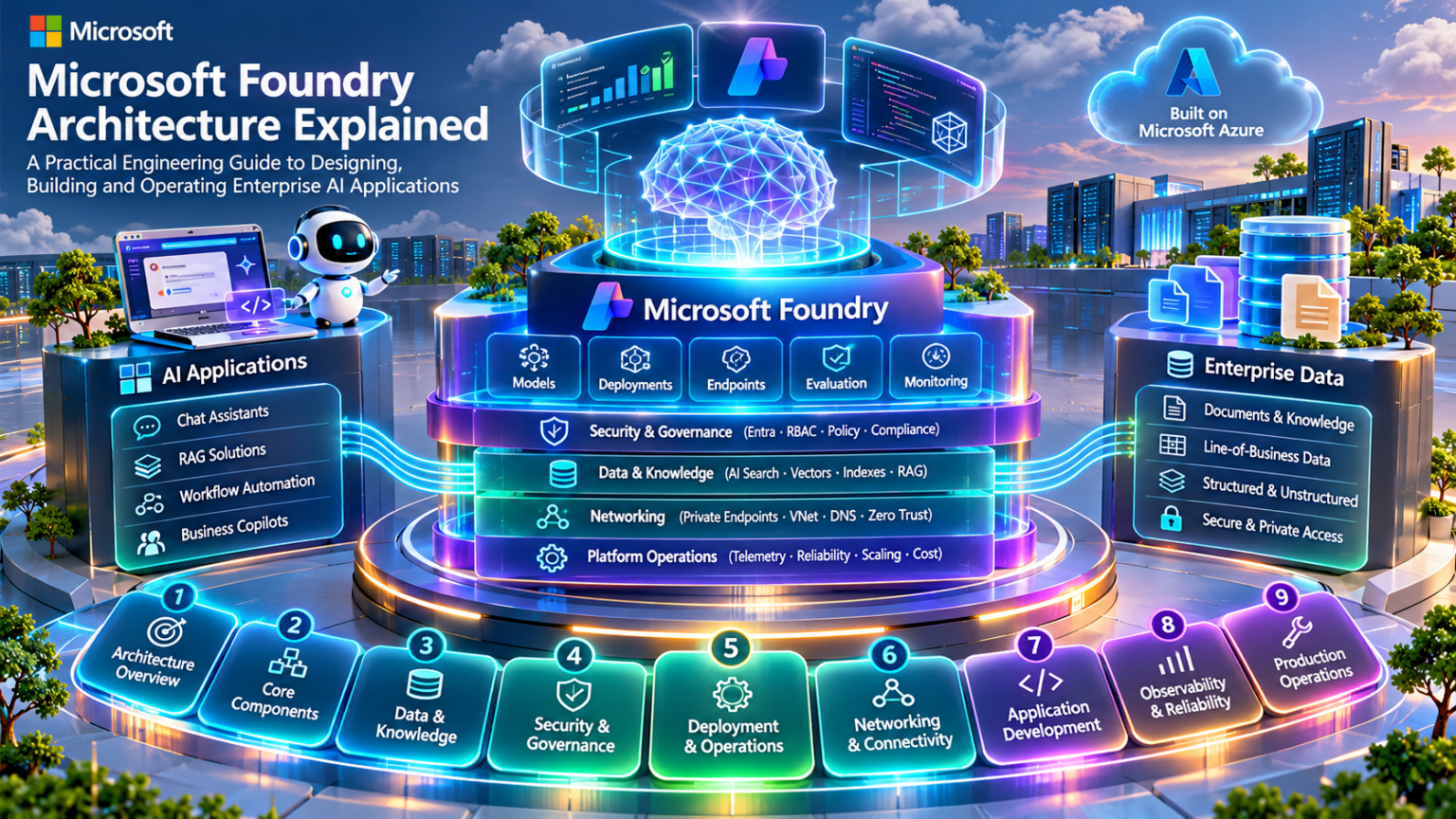
Explore the Microsoft Foundry Architecture
Navigate nine engineering layers of Microsoft Foundry, from platform fundamentals and model deployment to AI agents, enterprise security, and production operations. Select any orbiting circle to jump directly to its section.
Choose an Engineering Section
Navigation uses section anchors. Each destination must exist on the same page with its matching editorial widget ID.
Microsoft Foundry Architecture Fundamentals
Microsoft Foundry provides a platform for building and operating AI applications using model deployments, project configurations, agent capabilities, connected services, and enterprise governance controls.
The architecture combines a management and configuration layer with runtime services that execute inference, agent workflows, and connected operations.
Understanding the Microsoft Foundry Platform
Microsoft Foundry is designed to support the development and operation of AI applications across multiple models, tools, and service configurations.
Engineers interact with platform resources to configure projects, manage deployments, integrate external services, and establish access controls.
Foundry Resource
An Azure resource that provides the parent service context for supported Foundry project and platform capabilities.
Foundry Project
A project context for organizing AI application development, configurations, connections, and supported resources.
Model Deployment
A configured model serving capability used by applications to submit inference requests through supported APIs.
AI Application
Application logic that uses deployed models, retrieval systems, or agent workflows to deliver AI-enabled functionality.
How the Foundry Architecture Fits Together
Foundry applications use multiple architectural layers. The application consumes model or agent capabilities, while the platform provides resource management, deployment configuration, and supporting services.
Foundry Resources, Projects, and Deployment Relationships
A Foundry resource and its associated projects provide an organizational foundation for supported AI development workflows.
Projects can provide a working context for application development, evaluation, and service integration. However, not every connected service or model deployment is exclusively owned by an individual project.
| Component | Architectural Role | Engineering Consideration |
|---|---|---|
| Azure Subscription | Azure billing and governance scope | Quotas, policy, billing, and access |
| Resource Group | Azure resource management boundary | Lifecycle, permissions, and organization |
| Foundry Resource | Parent resource for supported Foundry capabilities | Region, access, network, and service configuration |
| Foundry Project | Application development and configuration context | Project identity, connections, and collaboration |
| Model Deployment | Configured inference capability | Model availability, capacity, authentication, and quotas |
| External Services | Data retrieval, tools, and business integration | Identity, network reachability, and data permissions |
Foundry project organization does not automatically create a dedicated network, compute environment, or isolated model-serving infrastructure for every project. Isolation requirements must be evaluated at the relevant resource, identity, deployment, and network layers.
Separating Platform Management from Inference Execution
A useful engineering distinction is the separation between control-plane operations and data-plane operations.
Control-plane operations manage resources and configurations. Data-plane operations execute the actual AI application workload, such as model inference or agent tool execution.
| Dimension | Control Plane | Data Plane |
|---|---|---|
| Primary Role | Manage resources and configurations | Execute workload requests |
| Typical Operations | Create resources, configure deployments, assign permissions | Run inference, process tool results, return model outputs |
| Typical Consumers | Platform engineers, administrators, automation | Applications, agents, authorized API clients |
| Failure Examples | Deployment configuration rejected, missing role assignment | Inference timeout, tool failure, model response error |
| Operational Focus | Governance, resource state, configuration integrity | Latency, throughput, quality, availability |
A successful deployment configuration does not prove that inference requests will succeed. Conversely, an existing deployment may continue serving requests even when certain management operations are temporarily unavailable. The exact behavior depends on the affected service and failure domain.
Tracing a Request Through a Foundry AI Application
Consider an enterprise application that sends a user request to a deployed foundation model through a supported inference API.
The application must identify the intended deployment, authenticate appropriately, construct the request payload, and handle the model response.
Agent-based workflows can introduce additional steps, including tool selection, retrieval, state management, and repeated model inference cycles.
Security Boundaries in Foundry Architecture
Enterprise Foundry deployments must account for identities that manage platform resources and identities that access runtime services.
Management Identity
Users or automation principals authorized to configure Foundry resources and deployments.
Application Identity
The calling application authenticates to supported model or agent APIs.
Tool Identity
Agent tools and integrations require appropriate authorization to connected services.
Data Access Boundary
Search indexes, databases, and external resources require their own access controls.
Authorization to invoke a model does not automatically authorize access to every data source or external tool used by an AI application. Evaluate each trust boundary independently.
Foundry as an Enterprise AI Application Platform
Microsoft Foundry connects resource management, project organization, model deployments, agent capabilities, and supporting evaluation and governance workflows.
The architectural challenge is understanding how these services relate without assuming that they all share the same execution boundary or security context.
Microsoft Foundry architecture should be understood through its resource hierarchy, management and runtime boundaries, deployment relationships, application identities, and connected services. These foundations are essential for designing secure, scalable, and observable enterprise AI applications.
Microsoft Foundry Architecture Explorer
Investigate the platform resource hierarchy, inspect control-plane and data-plane responsibilities, and trace a simulated enterprise AI inference request.
Foundry Resource
Select a component in the architecture to investigate its engineering responsibilities.
Request Flow Simulator
Run a conceptual model inference request through the application, authorization, deployment and model runtime.
Engineering Event Trace
Microsoft Foundry Projects and Resource Architecture
Microsoft Foundry projects provide an organizational context for AI application development, while Foundry resources and connected Azure services supply the underlying platform capabilities.
Designing an enterprise Foundry environment requires careful attention to resource hierarchy, project organization, identity, connections, isolation, and governance boundaries.
How Foundry Resources and Projects Are Organized
Foundry environments are deployed within Azure subscriptions and resource groups. A Foundry resource provides a parent context for supported platform capabilities, while associated projects organize application-level development activities.
A single Foundry resource may support multiple projects, allowing teams to organize separate applications or development initiatives under a shared resource context.
What a Foundry Project Represents
A Foundry project is a working context for supported AI application development activities. Projects help teams organize configurations, collaboration, and application-related resources.
Project capabilities and their resource relationships depend on the Foundry resource type, available services, and current platform features.
Application Organization
Group related AI application configurations and development activities into a defined project context.
Connections
Configure supported connections to external resources such as search services, data sources, and other platform dependencies.
Identity
Use supported project and workload identity configurations for authorized service access.
Development Workflow
Support model experimentation, agent development, evaluation, and application integration within the available project capabilities.
Understanding External Service Relationships
Enterprise Foundry applications often depend on services outside the Foundry project itself.
A retrieval-based application may connect to Azure AI Search, while an agent may invoke external APIs or business services. Each dependency introduces operational and security considerations.
| Dependency | Architectural Role | Engineering Consideration |
|---|---|---|
| Model Deployment | Provides supported model inference capability | Region, quota, deployment configuration, and authentication |
| Azure AI Search | Indexes and retrieves enterprise knowledge | Index permissions, network access, and retrieval quality |
| Azure Storage | Stores application documents or related data | Data-plane permissions, encryption, and lifecycle policies |
| Azure Key Vault | Stores supported secrets and cryptographic material | Access controls and secret rotation |
| Azure Functions or APIs | Provides application or agent tool capabilities | Execution identity, authorization, and timeout behavior |
| Azure Monitor | Collects supported operational telemetry | Diagnostic configuration, access, and retention |
Creating a Foundry connection does not automatically guarantee that a workload can reach or access the connected service. Network reachability, identity, authorization, service configuration, and runtime behavior must be validated independently.
Managed Identities and Access Boundaries
Foundry applications can involve multiple identities: administrators managing resources, developers working in projects, applications invoking models, and workloads accessing external services.
Microsoft Entra ID, Azure RBAC, and supported managed identities provide important building blocks for enterprise access design.
| Identity Context | Purpose | Security Check |
|---|---|---|
| Platform Administrator | Manage Azure resources and configuration | Scope privileged roles appropriately |
| Project Developer | Develop supported AI application assets | Grant only required project and resource access |
| Application Caller | Invoke supported model or agent APIs | Validate authentication and inference authorization |
| Workload Identity | Access supported connected Azure services | Check managed identity assignment and permissions |
| External Tool Identity | Authorize access to downstream APIs | Validate tool-specific authorization and data access |
Azure management permissions do not necessarily provide data-plane access to model APIs, storage objects, search indexes, or external services. Each permission boundary must be evaluated separately.
Designing Development, Staging, and Production Environments
Enterprise Foundry architectures commonly separate development, staging, and production workflows to reduce deployment risk and control access to sensitive resources.
Project separation can help organize workloads, but stronger isolation may require separate Foundry resources, resource groups, subscriptions, identities, or network configurations.
Separate projects should not be assumed to provide complete security or infrastructure isolation. Select isolation boundaries based on regulatory, operational, data protection, and workload requirements.
Managing Projects Across Enterprise Teams
Governance becomes increasingly important as organizations deploy multiple Foundry projects, model endpoints, and agent applications.
Resource Naming
Establish consistent naming and tagging conventions across projects, deployments, and connected services.
Access Governance
Review privileged roles, project membership, managed identities, and service permissions.
Deployment Governance
Define approved model versions, release workflows, evaluation requirements, and change controls.
Cost Governance
Monitor model consumption, service usage, quota allocation, and associated Azure resource costs.
Investigating Foundry Project and Resource Failures
Project-level problems can originate from missing permissions, unavailable dependencies, invalid configuration, or connectivity failures.
| Symptom | Potential Cause | Investigation |
|---|---|---|
| Project access denied | Missing role assignment or incorrect identity | Inspect principal, role scope, and project access |
| Model invocation fails | Deployment, authentication, or quota issue | Check endpoint configuration and request errors |
| Search connection fails | Network, identity, or index permissions | Test service reachability and data-plane access |
| Agent tool fails | Downstream API authorization or runtime error | Inspect tool configuration and execution traces |
| Resource creation fails | Policy, regional availability, quota, or permissions | Inspect Azure deployment errors and resource constraints |
Building a Governed Foundry Resource Architecture
Foundry projects help organize enterprise AI development, but production architecture depends on more than project structure.
Engineers must account for resource ownership, identity, network connectivity, external dependencies, deployment configuration, and operational governance.
A Microsoft Foundry project is an application development and configuration context, not automatically a complete infrastructure isolation boundary. Reliable enterprise design requires explicit decisions about resource hierarchy, shared dependencies, managed identities, network controls, environment separation, and governance responsibilities.
Foundry Project & Resource Dependency Lab
Repair a misconfigured enterprise AI project. Investigate identity, resource access, model deployment and external service dependencies before validating operational readiness.
Resource Dependency Graph
Click a resource to inspect its role. Red nodes indicate a configuration fault in the selected scenario.
Dependency Inspection
Inspect resource relationships and identify the source of the failure.
Engineering Event Console
Project Dependency Configuration
Adjust the settings to restore the required service relationships.
Architecture Validation
Run validation to inspect project dependencies.
Microsoft Foundry Model Catalog and Model Selection
The Microsoft Foundry model catalog helps engineering teams discover and evaluate foundation models for enterprise AI applications. Selecting a model requires understanding its capabilities, supported deployment options, operational limits, and suitability for the intended workload.
Model selection is an architecture decision. It affects response quality, latency, throughput, cost, governance, and the reliability of production AI applications.
Understanding the Foundry Model Catalog
Microsoft Foundry provides access to a catalog of supported AI models. Available models can differ in provider, capability, licensing, deployment requirements, and regional availability.
The model catalog is a discovery and selection experience. Choosing a model does not by itself provision serving capacity or guarantee that the model is deployable in every Azure region or subscription.
Understanding Different Model Capabilities
Not all AI models are designed for the same workload. Engineers should identify the required capability before comparing model performance.
General-Purpose Language Models
Support conversational interfaces, document summarization, extraction, and many general text-generation tasks.
Reasoning-Oriented Models
Designed for tasks that benefit from deeper analysis, structured reasoning, and complex problem solving.
Multimodal Models
Process supported combinations of text, images, audio, or other modalities, depending on the model.
Embedding Models
Convert supported input content into vector representations used for semantic search, similarity, and retrieval systems.
Model family labels are useful for initial screening but are not a substitute for checking the exact model version, supported APIs, context limits, tool capabilities, and deployment documentation.
Comparing Models Against Application Requirements
Enterprise model selection requires evaluating multiple technical dimensions rather than relying on a single benchmark score.
| Capability | Engineering Question | Architectural Impact |
|---|---|---|
| Task Quality | Does the model produce acceptable results on representative workloads? | Determines application usefulness and reliability |
| Context Window | How much input and output context is supported? | Influences prompt construction and document processing |
| Tool Support | Does the selected API and model support required tool interactions? | Affects agent and workflow architecture |
| Multimodal Support | Which input and output modalities are available? | Determines document, image, and audio capabilities |
| Latency | How quickly does the model return usable output? | Influences user experience and service-level objectives |
| Throughput | Can the deployment sustain expected workload demand? | Determines capacity and scaling requirements |
| Cost | What are the applicable usage or provisioned-capacity costs? | Influences application economics |
| Deployment Availability | Is the model supported in the required region and deployment type? | Constrains architecture and rollout options |
Context Windows, Tokens, and Prompt Design
Model context windows define limits on the information that can be processed within a request or supported interaction.
Engineers must account for system instructions, conversation history, retrieved documents, tool outputs, and expected model output.
Input Tokens
Include user input, instructions, history, and other supported contextual information.
Output Tokens
Represent generated content and may be subject to separate model output limits.
Retrieved Context
External knowledge added to a request can improve grounding but consumes context capacity.
Context Management
Truncation, summarization, retrieval selection, and application state management can control context growth.
A larger context window does not automatically guarantee better retrieval, reasoning, or answer quality. Models should be tested using realistic context lengths and document distributions.
From Model Selection to Deployable Inference
Selecting a model from the catalog is only one stage of deployment planning.
Engineers must confirm the supported deployment options, applicable region, subscription eligibility, quotas, and runtime APIs.
Availability in a model catalog does not guarantee immediate deployment availability for a particular region, subscription, or deployment configuration. Validate the selected model and deployment type before finalizing application architecture.
Balancing Model Quality, Latency, and Economics
Production model selection involves tradeoffs between quality, performance, and cost.
A model that performs well on complex reasoning tasks may not be the most efficient option for high-volume, straightforward classification or extraction workloads.
| Workload | Primary Priority | Selection Strategy |
|---|---|---|
| Customer Support | Latency, quality, cost | Benchmark representative conversations and escalation cases |
| Complex Analysis | Reasoning quality and reliability | Evaluate difficult tasks and acceptable response times |
| Document Extraction | Accuracy and structured output | Test real document formats and validation rules |
| Enterprise Search | Retrieval relevance and embedding cost | Measure retrieval metrics on representative queries |
| High-Volume Automation | Throughput and unit economics | Test sustained concurrency and cost per completed task |
Why Benchmark Scores Are Not Enough
Public benchmarks can help identify promising models, but they may not represent an organization's actual workload.
Engineering teams should create representative evaluation datasets and test models against real application requirements.
Functional Accuracy
Evaluate whether responses satisfy the expected task requirements.
Safety and Policy
Test relevant safety constraints, policy compliance, and undesirable output behavior.
Operational Performance
Measure latency, throughput, errors, and resource consumption.
Regression Testing
Compare model versions and prompt changes before production rollout.
Selecting a model solely because it has a higher benchmark score can produce unnecessary cost, latency, or operational complexity. Use workload-specific evaluations to justify model selection decisions.
Choosing the Right Model for the Architecture
Microsoft Foundry model selection requires a combination of capability assessment, deployment validation, performance measurement, and enterprise governance.
The best model is not necessarily the largest, most expensive, or highest-ranked model on a public benchmark.
Select Microsoft Foundry models according to application requirements, supported deployment configurations, measurable quality, latency, throughput, cost, and governance. Model selection should be validated through realistic evaluation workloads before production deployment.
Model Selection Engineering Lab
Design an enterprise AI workload, evaluate candidate model architectures and investigate the engineering trade-offs behind a model deployment decision.
Enterprise Workload Requirements
Deployment Constraints
Find a model that satisfies every mandatory constraint. Then compare suitable models using the selected optimization priority. A high-capability model may still be rejected for cost, latency or deployment incompatibility.
Selection Analysis
Candidate Model Comparison
All model profiles are fictional. Context, latency, cost, capabilities and availability are synthetic lab inputs.
Architecture Decision
Configure the workload and run the model-selection engine.
Model Engineering Inspection
Selection Engine Event Trace
Microsoft Foundry Model Deployment and Inference Architecture
Model deployment transforms a selected foundation model into a callable inference capability. Engineers must understand deployment configuration, API routing, token processing, capacity, latency, throughput, and operational limits.
A production AI application is only as reliable as its inference architecture. Model quality alone cannot compensate for insufficient capacity, unstable connectivity, authentication failures, or poorly managed request concurrency.
From Model Catalog to Inference Endpoint
A model catalog entry describes an available model and its supported capabilities. A model deployment provides the configured serving capability that applications invoke through supported APIs.
Deployment options vary according to model, provider, region, subscription eligibility, and available serving infrastructure.
Understanding Model Serving Options
Microsoft Foundry supports different model deployment arrangements. Their availability depends on the selected model, service, region, and subscription.
| Deployment Approach | Characteristics | Engineering Consideration |
|---|---|---|
| Standard Consumption-Based | Usage-based serving with applicable shared-capacity limits | Rate limits, regional support, variable demand |
| Provisioned Throughput | Reserved serving capacity for supported models | Capacity planning, utilization, and commitment cost |
| Global Deployment | Supported serving that can use capacity across eligible geographies | Data processing requirements and availability |
| Data Zone Deployment | Supported serving within a defined data zone | Data processing boundaries and regional eligibility |
| Regional Deployment | Serving tied to a supported Azure region | Regional capacity and resilience design |
| Managed Compute Hosting | Supported models hosted on configured compute resources | Compute sizing, scaling, and operational responsibility |
Deployment type names and availability differ across model providers and Foundry services. Global, data-zone, regional, standard, and provisioned options are not interchangeable dimensions or universally supported choices. Confirm the exact model's current deployment documentation.
How an Inference Request Is Processed
An application constructs a request containing supported input content, instructions, generation settings, and deployment information.
The inference service authenticates and validates the request, applies applicable capacity controls, performs model computation, and returns the result or an error.
Supported models and APIs may return a completed response or stream partial output. Streaming can improve perceived responsiveness, but it does not necessarily reduce total computation time or the cost of generating the response.
Input Tokens, Output Tokens, and Inference Workload
Token processing is a major driver of inference performance and cost for many language models.
The total workload depends on input size, generated output length, model behavior, request volume, and applicable service limits.
Prompt Processing
Instructions, user input, retrieved documents, and supported context contribute to input processing requirements.
Output Generation
Generated tokens contribute to response duration and usage, with model-specific processing behavior.
Concurrency
Multiple simultaneous requests increase aggregate serving demand and may affect latency or admission.
Capacity Controls
Applicable request, token, and provisioned capacity limits determine sustainable workload rates.
Token accounting can vary across model families and modalities. Some models also perform additional internal computation. Use the model's supported usage metadata and service documentation rather than assuming every request has identical token behavior.
Latency, Throughput, and Concurrency
Production inference architecture must balance response latency with aggregate workload throughput.
Performance is affected by model characteristics, prompt length, output length, serving capacity, network conditions, and concurrent demand.
| Metric | Meaning | Engineering Use |
|---|---|---|
| End-to-End Latency | Elapsed time from application request to completed response | Measure user-facing performance |
| Time to First Token | Time until the first streamed output token is received | Evaluate perceived responsiveness |
| Output Token Rate | Generated output tokens per unit time | Measure generation performance |
| Request Throughput | Completed requests per unit time | Plan application capacity |
| Concurrency | Requests active simultaneously | Assess parallel workload demand |
| Throttling Rate | Requests rejected or limited by service capacity controls | Identify capacity or quota pressure |
| Error Rate | Proportion of requests that fail | Track availability and reliability |
Average latency alone can hide production problems. Measure percentile latency, request volume, throttling, errors, and workload mix together to understand inference behavior under realistic demand.
Designing Inference Capacity for Production
Capacity planning begins with the application's expected request rate, input and output token distribution, concurrency, and latency objectives.
Engineers should test sustained workloads and traffic bursts rather than relying exclusively on individual successful requests.
Baseline Demand
Establish normal request rates, token usage, and concurrency profiles.
Peak Demand
Evaluate traffic bursts, seasonal demand, and simultaneous application activity.
Scaling Strategy
Choose supported capacity and deployment arrangements based on workload requirements.
Resilience
Design retries, backoff, timeouts, and supported fallback behavior for service failures.
Aggressive retries can amplify load during throttling or service incidents. Use bounded retries, exponential backoff, jitter, and appropriate timeout budgets. Respect service retry guidance when available.
Diagnosing Model Deployment and Inference Failures
Inference failures can originate from authentication, deployment configuration, quota limits, network connectivity, model availability, or application logic.
| Symptom | Potential Cause | Investigation |
|---|---|---|
| 401 Unauthorized | Invalid, expired, or missing credentials | Inspect authentication method and token audience |
| 403 Forbidden | Insufficient authorization or access restriction | Check role assignments and applicable service policies |
| 404 Not Found | Incorrect endpoint, deployment name, or API route | Validate endpoint URL and deployment configuration |
| 429 Too Many Requests | Rate limit or capacity restriction | Inspect quota, traffic patterns, and retry behavior |
| High Latency | Large prompts, long output, concurrency, or capacity pressure | Measure token usage, request timing, and workload mix |
| Timeout | Slow execution, network issue, or client timeout | Correlate client traces with service telemetry |
| 5xx Service Error | Transient service or serving infrastructure failure | Inspect response details, service health, and retry guidance |
Start with the failing request's timestamp, endpoint, deployment, HTTP status, request identifier, and application trace. Determine whether the failure occurs before inference admission, during model execution, or while returning the response.
Designing Reliable Foundry Inference Architecture
Microsoft Foundry model deployment architecture connects model selection, serving configuration, API invocation, capacity management, and operational monitoring.
Production success depends on understanding the complete request lifecycle rather than treating a successful model deployment as proof of application readiness.
Reliable Microsoft Foundry inference requires the correct model and deployment configuration, authenticated API access, sufficient serving capacity, measured latency and throughput, controlled retries, and operational visibility into request failures and usage.
Inference Request Flow Simulator
Generate model inference traffic, investigate token demand, deployment capacity, request concurrency, queueing and throttling. Observe how infrastructure constraints affect application performance.
Inference Deployment Configuration
Incident Presets
Load a traffic scenario and investigate the resulting behavior.
Capacity Estimate
Demand is calculated from request rate × (prompt tokens + expected output tokens) × 60. Actual providers may use different rate-limit accounting.
Live Inference Architecture
Animated conceptual inference path · Request → Admission → Runtime → Response
Live Deployment Telemetry
Engineering Diagnosis
Start the simulation to investigate deployment behavior.
Inference Event Trace
Microsoft Foundry AI Agents and Tool Integration
AI agents extend model inference into workflows that can interpret requests, select supported tools, retrieve information, and coordinate multiple execution steps.
Microsoft Foundry Agent Service provides capabilities for building and operating supported agent applications. Engineers must understand how the agent runtime, model deployments, tools, application state, and external services interact.
Understanding the Agent Execution Model
A traditional model inference request usually produces a response from the supplied input and context. An agent-enabled application can introduce a workflow in which model output influences subsequent tool invocations or application actions.
The agent runtime and application logic coordinate supported execution steps, while connected tools perform operations outside the model itself.
What Happens During an Agent Run?
An agent execution begins when an application submits a task or input to a configured agent workflow.
The agent may use model inference to determine whether it can respond directly or requires additional information or tool execution.
An agent may perform several model and tool execution cycles. Some tasks complete without tools, while others require repeated retrieval, validation, or application-side processing.
How Agents Interact with External Systems
Tool integration allows agent applications to access information or execute approved operations beyond the model's generated text.
Tools may expose search functionality, application functions, data retrieval, or external service operations.
Knowledge Tools
Retrieve relevant documents or records from authorized knowledge sources.
Function Tools
Request application-defined functions for calculations, validation, or business operations.
Connected Services
Integrate with supported Azure services and external APIs through configured connections.
Workflow Tools
Coordinate approved operations that require structured inputs, execution checks, or downstream actions.
A model's decision to request a tool does not automatically grant permission to execute it. Tool execution must respect the authorization, validation, and runtime controls of the executing application or service.
Conversation State, Execution Context, and Memory
Agent applications often need to maintain context across multiple steps or user interactions.
State management can involve conversation history, tool results, application data, and persisted workflow information.
| State Type | Purpose | Engineering Concern |
|---|---|---|
| Conversation Context | Preserve relevant dialogue information | Context limits, privacy, and relevance |
| Tool Results | Provide outputs from external operations | Validation, freshness, and provenance |
| Execution State | Track progress through supported workflow steps | Timeouts, retries, and recovery |
| Application State | Maintain business-specific information | Consistency and authorization |
| Persistent Memory | Retain selected information across interactions | Retention, access control, and data lifecycle |
Agent state is not equivalent to unrestricted model memory. The persistence, retrieval, and retention of information depend on the agent service, application architecture, and configured storage or memory capabilities.
Designing Multi-Step Agent Workflows
Agent orchestration defines how an application coordinates model inference, tool execution, and task progression.
Single-Agent Workflow
One configured agent coordinates the task using supported tools and model interactions.
Application-Orchestrated Workflow
Application code controls the execution sequence and determines when models or tools are invoked.
Multi-Agent Workflow
Multiple specialized agents collaborate through an explicit coordination pattern, where supported.
Human Approval Workflow
Sensitive actions require human review or approval before the application permits execution.
More agents do not automatically produce better outcomes. Multi-agent systems introduce additional model calls, state coordination, latency, cost, and failure modes. Use them only when the workload justifies the complexity.
Identity, Permissions, and Tool Trust Boundaries
Agent applications introduce security boundaries beyond ordinary model inference.
A model may suggest an action, but the application or tool service must decide whether that action is authorized.
| Boundary | Risk | Engineering Control |
|---|---|---|
| User to Agent | Unauthorized requests or misuse | Authentication, authorization, input controls |
| Agent to Model | Incorrect or unsafe generated decisions | Instructions, validation, evaluations, application safeguards |
| Agent to Tool | Unauthorized tool invocation | Tool allowlists, permission checks, schema validation |
| Tool to Data | Unauthorized information access | Least privilege, scoped identity, data permissions |
| External Content to Agent | Prompt injection or malicious instructions | Trust separation, output validation, restricted actions |
| Agent to Business Action | Unintended changes to enterprise systems | Approval gates, idempotency, audit logging |
Treat model-generated tool requests and externally retrieved content as untrusted inputs. Enforce authorization in application code or the downstream service, not through prompt instructions alone.
Latency, Failure Handling, and Agent Observability
Agent workflows can require multiple model calls and external operations. Each additional step introduces latency and a potential failure point.
Production systems should capture trace information that identifies model calls, tool execution, failures, and overall task outcomes.
| Symptom | Potential Cause | Investigation |
|---|---|---|
| Agent produces no useful response | Insufficient context, model behavior, or tool configuration | Inspect prompts, tool availability, and execution traces |
| Tool call fails | Authorization, invalid arguments, or downstream service failure | Inspect tool inputs, identity, and service response |
| Repeated tool calls | Poor termination conditions or repeated model decisions | Review orchestration logic and execution limits |
| High end-to-end latency | Multiple model calls or slow external tools | Break down latency by execution step |
| Unexpected data access | Overprivileged tool identity or missing authorization | Audit identity scopes and downstream permissions |
| Workflow times out | Long-running tools, retries, or orchestration delays | Inspect timeouts, retry budgets, and trace durations |
Set explicit limits on tool execution, model-call budgets, workflow duration, and retry behavior. Use human approval for sensitive actions and ensure operations are safe to retry where appropriate.
Building Reliable Microsoft Foundry Agent Systems
Microsoft Foundry agent architecture combines model inference with orchestration, tool integration, state management, and operational controls.
Engineers must distinguish between a model proposing an action and an authorized system executing that action. This separation is essential for secure enterprise automation.
Production AI agents require more than a capable foundation model. Reliable architecture depends on controlled tool execution, scoped identities, validated inputs and outputs, explicit workflow limits, state management, and end-to-end tracing.
Agent Tool Execution Trace Lab
Investigate an enterprise AI agent as it plans an action, selects a tool, crosses an authorization boundary, executes a service call and produces a final response.
Agent Execution Architecture
Execution Timeline
Agent Runtime Configuration
Runtime Telemetry
Engineering Diagnosis
Run the agent to investigate tool execution and failure handling.
Agent Execution Event Trace
Microsoft Foundry Knowledge Integration and RAG Architecture
Retrieval-Augmented Generation connects foundation models to external knowledge sources, allowing AI applications to retrieve relevant information before generating a response.
In Microsoft Foundry architectures, RAG applications can integrate with Azure AI Search and other supported knowledge services to provide enterprise-specific context.
Reliable RAG engineering requires more than attaching documents to a model. Teams must design ingestion pipelines, chunking strategies, embedding workflows, retrieval logic, access controls, and evaluation processes.
Why Retrieval-Augmented Generation Matters
Foundation models generate responses using information available through their trained capabilities and the context supplied during inference.
Enterprise applications often require information that is private, frequently updated, or specific to an organization's systems.
RAG addresses this requirement by retrieving relevant content from external knowledge sources and incorporating it into the model's inference context.
External Knowledge
Connect AI applications to approved documents, records, knowledge bases, and enterprise data.
Retrieval
Identify relevant information using keyword, vector, or hybrid retrieval techniques.
Grounding
Supply retrieved evidence to the model to support responses based on available source material.
Evaluation
Measure retrieval relevance, answer correctness, groundedness, and operational performance.
RAG does not normally modify the underlying foundation model's trained parameters. It provides additional context at inference time. Fine-tuning and RAG solve different engineering problems and may be combined where appropriate.
Separating Indexing from Online Retrieval
A production RAG architecture typically contains two distinct processing paths: an ingestion and indexing pipeline, and an online retrieval and generation pipeline.
The indexing pipeline prepares searchable knowledge. The online pipeline uses that knowledge to answer application requests.
Azure AI Search is a retrieval and indexing service, not the foundation model inference engine. The AI application or supported orchestration service coordinates retrieval and generation.
Preparing Enterprise Knowledge for Retrieval
Before documents can support RAG, their content must be transformed into a searchable representation.
Ingestion pipelines may include parsing, document normalization, chunking, metadata extraction, embedding generation, and index updates.
The quality of document preparation directly influences retrieval performance. Poor parsing, missing metadata, or inappropriate chunk boundaries can cause relevant information to be omitted from results.
Some Azure AI Search ingestion workflows support integrated enrichment and vectorization. Other architectures perform preparation and embedding generation in application-managed pipelines. Select the approach that matches data formats, control requirements, and operational needs.
Designing Searchable Knowledge Representations
Chunking divides documents into smaller units that can be independently retrieved.
Embedding models transform supported text or other content into vector representations that enable similarity-based retrieval.
Chunk Size
Influences how much information is returned per result and how precisely content can be matched.
Chunk Overlap
Can preserve context across chunk boundaries, but excessive overlap increases index size and redundant retrieval.
Embedding Consistency
Query and indexed content must use compatible vector representations and index configurations.
Metadata Preservation
Store useful source identifiers, document titles, timestamps, categories, and access-control attributes.
Vector dimensions and embedding representations must match the configured vector fields and retrieval workflow. Changing embedding models can require re-embedding indexed content and validating retrieval behavior.
Keyword, Vector, and Hybrid Search
Azure AI Search supports multiple retrieval approaches. The appropriate method depends on the structure of the content and the types of questions users ask.
| Retrieval Method | How It Works | Engineering Use |
|---|---|---|
| Keyword Search | Uses text search and lexical relevance | Exact terminology, identifiers, product names, technical keywords |
| Vector Search | Finds similar vector representations | Semantic similarity and concept-oriented retrieval |
| Hybrid Search | Combines text and vector retrieval signals | Workloads requiring both lexical and semantic matching |
| Semantic Ranking | Uses supported semantic ranking capabilities to refine eligible search results | Improve relevance for supported query and index configurations |
| Metadata Filtering | Restricts results using configured filterable fields | Tenant, document category, date, or access constraints |
Hybrid retrieval can be valuable for technical enterprise content where exact identifiers and conceptual similarity are both important.
A query about a BGP session stuck in Active may benefit from exact matching of protocol terminology and semantic retrieval of troubleshooting procedures. Hybrid retrieval can combine these signals, subject to the configured search pipeline.
How Retrieved Evidence Becomes Model Context
Retrieval identifies candidate source material. Grounding is the process of providing relevant evidence to the model so that it can generate a response informed by that material.
Application logic may select, filter, rerank, truncate, or format retrieved passages before including them in the inference request.
Evidence Selection
Choose relevant source passages from the retrieval results.
Context Assembly
Combine retrieved content with task instructions and user input.
Answer Generation
Invoke the model using the selected context and application constraints.
Source Validation
Preserve source references and assess whether generated claims are supported.
Supplying retrieved documents does not guarantee factual correctness. Models may misunderstand, omit, or misrepresent source material. Groundedness evaluation, citation validation, and application-level safeguards remain necessary.
Permission-Aware Retrieval and Data Access
Enterprise RAG applications must ensure that users receive only information they are authorized to access.
Authentication to a search service does not automatically enforce every document-level permission inherited from the original data source.
| Security Boundary | Risk | Engineering Control |
|---|---|---|
| Source Ingestion | Unauthorized documents indexed | Approved source selection and ingestion permissions |
| Index Access | Overprivileged search clients | Scoped identities, Azure RBAC, and supported access controls |
| Document Permissions | Users retrieve content outside their authorization scope | Permission-aware retrieval, supported ACL mechanisms, or enforced security filters |
| Tenant Isolation | Cross-tenant information exposure | Tenant-scoped indexes or rigorously enforced filters and access boundaries |
| Prompt Injection | Malicious instructions embedded in retrieved documents | Trust separation, restricted tools, validation, and defense-in-depth |
| Source References | Unauthorized content exposed through citations or snippets | Apply authorization to both retrieved content and displayed references |
Retrieval authorization must be enforced before sensitive source content is passed into model context. Do not rely on instructions telling the model to ignore unauthorized information.
Diagnosing Retrieval and Grounding Failures
A RAG application may successfully invoke a foundation model while still producing poor answers because retrieval failed to supply the correct evidence.
Troubleshooting should separate indexing failures, retrieval failures, context assembly problems, and generation errors.
| Symptom | Potential Cause | Investigation |
|---|---|---|
| Relevant document missing | Ingestion failure, indexing delay, or missing content | Check ingestion runs, source changes, and index contents |
| Irrelevant retrieval results | Chunking, query construction, embedding, or ranking issues | Inspect retrieved chunks, scores, filters, and query configuration |
| Search returns no results | Incorrect index, restrictive filters, or query mismatch | Validate index name, searchable fields, and filters |
| Answer ignores evidence | Weak grounding instructions or unsuitable context | Inspect assembled prompts and compare output with source passages |
| Outdated answers | Stale index or delayed refresh | Check source timestamps, indexing schedules, and document versions |
| High response latency | Slow retrieval, reranking, large context, or model inference | Trace retrieval and generation latency separately |
| Unauthorized content exposed | Missing or incorrect permission enforcement | Stop exposure, inspect access filters and identities, review affected queries |
When an answer is incorrect, first determine whether the correct evidence was retrieved. If it was not retrieved, investigate indexing and search. If it was retrieved but misused, investigate grounding, context assembly, and model generation.
Building Reliable Enterprise RAG with Microsoft Foundry
Microsoft Foundry can provide the model and application development capabilities used in enterprise RAG systems, while Azure AI Search and connected knowledge services supply retrieval functionality.
Reliable RAG architecture requires coordinated ingestion, indexing, retrieval, grounding, security, evaluation, and observability.
Enterprise RAG should be engineered as two connected systems: an offline knowledge preparation pipeline and an online retrieval-and-inference pipeline. The quality and security of the final answer depend on both, not simply on the selected foundation model.
Retrieval & Grounding Investigation Lab
Investigate enterprise knowledge retrieval, inspect document relevance and permissions, diagnose stale indexes and determine whether an AI response is supported by retrieved evidence.
Retrieval Investigation Configuration
Disabling access enforcement demonstrates an insecure retrieval design. It is not recommended for production.
Retrieval Pipeline
Retrieval Metrics
Azure AI Search — Document Chunk Inspection
Inspect synthetic document chunks, relevance scores, permission decisions and index freshness.
Generated Answer & Grounding Assessment
Run the investigation to retrieve evidence and assess the answer.
Evidence Comparison
Run retrieval and select Compare Evidence to inspect whether the proposed answer is supported.
Retrieval Diagnostic Console
Microsoft Foundry Evaluations, Testing, and Observability
Production AI systems require more than successful model inference. Engineers must measure answer quality, safety, groundedness, reliability, latency, and operational behavior.
Microsoft Foundry provides evaluation capabilities for supported AI workflows, while Azure monitoring and tracing integrations can help teams investigate runtime behavior.
Effective AI operations combine offline evaluation, pre-production regression testing, and continuous production observability.
Why AI Applications Need Dedicated Evaluation
Traditional software tests often verify deterministic behavior: given a known input, the application should produce a specific expected result.
Generative AI applications can produce different valid responses to similar inputs. Evaluation therefore requires a combination of objective checks, reference comparisons, model-based scoring, and human review.
Response Quality
Determine whether generated answers are useful, relevant, accurate, and aligned with task requirements.
Groundedness
Evaluate whether generated claims are supported by the supplied source evidence.
Safety
Assess supported risk categories, policy violations, and undesirable application behavior.
Operational Reliability
Measure errors, latency, throughput, tool failures, and service availability.
A technically successful inference request can still produce an incorrect or unsafe answer. API success and application quality must be measured separately.
Connecting Offline Testing to Production Monitoring
A mature AI evaluation architecture separates development experiments from production monitoring.
Offline evaluations compare candidate models, prompts, retrieval configurations, or agent workflows using representative datasets.
Production observability investigates actual runtime requests, failures, performance, and selected quality signals.
Offline evaluation does not automatically occur on every production request. Continuous quality assessment requires an explicitly designed monitoring and evaluation workflow, with appropriate privacy controls.
Building Representative AI Test Cases
Evaluation datasets provide repeatable inputs for comparing application behavior across changes.
A useful dataset should reflect realistic user requests, difficult scenarios, edge cases, and known failure conditions.
Normal Cases
Representative requests expected during ordinary application usage.
Edge Cases
Ambiguous queries, unusual inputs, long contexts, and incomplete information.
Adversarial Cases
Approved tests involving malicious instructions, unsafe requests, or attempted policy bypasses.
Regression Cases
Previously identified failures retained as repeatable tests for future releases.
Evaluation results are only as representative as the underlying test cases. A model can perform well on a small curated dataset while failing on real production workloads.
Measuring Quality, Groundedness, and Safety
Different AI workloads require different evaluation criteria.
For example, a RAG application may prioritize groundedness and retrieval relevance, while an agent workflow may require successful tool execution and correct task completion.
| Metric | What It Measures | Typical Application |
|---|---|---|
| Relevance | Whether the response addresses the requested task | Question answering and enterprise assistants |
| Groundedness | Whether claims are supported by supplied evidence | RAG and document-based question answering |
| Correctness | Whether the response meets factual or task-specific expectations | Extraction, analysis, and structured tasks |
| Retrieval Quality | Whether the search pipeline retrieves useful evidence | RAG indexing and retrieval systems |
| Safety | Whether outputs violate defined safety requirements | Customer-facing and sensitive applications |
| Tool Success | Whether required tool operations complete correctly | Agentic applications |
| Task Completion | Whether the overall workflow achieves its objective | Multi-step agent workflows |
| Latency | Elapsed time required to complete a request or task | Interactive production applications |
Model-based evaluators can produce imperfect or variable judgments. Calibrate evaluation criteria against human-reviewed examples, use appropriate deterministic checks, and investigate significant disagreements.
Preventing Quality Regressions During AI Releases
AI application behavior can change when engineers modify the model, prompt, retrieval pipeline, tool configuration, or application code.
Regression testing compares a candidate configuration against an established baseline using consistent evaluation scenarios.
Model Version Changes
Compare output quality, latency, and compatibility before changing production models.
Prompt Changes
Validate that updated instructions improve intended behavior without breaking existing use cases.
RAG Changes
Test indexing, chunking, embeddings, retrieval configuration, and grounding quality.
Agent Changes
Verify tool selection, authorization, execution order, task completion, and failure handling.
Define acceptable evaluation thresholds before release. A candidate version should not be approved solely because its average quality score improved. Review critical failures, safety regressions, latency, and operational cost.
Observing Model Calls, Retrieval, and Tool Execution
AI applications frequently involve multiple services. A single user request may trigger retrieval, model inference, tool execution, and additional model calls.
Distributed tracing helps engineers reconstruct the execution path and identify where latency or failures occur.
| Trace Component | Useful Information | Engineering Purpose |
|---|---|---|
| Application Request | Request identifier, timestamp, duration | Correlate the complete transaction |
| Retrieval Operation | Search duration, index, result metadata | Investigate retrieval latency and relevance |
| Model Invocation | Deployment, duration, token usage, status | Measure inference performance and errors |
| Tool Invocation | Tool identifier, execution duration, outcome | Diagnose agent tool failures |
| Application Processing | Validation, transformation, and business logic timing | Identify non-model bottlenecks |
| Final Response | Completion status and total latency | Measure end-to-end user experience |
Prompts, retrieved documents, tool arguments, and model responses may contain sensitive information. Configure tracing, sampling, redaction, retention, and access controls according to organizational requirements.
Monitoring AI Quality and Infrastructure Health
Production AI observability should combine conventional service reliability measurements with selected AI-specific quality indicators.
A healthy API does not guarantee high-quality answers, and a high-quality model cannot compensate for persistent infrastructure failures.
Availability
Request success rates, service errors, endpoint health, and operational incidents.
Performance
End-to-end latency, model execution time, tool latency, and throughput.
Quality Signals
Selected evaluation results, user feedback, task success, and groundedness checks.
Consumption
Token usage, request volume, service consumption, and associated operational costs.
Azure Monitor, Application Insights, and supported OpenTelemetry-based instrumentation can contribute to observability architectures. The available telemetry depends on service support, instrumentation, and configuration.
Diagnosing Evaluation and Observability Failures
AI production incidents may involve infrastructure failures, degraded answer quality, incorrect retrieval, or unexpected agent behavior.
Engineers should use evaluation results and execution traces together to identify the affected component.
| Symptom | Potential Cause | Investigation |
|---|---|---|
| Quality score decreases | Model, prompt, retrieval, or dataset change | Compare configurations and inspect failing examples |
| Groundedness failures increase | Incorrect evidence or unsupported generated claims | Inspect retrieved context and response evidence |
| Evaluation results vary unexpectedly | Non-deterministic outputs or evaluator variability | Repeat tests and review scoring consistency |
| Traces are missing | Instrumentation, sampling, export, or permission issue | Inspect telemetry configuration and ingestion pipeline |
| Agent latency increases | Additional model calls or slow tool execution | Compare trace spans and execution counts |
| API succeeds but task fails | Incorrect output or incomplete workflow | Review task-level evaluations and application validation |
| Production quality drifts | Changing user requests, data, or model behavior | Compare current workloads with baseline evaluation distributions |
Separate operational failures from semantic quality failures. Use request traces to understand execution behavior and evaluation evidence to understand whether the output met application requirements.
Building an Observable and Testable Foundry Architecture
Microsoft Foundry evaluations help engineering teams assess supported AI application behaviors before and during the development lifecycle.
Production observability provides visibility into execution, latency, errors, and operational performance.
Together, these practices establish a feedback loop between development, testing, deployment, incident analysis, and continuous improvement.
Reliable enterprise AI systems require both quality evaluation and operational observability. Use representative datasets, explicit release criteria, regression testing, distributed tracing, and privacy-aware production monitoring to detect failures that ordinary API health checks cannot reveal.
AI Evaluation & Regression Lab
Compare baseline and candidate AI application versions, run synthetic evaluation datasets, inspect quality regressions and enforce release gates before production promotion.
Evaluation Configuration
Evaluation Summary
Baseline vs Candidate Evaluation
Run an evaluation to compare release metrics.
Release Gate Validation
Apply release gates after running the evaluation.
Production Promotion Decision
Evaluate the candidate release before making a deployment decision.
Evaluation Case Investigation
Failed or regressed test cases will appear here.
Evaluation Event Console
Microsoft Foundry Enterprise Security and Governance
Enterprise AI platforms must protect identities, model endpoints, connected data sources, tool integrations, and operational telemetry.
Microsoft Foundry security architecture combines Azure identity, resource authorization, supported network isolation, data protection, AI safety controls, and governance processes.
Secure deployment requires engineers to understand the boundaries between Foundry resources, projects, model services, agents, and downstream enterprise systems.
Applying Defense in Depth to Enterprise AI
AI applications introduce multiple trust boundaries. Users access applications, applications invoke models, agents request tools, and tools may access sensitive enterprise data.
Each boundary requires explicit controls rather than relying on the model's instructions to enforce security.
Identity
Authenticate users, services, workloads, and supported machine identities.
Authorization
Apply least-privilege permissions to resources, deployments, projects, and connected services.
Network Protection
Restrict supported service connectivity and private access paths where required.
Governance
Define deployment policies, audit requirements, data controls, and operational accountability.
Model instructions are not a substitute for access control. Authorization must be enforced by the application, service, or downstream system performing the protected operation.
Understanding Foundry Trust Boundaries
A secure Foundry architecture separates identity and management controls from runtime inference and downstream data access.
A Foundry project is not automatically a network security boundary. Network isolation requires supported service configurations, connectivity controls, and validation of every dependent service endpoint.
Authenticating Users and AI Workloads
Microsoft Entra ID provides identity capabilities used across Azure services and supported Foundry integrations.
Applications can use supported token-based authentication instead of embedding long-lived service credentials.
Human Identities
Developers, administrators, operators, and application users authenticate through supported identity workflows.
Service Principals
Applications and automation workflows can authenticate using configured workload identities.
Managed Identities
Supported Azure workloads can obtain tokens without maintaining application-managed credentials.
Credential Governance
Where credentials are required, protect them through approved secret management and rotation.
Managed identities simplify credential handling but do not automatically grant access. The identity still requires appropriate role assignments and service permissions.
Controlling Resource and Project Permissions
Azure role-based access control assigns permissions to identities at supported resource scopes.
Foundry deployments may require different permissions for management operations, project configuration, model invocation, and connected data services.
| Access Area | Typical Operation | Security Consideration |
|---|---|---|
| Resource Management | Create or configure supported Azure resources | Restrict privileged management permissions |
| Foundry Projects | Manage supported project assets and configuration | Use documented roles and scopes |
| Model Deployment | Create, update, or manage deployments | Separate deployment administration from application use |
| Model Inference | Invoke supported model endpoints | Grant only required inference permissions |
| Knowledge Retrieval | Read permitted search indexes or documents | Enforce service and document-level access |
| Agent Tools | Execute approved downstream operations | Validate identity and authorization at each tool |
Azure management permissions and service data-plane permissions are not always equivalent. Confirm the exact documented role, scope, and API authorization requirements for each service.
Protecting AI Service Connectivity
Enterprise environments may require private connectivity between applications, model endpoints, search services, storage, and other dependencies.
Azure Private Link, private endpoints, network restrictions, and approved connectivity designs can help reduce exposure for supported services.
Private endpoint deployment alone does not guarantee a fully private AI architecture. Validate DNS, routing, public access settings, dependent services, and any outbound connections used by the workload.
Securing Prompts, Responses, and Enterprise Knowledge
AI applications can process sensitive information through prompts, retrieved documents, model responses, tool arguments, and telemetry.
Data protection requires controls across the complete application lifecycle.
Data Classification
Identify sensitive data categories and determine permitted AI processing scenarios.
Encryption
Apply supported encryption controls for data in transit and at rest.
Retention
Understand service data handling, application storage, logging, and deletion requirements.
Telemetry Protection
Avoid unnecessary collection of sensitive prompts, retrieved content, and tool results.
Data processing boundaries vary by model provider, deployment type, region, and service capability. Verify current service-specific data handling commitments before processing regulated workloads.
Controlling Model and Agent Behavior
AI governance extends beyond infrastructure security. Organizations must define acceptable use, safety requirements, evaluation standards, and operational accountability.
Supported content filtering and safety capabilities can help manage selected categories of unsafe input and output.
| Governance Area | Objective | Engineering Practice |
|---|---|---|
| Model Approval | Control which models are permitted | Maintain approved model and deployment inventories |
| Safety Controls | Reduce harmful or prohibited outputs | Use supported safety features and application safeguards |
| Prompt Injection Defense | Limit influence of untrusted content | Separate trust levels and restrict privileged actions |
| Agent Permissions | Prevent unauthorized business operations | Tool allowlists, authorization checks, and approval gates |
| Evaluation | Verify behavior before release | Run representative quality and safety tests |
| Auditability | Support incident review and accountability | Capture relevant configuration and execution records |
| Change Control | Prevent uncontrolled production modifications | Version and review models, prompts, tools, and policies |
Content filtering is only one layer of AI risk management. It does not replace authorization, application validation, human review, or ongoing quality evaluation.
Diagnosing Foundry Security and Access Failures
Security incidents and access failures should be investigated by identifying the exact boundary at which the operation fails.
| Symptom | Potential Cause | Investigation |
|---|---|---|
| 401 Unauthorized | Invalid or missing authentication token | Check identity, token audience, and credential acquisition |
| 403 Forbidden | Insufficient role or service authorization | Inspect role assignments, scopes, and applicable service policies |
| Private endpoint unreachable | DNS, routing, firewall, or endpoint configuration issue | Validate name resolution, connectivity, and public access settings |
| Agent tool denied | Missing downstream permissions | Identify the executing identity and verify tool authorization |
| Knowledge access failure | Search service or document-level permission restriction | Inspect search identity, index permissions, and security filters |
| Content filtered | Applicable safety or content filtering policy | Review supported filter outcomes and application handling |
| Unexpected data exposure | Overprivileged identity, missing filters, or unsafe logging | Contain exposure, audit access, and review data paths |
For suspected unauthorized data access, prioritize containment and evidence preservation. Investigate the identity, resource, authorization scope, network path, and downstream service involved.
Designing Secure Microsoft Foundry Environments
Microsoft Foundry security architecture requires coordinated controls across identity, authorization, network connectivity, model inference, agent tools, connected data, and governance.
A secure enterprise deployment must validate each service boundary independently and ensure that operational controls remain effective as applications evolve.
Secure Foundry architecture depends on least-privilege identity, explicit authorization, supported private connectivity, protected data handling, controlled agent execution, safety evaluation, and auditable governance. Security must be enforced throughout the application, not delegated to the model.
Foundry Security Boundary Lab
Trace enterprise AI requests across identity, authorization, private networking, model access, knowledge permissions and governance controls. Inject faults and investigate access decisions.
Enterprise Security Boundary Map
The simulated request passes through six sequential controls.
Security Investigation Console
Security Incident Configuration
Security Control Configuration
Security Assessment Metrics
Engineering Security Decision
Trace the request or run a full security posture assessment.
Microsoft Foundry Production Operations and Troubleshooting
Production AI applications require reliable inference, secure connectivity, controlled agent execution, accurate retrieval, observability, and disciplined incident response.
Microsoft Foundry applications can depend on several interconnected services. A single user request may involve identity, model deployments, retrieval systems, agent tools, and external APIs.
Troubleshooting requires engineers to identify which component failed, correlate telemetry across service boundaries, and distinguish infrastructure incidents from AI quality problems.
Understanding the Complete Application Dependency Chain
Production AI systems are distributed applications. Their reliability depends on more than the availability of a single model endpoint.
Engineers should map the dependencies between the application, identity provider, Foundry resources, model inference, knowledge retrieval, and agent tools.
Document every service required to complete a user request. Include authentication, DNS, network access, deployment configuration, external tools, and telemetry dependencies.
Separating Infrastructure, Application, and AI Quality Failures
AI incidents should be classified according to their observable symptoms and affected components.
An API failure is different from an incorrect model response, even when both result in a failed user task.
Infrastructure Failures
Connectivity, service availability, endpoint configuration, DNS, and authentication problems.
Capacity Failures
Rate limiting, insufficient serving capacity, excessive concurrency, and request timeouts.
AI Quality Failures
Incorrect responses, unsupported claims, poor retrieval, or task completion failures.
Security Incidents
Unauthorized access, unexpected tool execution, sensitive data exposure, or policy violations.
Do not assume that every failed AI task is a model failure. Determine whether the problem originated in infrastructure, retrieval, orchestration, model generation, or application validation.
Diagnosing Endpoint and Configuration Failures
Deployment-related failures can occur when an application uses an incorrect endpoint, unsupported API, missing deployment, or incompatible configuration.
| Symptom | Potential Cause | Investigation |
|---|---|---|
| Deployment unavailable | Unsupported model, region, or deployment configuration | Check model compatibility, region, and subscription eligibility |
| 404 Not Found | Incorrect deployment identifier or API route | Verify endpoint, deployment name, and supported API |
| 401 Unauthorized | Invalid or missing authentication credentials | Validate token acquisition and authentication configuration |
| 403 Forbidden | Missing permissions or applicable access restrictions | Inspect identity, RBAC scope, and service access policies |
| Connection timeout | Network, DNS, firewall, or service connectivity issue | Test endpoint resolution and network connectivity |
| Unexpected model behavior | Incorrect model version or configuration change | Compare deployment metadata and evaluation baselines |
Verify the application endpoint, deployment identifier, API compatibility, identity, permissions, and network connectivity before investigating model inference behavior.
Troubleshooting Throttling, Latency, and Timeouts
Model inference performance depends on workload characteristics, deployment capacity, service limits, and concurrent request demand.
High latency may originate from large prompts, long outputs, capacity pressure, or upstream application processing.
Rate Limiting
Investigate 429 responses, applicable quotas, request volume, and retry behavior.
Token Consumption
Inspect input and output token distributions and their effect on serving demand.
Concurrency
Measure simultaneous requests and sustained workload pressure against available capacity.
Timeout Budgets
Align client, application, and downstream timeout settings with expected execution behavior.
Repeated immediate retries can worsen capacity incidents. Apply bounded retries, exponential backoff, jitter, and appropriate request limits. Respect retry guidance from the affected service.
Investigating Multi-Step Execution Problems
Agent workflows introduce additional failure points because a task may require multiple model calls, tool invocations, and application decisions.
| Symptom | Potential Cause | Investigation |
|---|---|---|
| Tool call rejected | Missing authorization or invalid tool arguments | Inspect tool schema, identity, and downstream response |
| Agent repeats operations | Weak termination logic or repeated model decisions | Review execution limits and orchestration traces |
| Agent returns incomplete answer | Tool failure, insufficient context, or interrupted workflow | Trace model calls, tool outcomes, and state transitions |
| Agent latency increases | Additional inference cycles or slow external tools | Measure per-step execution duration |
| Unexpected tool action | Insufficient validation or authorization controls | Contain the action and review tool execution permissions |
| Workflow state inconsistent | Interrupted operations or unsafe retry behavior | Inspect state persistence and idempotency controls |
Reconstruct the execution sequence: user request, model decision, tool request, authorization, tool result, and final response. Identify the first step where actual behavior diverged from expected behavior.
Diagnosing Retrieval and Grounding Degradation
RAG failures can produce inaccurate responses even when the inference endpoint is operating normally.
Engineers should investigate whether the correct evidence was indexed, retrieved, authorized, and supplied to the model.
Indexing Failures
Missing documents, stale content, parsing errors, or incomplete index updates.
Retrieval Failures
Poor query matching, unsuitable chunking, incorrect filters, or embedding incompatibility.
Grounding Failures
Relevant evidence is retrieved but omitted, misinterpreted, or not used correctly.
Permission Failures
Incorrect document access controls, missing filters, or unauthorized source exposure.
If the correct evidence was not retrieved, investigate ingestion and search. If the correct evidence was retrieved but the answer is incorrect, investigate context assembly and model generation.
A Structured Production Investigation Workflow
Incident response should follow a repeatable process that prioritizes user impact, containment, evidence collection, and service recovery.
Users report slow responses and intermittent failures. Engineers correlate request timestamps with model deployment telemetry and discover increased throttling during a traffic spike. They control retries, reduce unnecessary concurrency, and evaluate supported capacity adjustments before confirming recovery.
Preserve relevant request identifiers, timestamps, deployment configuration, service responses, and execution traces. Protect sensitive content when collecting or sharing diagnostic information.
Microsoft Foundry Production Engineering Checklist
Before releasing an enterprise AI application, engineering teams should validate its critical operational and security requirements.
A successful test inference request does not establish production readiness. Validate sustained workload behavior, security boundaries, failure recovery, quality requirements, and operational monitoring.
Operating Reliable Microsoft Foundry Applications
Microsoft Foundry production operations require visibility across the complete application dependency chain.
Engineers must distinguish between endpoint failures, capacity problems, retrieval degradation, agent execution errors, and model quality issues.
Structured incident response, representative evaluations, distributed tracing, secure configuration, and capacity planning provide the foundation for reliable enterprise AI operations.
Reliable Microsoft Foundry applications are engineered as distributed production systems. Successful operations depend on validated dependencies, secure access, measured capacity, controlled agent execution, trustworthy retrieval, quality evaluation, end-to-end telemetry, and disciplined incident response.
Foundry Production Incident Simulator
Investigate an enterprise AI production incident using telemetry, dependency health, diagnostic investigations and operational evidence. Identify the root cause, apply a remediation and verify service recovery.
Production Incident Overview
Select an incident scenario and start the investigation.
Production Telemetry
Application Dependency Map
Logical dependency overview, not a literal packet-forwarding topology.
Incident Timeline
Incident events will appear here.
Production Event Console
Incident Scenario
Diagnostic Investigations
Investigation Findings
Root-Cause Identification
Remediation Action
Incident Resolution
Identify the fault, apply remediation and verify recovery.
Engineering Performance

- Azure AI Gateway Architecture - November 16, 2026
- Azure AI High-Performance Networking Explained - November 16, 2026
- Azure OpenAI Architecture Explained - November 16, 2026