
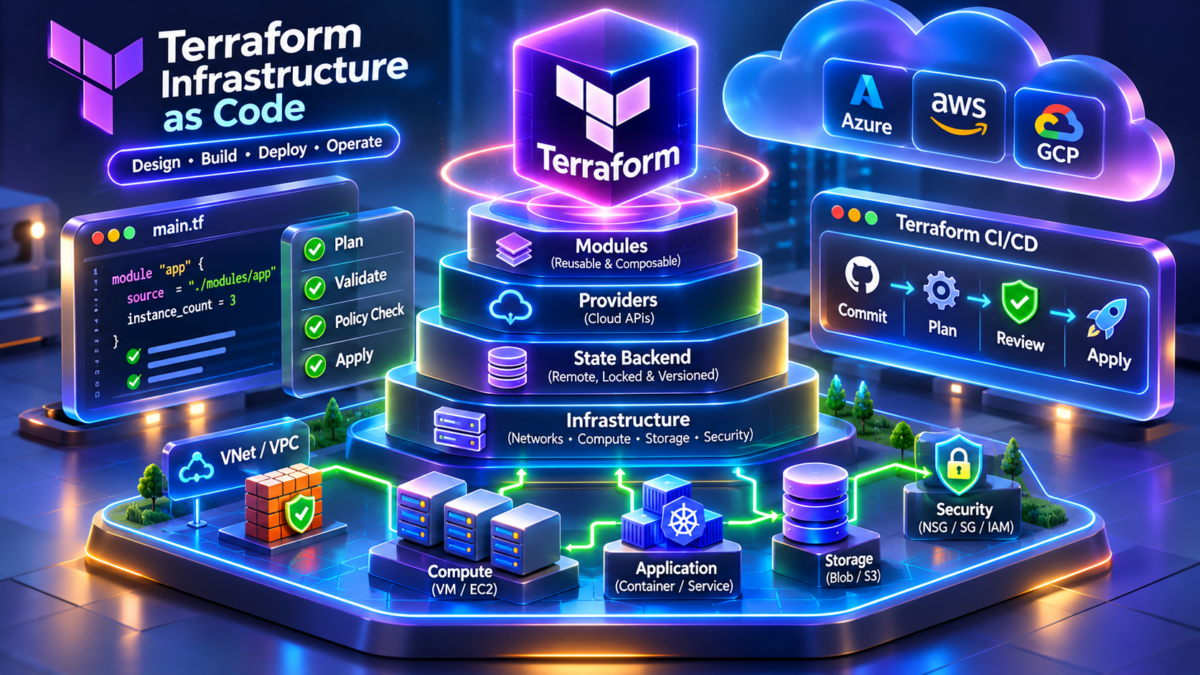
Terraform Infrastructure as Code: From Declarative Configuration to Production Cloud Networks
Modern cloud infrastructure is no longer built exclusively through administrative consoles and manual configuration. Enterprise networks increasingly rely on Infrastructure as Code (IaC) to define, provision, version, review and maintain networking environments using repeatable engineering workflows. Terraform provides a declarative approach in which engineers describe the desired infrastructure state, while Terraform Core and provider plugins coordinate the operations required to create or modify resources.
A Terraform deployment can describe Azure virtual networks, AWS VPCs, subnets, route tables, security policies, gateways and associated infrastructure as version-controlled configuration. However, production Terraform engineering extends well beyond writing HCL files. Engineers must understand provider behaviour, resource dependencies, state consistency, drift, module design, identity, approvals and recovery from partial failures.
Conceptual architecture: select a component or use the controls below to inspect its engineering responsibility. The animation illustrates relationships; it does not execute Terraform or contact cloud APIs.
Terraform Core Engine
Terraform Core loads configuration, evaluates expressions, constructs resource dependencies, compares the configuration with refreshed state and generates an execution plan. Provider plugins implement resource operations against cloud APIs. Terraform is an orchestrator, not a network packet-forwarding engine.
How Infrastructure Moves from Code to Cloud
Terraform uses a staged workflow to initialise provider dependencies, validate configuration, review proposed changes and apply approved infrastructure operations. Select each stage to explore the engineering checks.
01 — Write Configuration
Engineers define infrastructure using HCL resources, variables, locals, modules, data sources and outputs. The configuration expresses desired state rather than an imperative sequence of API calls. Dependency relationships can be inferred from references or declared explicitly where required.
Why Terraform Changes the Way Cloud Networks Are Engineered
Traditional infrastructure provisioning frequently depended on engineers manually creating resources through a management console. Although this approach can be suitable for experiments, it becomes difficult to maintain consistent network environments across development, staging and production at enterprise scale.
Terraform moves infrastructure definitions into source-controlled configuration. An engineer can describe an Azure hub-and-spoke network, an AWS multi-account VPC environment or a reusable subnet architecture using HCL. The configuration can then pass through peer review, automated checks and a controlled deployment pipeline.
The important distinction is that Terraform manages infrastructure resources and their lifecycle. It does not automatically guarantee that a deployed network is secure, reachable or correctly routed. Engineers still need to verify effective routes, firewall policies, DNS resolution, connectivity, cloud quotas and application behaviour.
This guide examines both sides of the engineering problem: how Terraform describes and provisions infrastructure, and how engineers validate, operate and troubleshoot the resulting environment.
Declarative Infrastructure
HCL describes the desired resource configuration. Terraform calculates an execution plan based on configuration, state and provider observations, rather than relying on manually ordered API calls.
Repeatable Environments
Versioned modules and configuration enable consistent infrastructure patterns across cloud accounts, subscriptions, regions and environments, while preserving environment-specific inputs.
Controlled Operations
Plans, approvals, remote state controls, policy enforcement and post-deployment validation help engineers manage infrastructure changes with greater visibility and operational discipline.
The Central Engineering Principle
Infrastructure as Code does not eliminate infrastructure engineering. It makes engineering decisions executable, repeatable and reviewable. A successful Terraform deployment means the intended resource operations completed; production readiness still requires verification of routing, connectivity, security, resilience and operational behaviour.
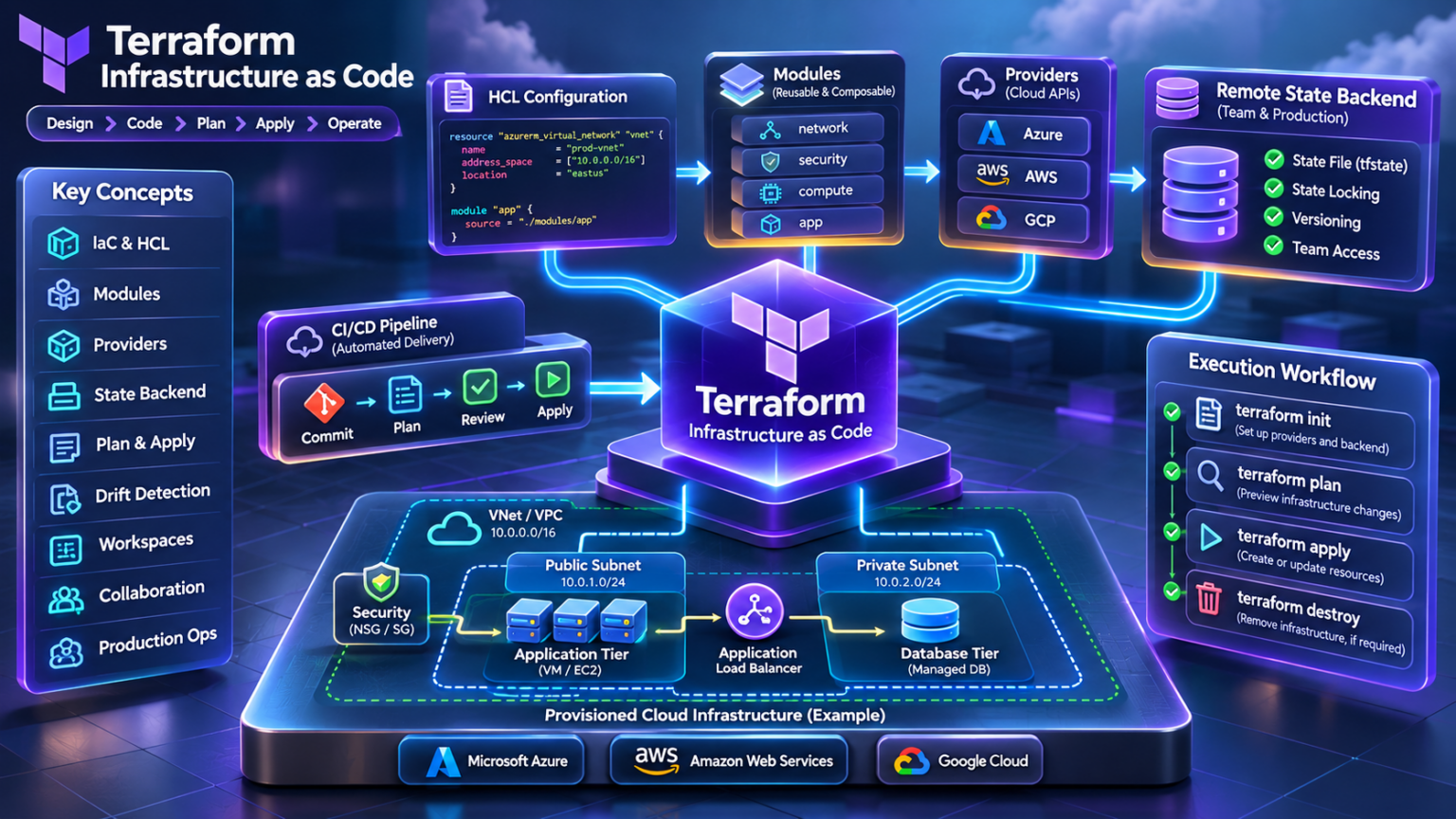
Terraform Infrastructure as Code — Engineering Architecture Explorer
Explore the architecture of Terraform infrastructure automation, from HCL configuration and provider execution to cloud networking, state management, reusable modules, CI/CD security and production troubleshooting. Select any of the nine engineering sections below to navigate directly to its guide.
Terraform Architecture Fundamentals
Terraform Core, HCL, providers, resources, data sources, dependency graphs and execution lifecycle.
Terraform Configuration and HCL
Variables, locals, outputs, expressions, collections, resource dependencies and dynamic blocks.
Providers and Cloud Networking
Azure VNets, AWS VPCs, subnets, routing, gateways, cloud security and provider authentication.
Terraform State Architecture
Remote backends, state locking, drift, imports, resource mappings and production recovery.
Modules and Reusable Infrastructure
Root and child modules, input/output contracts, versioning and environment composition.
Terraform Plan and Apply Engine
Refresh, execution graphs, resource replacement, lifecycle controls and deployment safety.
Terraform CI/CD and GitOps
Git workflows, validation, plan review, approvals, workload identity and automated delivery.
Terraform Security and Governance
IAM, secrets, policy as code, state protection, compliance and infrastructure guardrails.
Production Terraform Troubleshooting
Failed applies, state conflicts, provider errors, drift, network incidents and recovery.
Terraform Architecture Fundamentals: Understanding the Infrastructure Execution Engine
Terraform is a declarative infrastructure orchestration system. Engineers describe the desired configuration of infrastructure resources using HashiCorp Configuration Language (HCL), while Terraform Core evaluates the configuration, constructs a dependency graph, consults resource state and coordinates operations through provider plugins.
Understanding Terraform requires more than learning individual commands. The architecture determines how dependencies are resolved, how changes are planned, why resources may be replaced, how state is maintained and how partial deployment failures should be investigated. These mechanisms become particularly important when deploying interconnected cloud networking resources such as virtual networks, subnets, gateways, route tables and firewall policies.
1.1 — Terraform Internal Architecture
Terraform separates infrastructure configuration and execution orchestration from the provider-specific implementation of resource operations. The diagram illustrates the principal components and their relationships.
Architecture distinction: Terraform Core is responsible for evaluating and orchestrating the infrastructure lifecycle. Provider plugins translate Terraform resource operations into interactions with external APIs. State records Terraform's knowledge of managed resource objects; it is not itself the authoritative configuration of the cloud platform.
1.2 — The Six Fundamental Terraform Building Blocks
Terraform Core
Evaluates configuration, manages dependency relationships, builds plans and schedules resource operations.
HCL Configuration
Describes desired resources and relationships using declarative blocks, expressions and references.
Providers
Plugins implement resource and data source operations against external infrastructure APIs.
Resources
Represent managed infrastructure objects such as networks, subnets, security groups and route tables.
Data Sources
Read information from external systems without managing the lifecycle of the referenced object.
State and Backends
Track managed resource mappings and attributes, with storage and locking behaviour determined by the selected backend.
1.3 — HCL in Practice: Building an Azure Virtual Network
The following example illustrates how Terraform expresses an Azure resource group, virtual network and subnet. The subnet references the virtual network, allowing Terraform to infer the required creation dependency.
Engineering observation:
Terraform can infer that the resource group must exist before
the virtual network, and that the virtual network must exist
before the subnet. These dependencies arise from resource
references. Explicit depends_on should be reserved
for relationships Terraform cannot otherwise infer.
1.4 — Resource Dependency Graph Engineering
Terraform represents resource operations as a directed dependency graph. The graph determines valid execution ordering and allows independent operations to proceed concurrently, subject to Terraform's execution settings and provider constraints.
In this illustrative graph, Terraform must create the resource group before the virtual network. Once the virtual network exists, the two independent subnet creation operations may be scheduled concurrently. This does not guarantee that both API calls complete simultaneously or that the cloud provider imposes no additional constraints.
Production caution: Dependencies govern resource operation ordering, not application readiness. A subnet existing in Azure does not prove that a route table, DNS service, firewall rule or application endpoint is operational.
1.5 — Interactive Terraform Execution Walkthrough
Select an execution phase to investigate what Terraform does internally and what engineers should verify before progressing.
Phase 1 — Configuration Loading
Terraform loads the root module and referenced child modules, evaluates configuration expressions and prepares the provider requirements. Engineers should verify provider constraints, variable inputs and module sources.
1.6 — Resources, Data Sources and Providers: Engineering Differences
| Component | Responsibility | Cloud networking example |
|---|---|---|
| Resource | Manage the lifecycle of an infrastructure object | azurerm_virtual_network or aws_vpc |
| Data source | Read an existing external object or value | Look up an existing VPC or Azure resource group |
| Provider | Implement supported operations against APIs | AzureRM and AWS provider plugins |
| Module | Package reusable infrastructure configuration | Reusable hub-and-spoke network module |
| State | Record Terraform-managed object mappings and attributes | Track IDs of deployed VNets, VPCs and subnets |
1.7 — Why Terraform Plans Matter
The execution plan is one of Terraform's most important operational controls. It communicates proposed changes before Terraform performs infrastructure mutations.
A plan may indicate that resources will be created, updated in place, destroyed or replaced. Replacement is particularly significant for networking resources because recreating a subnet, gateway or other dependent object can affect connectivity and service availability.
Production engineers should review not only the number of changes but also the affected resource addresses, attribute differences, dependency relationships and potential service impact.
Plan Review Checklist
Verify expected resource addresses and changes. Investigate unexpected deletions or replacements. Check provider and module versions. Confirm the target account or subscription. Review identity permissions, maintenance requirements and recovery procedures before applying.
1.8 — Production Architecture Considerations
Provider Versioning
Constrain provider versions and review dependency lock files to avoid unplanned provider upgrades.
Remote State
Use appropriately protected backend storage with access controls, recovery procedures and locking where supported.
Execution Identity
Use scoped permissions and protected credentials for infrastructure automation.
Dependency Design
Prefer implicit references and minimise unnecessary explicit dependencies that constrain execution.
Drift Detection
Review differences between managed configuration and observed infrastructure state.
Post-Apply Validation
Test effective routes, firewall rules, DNS resolution and application reachability after provisioning.
Section 1 — Engineering Takeaway
Terraform is fundamentally a dependency-aware, stateful infrastructure orchestration engine. HCL expresses the desired configuration, Terraform Core constructs and executes the resource graph, providers interact with external APIs and state maintains the mappings required for lifecycle management. Understanding these boundaries is essential for designing safe cloud network deployments and diagnosing unexpected Terraform behaviour in production.
Terraform Architecture Explorer
Investigate Terraform Core, HCL, providers, dependency graphs and state. Execute a simulated infrastructure lifecycle and observe how declared cloud resources become managed infrastructure.
Terraform architecture
Architecture inspector
HCL Configuration
Managed resource inventory
Terraform execution lifecycle
Terraform Configuration and HCL Engineering: Building Maintainable Infrastructure as Code
Terraform configurations are written primarily in HashiCorp Configuration Language (HCL), a declarative language designed to express infrastructure resources, relationships, parameters and reusable configuration patterns. HCL is more than a collection of resource definitions: it provides a structured way to represent infrastructure architecture as code that can be reviewed, validated, versioned and deployed consistently.
In production cloud networking, Terraform configurations must support multiple environments, reusable subnet architectures, consistent naming, security boundaries, regional deployment requirements and controlled changes. Engineers therefore need to understand variables, local values, outputs, expressions, collections, iteration, conditional logic and dependency relationships.
The objective is not simply to write HCL that Terraform accepts. The objective is to design configuration that remains understandable, predictable and safe as the infrastructure grows.
2.1 — HCL Configuration Architecture
A well-structured Terraform configuration separates external inputs from internal calculations, resource definitions and exported outputs. These components form a declarative configuration model that Terraform evaluates before determining resource operations.
Engineering principle: Input variables provide configurable parameters, locals calculate reusable values, resource blocks describe managed infrastructure, modules package configuration and outputs expose selected results. These constructs are evaluated within Terraform's dependency model; the diagram represents their logical roles rather than a rigid execution sequence.
2.2 — The Six Core HCL Engineering Constructs
Input Variables
Parameterise infrastructure configuration with typed values, defaults, validation and optional sensitivity declarations.
Local Values
Define reusable expressions and derived values to reduce repetition within a module.
Resources
Describe managed infrastructure objects and their configurable attributes.
Outputs
Expose selected values from a module, including resource identifiers and useful network attributes.
Expressions
Compute values using functions, operators, collection transformations and conditional logic.
Modules
Organise reusable groups of resources behind explicit input and output interfaces.
2.3 — Variables, Locals and Outputs in Production Networking
Consider a reusable Azure network configuration. Instead of embedding environment-specific values throughout the code, engineers define input variables and derive consistent names using local values.
This example assumes that the AzureRM provider and
azurerm_resource_group.network are defined
elsewhere in the configuration. The CIDR validation
checks IPv4 CIDR syntax; it does not establish whether
the address space overlaps existing networks.
Production consideration: Variables should describe meaningful configuration choices. Locals should calculate predictable internal values. Outputs should expose only the information required by consumers. Avoid exporting unnecessary sensitive attributes or creating excessively large module interfaces.
2.4 — Expressions and Collection Engineering
HCL expressions allow infrastructure configuration to be derived from structured data rather than repeated resource blocks. Maps, objects, lists, conditionals and functions are especially valuable when defining multiple network segments.
The for expression transforms structured
subnet definitions into a derived collection.
The conditional expression identifies whether
the selected environment is production.
These expressions are evaluated as part of
Terraform's configuration model.
2.5 — count vs for_each: Choosing Stable Resource Identity
Terraform supports multiple resource instances
through count and for_each.
Although both can create repeated resources,
they use different addressing models.
| Characteristic | count | for_each |
|---|---|---|
| Instance identity | Numeric index | Map key or set member |
| Best suited to | Simple indexed or optional instances | Named resources with stable identities |
| Change sensitivity | List reordering can shift instance addresses | Stable keys preserve addresses when unrelated entries change |
| Network example | Optional resource using count = 0 or 1 | Application, database and management subnets |
Engineering warning:
Changing resource instance keys or switching between
count and for_each changes
Terraform resource addresses. Such refactoring may
require moved blocks or carefully planned
state migration to avoid unintended replacement.
Stable keys are therefore an important infrastructure
design decision.
2.6 — Dynamic Blocks and Nested Configuration
Dynamic blocks generate repeatable nested blocks within a resource configuration. They are useful when a provider resource schema supports repeated nested configuration structures, such as firewall rule definitions or security policy rules.
This illustrates the HCL mechanism using a resource schema that supports inline ingress blocks. For production AWS security group design, prefer dedicated rule resources where appropriate for the selected AWS provider version, and avoid mixing incompatible inline and standalone rule management.
Design guidance: Dynamic blocks should reduce genuine repetition, not hide important infrastructure behaviour. Excessively nested dynamic expressions can make Terraform plans harder to interpret and increase troubleshooting complexity.
2.7 — Implicit and Explicit Dependencies
Terraform constructs resource dependencies from references in configuration expressions. When a subnet references a virtual network, Terraform understands that the subnet depends on the virtual network resource.
Explicit depends_on is available when
Terraform cannot infer a necessary relationship
from resource references. It should not be used
indiscriminately because unnecessary dependencies
constrain the execution graph and can make planning
more conservative.
2.8 — Production HCL Configuration Structure
A maintainable Terraform project typically separates
configuration by responsibility while keeping the
module interface clear. Terraform loads all
.tf files in a module directory as
one configuration; file names are organisational
conventions rather than execution-order controls.
versions.tf
Declare Terraform and provider version requirements.
providers.tf
Configure provider instances and aliases where needed.
variables.tf
Define typed module inputs and validation constraints.
locals.tf
Calculate reusable naming, tagging and derived configuration values.
networking.tf
Describe virtual networks, subnets, routes and network policies.
outputs.tf
Expose selected values for module consumers and automation.
2.9 — HCL Engineering Validation and Troubleshooting
Terraform configuration errors can arise from invalid types, missing required variables, incorrect resource references, unsupported provider arguments or expressions that produce unexpected values.
Engineers should validate configuration before generating a deployment plan, then inspect proposed changes and confirm that resource identity and dependencies match the intended network architecture.
Recommended Validation Sequence
terraform fmt -check — check formatting.
terraform init — initialise providers and modules.
terraform validate — check configuration validity.
terraform plan — inspect proposed infrastructure changes.
terraform show — inspect a saved plan when appropriate.
Security consideration:
Declaring a variable as sensitive = true
reduces its exposure in normal Terraform CLI output,
but does not guarantee that its value is absent from
state or plan files. Protect backend storage, saved
plans, CI/CD logs and execution credentials. Avoid
committing real secrets to version control.
Section 2 — Engineering Takeaway
Production HCL engineering is the discipline of converting infrastructure architecture into typed, reusable, predictable and maintainable declarative configuration. Variables define controlled inputs, locals calculate derived values, expressions transform structured data, resources represent managed infrastructure and outputs expose module interfaces. Stable resource identities, clear dependencies, validation and disciplined configuration organisation reduce the risk of unintended infrastructure changes.
Interactive HCL Configuration Builder
Construct a declarative cloud networking configuration. Change input variables, explore local expressions, enable optional resources and inspect the resulting Terraform HCL. Compare how the same infrastructure design maps to Azure and AWS provider resources.
Configuration controls
Generated Terraform configuration
Live configuration architecture
Observe how HCL resource references connect the network, subnet and optional security controls. The diagram represents configuration dependencies, not a deployment.
Terraform Providers and Cloud Networking: Engineering Azure and AWS Infrastructure as Code
Terraform providers form the integration layer between Terraform Core and external infrastructure platforms. A provider implements resource and data source operations, allowing Terraform to manage infrastructure through cloud service APIs. In cloud networking, providers enable engineers to describe virtual networks, subnets, route tables, gateways, network security controls and associated services using declarative configuration.
Microsoft Azure and Amazon Web Services expose different networking resource models, authentication mechanisms, routing constructs and security controls. Terraform provides a common configuration and orchestration framework, but it does not eliminate these differences. Engineers must understand the underlying cloud network architecture to deploy reliable infrastructure.
This section examines the relationship between Terraform Core, provider plugins and cloud APIs, then applies that architecture to Azure VNets, AWS VPCs and production multi-cloud networking.
3.1 — Multi-Cloud Terraform Provider Architecture
Terraform Core evaluates configuration and schedules resource operations. Provider plugins implement the supported resource lifecycle operations and communicate with the relevant cloud APIs. The resulting infrastructure is created and maintained within the cloud provider's own networking control plane.
Architecture distinction: Terraform providers communicate with cloud management APIs to create or modify infrastructure resources. They do not directly forward application packets. Once provisioned, packet forwarding is performed by the cloud platform's networking infrastructure according to effective routing, security and service configuration.
3.2 — Terraform Provider Engineering Fundamentals
Provider Plugins
Implement supported resource and data source operations through cloud service APIs.
Version Constraints
Control compatible provider releases and reduce unexpected changes during dependency upgrades.
Identity and Access
Determine which cloud resources Terraform can read, create, modify or delete.
Cloud APIs
Enforce service-specific schemas, quotas, permissions and operational constraints.
State Management
Maintain Terraform's mapping between resource addresses and managed cloud objects.
Dependency Ordering
Ensure dependent resource operations occur after their prerequisites.
3.3 — Azure Networking with Terraform
Azure networking is built around virtual networks, subnets, routing constructs, network security groups, gateways and platform services. Terraform's AzureRM provider exposes resource types for managing many of these components.
Azure Network Architecture
A VNet defines a private IP address space within an Azure region. Subnets divide the VNet into address segments. Network security groups can filter traffic, while route tables can introduce user-defined routes that influence forwarding.
Enterprise architectures often introduce hub-and-spoke connectivity, Azure Firewall, VPN gateways, ExpressRoute gateways, private endpoints and centralised DNS services.
Azure Engineering Checks
Validate VNet and subnet CIDRs, peering relationships, effective routes, NSG evaluation, gateway propagation, DNS resolution, service endpoint or Private Link requirements and network virtual appliance routing.
Production warning: Successful VNet and subnet provisioning does not establish end-to-end connectivity. Effective routes, NSGs, firewalls, DNS and application listeners must be validated independently.
3.4 — AWS Networking with Terraform
AWS networking uses VPCs as regional virtual network boundaries. Subnets are associated with individual Availability Zones, and route tables, internet gateways, NAT gateways and security controls determine traffic paths and access.
AWS VPC Architecture
A VPC defines one or more CIDR blocks. Subnets partition those address ranges across Availability Zones. Route tables determine forwarding targets, while security groups provide stateful filtering and network ACLs provide stateless subnet-level filtering.
Larger environments may incorporate Transit Gateway, VPC peering, AWS Network Firewall, Direct Connect, VPN connectivity and centralised inspection architectures.
AWS Engineering Checks
Verify subnet-to-route-table associations, gateway attachments, security group rules, NACL rules, public IP assignment, DNS settings, NAT availability and hybrid routing propagation.
This example demonstrates the infrastructure resources needed to associate a subnet with an internet gateway route. Public reachability additionally depends on appropriate addressing, security rules and functioning application endpoints.
3.5 — Azure and AWS Networking Resource Comparison
| Networking capability | Microsoft Azure | Amazon Web Services |
|---|---|---|
| Virtual network boundary | Virtual Network (VNet) | Virtual Private Cloud (VPC) |
| Network segmentation | VNet subnets | Availability Zone subnets |
| Routing configuration | System routes, user-defined routes and propagated routes | VPC route tables and gateway or attachment targets |
| Primary workload filtering | Network Security Groups | Security Groups |
| Additional filtering | Azure Firewall and network virtual appliances | Network ACLs and AWS Network Firewall |
| Hybrid private connectivity | ExpressRoute and VPN Gateway | Direct Connect and Site-to-Site VPN |
| Large-scale network transit | Hub-and-spoke, Virtual WAN and routing services | Transit Gateway and Cloud WAN |
| Terraform provider | hashicorp/azurerm | hashicorp/aws |
Engineering distinction: Similar cloud networking capabilities do not necessarily have identical forwarding behaviour, default rules, limits or security semantics. Multi-cloud Terraform modules should model these differences explicitly rather than assuming one-to-one feature equivalence.
3.6 — Provider Authentication and Multi-Account Engineering
Terraform requires appropriate cloud identities to read and modify infrastructure. Production automation should avoid long-lived credentials embedded in source files and instead use controlled identity mechanisms.
Azure Workload Identity
Use managed identities or federated workload credentials where supported, with appropriately scoped Azure RBAC assignments.
AWS IAM Roles
Use IAM roles and temporary credentials, including role assumption for cross-account infrastructure deployment.
Provider Aliases
Configure multiple provider instances for distinct accounts, subscriptions or regions, and pass them explicitly into modules as needed.
Security warning: Provider configuration and deployment identity must be reviewed together. A valid Terraform plan does not guarantee that the execution identity has every permission required during apply. Use least privilege, short-lived credentials and separate production approval controls.
3.7 — Cloud Networking Dependency Engineering
Cloud network resources have dependency relationships that Terraform must respect. A subnet depends on its parent network. A route table association depends on the relevant subnet and route table. A gateway route depends on a suitable gateway or attachment.
Resource references create implicit dependencies. Terraform's dependency graph determines valid operation ordering, but it does not validate the correctness of the resulting packet path.
3.8 — Production Troubleshooting: Terraform vs Cloud Network
| Observed problem | Likely investigation area | Engineering action |
|---|---|---|
| Provider authentication fails | Identity, credentials or role permissions | Verify identity context, token validity and assigned permissions |
| Subnet creation rejected | CIDR overlap, resource constraints or provider API validation | Inspect address planning, error response and existing resources |
| Terraform apply succeeds but traffic fails | Routes, security policies, DNS or workload configuration | Inspect effective network state and perform connectivity tests |
| Unexpected resource replacement | Provider schema, changed immutable attributes or resource addressing | Review the plan, configuration changes and state mappings |
| Cloud API throttling | Service quotas or request rate limits | Inspect API errors, provider retries and execution parallelism |
| Multi-account deployment targets wrong environment | Provider alias, credentials or module provider mapping | Verify provider configuration and target identity before applying |
3.9 — Production Multi-Cloud Design Principles
Multi-cloud infrastructure should use consistent engineering practices without forcing Azure and AWS into an artificial common resource model.
Shared standards can cover naming, tagging, IP address planning, security governance, version control, deployment approvals and observability. Cloud-specific modules should preserve the provider's native networking semantics and operational requirements.
Recommended Engineering Standards
Maintain separate environment state boundaries. Pin and review provider versions. Use stable resource addresses and module interfaces. Validate CIDR allocation centrally. Apply least-privilege access. Review destructive plans. Test actual network forwarding and security behaviour after deployment.
Section 3 — Engineering Takeaway
Terraform provides a common infrastructure orchestration framework, but cloud networking remains provider-specific. Azure VNets and AWS VPCs have distinct routing, security, gateway and operational models. Reliable Terraform engineering therefore requires an understanding of provider plugins, cloud APIs, identity permissions, resource dependencies, state management and the underlying packet forwarding architecture. A successful deployment is only the first step; production readiness requires network validation and operational testing.
Multi-Cloud Network Provisioning Simulator
Explore how Terraform providers translate declarative infrastructure configuration into Azure and AWS networking resources. Select components, provision a simulated network, inspect dependencies and investigate connectivity outcomes.
Cloud network architecture
Resource inspector
Select a resource
Provider execution log
Connectivity investigation
Run simplified packet-path checks after provisioning. The tests evaluate selected network components and illustrative policy conditions, not real cloud connectivity.
Terraform State Architecture: Remote Backends, Locking, Drift Detection and Production Recovery
Terraform state is a foundational component of infrastructure lifecycle management. It records the relationship between Terraform resource addresses and managed infrastructure objects, together with resource attributes and metadata used during planning and execution. Without reliable state management, Terraform cannot consistently determine which remote objects correspond to resources declared in configuration.
In production cloud networking, state may contain references to virtual networks, VPCs, subnets, gateways, route tables, firewall resources and other infrastructure. A state inconsistency can cause Terraform to propose unexpected changes, fail to locate existing resources or attempt operations against the wrong infrastructure.
State engineering therefore requires a clear understanding of storage backends, concurrency control, locking, access permissions, drift detection, migration, backup and recovery procedures.
4.1 — Terraform State Architecture
Terraform uses configuration to describe desired infrastructure and state to track managed resource instances. During normal planning, providers inspect remote infrastructure so Terraform can compare observed resources with the declared configuration.
Engineering distinction: Terraform state is not a complete real-time inventory of the cloud environment. It records Terraform-managed objects and known attributes. Remote resources may change independently, and those changes become visible through refresh or subsequent planning operations.
4.2 — What Terraform State Actually Contains
Resource Identity
Associates Terraform resource instance addresses with remote infrastructure object identifiers.
Known Attributes
Stores resource attributes and values obtained from configuration or provider observations.
Metadata
Maintains information used to associate resources with providers and track instances.
Serial and Lineage
Helps Terraform identify state snapshots and track state history consistency.
Output Values
Stores root module output values that can be consumed by external workflows.
Sensitive Data
May contain credentials, tokens or other sensitive attributes returned by providers.
4.3 — Local State vs Remote State Backends
Terraform uses a backend to determine where state is stored and, depending on the backend, how state operations and locking are performed. Local state can be useful for isolated development, while shared production workflows generally benefit from centrally controlled remote storage.
| Capability | Local state | Remote state |
|---|---|---|
| Storage | Local filesystem | Remote backend service or storage |
| Team collaboration | Requires manual coordination | Supports shared workflows when configured correctly |
| Locking | Local locking mechanisms | Backend-dependent locking support |
| Access control | Filesystem permissions | Cloud IAM, RBAC or backend-specific controls |
| Recovery | Depends on local backups | May support versioning and recovery features |
| Production suitability | Limited for collaborative environments | Generally preferred with suitable controls |
Important: Remote state does not automatically guarantee encryption, versioning, locking or safe recovery. These properties depend on the backend and underlying storage configuration. Engineers must verify each control explicitly.
4.4 — Azure Blob Storage Remote Backend
Azure Blob Storage can serve as a Terraform state backend. The AzureRM backend supports state locking through Azure Blob leases, helping prevent multiple Terraform operations from concurrently modifying the same state object.
The storage account and container must exist before this backend is initialised. Authentication and backend permissions must be configured for the execution environment. Storage account names are globally unique, so the example name may not be available in a real subscription.
Production design: Use appropriate storage encryption, restricted access, managed identity or federated authentication, blob versioning or recovery capabilities and documented state restoration procedures.
4.5 — AWS S3 Remote Backend and State Locking
Amazon S3 is commonly used for Terraform remote state.
Modern Terraform S3 backend configurations support
native S3 lockfiles using use_lockfile.
Older configurations may use DynamoDB-based locking,
which is deprecated in current Terraform releases.
The bucket must exist and the execution identity must have the necessary object access permissions, including permissions associated with lockfile creation and removal.
Backend engineering: Enable S3 versioning and configure appropriate IAM, encryption and recovery controls. Avoid relying on a single unversioned state object without a tested restoration process.
4.6 — State Locking and Concurrent Execution
State locking protects against concurrent operations that could otherwise overwrite or corrupt shared infrastructure state. When a supported backend acquires a lock, another operation targeting the same state must wait or fail rather than modifying it simultaneously.
Critical warning:
Do not use -lock=false to bypass
normal production state locking. Do not run
terraform force-unlock unless
the original operation is confirmed inactive
and the lock is genuinely stale. Removing
an active lock can expose shared state to
conflicting operations.
4.7 — Drift Detection and Reconciliation
Infrastructure drift occurs when remote resources change outside the Terraform configuration workflow. Examples include manually modified route tables, altered security group rules, changed subnet attributes or resources deleted through a cloud console.
During normal planning, Terraform refreshes its knowledge of managed resources and evaluates differences against configuration. Depending on provider behaviour and resource lifecycle settings, the resulting plan may propose updates, replacement or recreation.
Engineering principle: Drift should be investigated before applying changes. An unexpected difference may represent unauthorised modification, an emergency repair, provider-normalised attributes or a legitimate change that has not yet been incorporated into HCL.
4.8 — State Inspection and Resource Addressing
Terraform provides commands for examining managed resources and their state addresses. These commands are useful when diagnosing incorrect mappings, missing resources and unexpected plans.
Operational caution: State and saved plan output can expose sensitive information. Treat both as protected operational artifacts. Saved plans should be applied only within a controlled workflow and should not be reused after relevant infrastructure conditions have changed.
4.9 — Importing Existing Infrastructure into Terraform
Import allows Terraform to associate an existing remote infrastructure object with a Terraform resource address. This is useful when bringing manually created networking resources under infrastructure-as-code management.
The destination resource must have a suitable configuration, or a supported configuration generation workflow must be used. Import does not automatically guarantee that the resulting HCL matches the remote object's complete configuration.
Production recommendation: Import resources in a controlled sequence, verify the resulting state mappings and review subsequent plans for unexpected updates or replacements.
4.10 — State Migration and Refactoring
Terraform resource addresses can change when modules are reorganised or resource names are refactored. Without appropriate migration instructions, Terraform may interpret a renamed resource as a deletion followed by a creation.
A moved block declares a resource
address transition so Terraform can preserve
the association with the existing object
rather than proposing unnecessary replacement
solely because the address changed.
High-risk operations:
Commands such as terraform state rm,
terraform state mv and
terraform state push alter
Terraform's state relationships. Use them
only with a reviewed migration or recovery
procedure, verified backups and appropriate
operational controls.
4.11 — Production State Incident Troubleshooting
| Incident | Possible cause | Engineering response |
|---|---|---|
| State lock cannot be acquired | Another active run or stale lock | Identify the lock owner and confirm whether an operation remains active |
| Unexpected resource recreation | Missing state mapping, changed address or replacement-triggering attribute | Inspect state, configuration and the execution plan before applying |
| State object unavailable | Backend access, deletion or storage failure | Stop changes, investigate backend health and evaluate verified recovery snapshots |
| Manual cloud changes detected | Infrastructure drift | Determine whether to restore configuration or adopt the approved remote change |
| Resource exists but is not managed | Object missing from Terraform state | Evaluate import and confirm the correct resource address and remote ID |
| State contains sensitive values | Provider attributes or outputs persisted in state | Restrict access, protect backups and rotate exposed credentials where necessary |
4.12 — Production State Recovery Strategy
Recovery should begin by stopping competing Terraform operations and determining whether the issue concerns backend availability, state corruption, an incorrect resource mapping or remote infrastructure drift.
Engineers should preserve diagnostic evidence, identify the last known-good state snapshot and compare it with the current remote infrastructure before considering restoration.
Restoring an older snapshot without accounting for subsequent resource changes can introduce additional inconsistencies.
Recovery Engineering Checklist
Stop concurrent runs. Confirm the correct workspace and backend key. Preserve current state and logs. Verify available state versions. Inspect remote resources. Review the recovery plan. Restore only through an authorised procedure. Generate a new plan and validate infrastructure before resuming automation.
Section 4 — Engineering Takeaway
Terraform state is a critical operational component of infrastructure lifecycle management. It connects declarative resource addresses to managed cloud objects and enables Terraform to reason about change. Production state engineering requires protected remote storage, concurrency control, drift investigation, controlled refactoring, recovery planning and disciplined access management. A reliable state strategy is essential for operating cloud networking infrastructure safely at scale.
Terraform State and Drift Investigation Lab
Investigate the relationship between desired Terraform configuration, recorded state and actual cloud infrastructure. Inject configuration drift, examine proposed changes, explore backend locking and practise safe recovery decisions.
Three-layer infrastructure comparison
State engineering inspector
Healthy baseline
Backend locking
Simulated Terraform CLI
Safe state recovery workflow
Terraform Modules and Reusable Infrastructure: Designing Scalable Cloud Network Architecture
Terraform modules provide a structured way to organise, reuse and standardise infrastructure configuration. A module is a collection of Terraform configuration files that can be called from another module, allowing engineers to package infrastructure resources behind defined input and output interfaces.
In enterprise cloud networking, modules can represent virtual networks, VPCs, subnets, hub-and-spoke architectures, routing services, security boundaries and shared network infrastructure. Instead of repeatedly implementing similar resources for every environment, teams can build reusable components that enforce consistent design principles.
However, reusable infrastructure requires more than placing resource blocks inside a directory. Production modules must have stable interfaces, clear ownership, appropriate versioning, predictable resource identities and documented upgrade procedures.
5.1 — Terraform Module Architecture
Terraform begins execution in a root module. The root module can call child modules, which may themselves call additional modules. Each module has its own configuration scope, input variables, local values, resources and outputs.
Architecture principle: A module is a configuration boundary, not an independent state boundary by default. Resources declared in child modules are normally tracked in the state associated with the root module that calls them.
5.2 — Six Core Principles of Terraform Module Engineering
Clear Responsibility
Each module should represent a coherent infrastructure capability with understandable ownership and boundaries.
Typed Inputs
Define explicit input types, descriptions, defaults and validation where appropriate.
Useful Outputs
Expose resource IDs and attributes needed by consumers without leaking unnecessary internal implementation details.
Stable Identity
Preserve resource addresses and predictable instance keys across module revisions.
Version Control
Publish reviewed releases and document changes that affect resources or interfaces.
Safe Composition
Use explicit dependencies through module outputs and resource references where possible.
5.3 — Building a Reusable Azure Network Module
A reusable network module can accept a VNet name, address space, resource group and location, then create the network and expose its identifier.
This module deliberately exposes a small interface. The calling module supplies environment-specific values while the child module owns the resource implementation.
Engineering observation: A module should not expose every internal attribute simply because Terraform makes it available. Small, stable interfaces reduce coupling and make upgrades easier to manage.
5.4 — Calling Modules from a Root Configuration
The root module composes infrastructure by calling child modules and passing the required input values.
The reference to the resource group creates an
implicit dependency. The output reference
module.hub_network.id exposes
the value returned by the child module.
5.5 — Module Versioning and Release Management
Production teams should avoid uncontrolled changes to reusable modules. Module source types determine how versions are selected and managed.
| Module source | Version control approach | Engineering consideration |
|---|---|---|
| Local directory | Versioned with the parent repository | Simple for tightly coupled modules |
| Terraform Registry | Module version argument | Supports published version selection |
| Git repository | Git reference such as a tag or commit | Pin immutable commits for stronger reproducibility |
| Private registry | Registry version constraints | Supports organisational module governance |
Production warning: A module version change can modify resource attributes, resource addresses or dependency behaviour. Review the resulting Terraform plan and module release notes before upgrading production infrastructure.
5.6 — Environment Composition: Development, Test and Production
A common pattern is to reuse the same module implementation across multiple environments while supplying different input values.
Environment reuse should not imply shared production state. Separate root configurations or appropriately isolated state instances help maintain clear operational boundaries.
Recommended pattern: Reuse implementation modules while isolating deployment credentials, state, approval workflows and environment-specific configuration.
5.7 — Module Dependencies and Output Contracts
Modules often depend on values produced by other modules. For example, a routing module may require the subnet IDs created by a network module.
Terraform can infer dependencies through these
output references. Module-wide
depends_on is available when
necessary, but broad explicit dependencies
can introduce conservative planning behaviour.
5.8 — Provider Configuration and Module Boundaries
Provider configurations should generally be defined in root modules and passed to child modules as appropriate. Reusable child modules should declare provider requirements rather than embedding environment-specific credentials.
Engineering consideration:
Child modules that require multiple provider
aliases must declare the appropriate
configuration_aliases in their
provider requirements. Provider inheritance
and explicit provider mapping should be
understood before deploying cross-account
or multi-region infrastructure.
5.9 — Module Refactoring and State Implications
Moving resources into modules changes their Terraform resource addresses. Without a corresponding state-aware migration, Terraform may propose destroying the old resource address and creating a new one.
A moved block allows Terraform
to recognise the address transition and
preserve the existing managed object mapping.
Production warning: Always review the plan after module refactoring. Address migration and provider-level resource replacement are separate concerns; a moved block does not prevent replacement caused by changes to immutable resource attributes.
5.10 — Production Module Troubleshooting
| Problem | Likely cause | Engineering response |
|---|---|---|
| Module input rejected | Incorrect type or missing required argument | Inspect variable definitions and calling module values |
| Module output unavailable | Output not declared or incorrect reference | Verify child module outputs and resource addresses |
| Provider configuration error | Missing alias or incorrect provider mapping | Review required_providers and providers argument |
| Unexpected replacement after refactor | Resource address change or immutable attribute modification | Inspect moved blocks, state mappings and plan details |
| Module upgrade introduces changes | Modified module implementation or defaults | Review release notes, input changes and proposed operations |
| Environment drift between deployments | Different inputs, module versions or manual changes | Compare configuration, versions, state and remote infrastructure |
5.11 — Designing a Production Module Catalogue
Larger engineering organisations often maintain a catalogue of approved infrastructure modules for common network capabilities.
A useful catalogue may include VNet or VPC modules, subnet modules, network security modules, routing modules, private connectivity components and shared network services.
Each module should have documented inputs, outputs, provider requirements, supported versions, examples and upgrade guidance.
Module Governance Checklist
Define ownership and review processes. Use semantic versioning where appropriate. Publish examples and documentation. Validate supported provider versions. Test changes in isolated environments. Review security implications. Preserve resource identity during refactoring. Document breaking changes and recovery steps.
Section 5 — Engineering Takeaway
Terraform modules transform individual resource configurations into reusable infrastructure components. Their value comes from clear responsibility, stable interfaces, predictable resource identity, controlled versioning and safe composition. Production cloud networking teams should use modules to standardise infrastructure design while preserving environment isolation, provider-specific behaviour and state-aware upgrade procedures.
Terraform Module Dependency Explorer
Compose reusable cloud networking modules, inspect input/output contracts, trace dependencies between modules and investigate version compatibility. Compare how the same module architecture supports development, staging and production environments.
Module composition architecture
Module engineering inspector
Network Module
Root module configuration
Module dependency and compatibility analysis
Terraform Plan and Apply Execution Engine: How Infrastructure Changes Are Evaluated and Deployed
Terraform's execution engine transforms declarative infrastructure configuration into an ordered set of resource operations. The process involves configuration evaluation, dependency graph construction, provider reads, change planning and execution of approved actions.
Understanding this lifecycle is essential when deploying production cloud networks. A Terraform plan may propose creating a new subnet, updating a route table, replacing a gateway or destroying an obsolete resource. Each operation has potential consequences for connectivity, security and application availability.
The execution engine is therefore not simply a deployment mechanism. It is also an operational decision point where engineers must evaluate the proposed infrastructure changes before allowing them to affect production systems.
6.1 — Terraform Execution Engine Architecture
Terraform evaluates the configuration and constructs the dependency relationships required to plan and execute infrastructure operations. Provider plugins perform remote reads and mutations through the appropriate cloud APIs.
Engineering distinction: The diagram is a conceptual lifecycle. Terraform internally uses graph-based evaluation and may perform reads and calculations at multiple points. It should not be interpreted as six isolated sequential subsystems.
6.2 — Six Critical Execution Engine Responsibilities
Configuration Evaluation
Resolve input values, expressions, module relationships and provider requirements.
Dependency Analysis
Construct relationships that determine valid resource operation ordering.
Provider Refresh
Read remote resource attributes during normal planning to identify changes.
Change Planning
Determine which managed resources require creation, update, deletion or replacement.
Operation Scheduling
Execute eligible graph operations through providers with controlled parallelism.
State Reconciliation
Record successful resource operations and maintain managed object mappings.
6.3 — Understanding Terraform Plan Output
Terraform plans describe the actions required
to reconcile configuration with the currently
known infrastructure. The CLI represents
common operations using symbols such as
+, ~,
- and -/+.
The replacement action counts as both an addition and a destruction in the summary. Engineers should inspect the underlying attribute changes to determine why replacement is required.
Production warning: A plan containing a resource replacement should be treated as potentially disruptive, especially for network gateways, subnets, firewall infrastructure and routing services. The precise impact depends on the resource and provider behaviour.
6.4 — Resource Replacement and Lifecycle Meta-Arguments
Some infrastructure attributes can be updated in place, while others require replacement. Terraform determines this using the resource schema and provider planning behaviour.
The create_before_destroy setting
asks Terraform to create a replacement before
destroying the existing object. This may
reduce disruption for some resource types,
but it cannot override provider or cloud
constraints such as globally unique names
or mutually exclusive attachments.
| Lifecycle setting | Purpose | Engineering caution |
|---|---|---|
| create_before_destroy | Prefer creation before destruction during replacement | May fail when duplicate resources cannot coexist |
| prevent_destroy | Reject plans that would destroy a protected resource while the rule remains in configuration | Not a substitute for cloud-level deletion protection |
| ignore_changes | Exclude selected attributes from normal update planning | Can conceal important configuration drift |
| replace_triggered_by | Trigger replacement based on specified managed resource changes | Requires careful dependency design |
6.5 — Dependency Graph and Parallel Execution
Terraform can schedule independent resource operations concurrently while respecting dependency relationships. Parallelism can improve deployment efficiency, but higher concurrency is not always appropriate.
Once the virtual network exists, independent subnet operations may become eligible for parallel execution. Actual concurrency is constrained by Terraform settings, provider behaviour and cloud API limitations.
Engineering principle: Parallelism controls the maximum number of concurrent graph operations. Reducing it may help investigate throttling or provider concurrency problems, but it does not correct missing dependencies or invalid infrastructure configuration.
6.6 — Saved Plans and Controlled Deployment
Production pipelines commonly separate planning from applying. Terraform can save a plan file and later apply that exact plan rather than generating a new plan during execution.
Saved plans are useful for approval workflows because reviewers can evaluate the changes intended for deployment. They are also sensitive artifacts and must be protected against unauthorised access or modification.
Operational caution: A saved plan is tied to the state and configuration context in which it was created. Terraform checks for incompatible state changes before applying it, but unrelated external changes may still affect execution. Use short approval windows and validate the deployment environment before applying.
6.7 — Partial Apply Failures and State Recovery
Terraform apply is not a transactional operation across all managed resources. A deployment may create several resources successfully before a later provider operation fails.
Successful operations can remain deployed even when the overall apply exits with an error. Terraform normally records completed resource changes in state, but engineers must verify both state and actual cloud resources after a partial failure.
Critical engineering rule: Do not assume that a failed Terraform apply has rolled back all infrastructure changes. Inspect the error, state, provider responses and remote resources before rerunning the deployment.
6.8 — Terraform Execution Troubleshooting
| Problem | Possible cause | Engineering response |
|---|---|---|
| Plan proposes unexpected replacement | Immutable attribute change or resource address modification | Inspect the attribute diff, provider schema and state mappings |
| Apply fails after several resources succeed | Provider error, API validation or permissions | Inspect partial deployment state and remote objects before retrying |
| Resource operation waits indefinitely | Provider polling, cloud provisioning delay or dependency issue | Inspect provider diagnostics and remote resource status |
| Cloud API throttling | Rate limits or excessive concurrency | Review API errors, retry behaviour and parallelism |
| Saved plan cannot be applied | State changed after planning | Generate and review a new plan |
| Apply succeeds but network connectivity fails | Incorrect routes, security rules or service configuration | Validate effective forwarding and security state |
6.9 — Production Deployment Safety
Safe Terraform deployment requires technical validation and operational governance. A syntactically valid configuration may still produce an undesirable infrastructure change.
Engineers should review resource replacement, dependency relationships, provider identity, target environment, service impact and rollback or recovery procedures.
Production Apply Checklist
Confirm the target environment. Validate provider credentials. Review the complete plan. Investigate destructive operations. Verify state locking. Confirm required approvals. Preserve deployment logs. Monitor provider errors. Validate network functionality after execution.
Section 6 — Engineering Takeaway
Terraform's execution engine is a dependency-aware planning and resource orchestration system. It evaluates configuration, observes managed infrastructure, constructs change plans and executes provider operations according to graph relationships. Production engineers must understand replacement behaviour, lifecycle controls, parallelism, saved plans and partial failures to deploy cloud networking infrastructure safely.
Terraform Execution Graph Simulator
Investigate Terraform dependency scheduling, parallel resource operations, replacement lifecycle rules and failed applies. Modify the execution scenario, control parallelism and observe how Terraform-style graph dependencies influence the order of infrastructure changes.
Execution graph configuration
Execution inspector
Dependency graph
Simulated Terraform CLI
Execution timeline
Terraform CI/CD and GitOps Automation: Building Secure Infrastructure Deployment Pipelines
Terraform CI/CD pipelines convert infrastructure configuration changes into controlled, repeatable deployment workflows. Rather than allowing engineers to apply production changes directly from individual workstations, organisations can use Git repositories, automated validation, plan review, policy checks and approval gates to manage infrastructure delivery.
In cloud networking, this approach is especially important because a single infrastructure change can affect routing, firewall policies, private connectivity, subnet allocation or access to critical applications.
Git-based workflows provide traceability between the proposed configuration change, the reviewed Terraform plan, the deployment identity and the resulting infrastructure modification.
7.1 — Terraform CI/CD Architecture
A production pipeline normally separates configuration authoring, validation, planning, review and deployment. Automated controls should prevent unreviewed changes from reaching protected infrastructure environments.
Engineering distinction: Git is the source of reviewed configuration, but Terraform state and the remote cloud infrastructure remain separate operational systems. Git-based delivery does not automatically prevent out-of-band infrastructure changes or drift.
7.2 — Six Critical CI/CD Engineering Controls
Version Control
Maintain auditable configuration history and peer-reviewed infrastructure changes.
Automated Validation
Check formatting, configuration validity and static security requirements.
Plan Review
Inspect resource additions, updates, replacements and destruction before deployment.
Approval Gates
Require appropriate authorisation for protected infrastructure environments.
Protected Identity
Use short-lived credentials and restricted deployment permissions.
Deployment Evidence
Retain appropriate logs, approvals and infrastructure change records.
7.3 — Git-Based Infrastructure Change Workflow
A typical infrastructure change begins with a feature branch and pull request. The CI system validates the configuration and generates a plan for review. Once approved, a protected deployment workflow applies the intended changes.
| Stage | Engineering activity | Required outcome |
|---|---|---|
| 1. Author | Modify Terraform configuration in a feature branch | Reviewable infrastructure change |
| 2. Validate | Run formatting, validation and static analysis | Configuration quality checks pass |
| 3. Plan | Generate a Terraform execution plan | Proposed infrastructure actions are visible |
| 4. Review | Inspect plan, security implications and service impact | Change is approved or rejected |
| 5. Apply | Execute through a protected deployment identity | Approved infrastructure changes are attempted |
| 6. Verify | Validate cloud resources and network behaviour | Deployment outcome is confirmed |
7.4 — Terraform Validation Pipeline
Terraform provides several commands that can be incorporated into automated quality checks. Formatting and configuration validation should occur before production planning.
terraform validate checks configuration
validity, including internal consistency and
supported provider schemas after initialisation.
It does not prove that cloud credentials,
permissions, quotas or remote networking
dependencies are correct.
Engineering principle: Validation, security scanning and plan review answer different questions. A configuration can be syntactically valid while violating security policy or proposing an undesirable network change.
7.5 — GitHub Actions: Terraform Validation Example
GitHub Actions can automate Terraform checks when a pull request modifies infrastructure configuration. The following example runs formatting and validation without requiring production deployment credentials.
This is a validation-only workflow. A production pipeline should additionally control dependency trust, runner permissions, provider credentials, backend access and deployment approvals. Action versions and Terraform versions should be reviewed and maintained as part of the supply-chain security process.
7.6 — Plan Review and Approval Architecture
A Terraform plan should be reviewed for operational impact, not merely for the absence of errors.
Resource Creation
Confirm CIDR allocation, naming, regional placement and required network associations.
Resource Modification
Review changes to routing, security, gateway settings and service dependencies.
Resource Destruction
Require explicit impact assessment for deleted or replaced infrastructure.
Production control: A pull request approval and a deployment approval are not necessarily the same decision. Sensitive environments may require a separate approval for the exact planned infrastructure change.
7.7 — Workload Identity Federation and Secretless Deployment
Modern CI/CD systems can use workload identity federation to obtain short-lived cloud credentials. This reduces reliance on long-lived cloud secrets stored in CI/CD platforms.
Azure Federation
A CI/CD workload can authenticate using an OIDC token exchanged through Microsoft Entra ID for Azure access, subject to configured federated credentials and role assignments.
AWS Federation
GitHub Actions can use OIDC federation with AWS IAM to assume a deployment role using temporary credentials, subject to a correctly scoped role trust policy.
Security principle: Restrict federated identity trust to approved repositories, branches, environments and workflow contexts. Federation reduces credential persistence, but does not remove the need for least-privilege cloud permissions.
7.8 — Environment Promotion and State Isolation
Terraform modules may be reused across development, test and production, but each environment should have appropriate state and access isolation.
Promotion should reuse reviewed module versions and configuration changes while generating environment-specific plans against the corresponding state and cloud resources.
7.9 — Production Pipeline Troubleshooting
| Failure | Likely cause | Engineering response |
|---|---|---|
| Terraform init fails | Backend access or provider installation problem | Verify backend identity, network access and provider requirements |
| OIDC authentication rejected | Incorrect trust policy or federated credential | Inspect token claims, subject restrictions and cloud role configuration |
| Plan proposes unexpected deletion | Configuration change, state mismatch or module refactoring | Block deployment and investigate the proposed resource destruction |
| Apply cannot acquire state lock | Concurrent deployment or stale operation | Identify active runs and resolve locking safely |
| Saved plan becomes stale | State changed after planning | Generate and review a new plan |
| Deployment succeeds but traffic fails | Routing, security or DNS configuration problem | Perform network validation and investigate effective cloud configuration |
7.10 — GitOps, Drift and Reconciliation Boundaries
GitOps principles emphasise declarative configuration, version-controlled changes and automated reconciliation.
Terraform can participate in GitOps-style workflows, but it does not continuously reconcile infrastructure by default. Reconciliation occurs when a Terraform plan or apply workflow is executed.
Organisations may schedule drift detection, trigger plans on approved changes or use managed Terraform platforms to coordinate infrastructure runs.
Important distinction: Automatically applying every detected drift difference can be dangerous. Emergency changes, legitimate manual interventions and provider behaviour must be investigated before reconciliation is authorised.
7.11 — Production Release Engineering
Infrastructure deployment should be treated as a controlled release process with traceability, risk assessment and post-deployment verification.
Critical network changes may require maintenance windows, staged rollout, connectivity testing and documented recovery procedures.
Production Pipeline Checklist
Protect the main branch. Require pull request review. Validate Terraform configuration. Run approved security checks. Inspect destructive changes. Use short-lived credentials. Protect remote state. Restrict apply permissions. Record approvals. Validate network connectivity after deployment.
Section 7 — Engineering Takeaway
Terraform CI/CD and GitOps-style automation provide a disciplined framework for infrastructure delivery. Version control, automated validation, plan review, policy enforcement, protected identities and approval gates help reduce deployment risk and improve traceability. For production cloud networking, successful automation must be combined with effective routing, security and connectivity validation after infrastructure changes are applied.
Infrastructure Deployment Pipeline Lab
Simulate a Terraform CI/CD workflow from Git pull request through validation, security scanning, policy checks, plan review, approval and controlled deployment. Inject failures and investigate how automated governance protects production infrastructure.
Pipeline configuration
Pipeline stage inspector
Git Pull Request
CI/CD execution log
Deployment evidence and governance
Terraform Security and Governance: Protecting Infrastructure as Code in Production
Terraform security is not limited to securing the infrastructure that Terraform creates. It also includes protecting the identities, credentials, configuration repositories, provider dependencies, state backends, deployment pipelines and operational processes used to manage infrastructure.
In production cloud networking, Terraform may control virtual networks, routing tables, firewall policies, gateways, private endpoints and security boundaries. A compromised deployment identity or incorrectly approved infrastructure change can therefore have significant consequences for availability, confidentiality and network segmentation.
Effective Terraform governance combines identity controls, secure configuration practices, policy enforcement, automated analysis, protected state and auditable deployment workflows.
8.1 — Terraform Security Enforcement Architecture
Terraform infrastructure delivery crosses several security boundaries. Configuration is authored and reviewed in Git, evaluated by CI/CD systems, checked against policies, executed using cloud identities and recorded through state and audit systems.
Architecture principle: Terraform security requires defence in depth. No single control—such as static scanning, branch protection or cloud IAM—can guarantee that every infrastructure change is secure. Each control protects a different stage of the infrastructure lifecycle.
8.2 — Six Critical Terraform Security Domains
Identity Security
Protect deployment identities, restrict permissions and use temporary credentials.
Secrets Protection
Avoid exposing credentials in source code, variables, logs, state or saved plans.
Policy Enforcement
Apply organisational guardrails before infrastructure changes reach production.
State Security
Protect remote state with appropriate access, encryption and recovery controls.
Supply Chain
Review provider dependencies, module sources and CI/CD execution environments.
Governance
Maintain approvals, audit evidence, ownership and controlled change processes.
8.3 — IAM and Least-Privilege Terraform Deployment
Terraform deployment identities need permissions to read and manage the resources defined by their configuration. Overly broad permissions increase the impact of compromised pipelines or incorrect infrastructure changes.
Azure RBAC Engineering
Scope role assignments to the relevant subscription, resource group or resource hierarchy where possible. Use managed identities or federated workload credentials when supported.
AWS IAM Engineering
Use IAM roles with temporary credentials, restrict permitted actions and resources, and apply appropriate trust policies for cross-account or CI/CD access.
Engineering consideration: Terraform often needs read permissions in addition to create, update and delete permissions. Restricting permissions without understanding provider API behaviour can cause planning or refresh operations to fail.
8.4 — Sensitive Variables, Secrets and State Exposure
Terraform supports sensitive input variables and output values. Marking a value sensitive helps suppress its display in normal CLI output, but it does not necessarily prevent storage in state or plan files.
For supported Terraform versions and use cases, ephemeral values and provider-supported write-only arguments can reduce persistence of certain secret values. These features must be used with compatible resource schemas and do not automatically make every provider argument ephemeral.
Critical security warning:
Do not assume sensitive = true
encrypts values or removes them from state.
Protect state backends, saved plans,
execution logs and backups as sensitive
operational data.
8.5 — Policy as Code and Infrastructure Guardrails
Policy as code allows organisations to evaluate infrastructure configuration or proposed changes against predefined security and governance requirements.
Policy engines may inspect Terraform plans or configuration representations to enforce controls such as approved regions, mandatory tags, restricted network exposure and prohibited resource configurations.
| Policy category | Example requirement | Security objective |
|---|---|---|
| Network exposure | Reject unrestricted administrative access from the internet | Reduce public attack surface |
| Regional control | Allow deployment only in approved regions | Enforce residency and operational standards |
| Resource tagging | Require environment, owner and classification tags | Improve governance and accountability |
| Encryption | Require approved encryption settings where applicable | Protect stored data |
| Identity | Reject prohibited broad role assignments | Reduce excessive privilege |
| Destructive changes | Require elevated approval for protected resource deletion | Reduce availability risk |
Implementation note: Policy enforcement can be implemented using platforms and tools such as HCP Terraform policy sets, Sentinel, Open Policy Agent or organisation-specific CI/CD checks. Exact capabilities depend on the chosen policy engine and integration.
8.6 — Static Analysis and Infrastructure Security Scanning
Static analysis tools can inspect Terraform configuration for insecure patterns before infrastructure is deployed.
Configuration Scanning
Identify insecure defaults, public exposure, missing encryption and weak resource configurations.
Dependency Review
Inspect module sources, provider requirements and supply-chain dependencies.
Plan Inspection
Evaluate the actual proposed resource changes before applying them.
Engineering limitation: Static analysis cannot prove end-to-end cloud network security. Effective routing, runtime identity, inherited policies, application behaviour and provider-specific controls must also be evaluated.
8.7 — Securing Remote Terraform State
Terraform state can contain sensitive resource attributes and identifiers. Remote state backends therefore require strong access control, storage protection, recovery procedures and audit visibility.
| Control | Engineering requirement |
|---|---|
| Access control | Restrict state read and write permissions to authorised identities |
| Encryption | Use supported encryption at rest and secure transport |
| Versioning | Maintain recoverable state history where supported |
| Locking | Prevent unsafe concurrent modifications |
| Audit logging | Record relevant backend access and changes |
| Recovery | Test restoration and reconciliation procedures |
8.8 — Cloud Networking Security Guardrails
Terraform security controls should reflect the underlying cloud network architecture. A configuration that deploys successfully can still introduce unsafe routing or firewall behaviour.
Typical network security checks include public exposure, unrestricted ingress, overly permissive route propagation, missing inspection controls, unapproved peering relationships and unintended access to private services.
8.9 — Terraform Supply-Chain Security
Terraform relies on provider plugins, external modules and CI/CD dependencies. These components form part of the infrastructure delivery supply chain.
Provider lockfiles record selected provider versions and checksums. They help make provider installation more reproducible, although module source versions require separate governance.
Supply-chain principle: Review provider upgrades, verify trusted module sources, restrict CI/CD permissions and maintain a controlled dependency update process.
8.10 — Production Security Troubleshooting
| Security issue | Possible cause | Engineering response |
|---|---|---|
| Terraform access denied | Insufficient IAM or RBAC permissions | Inspect the execution identity and required provider operations |
| Policy gate rejects deployment | Configuration violates an enforced guardrail | Review the policy result and correct the proposed infrastructure |
| Secret appears in state | Provider stores a sensitive attribute | Restrict state access and evaluate safer secret handling patterns |
| Unexpected public network exposure | Route, gateway or security configuration error | Investigate effective network controls and remediate exposure |
| Untrusted module detected | Unreviewed external dependency | Verify source provenance and replace with approved dependencies |
| Production change lacks approval | Insufficient branch or environment protection | Review deployment controls and enforce approval requirements |
8.11 — Governance and Compliance Evidence
Infrastructure governance requires evidence that changes were reviewed, approved and executed through authorised processes.
Useful records include pull request history, policy results, deployment approvals, execution logs, resource change records and cloud audit events.
These records support operational investigations and compliance assessments, but should themselves be protected against unauthorised modification or disclosure.
Production Governance Checklist
Use least-privilege identities. Prefer short-lived credentials. Protect remote state. Review provider and module sources. Scan infrastructure configuration. Enforce policy guardrails. Require production approvals. Record deployment evidence. Validate runtime network security. Test recovery procedures.
Section 8 — Engineering Takeaway
Terraform security requires protection across the entire infrastructure lifecycle, not just the resulting cloud resources. Identity controls, secrets management, state security, policy enforcement, supply-chain governance and auditable deployment workflows form the foundation of secure infrastructure as code. Production cloud networking teams must also validate the effective runtime routing and security configuration after Terraform changes are deployed.
Terraform Security Policy Enforcement Lab
Evaluate Terraform infrastructure changes against cloud security policies. Inject IAM, networking, secrets, encryption and governance misconfigurations, investigate policy findings and apply simulated remediations before approving infrastructure changes.
Infrastructure security control plane
Policy engineering inspector
Security policy
Policy evaluation console
Security findings and remediation
Production Terraform Troubleshooting: Diagnosing Failed Deployments, State Conflicts and Cloud Network Incidents
Terraform troubleshooting requires engineers to investigate several interconnected systems: the Terraform configuration, dependency graph, provider plugins, remote state backend, cloud management APIs and the infrastructure that has already been deployed.
A Terraform failure may occur before any resources are changed, during provider authentication, while evaluating a plan, or partway through an apply operation. In cloud networking, a deployment may also complete successfully while introducing a routing or security configuration that disrupts application connectivity.
Effective incident response therefore requires engineers to distinguish Terraform execution failures, state inconsistencies and runtime networking failures. Each category requires different diagnostic evidence and recovery procedures.
9.1 — Terraform Production Incident Investigation Architecture
Production troubleshooting should follow the infrastructure control path from configuration and CI/CD execution through state and provider operations to the resulting cloud network.
Engineering principle: A Terraform command failing does not necessarily mean the cloud network is unavailable. Likewise, a successful Terraform apply does not prove that application traffic can traverse the resulting network.
9.2 — Six Terraform Incident Categories
Configuration Errors
Invalid HCL, incorrect types, missing variables or module interface problems.
Provider Failures
Authentication, API validation, quotas, rate limits and provider operation errors.
State Conflicts
Lock contention, incorrect mappings, backend failures or state inconsistencies.
Infrastructure Drift
Remote resource modifications made outside the approved Terraform workflow.
Partial Deployment
Some resource operations succeed before a later operation fails.
Network Outages
Incorrect routing, firewall, DNS or connectivity configuration after infrastructure changes.
9.3 — Structured Terraform Diagnostic Workflow
Engineers should begin by identifying the failed stage and collecting diagnostic evidence before attempting corrective actions.
Diagnostic commands should run in the correct working directory and against the intended backend, workspace and cloud identity. The output may contain sensitive infrastructure information.
Production caution: Do not run a corrective apply simply because the previous deployment failed. First determine what operations have already completed and what infrastructure currently exists.
9.4 — Troubleshooting Provider Authentication and API Failures
Provider errors often originate from the cloud API rather than Terraform configuration syntax.
| Error category | Possible cause | Investigation |
|---|---|---|
| Authentication failure | Expired token or invalid identity configuration | Verify the active identity and authentication method |
| Permission denied | Missing IAM or RBAC permission | Inspect the rejected operation and effective permissions |
| API throttling | Rate limits or excessive concurrency | Review API errors, retry behaviour and execution parallelism |
| Resource conflict | Existing resource, duplicate name or incompatible configuration | Inspect remote objects and provider requirements |
| Quota exceeded | Cloud service resource limit | Check regional quotas and service limits |
| Unsupported configuration | Invalid API parameter or unavailable feature | Review provider schema and cloud service constraints |
9.5 — State Locking Incidents
A state lock error commonly indicates that another operation is already working against the same state.
Critical warning: Never remove a state lock while another Terraform operation is active. Confirm the lock owner, execution status and backend health before considering a forced unlock.
9.6 — Unexpected Resource Replacement
Unexpected replacement is a high-risk incident category in production cloud networking. A replacement may affect gateways, subnets, firewall services or other shared infrastructure.
Investigate whether replacement is caused by an immutable attribute change, resource address refactoring, module upgrade or state inconsistency.
Engineering rule: Do not approve a replacement solely because Terraform considers it necessary. Confirm whether the change is intended and assess the impact on dependent infrastructure and traffic flows.
9.7 — Partial Apply Failure Investigation
Terraform apply is not an atomic transaction across all cloud resources. A failure may leave some infrastructure successfully deployed and other resources unchanged.
The appropriate recovery procedure depends on which resources exist, what state records were written and whether the failed operation can be safely retried.
Recovery principle: Reconcile Terraform state with actual infrastructure before rerunning the deployment. Avoid manual deletion of partially created resources without understanding their dependencies and state mappings.
9.8 — Drift, Imports and State Reconciliation
Terraform may encounter resources that exist remotely but are not tracked in the expected state, or managed resources that have changed outside Terraform.
Import establishes a resource mapping but does not automatically guarantee that configuration matches the imported object's attributes.
Engineering caution: Import only after confirming that the object is not already managed by another Terraform state. Multiple independent states attempting to manage the same resource can create conflicting infrastructure operations.
9.9 — Terraform Cloud Networking Incident Investigation
A successful Terraform apply can still result in an application outage when the deployed network configuration contains incorrect routing, security or service settings.
| Symptom | Potential cause | Engineering validation |
|---|---|---|
| Application subnet cannot reach internet | Missing or incorrect default route, NAT or gateway configuration | Inspect effective routes, egress services and security controls |
| Private application unreachable | NSG, security group, NACL or firewall policy | Evaluate permitted traffic and connection path |
| Hybrid connectivity fails | Gateway configuration, route propagation or BGP problem | Inspect gateway status, advertised prefixes and effective routes |
| DNS resolution fails | Resolver configuration or private DNS integration | Validate DNS settings, zones and query resolution |
| East-west traffic blocked | Segmentation policy or asymmetric routing | Inspect source and destination routing and security enforcement |
| New subnet has no expected connectivity | Missing associations, route configuration or security controls | Verify subnet placement and effective network policy |
Critical distinction: Terraform validates resource configuration through provider APIs. It does not automatically prove that packets can traverse the deployed network. Production network testing remains necessary after infrastructure changes.
9.10 — Terraform Debug Logging
Terraform supports diagnostic logging through environment variables. Logging can help investigate provider failures and internal execution behaviour.
Security warning: Terraform debug logs may expose sensitive values, provider request details and infrastructure metadata. Restrict log access and remove temporary diagnostic artifacts according to organisational retention policies.
9.11 — Production Incident Response Procedure
Terraform incident response should follow a controlled sequence that preserves evidence and avoids introducing further infrastructure inconsistencies.
| Phase | Engineering action |
|---|---|
| 1. Contain | Stop competing deployments and prevent uncontrolled changes |
| 2. Identify | Determine the failed Terraform stage and affected infrastructure |
| 3. Preserve | Collect relevant logs, plans, state metadata and cloud audit evidence |
| 4. Compare | Inspect configuration, state and actual remote resources |
| 5. Recover | Apply a reviewed corrective change or approved restoration procedure |
| 6. Validate | Confirm resource health, network connectivity and application functionality |
| 7. Improve | Document root cause and strengthen preventative controls |
9.12 — Designing for Terraform Recovery
Production Terraform architecture should include recovery considerations before an incident occurs.
Teams should maintain protected state history, reviewed module versions, controlled deployment identities, reproducible configurations and documented restoration procedures.
Recovery must consider both Terraform state and the actual cloud infrastructure. Restoring an old state snapshot without reconciling subsequent changes can cause additional resource inconsistencies.
Production Recovery Checklist
Confirm the affected environment. Stop concurrent Terraform operations. Preserve current state and logs. Identify completed resource changes. Review available state snapshots. Inspect cloud resource health. Generate a corrective plan. Obtain required approvals. Execute controlled recovery. Validate network and application functionality before closure.
Section 9 — Engineering Takeaway
Production Terraform troubleshooting requires engineers to understand configuration evaluation, provider APIs, state management, dependency graphs, partial deployment behaviour and runtime cloud networking. Successful incident response begins with accurate diagnosis, preservation of operational evidence and controlled reconciliation of configuration, state and remote infrastructure. Terraform deployment success must always be complemented by validation of actual network and application behaviour.
Terraform Production Incident Simulator
Investigate realistic Terraform deployment incidents. Inspect simulated CLI evidence, identify root causes, select recovery procedures and validate infrastructure restoration. Each incident tests a different operational failure mode encountered in infrastructure automation.
Production incident investigation
Investigation commands
Identify the root cause
Incident engineering inspector
Incident investigation
Simulated Terraform CLI
Incident timeline and recovery assessment

- BGP Troubleshooting: Real-World Failures - November 18, 2026
- Kubernetes Security Architecture - November 18, 2026
- AI Networking Architecture: Ethernet, RoCEv2 and InfiniBand - November 18, 2026