
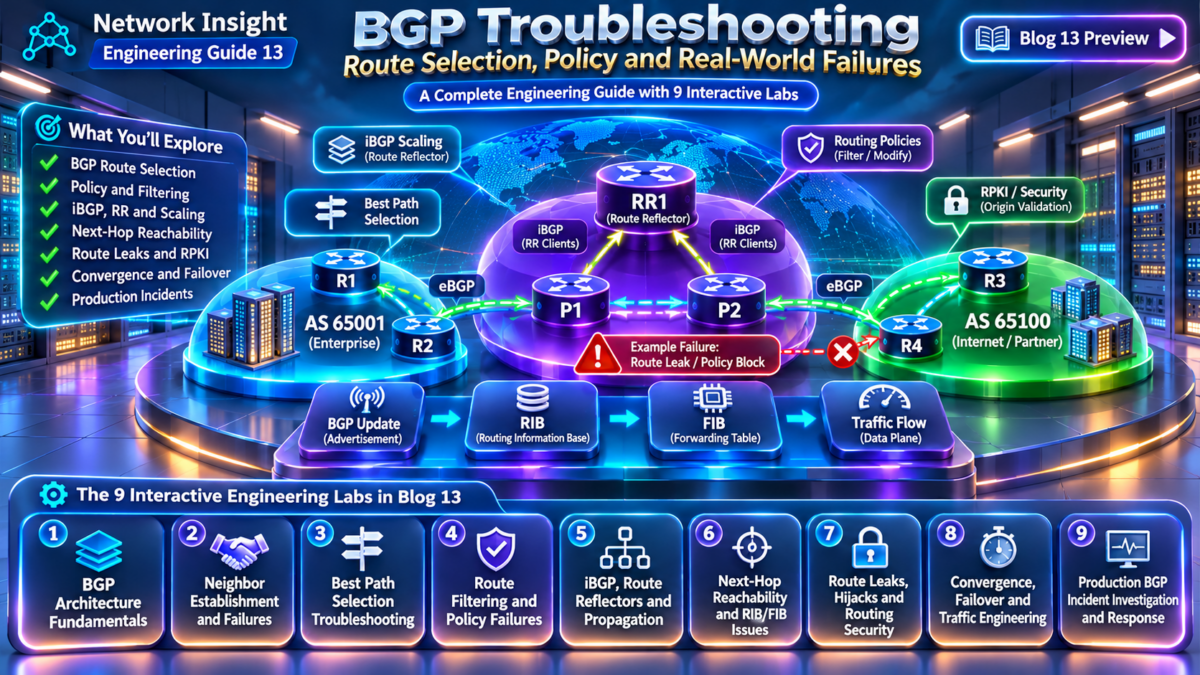
BGP Troubleshooting: Understanding Why Routes Fail
Border Gateway Protocol connects autonomous systems, distributes reachability information and applies routing policy across complex networks. Yet an established BGP session does not guarantee that a route will be accepted, selected, installed or used for forwarding.
Why BGP Troubleshooting Requires More Than Checking Neighbors
BGP is a path-vector routing protocol used to exchange reachability information between autonomous systems and, through iBGP, distribute selected routing information within an autonomous system.
Unlike protocols that primarily calculate paths from topology information, BGP makes extensive use of routing policy. Network operators influence route acceptance, preference and advertisement through attributes and filtering rules.
Consequently, a route can disappear at several distinct points in its lifecycle. It may never be received, may be rejected by import policy, may lose best-path selection, may fail next-hop resolution, or may not be installed into the forwarding table.
Session Establishment
Investigate TCP reachability, BGP neighbor configuration, AS numbers, authentication, timers and session state.
Route Selection
Examine accepted paths, routing attributes, best-path decisions, policy preferences and next-hop reachability.
Policy Enforcement
Identify prefix filters, route maps, communities and export policies that alter routing behaviour.
The BGP Route Lifecycle
A reliable troubleshooting methodology follows a route through each relevant control-plane and forwarding stage.
Engineering principle: Do not assume that a route visible in a BGP table is installed in the IP routing table or programmed into the forwarding plane. These represent different stages of route processing, and their implementation varies across network operating systems.
For example, a router may receive multiple candidate paths for the same prefix. Import policy may reject some paths, the best-path algorithm may select one of the remaining candidates, and the routing table may still prefer a route from another routing source.
Even when a BGP route is selected and installed, forwarding depends on a usable next hop and the correct forwarding entries.
From Symptoms to Root Cause
A production incident might initially appear as a simple connectivity failure. However, the underlying problem could be a missing eBGP advertisement, an incorrect Local Preference, a route-reflector propagation issue, a next-hop reachability failure, or an unintended route-map change.
The objective of this guide is to replace trial-and-error configuration changes with a structured engineering investigation: establish the expected route, identify the first stage where actual behaviour diverges, and verify the cause before applying a corrective change.
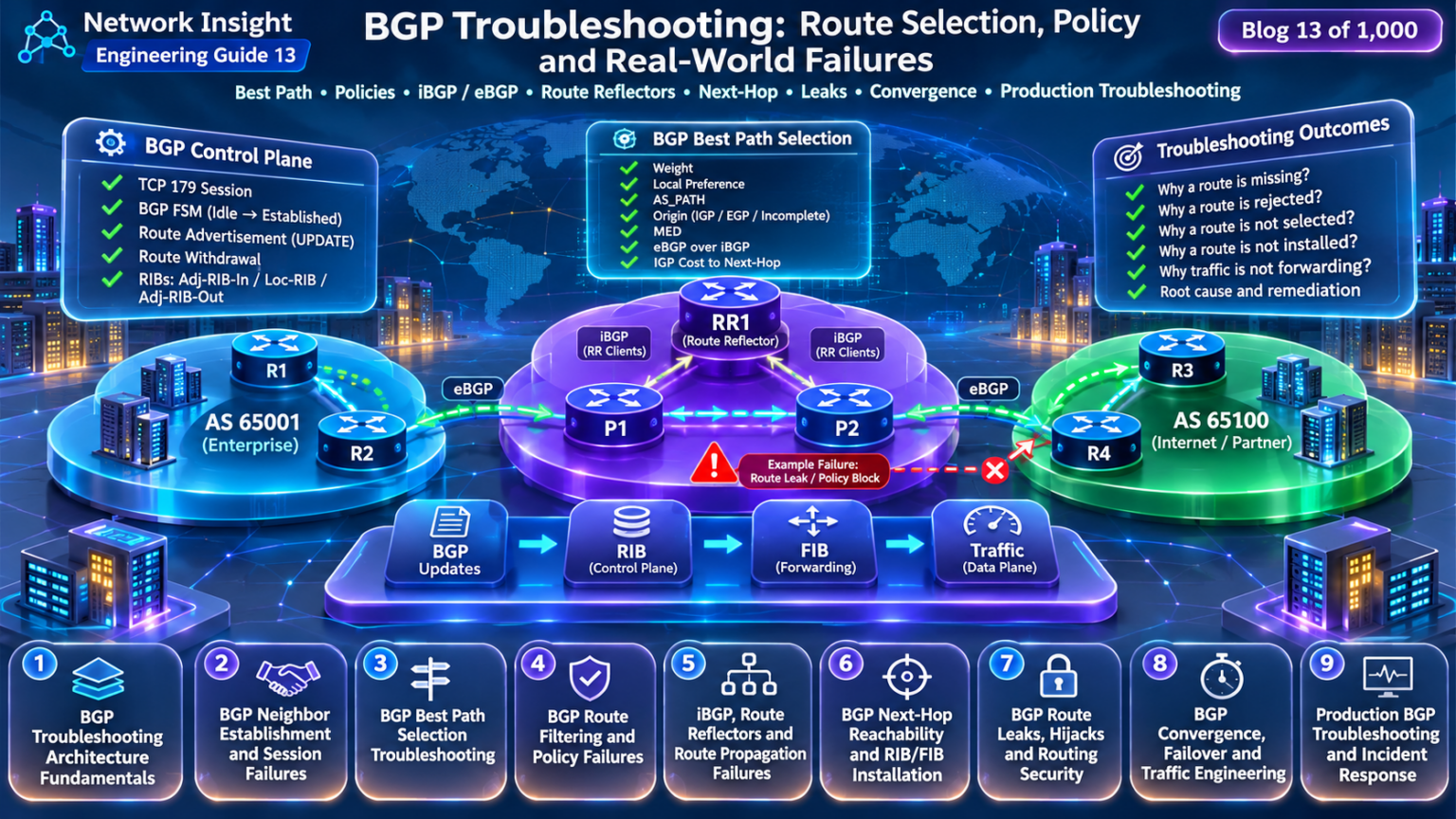
BGP Troubleshooting — Engineering Navigation
Explore the nine engineering investigations that explain why BGP routes disappear, fail policy validation, select unexpected paths, remain unresolved, or fail to forward traffic. Select any section to navigate directly to its editorial guide.
BGP Troubleshooting Architecture
Control-plane architecture, BGP tables, route propagation and the end-to-end investigation methodology.
BGP Neighbor Session Failures
TCP port 179, BGP FSM, authentication, TTL, multihop, timers and session establishment diagnostics.
BGP Best Path Selection
Weight, Local Preference, AS_PATH, MED, eBGP/iBGP, next-hop cost and unexpected route selection.
Route Filtering and Policy Failures
Prefix lists, route maps, communities, AS_PATH filters, import/export policy and rejected routes.
iBGP and Route Reflector Failures
Split horizon, RR clients, ORIGINATOR_ID, CLUSTER_LIST and missing internal route propagation.
Next-Hop Reachability and RIB/FIB
Recursive resolution, IGP dependencies, route installation, forwarding tables and packet blackholing.
Route Leaks, Hijacks and Security
RPKI, route-origin validation, unauthorized advertisements, route leaks and BGP security controls.
Convergence, Failover and Traffic Engineering
Withdrawals, BFD, graceful restart, backup paths, Local Preference, AS_PATH prepending and convergence.
Production Incident Response
Multi-router investigations, route loss, blackholing, evidence collection, root-cause analysis and recovery.
BGP Troubleshooting Architecture Fundamentals: Control Plane, Routing Tables and Forwarding Decisions
Border Gateway Protocol is a policy-driven path-vector routing protocol. Its primary function is to exchange network reachability information and select preferred paths according to configured routing policies and protocol decision rules.
However, BGP troubleshooting becomes difficult when engineers treat the protocol as a single routing table. In reality, BGP route processing involves multiple logical stages, each capable of accepting, modifying, rejecting or selecting routing information.
The most important engineering principle is that receiving a BGP route, selecting a BGP best path, installing a route in the routing table and forwarding packets are separate operations.
1.1 — BGP Route Processing Architecture
The following architecture illustrates how a BGP UPDATE moves through a receiving router. The router evaluates incoming routing information, applies policy, selects eligible paths and determines which routes can be installed and advertised.
Architecture note: The Adj-RIB-In, Loc-RIB and Adj-RIB-Out are logical BGP information structures. Router implementations may store received routes before or after policy processing and may expose different routing-table views. The diagram illustrates the conceptual decision stages rather than a universal internal software pipeline.
1.2 — The BGP Control Plane and Data Plane
BGP operates primarily in the control plane, where routers exchange routing information and select paths.
The forwarding plane uses installed forwarding entries to deliver packets toward their destinations.
Control Plane
Maintains BGP sessions, processes UPDATE messages, applies routing policies, evaluates attributes and selects preferred paths.
Forwarding Plane
Uses forwarding information, resolved next hops and outgoing interfaces to forward packets through the network.
A route may appear valid in the BGP control plane but remain unusable for forwarding if its next hop cannot be resolved or the route is not installed.
1.3 — BGP Neighbor Sessions and UPDATE Processing
Before exchanging routing information, BGP peers establish a transport connection and negotiate protocol capabilities.
BGP commonly uses TCP port 179. A successful session progresses through the BGP finite-state machine until the Established state is reached.
A neighbor in Established state can exchange routing information, but this does not guarantee that every advertised prefix will be accepted or selected.
1.4 — Adj-RIB-In: Received BGP Routing Information
Adj-RIB-In represents routing information learned from BGP neighbors and made available to the route-selection process subject to policy.
Depending on the implementation, an engineer may be able to inspect raw received routes, accepted routes or both.
If a prefix is missing from the expected received-route view, the investigation should begin with the advertising neighbor and session capabilities.
1.5 — Import Policy and Route Eligibility
Import policy controls which routes are accepted and how their attributes are modified before route selection.
Prefix Filtering
Rejects or permits routes according to destination prefix and prefix length.
Attribute Modification
Changes attributes such as Local Preference, MED or communities.
Policy Rejection
Prevents a route from participating in the local best-path process.
A route rejected by import policy may never appear in the normal BGP route-selection table. This is why engineers must distinguish a route that was never advertised from one that was received and rejected.
1.6 — BGP Best-Path Selection and the Loc-RIB
When multiple eligible routes exist for the same destination, BGP applies a decision process to select a preferred path.
Attributes and selection rules vary by implementation. Common considerations include Local Preference, AS_PATH length, Origin, MED, eBGP versus iBGP, and IGP cost to the next hop.
| Attribute | Engineering role | Troubleshooting question |
|---|---|---|
| Weight | Vendor-specific local preference mechanism | Is a locally configured preference overriding another path? |
| Local Preference | Influences outbound path preference within an AS | Is the intended exit path preferred? |
| AS_PATH | Records AS traversal information | Does path length or AS-loop detection affect selection? |
| Origin | Describes the origin attribute of a route | Does Origin influence a tie between candidate paths? |
| MED | Provides a preference hint to a neighboring AS | Are MED values being compared under the applicable rules? |
| Next Hop | Identifies the next hop for forwarding resolution | Can the router resolve the next hop? |
Important: The BGP best-path algorithm is not identical across all vendors. For example, Cisco Weight is not a standard BGP path attribute. Engineers should always verify the platform's actual selection order and configuration.
1.7 — Routing Table Installation and Next-Hop Resolution
A BGP best path is not automatically guaranteed to become the active IP routing-table entry.
The router must evaluate next-hop reachability, route-source preference and installation constraints.
A routing-table entry may also be superseded by a route from another source with higher installation preference.
1.8 — Adj-RIB-Out and BGP Route Advertisement
BGP export processing determines which routes are eligible for advertisement to each neighbor.
The decision depends on the selected route, neighbor relationship, protocol advertisement rules, capabilities and outbound policy.
eBGP Advertisement
Routes may be advertised between autonomous systems, subject to export policy and protocol rules.
iBGP Advertisement
iBGP propagation follows special advertisement rules that prevent routing loops.
Route Reflection
Route reflectors modify iBGP propagation behaviour to support scalable network designs.
An outbound route may be suppressed by policy, loop-prevention rules, address-family configuration or other advertisement conditions.
1.9 — A Structured BGP Troubleshooting Methodology
The most efficient investigations follow a repeatable sequence. Rather than changing configuration immediately, engineers identify the first stage at which expected routing behaviour diverges from observed behaviour.
Verify the Session
Confirm neighbor state, address-family negotiation and transport reachability.
Verify Reception
Determine whether the expected prefix was advertised and received.
Verify Import Policy
Identify filters or attribute modifications affecting eligibility.
Verify Best Path
Compare candidate paths and explain the selection result.
Verify Installation
Check routing-table selection and next-hop resolution.
Verify Forwarding
Inspect FIB entries and confirm actual packet delivery.
1.10 — Common BGP Failure Categories
| Failure category | Typical symptom | Primary investigation |
|---|---|---|
| Neighbor failure | Session not Established | Transport, AS configuration, authentication, timers |
| Missing advertisement | Prefix absent from received routes | Originating router and outbound policy |
| Import policy rejection | Route received but not accepted | Inbound filters and route maps |
| Best-path issue | Unexpected path selected | Attributes and decision rules |
| Next-hop failure | BGP route not installed | Recursive next-hop reachability |
| Forwarding issue | Routing information exists but traffic fails | FIB, adjacency, interface and data-plane checks |
| Propagation failure | Route missing on downstream peer | Export policy, iBGP rules, route reflection |
1.11 — BGP Architecture Investigation Checklist
Section 1 — Engineering Takeaway
Effective BGP troubleshooting requires understanding the complete route lifecycle: neighbor establishment, route reception, policy processing, best-path selection, routing-table installation, forwarding and route advertisement. The engineer's task is to identify the exact stage where expected routing behaviour stops matching actual network state.
BGP Troubleshooting Architecture Explorer
Follow a BGP prefix across autonomous systems and inspect the control-plane decisions that determine whether it is received, accepted, selected, installed and forwarded. Inject common routing faults and locate the exact stage where the expected route behaviour breaks down.
Multi-AS BGP investigation
Architecture investigation ready
Select a scenario and trace the BGP prefix through the routing control plane.
Awaiting route inspection
Awaiting best-path decision
Awaiting installation check
Awaiting forwarding check
Routing component inspector
BGP Control Plane
BGP maintains routing information and selects candidate paths. A selected BGP route is not automatically proof that packets can be forwarded.
Select a router to inspect its role in the topology.Simulated CLI diagnostics
Engineering diagnosis
BGP Neighbor Establishment and Session Failures: TCP, FSM, Authentication, TTL and Timers
Before BGP routers can exchange routing information, they must establish a reliable transport connection, negotiate compatible session parameters and progress through the BGP finite-state machine.
A failed BGP session prevents normal UPDATE exchange. However, identifying the root cause requires more than observing that a neighbor is not Established. The current FSM state, TCP connection status, interface reachability, source address, AS numbers, authentication and protocol notifications all provide important diagnostic evidence.
2.1 — BGP Session Establishment Architecture
The following diagram shows the relationship between the BGP peers, the underlying IP transport path, TCP connection establishment and the BGP protocol handshake. The FSM illustrates the normal progression toward Established; failures can cause transitions back to earlier states.
FSM interpretation: The six states are not a mandatory one-way sequence on every attempt. For example, a successful TCP connection can move from Connect to OpenSent without visiting Active. Active is a TCP retry state, not evidence that the BGP session is successfully exchanging routes.
2.2 — Understanding the Six BGP FSM States
The BGP finite-state machine is one of the most valuable troubleshooting tools available to network engineers. Each state describes a different stage of session establishment.
| FSM state | Protocol behaviour | Engineering interpretation |
|---|---|---|
| Idle | Initial state; resources are prepared and connection attempts may be initiated according to FSM events. | Check configuration, administrative shutdown, retry behaviour and logged errors. |
| Connect | Waiting for a TCP connection to complete. | Investigate IP reachability, TCP 179, source addresses and transport path. |
| Active | Attempting or retrying TCP connection establishment. | Commonly indicates transport or configuration problems if persistent. |
| OpenSent | TCP is established and the local OPEN has been sent; the peer OPEN is awaited. | Check peer ASN, BGP identifier, version, OPEN parameters and notifications. |
| OpenConfirm | OPEN processing has succeeded; waiting for a KEEPALIVE or NOTIFICATION. | Investigate protocol errors, resets and negotiation failures. |
| Established | BGP peers can exchange UPDATE, KEEPALIVE and other negotiated message types. | Proceed to route reception, policy and best-path investigation. |
A neighbor that repeatedly moves between Connect and Active often requires transport investigation. A session that reaches OpenSent before resetting suggests the TCP connection was established, but protocol negotiation or a subsequent transport failure prevented completion.
2.3 — TCP Port 179 and Transport Reachability
BGP uses TCP as its reliable transport protocol. TCP provides ordered delivery and retransmission of BGP messages.
One endpoint listens on TCP port 179, while the initiating endpoint normally uses an ephemeral source port. A firewall policy must therefore permit the connection and associated return traffic, rather than assuming both source and destination ports are 179.
The source address used for the TCP connection must match the address the receiving peer expects, subject to the platform's dynamic neighbor or listen-range configuration.
Production warning: A successful ping does not prove that TCP port 179 is reachable. ICMP may be permitted while TCP is blocked, or a ping may use a different source address and route than the actual BGP session.
2.4 — BGP ASN Mismatches and OPEN Message Errors
BGP OPEN messages identify the autonomous system of the speaker and carry session parameters, including the BGP identifier and optional capabilities.
If the configured remote AS does not match the peer's actual AS, the session may be rejected with a protocol notification.
Correct Configuration
ASN Mismatch
Other OPEN negotiation problems may involve malformed parameters, unsupported capabilities, unacceptable BGP identifiers or hold-time negotiation.
An address-family capability mismatch does not always prevent the base BGP session from reaching Established. The session may be established while the intended IPv4, IPv6 or VPN address family is not successfully negotiated.
2.5 — Authentication and BGP Session Protection
BGP sessions can be protected with TCP MD5 authentication, TCP Authentication Option where supported, infrastructure ACLs and control-plane protection.
Authentication must be configured compatibly on both peers. A mismatched key or unsupported authentication configuration can prevent the TCP connection from establishing.
TCP MD5
Commonly supported authentication mechanism that protects TCP segments with a configured key.
TCP-AO
A more modern authentication mechanism, subject to platform and software support.
Control-Plane ACLs
Restrict which sources can reach the router's BGP listening service.
Authentication failures can appear as repeated TCP connection attempts, silent drops or platform-specific log messages.
Engineers should examine logs and packet counters before resetting sessions or replacing authentication keys.
2.6 — eBGP TTL, Multihop and Loopback Peering
Traditional single-hop eBGP peering assumes directly connected neighbors. Implementations commonly send these packets with an IP TTL of 1 unless configured otherwise.
When eBGP peers communicate through one or more intermediate routers, an eBGP multihop configuration may be required.
The multihop TTL must be sufficient for the actual IP path. Both directions must be reachable, and intermediate devices must permit the session traffic.
Security distinction: eBGP multihop and Generalized TTL Security Mechanism (GTSM) are not interchangeable. GTSM validates that packets arrive with an expected high TTL value, typically providing protection against off-path session attacks. Support and configuration details vary by platform.
2.7 — Loopback Source Address and Update-Source Problems
Loopback peering is common in iBGP networks because loopback interfaces provide stable logical endpoints independent of a single physical interface.
However, the TCP source address must match the remote peer's neighbor configuration.
A missing update-source configuration can cause the router to originate TCP connections from an unexpected interface address.
This often results in a neighbor mismatch even though both loopback addresses are reachable through the IGP.
2.8 — BGP KEEPALIVE, Hold Timers and Session Stability
BGP uses KEEPALIVE messages and a negotiated Hold Time to detect the absence of protocol communication.
The Hold Time negotiated during session establishment is generally the lower of the two nonzero proposed values, subject to the protocol's zero-hold-time rules.
The KEEPALIVE interval is commonly configured to approximately one-third of the Hold Time, but implementations may use different defaults and timer behaviour.
| Mechanism | Purpose | Troubleshooting consideration |
|---|---|---|
| KEEPALIVE | Maintains BGP session liveness when no other BGP messages are exchanged. | Check packet loss, control-plane load and timer behaviour. |
| Hold Time | Limits how long a peer can remain silent before the session is considered failed. | Inspect hold-timer expiry logs and negotiated values. |
| ConnectRetry | Controls retry behaviour during connection establishment. | Useful when analyzing repeated Connect/Active transitions. |
| BFD | Provides rapid path-failure detection when integrated with BGP. | Check BFD session state and whether BFD events are resetting BGP. |
Engineering caution: Aggressively reducing BGP timers may improve detection time but can increase sensitivity to packet loss, CPU congestion and transient network events. BFD is often used for faster failure detection, with suitable platform support and operational safeguards.
2.9 — BFD and Fast BGP Failure Detection
Bidirectional Forwarding Detection (BFD) is a lightweight protocol designed to detect forwarding-path failures rapidly.
When BFD is associated with a BGP neighbor, a BFD Down event may cause the BGP session to be torn down, allowing routing reconvergence to begin without waiting for the BGP Hold Timer.
BFD does not replace BGP routing policy, best-path selection or convergence processing. It provides faster failure detection, not instantaneous end-to-end traffic recovery.
2.10 — Production BGP Neighbor Troubleshooting Commands
The exact CLI commands vary across Cisco IOS, IOS XE, IOS XR, NX-OS, Juniper Junos, Arista EOS and other platforms.
A useful investigation collects evidence in a structured order.
Neighbor State
Record FSM state, last reset reason, session uptime and notification counters.
Transport Path
Verify IP routing, source address, TCP reachability and filtering.
Protocol Negotiation
Inspect AS numbers, capabilities, authentication and timer negotiation.
2.11 — Common Neighbor Failure Patterns
| Observed symptom | Possible cause | Recommended first check |
|---|---|---|
| Neighbor remains Idle | Administrative shutdown, configuration or repeated reset condition | Neighbor configuration and logs |
| Connect / Active cycling | TCP failure, unreachable peer, filtering or wrong source | TCP reachability and source address |
| OpenSent then reset | OPEN negotiation error, ASN mismatch or transport reset | Notifications and peer ASN |
| OpenConfirm then reset | Protocol error, failed KEEPALIVE exchange or transport instability | Notification details and packet capture |
| Established then repeated flaps | Hold timer expiry, BFD Down, link instability or control-plane congestion | Last reset reason, BFD and interface counters |
| Established but no prefixes | Address-family negotiation, missing advertisement or policy rejection | AFI/SAFI, received routes and policy |
2.12 — BGP Neighbor Investigation Checklist
Section 2 — Engineering Takeaway
BGP neighbor troubleshooting begins with transport reachability and session state, then progresses through TCP connection establishment, OPEN negotiation, authentication, timer operation and protocol capabilities. A stable Established session confirms the BGP relationship is operational, but route exchange, policy acceptance and forwarding must still be verified separately.
BGP Neighbor Failure Diagnosis Lab
Diagnose BGP neighbor establishment using the finite-state machine, TCP port 179, OPEN negotiation, authentication, remote-AS validation, TTL handling and session timers. Select a failure condition and trace the exchange to identify the first failed stage.
BGP session investigation
Neighbor diagnosis ready
Select a failure scenario and trace the BGP finite-state-machine exchange.
Simulated router diagnostics
Troubleshooting methodology
Neighbor establishment engineering notes
BGP Best Path Selection Troubleshooting: Attributes, Path Preference and Routing Decisions
BGP frequently receives multiple routes to the same destination prefix. These routes may originate from different autonomous systems, arrive through different neighbors and carry different routing attributes.
The BGP decision process evaluates eligible paths and determines which route should become the preferred BGP path. Understanding that process is essential when investigating unexpected exit points, asymmetric routing, suboptimal traffic engineering or routes that appear valid but are not selected.
3.1 — Multi-Path BGP Route Selection Architecture
Consider a router in AS 65001 receiving three candidate routes for the same destination prefix. Each route provides reachability information, but the associated attributes influence which path is preferred.
Selection result: Assuming all three paths are valid, eligible and subject to the same earlier decision criteria, Path B is preferred because its Local Preference is 200, while Paths A and C have Local Preference 100. The shorter AS_PATH of A or C does not override the higher Local Preference of B.
3.2 — Understanding the BGP Best-Path Decision Process
BGP does not normally select the shortest physical route or the path with the lowest network latency.
Instead, it uses routing attributes and protocol selection rules to determine which eligible path should be preferred.
The exact algorithm varies between implementations. The following table illustrates a common Cisco-like decision sequence rather than a universal standard ordering.
| Approximate order | Decision criterion | Typical preference |
|---|---|---|
| Eligibility | Valid route, resolvable next hop and applicable policy | Only eligible paths participate |
| 1 | Weight — Cisco-specific | Higher |
| 2 | Local Preference | Higher |
| 3 | Locally originated route preference | Platform-dependent local-origin criteria |
| 4 | AS_PATH length | Shorter |
| 5 | Origin attribute | IGP, then EGP, then Incomplete |
| 6 | MED | Lower when comparison is applicable |
| 7 | eBGP versus iBGP | eBGP commonly preferred |
| 8 | IGP metric to BGP next hop | Lower |
| Later | Additional tie-breakers | Router ID, peer address and other platform-specific criteria |
Important: The sequence above is illustrative. Implementations may insert additional steps, apply different conditions, or enable multipath selection. Always consult the actual platform documentation and best-path explanation output.
3.3 — Weight: Local Router Preference
Weight is a Cisco-specific path-selection mechanism. It is locally significant and is not advertised as a standard BGP path attribute to peers.
A higher Weight generally causes a route to be preferred over otherwise eligible alternatives on the same router.
Weight is useful for local routing decisions, but it does not directly establish a consistent AS-wide exit policy.
3.4 — Local Preference: Controlling Outbound Traffic
Local Preference is one of the most important BGP attributes for controlling outbound traffic from an autonomous system.
A higher Local Preference is generally preferred. The attribute is commonly distributed among iBGP peers within an AS and is not normally advertised to external eBGP neighbors.
Primary Internet Exit
Backup Internet Exit
Incorrect Local Preference configuration can cause traffic to exit through an unintended provider, even when another path has a shorter AS_PATH.
3.5 — AS_PATH Length and Path Preference
The AS_PATH attribute records autonomous-system path information used for loop prevention and route selection.
Under common selection rules, a shorter AS_PATH is preferred when earlier decision criteria do not distinguish the candidate paths.
AS_PATH prepending can make a route appear less attractive to remote networks, but its effectiveness depends on the policies applied by those networks.
A remote AS may prefer a longer AS_PATH because its own Local Preference or other policy takes precedence.
3.6 — Origin Attribute and MED Troubleshooting
The BGP Origin attribute indicates how routing information was introduced into BGP. Its values are IGP, EGP and Incomplete.
In common decision processes, IGP Origin is preferred over EGP, which is preferred over Incomplete, when earlier attributes tie.
The Multi-Exit Discriminator (MED) provides a hint about the preferred entry point into an AS. A lower MED is generally preferred when MED values are compared.
MED comparison rule: Many implementations compare MED by default only between routes learned from the same neighboring AS, with additional exceptions and configuration options. Comparing MED values from unrelated neighboring ASes without verifying the platform's rules can lead to incorrect conclusions.
3.7 — eBGP Versus iBGP Path Preference
In common BGP best-path algorithms, an eBGP-learned path is preferred over an iBGP-learned path when earlier decision criteria tie.
This preference does not mean that eBGP always wins. A higher Local Preference on an iBGP-learned route can override the eBGP preference in common decision sequences.
3.8 — IGP Cost to the BGP Next Hop
When BGP candidate paths remain tied after earlier criteria, the routing cost to the BGP next hop may influence selection.
This mechanism is often described as hot-potato routing, where a router prefers to hand traffic to an external network through the closest eligible exit.
Unexpected IGP metric changes can therefore alter BGP path preference even when BGP attributes remain unchanged.
3.9 — Path Eligibility Before Best-Path Comparison
A route must be eligible for selection before its attributes can meaningfully compete with other paths.
Common reasons for ineligibility include unreachable next hops, AS-loop detection, route-policy rejection and implementation-specific validation failures.
Policy Rejection
An inbound filter rejects the route before it can participate in best-path selection.
Next-Hop Failure
The router cannot resolve the BGP next hop through the routing system.
AS-Loop Detection
The route contains the local AS in AS_PATH and is rejected under normal loop-prevention rules.
A route with the highest Local Preference will not necessarily be selected if it is invalid or ineligible.
3.10 — Best Path Versus Routing Table Installation
A BGP best path is the preferred route within the BGP decision process. It is not necessarily the active route used for IP forwarding.
The global routing table may select a route from another routing protocol or a static route according to the platform's route-source preference rules.
The distinction between BGP best-path selection and route installation is critical when investigating traffic that does not follow the expected BGP route.
3.11 — Production Best-Path Troubleshooting Commands
Platform-specific BGP commands provide the candidate paths, attributes and best-path explanation needed to diagnose routing decisions.
Investigation technique: For each candidate path, record the source neighbor, next hop, validity, Local Preference, AS_PATH, Origin, MED and any relevant vendor-specific attributes. Then identify the first applicable decision criterion that distinguishes the selected path from its alternatives.
3.12 — Best-Path Troubleshooting Checklist
Section 3 — Engineering Takeaway
BGP best-path troubleshooting requires a disciplined comparison of eligible routes, routing attributes, policy decisions and implementation-specific selection rules. The preferred BGP path may not be the shortest physical route, the shortest AS_PATH or even the route installed for forwarding. Engineers must identify the exact decision criterion responsible for the observed result and verify the routing-table and forwarding state separately.
BGP Best Path Investigation Engine
Compare three eligible BGP paths to the same prefix. Change their attributes, step through the modeled best-path decision sequence and identify the attribute that determines the winner. Investigate why the shortest AS_PATH does not always win.
Three-path BGP decision investigation
Best-path investigation ready
Choose a preset or modify route attributes, then evaluate the decision sequence.
Best-path decision pipeline
Simulated BGP CLI
Engineering interpretation
BGP Route Filtering and Policy Failures: Prefix Lists, Route Maps, Communities and Advertisement Control
BGP routing policy determines which prefixes a router accepts, how their attributes are modified, which paths are preferred and which routes are advertised to downstream neighbors.
A BGP session can remain Established while important routes disappear because of incorrect prefix filters, route-map conditions, community handling or outbound policy.
These failures are especially difficult because the underlying BGP transport and neighbor relationships may appear completely healthy.
4.1 — BGP Routing Policy Processing Architecture
The following architecture illustrates the logical policy stages that affect a route as it enters, traverses and leaves a BGP router.
Architecture distinction: The diagram represents logical policy processing. On real routers, prefix filtering and attribute modification may be implemented within the same inbound route map. The exact processing order and visibility of rejected routes depend on the network operating system.
4.2 — Why BGP Routing Policies Cause Production Failures
BGP policy is intentionally powerful. Network operators can accept or reject routes, change routing attributes, influence traffic engineering and restrict advertisements between autonomous systems.
However, small configuration mistakes can affect thousands of prefixes.
Unexpected Rejection
A prefix list or route map denies a route that should have been accepted.
Incorrect Preference
A policy changes Local Preference, MED or another attribute unexpectedly.
Advertisement Suppression
Outbound policy prevents a selected route from reaching a downstream neighbor.
Because these failures occur after session establishment, BGP neighbor summaries may report a healthy Established state throughout the incident.
4.3 — Prefix Lists and Prefix-Length Matching
Prefix lists are widely used to permit or deny routes according to their destination prefix and prefix length.
A common source of misconfiguration is confusing a prefix match with the permitted range of prefix lengths.
The ge and le qualifiers control the minimum and maximum permitted prefix lengths in Cisco-like prefix-list syntax.
Operational risk: A prefix list intended to permit an entire customer address allocation may accidentally permit only the aggregate route. More-specific routes can then disappear from the accepted BGP table.
4.4 — Route Maps and Ordered Policy Evaluation
Route maps combine matching conditions with actions that permit, deny or modify routes.
On Cisco-like platforms, route-map sequences are evaluated in configured order. The first matching sequence determines the action, subject to platform-specific route-map semantics.
Route-map behaviour depends on the platform and the policy context. Engineers should verify the semantics of match statements, set operations, sequence ordering and default behaviour.
4.5 — Implicit Deny and Missing Permit Statements
Many routing policy mechanisms use an implicit deny when no configured entry permits the route.
This is particularly important with Cisco-style prefix lists and route maps.
The safest approach is to make the intended permit and deny behaviour explicit, document the expected route set and test policy changes before production deployment.
4.6 — AS_PATH Filtering and Routing Policy
AS_PATH filters evaluate the autonomous-system path carried by BGP routing information.
They are useful for restricting routes based on their originating or transit autonomous systems.
AS_PATH regular expressions can be difficult to interpret, especially when AS_SET, confederation segments or complex AS sequences are involved.
Engineers should test regular expressions against representative routes before applying them to production peers.
4.7 — BGP Communities and Policy-Based Routing Decisions
BGP communities allow routes to carry policy-related metadata.
Operators use communities to influence Local Preference, control route propagation, request provider-specific traffic-engineering behaviour or classify routes.
| Community type | Purpose | Failure scenario |
|---|---|---|
| Standard community | Tags routes with policy information | Missing community prevents a route-map match |
| NO_EXPORT | Prevents advertisement outside the local AS or confederation boundary, according to protocol rules | Expected external advertisement is suppressed |
| NO_ADVERTISE | Prevents advertisement to BGP peers | Route remains local and does not propagate |
| Extended community | Supports structured policy metadata, including VPN route targets | Incorrect route target affects VPN route import/export |
| Large community | Supports structured 32-bit community fields | Incorrect policy tagging changes downstream treatment |
A route can be accepted and selected locally but still fail to propagate because of community handling or export policy.
4.8 — Inbound Versus Outbound BGP Policy
Inbound and outbound policies control different stages of the BGP route lifecycle.
Inbound Policy
Controls routes received from a neighbor before they participate in the local decision process.
Outbound Policy
Controls which eligible routes are advertised to a particular BGP neighbor.
A prefix missing from a local accepted-route view suggests an inbound or upstream problem.
A prefix present locally but absent from the expected advertised-route view suggests export policy, protocol advertisement rules or route eligibility constraints.
4.9 — Production Incident: Incorrect Prefix-Length Filter
Consider an enterprise receiving customer routes from AS 65002.
The customer advertises an aggregate and two more-specific prefixes. A newly deployed prefix list permits the aggregate but does not permit the more-specific routes.
The BGP session remains Established, and the aggregate prefix may still provide reachability. However, more-specific traffic engineering or routing requirements may fail.
The investigation should confirm the intended route set, compare advertised and accepted routes, inspect the inbound policy and validate the corrected prefix length range.
Corrective approach: Update the policy to permit the required prefix lengths, verify the impact in a controlled environment and use the platform's appropriate policy re-evaluation mechanism. Avoid unnecessary hard session resets.
4.10 — BGP Policy Re-Evaluation and Route Refresh
Changing a routing policy does not always guarantee that all previously received routes will be immediately re-evaluated in the expected way.
Modern BGP implementations commonly support route refresh, allowing routes to be requested again without tearing down the BGP session.
Soft reconfiguration, route refresh and outbound update generation are implementation-specific. Their resource requirements and behaviour should be understood before production use.
4.11 — Production BGP Policy Troubleshooting Commands
A structured policy investigation compares the route's state before and after each relevant policy boundary.
CLI visibility note: On some platforms, received-routes output requires stored pre-policy routing information or specific configuration. A missing command or empty view does not automatically prove that the peer never advertised the prefix.
4.12 — Route Policy Failure Classification
| Observed symptom | Possible policy cause | Primary verification |
|---|---|---|
| Prefix received but absent from accepted table | Inbound prefix list or route-map rejection | Received-route and import-policy comparison |
| Unexpected best path | Local Preference, Weight or other attribute modification | Compare path attributes and policy actions |
| Route selected but not advertised | Outbound filtering or propagation restriction | Advertised routes and export policy |
| Route disappears after policy update | Sequence ordering or implicit deny | Policy diff and match counters |
| Route not exported externally | NO_EXPORT or outbound policy | Community attributes and neighbor policy |
| VPN route missing | Incorrect route-target import/export configuration | Extended communities and VRF policy |
4.13 — BGP Policy Investigation Checklist
Section 4 — Engineering Takeaway
BGP route-policy troubleshooting requires engineers to distinguish route reception, import filtering, attribute modification, best-path selection and outbound advertisement. A healthy BGP neighbor session does not prove that routing policy is correct. Prefix-length matching, route-map sequence order, implicit deny behaviour and community handling are frequent causes of production routing failures.
BGP Route Policy Troubleshooting Lab
Investigate a received BGP prefix as it passes through route-map sequences, prefix-list matches, AS_PATH conditions and community filters. Identify the exact policy statement responsible for acceptance, attribute modification or rejection.
Route-policy investigation
Route-policy investigation ready
Evaluate the route-map sequences and determine where the prefix is accepted or rejected.
Simulated policy diagnostics
Policy findings
Production policy engineering notes
iBGP, Route Reflectors and Route Propagation Failures: Split Horizon, Reflection Rules and Next-Hop Handling
Internal BGP distributes routing information between routers within the same autonomous system. Unlike eBGP, iBGP introduces additional route-advertisement restrictions that are essential for loop prevention but can create unexpected propagation failures.
A router may receive a valid BGP route and select it as its best path, yet another router in the same AS may never learn that route.
Understanding iBGP advertisement rules, route-reflector client relationships and next-hop behaviour is therefore essential for troubleshooting large enterprise, service-provider and data centre routing architectures.
5.1 — iBGP Route Propagation Architecture
The following topology illustrates an autonomous system containing an edge router, a route reflector and several iBGP clients.
A route is learned through eBGP, then distributed through iBGP. The route reflector allows selected routes to reach other clients without requiring a complete iBGP full mesh.
Topology assumption: In this example, R1 and R2–R4 are configured as RR1 clients. The diagram represents logical BGP sessions, not necessarily physical links. Underlying IP reachability is still required between all BGP session endpoints.
5.2 — Why Traditional iBGP Requires a Full Mesh
A conventional iBGP router does not advertise a route learned from one iBGP peer to another iBGP peer.
This rule helps prevent routing loops because iBGP does not normally prepend the local AS to AS_PATH when advertising routes within the same AS.
Without route reflection or another loop-prevention architecture, all iBGP routers that need to exchange routing information must form a full mesh.
The number of sessions grows quadratically with the number of routers.
This creates operational and scalability challenges in large autonomous systems.
5.3 — iBGP Split Horizon and Route Propagation Failures
The term iBGP split horizon is commonly used to describe the rule preventing an ordinary iBGP speaker from advertising routes learned through iBGP to another iBGP peer.
This is not necessarily a configuration error. It is expected BGP behaviour when route reflection or a full mesh is absent.
Engineering distinction: An Established iBGP session between R2 and R3 does not imply that R2 can advertise every route in its BGP table to R3. The source of the route and the iBGP advertisement rules must be considered.
5.4 — Route Reflector Architecture and Client Relationships
A route reflector allows selected iBGP routes to be propagated without requiring every router to peer directly with every other router.
The route reflector maintains iBGP sessions with clients and potentially with non-client peers.
Reflection behaviour depends on how the route was learned.
| Route learned from | Typical reflection behaviour | Operational consideration |
|---|---|---|
| RR client | May reflect to other clients and non-clients, excluding the source peer | Check client designation and outbound policy |
| Non-client iBGP peer | May reflect to clients, but not other non-clients | Verify reflection topology |
| eBGP peer | Can advertise to eligible iBGP peers under normal eBGP-learned route advertisement rules | Check next-hop handling and export policy |
These rules apply subject to route eligibility, best-path selection, loop prevention and outbound policy.
5.5 — Route Reflector Best-Path Selection Limitations
A conventional route reflector generally reflects its selected best path for a prefix, rather than every candidate path received from its neighbors.
This can cause path hiding, where a route available elsewhere in the network is not visible to a particular client.
Advanced BGP features such as Add-Path can allow additional paths to be advertised, subject to capability negotiation and platform support.
5.6 — ORIGINATOR_ID and Route Reflection Loop Prevention
Route reflection introduces additional loop-prevention mechanisms because reflected iBGP routes can traverse multiple reflectors.
The ORIGINATOR_ID attribute identifies the router that originally introduced the route into the local AS.
When a router receives a reflected route whose ORIGINATOR_ID matches its own BGP identifier, the route is rejected to prevent a loop.
Incorrect or duplicate router IDs can complicate route reflection and loop-prevention behaviour.
5.7 — CLUSTER_LIST and Route Reflector Loop Prevention
The CLUSTER_LIST attribute records route-reflector cluster identifiers that a reflected route has traversed.
When a route reflector receives a route containing its own cluster identifier, the route is rejected to prevent reflection loops.
Cluster-ID configuration must be planned carefully, especially in designs with multiple route reflectors and redundant reflection paths.
Production caution: Two route reflectors may intentionally share a cluster ID when they belong to the same logical cluster. However, accidental cluster-ID reuse across unrelated clusters can suppress otherwise valid routes.
5.8 — BGP Next-Hop Handling Across iBGP
A route can be successfully propagated through iBGP while remaining unusable because its BGP next hop is unreachable.
When an eBGP-learned route is advertised into iBGP, the original external next hop is often preserved unless configuration or platform behaviour changes it.
A common solution is to configure appropriate next-hop-self behaviour on the advertising router.
Alternatively, the external next hop can be made reachable through the internal routing infrastructure, if that is consistent with the network design.
5.9 — Route Reflector Redundancy and Failure Domains
Large BGP networks commonly deploy multiple route reflectors to avoid dependence on a single control-plane node.
However, redundant route reflectors must be configured with consistent client relationships, policies and reachability.
Client Peering
Verify that clients have established sessions with the intended redundant route reflectors.
Policy Consistency
Compare route filters, communities and attributes across redundant reflectors.
Path Visibility
Verify that alternative paths remain available when a reflector or upstream session fails.
Redundancy does not automatically guarantee identical route visibility or optimal path selection.
5.10 — Production Incident: Missing Route on an RR Client
Consider a data centre network where R1 learns a route from an external BGP peer.
RR1 receives the route through iBGP and reflects it to R2. However, R3 does not learn the prefix.
The first task is to determine whether RR1 actually advertised the route to R3.
If RR1 did not advertise it, investigate reflection rules, best-path eligibility and outbound policy.
If RR1 advertised the route but R3 did not accept it, investigate R3's inbound policy and loop-prevention checks.
5.11 — Production Route Reflector Troubleshooting Commands
Investigation technique: Compare the same prefix at each hop: originating router, route reflector and destination client. Record the route's source, next hop, best-path status, ORIGINATOR_ID, CLUSTER_LIST and advertisement state.
5.12 — iBGP Propagation Failure Classification
| Observed symptom | Possible cause | Primary investigation |
|---|---|---|
| Route not propagated between ordinary iBGP peers | iBGP split-horizon rule | Full-mesh or route-reflector design |
| RR client missing route | Incorrect client relationship or export policy | RR neighbor configuration and advertised routes |
| Reflected route rejected | ORIGINATOR_ID or CLUSTER_LIST loop prevention | Inspect reflected route attributes |
| Route visible but unusable | Unreachable BGP next hop | IGP routing and next-hop-self |
| Only one path visible | Route-reflector best-path selection and path hiding | RR candidate paths and Add-Path support |
| Route disappears during RR failure | Insufficient redundancy or inconsistent policies | RR topology and backup path availability |
5.13 — iBGP and Route Reflector Investigation Checklist
Section 5 — Engineering Takeaway
iBGP troubleshooting requires understanding the relationship between route propagation rules, route-reflector client relationships, loop-prevention attributes and next-hop reachability. A route may be correctly received and selected by one router but remain unavailable elsewhere because of iBGP split horizon, route reflection policy, ORIGINATOR_ID, CLUSTER_LIST or an unresolved next hop.
BGP Route Reflection Failure Explorer
Investigate route propagation through an iBGP route-reflector topology. Compare client and non-client advertisement rules, inspect ORIGINATOR_ID and CLUSTER_LIST attributes, and diagnose missing routes caused by reflection policy, loop prevention or next-hop reachability.
iBGP route propagation investigation
Route reflection investigation ready
Select a scenario and trace the route from its origin through the iBGP topology.
Route-reflector inspector
iBGP Route Reflection
Route reflectors reduce the need for full-mesh iBGP sessions while preserving loop-prevention rules and route-selection constraints.
Select a router to inspect its role.Simulated BGP diagnostics
Route propagation findings
BGP Next-Hop Reachability and RIB/FIB Installation: Recursive Resolution, IGP Dependencies and Forwarding Failures
A BGP route can be visible in the BGP table, selected as the preferred BGP path and still fail to forward traffic.
This occurs because BGP best-path selection, IP routing-table installation and forwarding information programming are distinct stages of the routing process.
The most important dependency is often BGP next-hop reachability. A router must resolve the next-hop address through its routing system before it can construct a usable forwarding path.
6.1 — BGP Next-Hop Resolution and Forwarding Architecture
The following architecture illustrates the relationship between a BGP route, recursive next-hop resolution, the underlying IGP and the forwarding information base.
Architecture principle: A BGP route is usable only when the router can resolve its next hop and satisfy the platform's route installation requirements. The exact RIB and FIB processing architecture varies between network operating systems.
6.2 — Understanding BGP NEXT_HOP
The BGP NEXT_HOP attribute identifies the next-hop address associated with a route advertisement.
When a router receives a BGP route, it must determine whether the NEXT_HOP address can be reached through its routing infrastructure.
The next hop is not necessarily the IP address of the BGP neighbor that advertised the route.
This distinction is particularly important in iBGP and route-reflector architectures.
6.3 — Recursive Next-Hop Resolution
Recursive resolution occurs when the router must perform additional routing lookups to determine how to reach a BGP next hop.
For example, a BGP route may point to a loopback address that is reachable through an OSPF or IS-IS route.
The router resolves the BGP next hop through one or more routing-table entries until it reaches a usable forwarding adjacency.
If any required dependency disappears, the BGP path may become unusable.
6.4 — IGP Dependencies and BGP Route Validity
Large networks commonly use an interior gateway protocol such as OSPF or IS-IS to provide reachability between router loopbacks and infrastructure addresses.
BGP then uses this underlying reachability to resolve next hops.
OSPF Dependency
An OSPF route provides reachability to the BGP next-hop address.
IS-IS Dependency
IS-IS distributes infrastructure routes used for recursive next-hop resolution.
Static / Connected
Static and connected routes can also provide valid next-hop reachability.
An IGP failure can therefore cause BGP route installation or forwarding failures without immediately bringing down every BGP session.
Engineering caution: If BGP peers use loopback addresses, a loss of IGP reachability may eventually cause the BGP TCP session to fail as well. The timing depends on failure detection, routing convergence and transport behaviour.
6.5 — BGP Best Path Versus IP Routing Table Installation
BGP best-path selection determines the preferred path within the BGP routing process.
The global IP routing table may still prefer another route source according to administrative distance or equivalent platform-specific route preference.
| Route source | Example Cisco administrative distance | Operational meaning |
|---|---|---|
| Connected | 0 | Directly connected route |
| Static | 1 | Manually configured route |
| eBGP | 20 | Externally learned BGP route |
| OSPF | 110 | OSPF-learned route |
| iBGP | 200 | Internally learned BGP route |
These values are illustrative Cisco defaults, not universal values.
Junos, IOS XR, NX-OS and other platforms may use different preferences or configuration models.
6.6 — RIB Failure and Non-Installed BGP Routes
A RIB failure occurs when a BGP route cannot be installed as the active route in the routing table.
The cause may involve route-source preference, next-hop resolution, routing-table constraints or platform-specific installation rules.
Competing Route
A static, connected or another protocol route may be preferred over the BGP route.
Unresolved Next Hop
The router cannot construct a valid forwarding path to the BGP next hop.
Installation Constraint
A platform limitation, resource issue or routing-table condition may prevent installation.
RIB failure indicators should be interpreted using the specific network operating system's documentation.
6.7 — Forwarding Information Base and Hardware Programming
The Forwarding Information Base contains the information used by the forwarding plane to make packet forwarding decisions.
On hardware-based routers and switches, forwarding entries may be programmed into ASIC tables or other forwarding resources.
A routing-table entry can exist while forwarding remains incorrect because of adjacency, hardware programming or interface problems.
Engineers should therefore verify the FIB and adjacency state when the routing table appears correct but traffic fails.
6.8 — ECMP and BGP Multipath Forwarding
Equal-Cost Multipath allows multiple eligible forwarding next hops to be installed for a destination, subject to platform capabilities and configuration.
BGP multipath does not mean that every BGP candidate path is automatically installed.
ECMP forwarding often uses flow-based hashing rather than strict per-packet round-robin distribution.
Uneven traffic distribution can therefore occur even when both paths are installed correctly.
6.9 — BGP Next-Hop Tracking and Convergence
Many modern routers support next-hop tracking mechanisms that detect changes in the reachability of BGP next hops.
When the underlying route to a next hop changes, the router may re-evaluate affected BGP paths without waiting for a BGP session reset.
Next-hop tracking can improve convergence speed, but the actual timing depends on platform implementation, IGP convergence and route processing.
6.10 — Production Incident: BGP Route Present but Traffic Blackholed
Consider an enterprise router receiving a BGP route through iBGP.
The route appears in the BGP table, but traffic to the destination fails.
Possible causes include an unresolved next hop, stale forwarding state, incorrect adjacency, missing interface reachability or an unexpected routing-table entry.
The engineer should identify the first failed dependency rather than immediately resetting the BGP session.
Diagnostic principle: A BGP session reset may temporarily change the routing state without correcting the underlying forwarding problem. Validate next-hop resolution and data-plane programming before using disruptive recovery actions.
6.11 — Production RIB/FIB Troubleshooting Commands
6.12 — BGP Forwarding Failure Classification
| Observed symptom | Possible cause | Primary verification |
|---|---|---|
| BGP route invalid | Unreachable next hop | Recursive next-hop lookup |
| BGP best path not installed | Competing route source or RIB constraint | Routing-table preference and RIB status |
| Route installed but traffic fails | FIB, adjacency or interface issue | Forwarding-table and interface checks |
| Traffic uses unexpected path | Different active route or ECMP hashing | Routing table and FIB next hops |
| Routes disappear after IGP event | Next-hop reachability loss | IGP convergence and next-hop tracking |
| Intermittent packet loss | Unstable adjacency, ECMP member or link | Per-path forwarding and counters |
6.13 — BGP RIB/FIB Investigation Checklist
Section 6 — Engineering Takeaway
BGP forwarding troubleshooting requires engineers to follow the complete dependency chain: BGP best path → next-hop resolution → routing-table installation → FIB programming → packet forwarding. A route can be visible and preferred within BGP while remaining unusable because of IGP reachability, RIB preference, adjacency resolution or forwarding-plane failures.
BGP Next-Hop and Forwarding Diagnosis Lab
Investigate the relationship between BGP route selection, recursive next-hop resolution, the global routing table and hardware/software forwarding entries. Trace a packet through the forwarding plane and identify where routing control-plane success diverges from actual packet delivery.
Routing and forwarding investigation
Forwarding investigation ready
Trace the selected BGP route through next-hop resolution, RIB installation and FIB programming.
Simulated CLI diagnostics
Engineering diagnosis
Control plane versus forwarding plane
BGP Route Leaks, Prefix Hijacking and Routing Security: RPKI, Filtering and Incident Investigation
BGP was designed to exchange routing information between independently operated autonomous systems. Its routing decisions depend heavily on trust, configured policy and information received from neighboring networks.
Incorrect route advertisements can therefore have consequences beyond a single organization. A route leak may expose routes to unintended networks, while a prefix hijack may redirect traffic toward an unauthorized origin.
Modern BGP security combines strict import/export policies, route-origin validation, prefix limits, operational monitoring and coordinated incident response.
7.1 — BGP Route Leak and Hijack Architecture
The following diagram shows two distinct routing-security failures. An accidental route leak allows routes learned from one provider to be advertised to another. A separate unauthorized-origin announcement attempts to attract traffic for a prefix belonging to another autonomous system.
Important distinction: RPKI Route Origin Validation checks whether the origin AS is authorized for a prefix under the available ROA data. It does not validate the entire AS_PATH or establish whether a route violates commercial routing relationships. A route leak can therefore remain RPKI-valid.
7.2 — Understanding BGP Route Leaks
A route leak occurs when routing information is advertised beyond its intended routing-policy scope.
A common example is a customer network that learns routes from one upstream provider and incorrectly advertises them to another provider.
This can cause the customer network to become an unintended transit path between large networks.
The underlying BGP sessions may remain fully Established. The problem is an incorrect export policy, not necessarily a transport failure.
7.3 — BGP Prefix Hijacking
Prefix hijacking occurs when an autonomous system originates or advertises routing information for address space it is not authorized to originate.
The resulting route may compete with legitimate advertisements and attract traffic from other networks.
Origin Hijack
An unauthorized AS originates a prefix belonging to another organization.
More-Specific Hijack
An unauthorized network announces a more-specific prefix that may attract traffic through longest-prefix matching.
Path Manipulation
Incorrect or malicious path advertisements may influence remote routing decisions.
More-specific prefix announcements can be particularly disruptive because IP forwarding uses longest-prefix matching before comparing route preferences between different prefix lengths.
7.4 — RPKI and Route Origin Authorization
Resource Public Key Infrastructure (RPKI) provides a framework for validating routing resource authorizations.
A Route Origin Authorization (ROA) identifies which autonomous system is authorized to originate a specified prefix and permitted prefix lengths.
Routers can use RPKI-derived validation results as inputs to routing policy.
The operational effect depends on the configured policy. An invalid route is not automatically discarded by every BGP router.
7.5 — RPKI Validation States
| Validation state | Meaning | Operational interpretation |
|---|---|---|
| Valid | A covering ROA authorizes the route's origin AS and prefix length. | Origin authorization is consistent with available ROA data. |
| Invalid | Covering ROA information exists, but the origin AS or prefix length does not satisfy authorization. | Investigate and apply the organization's configured invalid-route policy. |
| Not Found | No relevant covering ROA is available for validation. | Not equivalent to an unauthorized or malicious route. |
Security limitation: A Valid RPKI origin result does not prove that the entire AS_PATH is legitimate. Origin validation alone cannot prevent every route leak, traffic interception or path manipulation scenario.
7.6 — Prefix Filtering as a Routing Security Boundary
Strict prefix filtering is one of the most effective controls against accidental routing leaks.
A customer-facing BGP session should normally accept only prefixes the customer is authorized to advertise, subject to the agreed routing relationship.
Filtering should consider both prefix ownership and permitted prefix lengths.
Overly broad filters can permit unexpected more-specific advertisements, while overly restrictive filters can cause legitimate route loss.
7.7 — AS_PATH Filtering and Customer Transit Protection
AS_PATH filters can provide additional protection by checking the autonomous-system sequence associated with received routes.
For example, a provider may expect a single-AS customer to originate its own prefixes, rather than advertise paths learned from unrelated providers.
AS_PATH filtering is useful but not a complete security mechanism.
Complex customer relationships, multihoming and legitimate transit services require policies that reflect the actual network business relationships.
7.8 — Maximum Prefix Protection
Maximum-prefix controls limit the number of prefixes accepted or received from a BGP neighbor, depending on the implementation.
These controls can help protect a router from unexpected routing table growth, configuration mistakes and large route leak events.
Operational caution: Maximum-prefix protection can cause a BGP session to be disabled when a threshold is exceeded. Thresholds should be based on expected growth, customer requirements and recovery procedures.
7.9 — BGP Communities and Route Leak Prevention
BGP communities can help control how routes are propagated.
Well-known communities such as NO_EXPORT and NO_ADVERTISE can restrict advertisement scope when properly honored by BGP speakers.
| Community | Intended behaviour | Security consideration |
|---|---|---|
| NO_EXPORT | Restricts advertisement outside the local AS or confederation boundary under applicable rules. | Useful for limiting propagation scope. |
| NO_ADVERTISE | Prevents further BGP advertisement. | Useful for suppressing route propagation. |
| Provider-defined communities | Request provider-specific routing actions. | Requires documented provider support and trust. |
| Large communities | Provide structured policy metadata. | Useful for scalable routing-policy classification. |
Communities should complement strict prefix and AS_PATH policies rather than replace them.
7.10 — Production Incident: Accidental Route Leak
Consider an enterprise that connects to two upstream providers.
A configuration change accidentally removes an outbound prefix filter. The enterprise begins advertising routes learned from Provider A to Provider B.
The incident may be detected through route monitoring, provider alerts, unexpected interface utilization or changes in global BGP visibility.
A successful remediation requires both correcting the export policy and confirming that the leaked routes have been withdrawn from affected networks.
7.11 — Production BGP Security Troubleshooting Commands
Incident evidence: Collect the prefix, origin AS, AS_PATH, peer address, validation state, relevant policy configuration, timestamps and observed propagation. This evidence helps distinguish an origin hijack from a route leak or ordinary policy failure.
7.12 — BGP Routing Security Control Matrix
| Security control | Primary protection | Limitation |
|---|---|---|
| Prefix filtering | Restricts accepted or advertised address ranges | Requires accurate authorization data |
| AS_PATH filtering | Constrains accepted AS paths | Does not cryptographically validate paths |
| RPKI origin validation | Checks origin AS authorization | Does not validate full AS_PATH |
| Maximum prefix | Limits unexpected prefix growth | May disrupt legitimate sessions if thresholds are too low |
| Communities | Influence advertisement scope and policy | Depend on correct configuration and honoring by peers |
| Monitoring | Detects unexpected route changes | Detection alone does not prevent propagation |
7.13 — BGP Routing Security Investigation Checklist
Section 7 — Engineering Takeaway
BGP routing security depends on combining strict routing policies, route-origin validation, prefix limits, community handling and operational monitoring. RPKI helps detect unauthorized origin announcements but does not validate the complete AS_PATH or prevent every route leak. Effective incident investigation requires identifying the exact prefix, origin, propagation path and policy boundary responsible for the unexpected advertisement.
BGP Route Leak and RPKI Investigation Lab
Investigate suspicious BGP advertisements across multiple autonomous systems. Validate advertised prefix origins against ROA records, inspect customer/provider export relationships, identify accidental transit and test security controls that prevent unauthorized route propagation.
Routing security investigation
Routing security investigation ready
Trace the advertisement through origin validation, import filtering and export-policy enforcement.
Simulated security diagnostics
Security findings
BGP security engineering notes
BGP Convergence, Failover and Traffic Engineering: Withdrawals, Alternate Paths, BFD and Routing Stability
BGP convergence describes how routers respond to routing changes and establish a stable routing state after a failure, withdrawal or policy modification.
In production networks, convergence affects application availability, packet loss, traffic distribution and recovery time.
A robust BGP architecture must not only select an appropriate route during normal operation. It must also detect failures, withdraw unusable paths, select alternatives and update forwarding state within acceptable operational limits.
8.1 — BGP Failover and Convergence Architecture
The following topology illustrates a dual-provider network with a preferred primary route and an available backup path.
When the primary path fails, BGP must determine that the route is no longer usable, select an eligible alternative and update forwarding state.
Design assumption: The backup path is already available and eligible for selection. Actual failover behaviour depends on failure detection, routing policy, next-hop resolution, route availability and platform convergence mechanisms.
8.2 — Understanding BGP Convergence
BGP convergence involves several related but distinct processes.
Failure Detection
The router detects a link, neighbor, next-hop or routing failure.
Control-Plane Update
Affected routes are withdrawn or re-evaluated and alternative paths are selected.
Forwarding Update
The active routing and forwarding tables are updated to use the new path.
The overall recovery time depends on the slowest relevant stage.
A fast BGP decision process cannot compensate for slow physical failure detection or delayed forwarding-table programming.
8.3 — BGP Route Withdrawals
BGP uses UPDATE messages to advertise and withdraw routing information.
When a previously advertised route becomes unavailable, a BGP speaker can send a withdrawal to affected peers.
A withdrawal does not always mean that the destination prefix becomes unreachable.
Another eligible BGP path may remain available and be selected.
8.4 — BGP Failure Detection Mechanisms
BGP can detect failures through several mechanisms, including TCP session loss, hold-timer expiration, next-hop tracking and external failure-detection protocols.
| Mechanism | Detection method | Operational consideration |
|---|---|---|
| Physical interface state | Link-down event | Fast for directly connected failures |
| BGP hold timer | Expiration without valid BGP messages | Can be slower than dedicated failure detection |
| TCP session failure | Transport connection loss | Depends on transport and network behaviour |
| BFD | Rapid continuity detection | Requires supported integration and appropriate timers |
| Next-hop tracking | Change in next-hop reachability | Useful for recursive routing dependencies |
Failure-detection timers must be selected carefully. Aggressive timers may improve detection speed but can increase sensitivity to transient congestion or control-plane load.
8.5 — Bidirectional Forwarding Detection
Bidirectional Forwarding Detection (BFD) provides a mechanism for rapidly detecting forwarding-path failures between participating systems.
BFD can be integrated with BGP so that a detected failure triggers appropriate routing-protocol action.
BFD can reduce detection time, but it does not eliminate BGP path selection or FIB programming time.
Production caution: Very aggressive BFD intervals can create false failure events when devices are overloaded or the network experiences transient packet loss.
8.6 — BGP Graceful Restart
BGP Graceful Restart allows supporting routers to preserve selected forwarding state during certain control-plane restart events.
The objective is to reduce traffic disruption when the BGP control plane restarts but forwarding continuity can be maintained.
Graceful Restart must be distinguished from ordinary failure recovery.
Retaining stale routes during an actual forwarding failure can cause temporary blackholing if the retained path no longer works.
8.7 — BGP Path Exploration and Convergence Instability
When a BGP route changes, routers may temporarily explore several alternative paths before reaching a stable result.
This behaviour is commonly called path exploration.
Path exploration can contribute to increased BGP UPDATE activity, route churn and transient forwarding changes.
The actual behaviour depends on topology, policy and implementation.
8.8 — Local Preference and Outbound Traffic Engineering
Local Preference is commonly used inside an autonomous system to influence which exit path is preferred for outbound traffic.
Higher Local Preference is generally preferred during BGP best-path selection, subject to earlier vendor-specific decision steps.
Local Preference is an internal BGP policy attribute and is not normally advertised to external BGP neighbors.
8.9 — AS_PATH Prepending and Inbound Traffic Engineering
AS_PATH prepending adds repeated instances of the local AS to selected outbound advertisements.
This can make a route appear less attractive to remote networks that consider AS_PATH length during best-path selection.
Remote networks may apply their own Local Preference, commercial policies and routing decisions before considering AS_PATH length.
Inbound traffic engineering therefore requires measurement and coordination rather than assuming a specific global outcome.
8.10 — BGP Failover and Traffic Asymmetry
Outbound and inbound traffic paths are often selected independently.
An enterprise may prefer Provider A for outbound traffic while remote networks prefer Provider B for return traffic.
Asymmetric routing is not inherently incorrect.
However, it can cause problems when stateful security devices or traffic inspection systems expect both directions of a flow to traverse the same path.
8.11 — Production Incident: Slow BGP Failover
Consider an enterprise using two BGP providers for internet connectivity.
The primary provider experiences an upstream failure, but the enterprise continues sending traffic toward the affected path for an extended period.
The investigation should separate failure detection time from BGP processing and forwarding recovery time.
This distinction allows engineers to identify the actual convergence bottleneck.
Engineering method: Build an incident timeline from interface events, BFD state, BGP logs, route changes and traffic measurements. The timeline should identify when the failure occurred, when the router detected it and when traffic recovered.
8.12 — Production BGP Convergence Troubleshooting Commands
8.13 — BGP Convergence Failure Classification
| Observed symptom | Possible cause | Primary verification |
|---|---|---|
| Slow failure detection | Hold timers or missing fast-detection mechanism | BGP, BFD and interface event timestamps |
| Backup route not selected | Policy or path eligibility problem | BGP best-path attributes |
| Traffic continues toward failed path | Stale routing or forwarding state | RIB, FIB and next-hop tracking |
| Repeated path changes | Path exploration or unstable links | BGP UPDATE activity and interface logs |
| Unexpected inbound traffic path | Remote routing policy overrides intended engineering | External route visibility and AS_PATH |
| Blackholing during restart | Stale routes retained without working forwarding path | Graceful Restart state and forwarding validation |
8.14 — BGP Convergence and Failover Checklist
Section 8 — Engineering Takeaway
BGP convergence is a multi-stage process involving failure detection, route withdrawal, alternative-path selection, routing-table updates and forwarding-plane recovery. BFD and next-hop tracking can improve failure detection, while Local Preference and AS_PATH prepending influence traffic-engineering decisions. Production troubleshooting should measure each convergence stage independently rather than treating BGP recovery as a single event.
BGP Convergence and Failover Timeline
Investigate a primary BGP path failure, compare failure-detection mechanisms, observe withdrawal processing and follow traffic as the network reconverges onto an alternate route. Explore the relationship between detection time, control-plane convergence and forwarding recovery.
BGP convergence investigation
Convergence event timeline
Convergence investigation ready
Inject a failure and follow the sequence from detection to route and forwarding recovery.
Simulated BGP event diagnostics
Convergence findings
Production convergence engineering notes
Production BGP Troubleshooting and Incident Response: Route Loss, Blackholing, Asymmetric Routing and Root-Cause Analysis
Production BGP incidents rarely fit neatly into a single troubleshooting category.
A route may disappear because of an import policy change, fail to propagate because of route-reflector rules, remain invalid because of next-hop reachability, or appear correctly installed while traffic is dropped by the forwarding plane.
The most effective troubleshooting approach is to follow the route through its complete lifecycle, identifying the first point where observed behaviour differs from the expected network state.
9.1 — End-to-End Production BGP Incident Architecture
The following topology represents a multi-AS production environment containing two upstream providers, an enterprise edge, an internal route reflector, downstream routers and a destination network.
An incident may affect route reception, policy evaluation, best-path selection, route reflection, recursive next-hop resolution or packet forwarding.
Investigation objective: Determine whether the route was received, accepted, selected, propagated, installed and forwarded correctly at each relevant router. Do not assume that an Established BGP session proves end-to-end routing or forwarding health.
9.2 — The Six-Stage BGP Incident Investigation Methodology
A structured investigation reduces the risk of applying disruptive changes before identifying the actual fault.
Stage 1 — Establish the Incident Scope
Identify affected prefixes, source and destination networks, impacted applications, first observed failure time, affected autonomous systems and recent changes. Determine whether the incident is global, regional or isolated to particular routers.
Stage 2 — Verify BGP Neighbor and Transport State
Inspect BGP FSM state, TCP connectivity, peer AS configuration, authentication, timers and address-family negotiation. Record whether sessions were Established throughout the incident or experienced flaps and resets.
Stage 3 — Trace Route Reception and Policy
Confirm whether the expected prefix was advertised by the upstream peer, received by the local router and accepted by inbound policy. Inspect prefix lists, route maps, communities and AS_PATH filtering.
Stage 4 — Verify Best-Path Selection and Propagation
Compare eligible candidate paths, Local Preference, AS_PATH, MED and other relevant attributes. Then verify iBGP reflection rules, route-reflector relationships and outbound advertisements.
Stage 5 — Validate RIB, FIB and Packet Forwarding
Check recursive next-hop reachability, active routing-table installation, forwarding entries, adjacencies, interfaces and ECMP behaviour. Confirm actual packet delivery rather than relying exclusively on control-plane output.
Stage 6 — Recover, Validate and Document
Apply the smallest approved corrective change, verify route convergence, measure application recovery, monitor stability and complete a root-cause analysis. Preserve evidence before making disruptive changes whenever practical.
9.3 — Distinguishing BGP Control-Plane and Data-Plane Failures
One of the most important production troubleshooting distinctions is whether the failure exists in the BGP control plane, the IP routing system or the forwarding plane.
Control Plane
Neighbor establishment, route reception, routing policy, best-path selection and route propagation.
Routing System
Next-hop resolution, route-source preference, routing-table installation and route recursion.
Forwarding Plane
FIB programming, adjacency resolution, interface forwarding, encapsulation and packet delivery.
A BGP route can appear correct in the control plane while traffic is blackholed because of a forwarding dependency.
Conversely, the forwarding plane may operate correctly for the active route even when BGP prefers a different candidate path.
9.4 — Production Incident: Missing Prefix Across an iBGP Domain
Consider an enterprise with two upstream providers and an internal route reflector.
R1 learns the destination prefix through eBGP. RR1 receives the route and reflects it to internal routers.
However, one internal router does not install the route.
The first investigation step is to compare the same prefix across all relevant routers.
This reveals where the route changes from expected to unexpected state.
9.5 — Multi-Router Route State Comparison
A route-state comparison provides a concise view of the incident.
| Router | BGP route | Next hop | RIB/FIB state | Investigation result |
|---|---|---|---|---|
| R1 | Received and selected | 192.0.2.2 | Installed | Normal upstream route |
| RR1 | Received and selected | 192.0.2.2 | Installed | Route available for eligible reflection |
| R3 | Received and selected | 192.0.2.2 | Installed | Normal internal routing |
| R4 | Received but next hop unresolved | 192.0.2.2 | Not installed | First confirmed failure |
Root-cause direction: In this illustrative case, R4 receives the prefix, so the immediate problem is not route reflection. The investigation should focus on R4's inability to resolve the BGP next-hop address.
9.6 — Recursive Next-Hop Investigation
R4 receives the BGP prefix with NEXT_HOP 192.0.2.2.
However, its routing table does not contain a usable route to that address.
The appropriate correction depends on the network architecture.
In some designs, the external next hop is intentionally reachable through the IGP.
In others, the edge router changes NEXT_HOP when advertising the route to internal BGP peers.
9.7 — BGP Blackholing Investigation
Blackholing occurs when traffic is forwarded toward a destination or next hop that cannot successfully deliver the packets.
BGP-related blackholing can result from stale routes, incorrect next-hop information, routing loops, policy mistakes, asymmetric firewall paths or forwarding failures.
The investigation must identify whether packets are being dropped locally, forwarded to the wrong next hop or lost farther along the path.
9.8 — Asymmetric Routing and Stateful Security Devices
BGP can select different paths for outbound and inbound traffic.
This behaviour is common in multihomed networks because each autonomous system applies its own routing policy.
Outbound Path
Local Preference and internal routing decisions commonly influence the outbound exit path.
Return Path
Remote AS policies, AS_PATH and other attributes influence the return path.
Asymmetric routing is not inherently a failure.
However, it can cause traffic loss when stateful firewalls or inspection systems require consistent flow state across both directions.
9.9 — BGP Route Loss After a Policy Change
Routing-policy changes are a frequent source of production BGP incidents.
A new prefix list, route map, community policy or AS_PATH filter can unintentionally reject valid routes.
The BGP neighbor remaining Established is an important diagnostic clue.
It suggests that route policy or advertisement behaviour may be responsible, rather than a complete transport failure.
9.10 — Evidence Collection During BGP Incidents
Effective incident response depends on collecting reliable evidence before configuration changes alter the routing state.
| Evidence category | What to collect | Why it matters |
|---|---|---|
| Timeline | Failure time, alarms, changes and recovery time | Establishes event sequence |
| BGP sessions | Neighbor state, resets, notifications and timers | Identifies transport and protocol failures |
| Route attributes | AS_PATH, Local Preference, MED, communities and next hop | Explains route selection |
| Routing policy | Prefix lists, route maps and policy changes | Identifies filtering and attribute manipulation |
| RIB/FIB | Active routes, next hops, adjacencies and interfaces | Validates forwarding state |
| Traffic | Packet loss, latency, traceroutes and counters | Measures user impact |
| External visibility | Provider advertisements and route-monitoring observations | Determines broader propagation impact |
9.11 — Production BGP Troubleshooting Command Reference
The following commands illustrate a Cisco-like investigation workflow. Exact syntax and available output depend on platform and software release.
Operational caution: Avoid disruptive BGP session resets or large policy changes until the impact has been assessed. Use read-only diagnostics first and follow approved change-control procedures.
9.12 — Building a BGP Incident Timeline
A precise incident timeline helps distinguish the initial failure from secondary routing effects.
A useful timeline should include both control-plane events and observed traffic impact.
This helps identify whether the primary problem was failure detection, routing policy, BGP convergence or forwarding recovery.
9.13 — Root-Cause Analysis for BGP Incidents
Root-cause analysis should explain not only what failed, but why the failure occurred and why existing controls did not prevent or detect it earlier.
Trigger
Identify the event that initiated the incident: configuration change, link failure or unexpected route.
Technical Root Cause
Identify the specific protocol, policy, reachability or forwarding condition responsible for the failure.
Preventive Action
Introduce validation, monitoring, policy tests or architecture changes to reduce recurrence.
9.14 — BGP Incident Response Checklist
9.15 — Designing Networks for Easier BGP Troubleshooting
Good BGP architecture should make routing behaviour observable and predictable.
Consistent route policies, documented prefix ownership, stable router IDs, clear route-reflector relationships and reliable next-hop reachability reduce the complexity of troubleshooting.
Routing Observability
Collect BGP session events, prefix changes, route attributes, RIB/FIB state and traffic telemetry.
Policy Validation
Test prefix lists, route maps and community behaviour before production deployment.
Failure Testing
Validate provider failover, route-reflector redundancy, next-hop loss and convergence under controlled conditions.
These practices transform BGP troubleshooting from reactive command execution into a repeatable engineering investigation process.
Section 9 — Final Engineering Takeaway
Production BGP troubleshooting requires a complete understanding of the routing lifecycle: neighbor establishment, route reception, policy evaluation, best-path selection, route propagation, next-hop resolution, RIB installation, FIB programming and packet forwarding. The most reliable approach is to compare expected and actual routing state at each stage, identify the first failed dependency, apply a controlled correction and validate recovery using both routing evidence and real traffic measurements.
Production BGP Incident Investigation Lab
Take the role of a network engineer responding to a production routing incident. Inspect BGP sessions, route advertisements, routing policies, next-hop resolution and forwarding behaviour. Identify the root cause, choose a remediation and validate the restored network state.
Production incident control centre
Collected evidence
Incident awaiting investigation
Select a production incident and begin collecting routing and forwarding evidence.
Network troubleshooting CLI
Incident findings
Incident root-cause analysis

- BGP Troubleshooting: Real-World Failures - November 18, 2026
- Kubernetes Security Architecture - November 18, 2026
- AI Networking Architecture: Ethernet, RoCEv2 and InfiniBand - November 18, 2026