
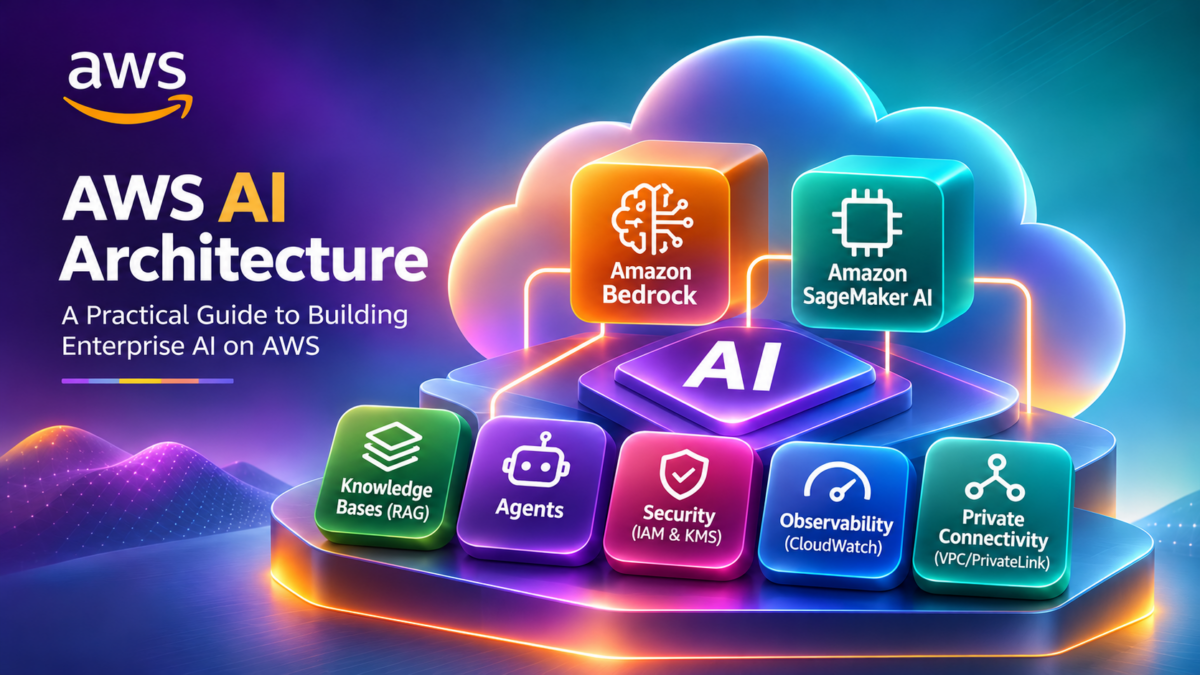
AWS AI Architecture Explained: Amazon Bedrock, SageMaker AI, RAG, AI Agents, and Enterprise Networking
Explore how AWS AI services combine foundation models, machine learning infrastructure, retrieval-augmented generation, agent workflows, VPC networking, identity, security, and observability to deliver production enterprise AI applications.
Artificial intelligence on AWS is not a single service or model endpoint. It is a distributed architecture combining managed AI services, application compute, enterprise data, secure networking, and operational controls.
Amazon Bedrock provides managed access to supported foundation models and capabilities for building generative AI applications. Amazon SageMaker AI provides infrastructure and tools for machine learning development, training, and model deployment.
Enterprise applications frequently combine these services with AWS Lambda, Amazon API Gateway, Amazon OpenSearch Service, Amazon S3, AWS Identity and Access Management (IAM), and Amazon VPC.
The engineering challenge is understanding how these components communicate, where trust boundaries exist, how enterprise data is retrieved, and how AI workloads can be deployed securely and efficiently.
The Four Layers of an Enterprise AWS AI Platform
A useful way to understand AWS AI architecture is to divide the platform into four logical layers: enterprise applications, AI services, knowledge and data, and foundational networking and security.
Web Applications
AI-enabled enterprise interfaces
API Gateway + Lambda
Application APIs and orchestration
Business Workflows
Enterprise systems and processes
Amazon Bedrock
Foundation model inference
Amazon SageMaker AI
Training and model deployment
AI Agents
Tool use and workflow coordination
Knowledge Bases
Retrieval and grounding workflows
Vector Search
OpenSearch and supported stores
Amazon S3
Documents and data storage
Amazon VPC
Private subnets and VPC endpoints
IAM + KMS
Permissions and key management
Amazon CloudWatch
Monitoring and observability
Conceptual layered architecture. These layers represent responsibilities rather than a literal packet path. Network and security controls apply across the application and service boundaries.
Four Engineering Pillars of AWS AI Architecture
Model and Inference Architecture
Understand Bedrock model access, SageMaker AI model hosting, inference requests, throughput, and deployment decisions.
RAG and Enterprise Data
Connect foundation models to approved enterprise knowledge through retrieval, embeddings, vector indexes, and data pipelines.
Agents and Tool Integration
Explore how AI agents coordinate model reasoning with tools, APIs, functions, and enterprise workflows.
Networking and Security
Investigate VPC connectivity, PrivateLink, IAM, KMS, logging, and operational controls for AI workloads.
What You Will Learn
This guide progresses from AWS AI service architecture to production deployment, with particular attention to engineering decisions and the interaction between cloud infrastructure and AI workloads.
Explain the roles of Amazon Bedrock, SageMaker AI, and supporting AWS services.
Trace a foundation model inference request through an AWS AI application.
Design a retrieval-augmented generation architecture using enterprise knowledge.
Understand agent orchestration, tool invocation, and execution controls.
Investigate VPC networking, private endpoints, DNS, routing, and AWS identity permissions.
Evaluate production readiness through observability, security, resilience, performance, and cost management.
AWS AI Is a Distributed Systems Engineering Challenge
A production AWS AI application combines foundation models, machine learning infrastructure, retrieval systems, agent orchestration, enterprise networking, identity, security, and monitoring. Understanding how these components interact is essential for designing secure, reliable, and scalable AI platforms.
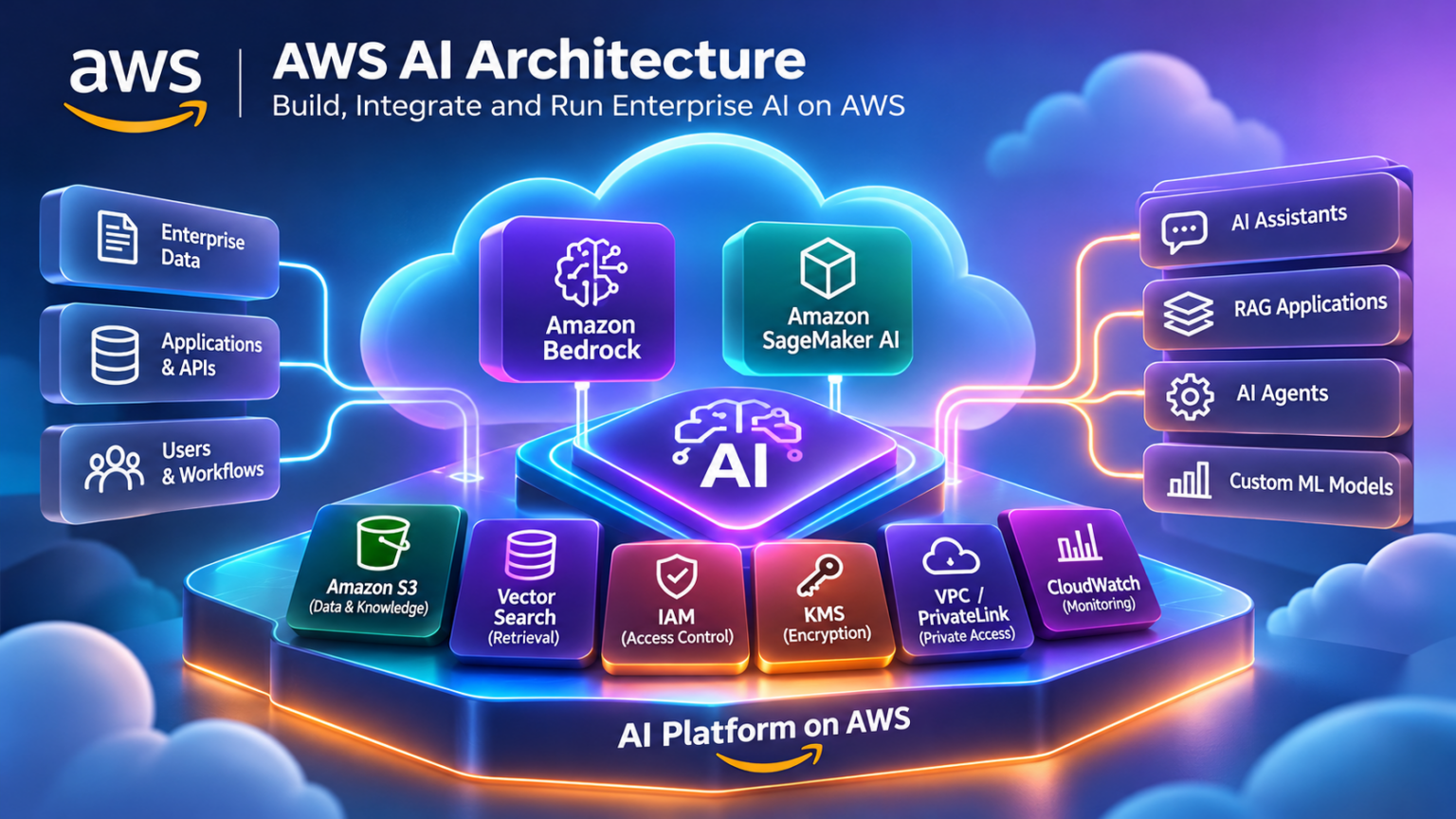
Understanding AWS AI Platform Architecture
AWS provides a collection of managed AI services, machine learning infrastructure, application platforms, data services, and security controls that can be combined to build enterprise AI systems. Understanding their responsibilities is the first step toward designing a production architecture.
The AWS AI ecosystem is not a single vertically integrated product. It includes services for foundation model inference, custom machine learning, data retrieval, application orchestration, identity, networking, and operations. These components may operate across different AWS resources, service boundaries, and network paths.
For generative AI applications, Amazon Bedrock provides managed access to supported foundation models and application-building capabilities. Amazon SageMaker AI supports the broader machine learning lifecycle, including data preparation, model development, training, and deployment.
How the AWS AI Service Ecosystem Fits Together
The following conceptual architecture shows how enterprise applications connect to AI services, data systems, and foundational AWS infrastructure. Individual applications may use only a subset of these services.
Amazon Bedrock
Foundation models, managed inference, knowledge bases, and agents.
Amazon SageMaker AI
Model development, training, deployment, and ML operations.
Amazon Q
AI-assisted experiences for supported business and developer workflows.
Retrieval Services
Bedrock Knowledge Bases, vector search, and grounding.
Application Compute
AWS Lambda, API Gateway, ECS, and application hosting.
Observability
CloudWatch, CloudTrail, application telemetry, and monitoring.
Logical service relationship diagram. Connectivity, IAM permissions, endpoint support, and data paths depend on the deployed architecture.
Six Core Responsibilities in an AWS AI Platform
Enterprise AI architectures become easier to understand when each service is mapped to an engineering responsibility. This avoids treating model inference, data retrieval, application orchestration, and networking as interchangeable functions.
Foundation Model Inference
Invoke supported foundation models using Amazon Bedrock, or deploy models through an appropriate SageMaker AI inference option.
Model Development and Training
Use SageMaker AI to prepare datasets, develop machine learning models, run training workloads, and manage model deployment workflows.
Enterprise Knowledge Retrieval
Connect applications to enterprise documents and structured knowledge using retrieval pipelines, search indexes, and supported vector stores.
Application and Agent Orchestration
Coordinate application requests, model calls, agent workflows, approved tool execution, and integration with enterprise APIs.
Networking and Connectivity
Design VPC connectivity, supported private service endpoints, DNS, security groups, and hybrid access to enterprise systems.
Security and Operations
Apply IAM permissions, encryption, monitoring, audit logging, cost controls, and production operational safeguards.
Amazon Bedrock vs. Amazon SageMaker AI
One of the most important architectural decisions is whether to consume managed foundation models through Amazon Bedrock or build and operate a more customized machine learning workflow with SageMaker AI.
These services are complementary rather than mutually exclusive. An organization may use Bedrock for managed generative AI capabilities while using SageMaker AI for specialized model training and deployment.
Amazon Bedrock
Bedrock is typically appropriate when an application needs access to supported foundation models without managing the underlying model-serving infrastructure.
- Managed foundation model access
- Supported model customization options
- Knowledge Bases for RAG
- Agents and workflow capabilities
- Guardrails and model evaluation features
Amazon SageMaker AI
SageMaker AI is appropriate when engineers need greater control over model development, training, infrastructure, deployment, or ML lifecycle operations.
- Custom model training workflows
- Managed ML development environments
- Model deployment and inference endpoints
- Experiment tracking and model management
- Configurable ML compute resources
Choosing AWS Services by Engineering Requirement
The best service selection depends on the problem being solved. A generative AI chatbot, an enterprise search assistant, and a custom predictive model may require very different AWS architectures.
| Engineering Requirement | Typical AWS Services | Architecture Consideration |
|---|---|---|
| Foundation model inference | Amazon Bedrock | Model availability, region, quotas, latency, and pricing. |
| Custom ML training | Amazon SageMaker AI | Dataset preparation, training compute, and lifecycle management. |
| Enterprise RAG | Bedrock Knowledge Bases, Amazon S3, supported vector stores | Chunking, indexing, retrieval quality, and data permissions. |
| AI agent workflows | Bedrock Agents, Lambda, enterprise APIs | Tool permissions, workflow control, and execution boundaries. |
| Application hosting | Lambda, ECS, EKS, API Gateway | Scaling, runtime dependencies, network access, and operations. |
| Private connectivity | Amazon VPC, PrivateLink, Route 53 | Supported endpoints, DNS, routing, and security groups. |
| Security and monitoring | IAM, KMS, CloudWatch, CloudTrail | Least privilege, encryption, auditability, and telemetry. |
Engineering Questions Before Building an AWS AI Platform
Before deploying AI workloads, architects should establish the operating requirements and infrastructure constraints. These decisions influence model selection, networking, security, and long-term operational cost.
AWS AI Architecture Begins With Clear Service Responsibilities
Amazon Bedrock provides managed generative AI capabilities, while Amazon SageMaker AI supports the broader machine learning engineering lifecycle. Enterprise AI applications combine these services with data retrieval, application compute, networking, identity, security, and observability. The architecture should be driven by workload requirements, not by the assumption that every AWS AI service is needed.
AWS AI Service Architecture Explorer
Select an AI workload, inspect its AWS components, and trace how application requests move through the AI platform.
Generative AI Application
Amazon Bedrock
Inspect the request path
Select Start Trace to investigate the AWS services used by this workload.
Amazon Bedrock and Foundation Model Inference
Amazon Bedrock provides managed access to supported foundation models through AWS APIs, enabling developers to build generative AI applications without directly operating the underlying model-serving infrastructure.
Foundation models can support text generation, summarization, conversational applications, embeddings, and multimodal workloads, depending on the selected model and its supported capabilities. Bedrock provides a common AWS service environment for accessing these models, although individual model features and request formats can differ.
From an engineering perspective, the important questions extend beyond model selection. Architects must understand how inference requests are authenticated, how model capacity is allocated, what limits apply, how responses are delivered, and how applications recover from errors, throttling, or unavailable capacity.
How Amazon Bedrock Inference Architecture Works
A typical Bedrock inference request originates from an application, is authenticated and authorized through AWS controls, and is sent to the appropriate Bedrock runtime operation. Bedrock then routes the request according to the model and inference configuration.
Enterprise Application
Application runtime, prompt construction, AWS SDK, and IAM credentials.
Amazon Bedrock Runtime
Authorized inference operation, model identifier, request parameters, and managed service processing.
Foundation Model
Supported model execution, input processing, and generated output.
Conceptual request path. The Bedrock-managed model-serving infrastructure is abstracted from the application. Private connectivity depends on supported endpoints and network configuration.
The Five Stages of a Foundation Model Request
Understanding the request lifecycle helps engineers distinguish application latency, authentication failures, service throttling, model processing time, and response handling.
Prepare Request
The application builds the prompt, selects the model, and sets supported inference parameters.
Authenticate
AWS credentials and IAM permissions determine whether the requested operation is authorized.
Invoke Model
Bedrock processes the inference request according to the model, endpoint, and configured capacity.
Generate Output
The model processes input tokens and generates a response, which may be streamed when supported.
Return and Observe
The application handles the response, records useful telemetry, and manages errors or retries.
Six Engineering Factors When Selecting a Foundation Model
Model selection should be driven by application requirements rather than a single benchmark score. A model with strong reasoning capability may not be the most economical choice for a high-volume classification or summarization workload.
Model Capability
Evaluate reasoning, instruction following, structured output, tool use, and supported modalities.
Latency
Measure time to first token, end-to-end response time, and streaming behavior under representative workloads.
Token Economics
Consider input tokens, output tokens, context size, request volume, and model-specific pricing.
Regional Availability
Verify supported AWS Regions, model availability, routing options, and data residency requirements.
Throughput and Quotas
Account for request limits, token quotas, concurrency, and workload demand during traffic peaks.
Security and Governance
Evaluate IAM permissions, supported encryption controls, logging, content safeguards, and enterprise policies.
Inference Capacity and Deployment Choices
Bedrock provides multiple inference consumption and routing options. The available choices depend on the model, Region, and current service capabilities.
On-Demand Inference
A common option for applications that need managed inference without committing to dedicated model capacity.
- Usage-based consumption
- Subject to applicable quotas
- Suitable for variable demand
- Throttling must be handled
Provisioned Throughput
Provides a capacity commitment for supported models and configurations, useful when workloads require planned inference capacity.
- Capacity planning required
- Model support varies
- Commitment and pricing considerations
- Useful for predictable workloads
Inference Profiles
Supported inference profiles provide a way to reference inference configurations, including cross-Region routing for eligible models.
- Model and Region dependent
- May improve capacity access
- Review geographic routing
- Verify compliance requirements
Bedrock Inference Engineering Decision Matrix
| Requirement | Engineering Decision | Operational Consideration |
|---|---|---|
| Interactive chatbot | Select a suitable conversational model and streaming interface. | Time to first token, response quality, and user experience. |
| High-volume summarization | Evaluate smaller or lower-cost models where quality is sufficient. | Token cost, batch size, throughput, and retry behavior. |
| Predictable sustained demand | Evaluate supported provisioned capacity options. | Capacity commitment, utilization, and cost. |
| Variable regional demand | Evaluate supported inference profiles and routing options. | Regional availability, quotas, and data routing. |
| Private application access | Use supported Bedrock VPC interface endpoints. | Private DNS, security groups, endpoint policies, and IAM. |
| Production reliability | Add application-level timeouts, retries, and observability. | Throttling, transient failures, latency, and fallback behavior. |
Production Bedrock Engineering Checklist
A successful model invocation proves only that the basic API path works. Production readiness requires testing performance, authorization, resilience, and operational behavior under realistic workload conditions.
Managed Inference Simplifies Infrastructure, Not Application Engineering
Amazon Bedrock abstracts supported foundation model serving, but production applications still require careful engineering around model selection, inference capacity, IAM authorization, latency, quotas, networking, observability, and resilience. The correct model and inference configuration should be validated against real application workloads.
Amazon Bedrock Model Selection & Inference Simulator
Configure a foundation-model workload, simulate inference and investigate the engineering trade-offs between model capability, latency, throughput and cost.
Configure the foundation model
Inference request lifecycle
Run the simulated request to inspect authorization, inference processing and response delivery.
Ready to simulate inference.
Amazon SageMaker AI and the Machine Learning Lifecycle
Amazon SageMaker AI provides managed infrastructure and tools for developing, training, deploying, and operating machine learning models. Unlike applications that simply invoke a managed foundation model, SageMaker AI workflows can give engineers greater control over model artifacts, training environments, inference infrastructure, and ML lifecycle operations.
Enterprise machine learning is a continuous engineering process rather than a single model training task. Data must be prepared, experiments evaluated, model versions tracked, deployment environments controlled, and production performance monitored.
SageMaker AI supports these activities through managed development environments, processing and training jobs, pipelines, model management capabilities, and several inference deployment options.
The Six Stages of the SageMaker AI Lifecycle
A production machine learning workflow begins with trusted data and progresses through repeatable development, validation, deployment, and monitoring activities. SageMaker AI provides managed capabilities for many of these stages.
Prepare Data
Collect, clean, transform, and validate training datasets.
Develop
Explore data, create code, and define experiments.
Train
Execute training jobs on configured compute.
Evaluate
Validate metrics, performance, and quality.
Deploy
Package and publish approved model versions.
Monitor
Observe model behavior and trigger improvement.
Conceptual ML lifecycle. Production workflows typically repeat evaluation, retraining, validation, and deployment as data and operating conditions change.
How SageMaker AI Training Infrastructure Works
SageMaker AI training jobs run model training code within managed compute environments. Training data may be supplied through supported storage and input mechanisms, while generated model artifacts are commonly stored in Amazon S3.
Engineers select suitable instance types, storage configurations, training images, IAM roles, and networking settings. Depending on the workload, training may use CPUs, GPUs, or distributed compute.
Training Data
Datasets and supporting files stored in Amazon S3 or supplied through supported input modes.
Managed Training Compute
Configured training instances execute model code using suitable CPU or GPU resources.
Model Artifacts
Trained model outputs, checkpoints, and metadata support evaluation and deployment.
IAM · Amazon VPC · Amazon S3 · Amazon ECR · CloudWatch · KMS
Simplified training architecture. Storage, network isolation, distributed training, and artifact management depend on the selected job configuration.
Six Important SageMaker AI Engineering Capabilities
Managed Development Environments
SageMaker AI development tools support experimentation, notebooks, and collaborative machine learning workflows.
Processing and Feature Engineering
Managed processing jobs help prepare, transform, and validate datasets before model training or inference.
Training and Hyperparameter Tuning
Training jobs and tuning workflows support model optimization using configurable compute and algorithms.
Model Registry and Versioning
Track model versions, associated metadata, approval states, and deployment candidates.
Automated ML Pipelines
SageMaker Pipelines can coordinate repeatable processing, training, evaluation, and deployment steps.
Model Monitoring
Monitor supported data-quality, model-quality, bias, and drift signals alongside application telemetry.
SageMaker AI Inference Deployment Options
SageMaker AI provides different deployment patterns to support varying inference requirements. The choice depends on latency expectations, request volume, payload size, processing duration, and operational cost.
Real-Time Inference
Suitable for applications requiring synchronous predictions from deployed models.
- Persistent endpoint infrastructure
- Configured instance capacity
- Autoscaling options
- Interactive application integration
Serverless and Asynchronous Inference
Supported options can reduce idle-capacity management or accommodate longer-running inference requests.
- Serverless for eligible workloads
- Asynchronous request processing
- Different latency characteristics
- Feature and model limitations apply
Batch Transform
Designed for processing datasets without requiring an always-running interactive inference endpoint.
- Large offline prediction jobs
- Dataset-oriented processing
- No persistent serving endpoint
- Useful for scheduled workloads
SageMaker AI Architecture Decision Matrix
| Workload | Typical SageMaker AI Capability | Engineering Consideration |
|---|---|---|
| Custom model training | Managed training jobs | Compute selection, training duration, datasets, and artifact management. |
| Repeatable ML workflows | SageMaker Pipelines | Automation, reproducibility, approvals, and lifecycle controls. |
| Low-latency predictions | Real-time inference endpoints | Instance capacity, autoscaling, latency, and availability. |
| Intermittent inference | Supported serverless inference | Workload eligibility, cold starts, resource limits, and pricing. |
| Long-running inference | Asynchronous inference | Request queues, response delivery, processing time, and scaling. |
| Offline predictions | Batch Transform | Dataset size, job scheduling, throughput, and cost. |
| Model governance | Model Registry and monitoring | Model versions, approval, quality checks, and auditability. |
Production MLOps and Operational Responsibility
Managed infrastructure reduces the burden of provisioning and operating parts of the machine learning platform, but it does not remove the need for engineering controls.
Production ML systems require reproducible pipelines, trusted datasets, controlled model promotion, performance monitoring, rollback procedures, and security validation. Model quality can deteriorate as real-world data changes, even when the underlying inference infrastructure remains healthy.
SageMaker AI Turns Model Development Into a Repeatable Engineering Lifecycle
Amazon SageMaker AI supports the machine learning lifecycle through managed development, training, model management, deployment, and monitoring. Production success depends on reproducible pipelines, reliable infrastructure, secure data access, controlled model promotion, and continuous operational evaluation. These capabilities complement the managed foundation model inference provided by Amazon Bedrock.
Amazon SageMaker AI Training & Deployment Pipeline
Configure a machine learning workload, execute a simulated training pipeline, deploy an inference endpoint and diagnose engineering failures.
Configure SageMaker resources
ML pipeline investigation
Retrieval-Augmented Generation (RAG) on AWS
Retrieval-Augmented Generation (RAG) connects generative AI applications to external knowledge by retrieving relevant information and supplying it as context to a foundation model. On AWS, RAG architectures can combine Amazon Bedrock Knowledge Bases, Amazon S3, embedding models, and supported vector stores.
Foundation models generate responses from their input context and learned parameters, but they do not automatically have access to an organization's latest internal documents, policies, configuration records, or operational data. RAG provides an application-level mechanism for retrieving selected enterprise knowledge at inference time.
The resulting architecture introduces new engineering responsibilities: document ingestion, chunking, embedding, index maintenance, retrieval relevance, access control, grounding, and response evaluation.
How an AWS RAG Architecture Works
An enterprise RAG workflow usually contains two related processes: document ingestion and online question answering. The ingestion pipeline prepares searchable knowledge, while the online pipeline retrieves relevant content for each query.
Enterprise User
Submits a question through an authorized application.
Application Layer
Authenticates the user and coordinates retrieval and inference.
Access Controls
IAM and application-level authorization govern access.
Amazon Bedrock Knowledge Bases
Retrieval orchestration · Knowledge source integration · Relevant context for model inference
Enterprise Documents
Source documents stored in Amazon S3 or other supported sources.
Vector Store
Searchable embeddings and associated document metadata.
Foundation Model
Generates a grounded response from the question and retrieved context.
Conceptual architecture. Document ingestion, retrieval, and model generation are separate operations; the diagram groups their responsibilities rather than showing a literal sequential packet path.
The Five Stages of Document Ingestion
Before an application can retrieve enterprise knowledge, documents must be prepared and indexed. Ingestion quality has a direct impact on the accuracy and relevance of subsequent retrieval results.
Collect
Identify approved document sources, ownership, classification, and update frequency.
Parse
Extract usable content from documents and normalize supported file formats.
Chunk
Divide content into suitable retrieval units while preserving useful context.
Embed
Convert text into vector representations using a supported embedding model.
Index
Store vectors and metadata in a supported search system for later retrieval.
Six Engineering Decisions That Determine RAG Quality
Chunking Strategy
Chunk size and overlap affect retrieval precision, context preservation, and token usage. Document structure should influence chunk boundaries.
Embedding Model
The embedding model influences semantic representation, vector dimensions, language support, and retrieval relevance.
Vector Store Selection
Evaluate supported vector stores according to indexing behavior, filtering, operational overhead, scale, and cost.
Retrieval Strategy
Semantic retrieval, keyword search, metadata filtering, hybrid approaches, and reranking can improve relevant context selection.
Grounding and Citations
Provide retrieved evidence to the model and evaluate whether responses remain consistent with the authorized source material.
Index Freshness
Define synchronization schedules, document deletion handling, metadata updates, and procedures for stale content.
RAG Troubleshooting and Failure Investigation
RAG failures do not always originate in the foundation model. Incorrect responses can result from ingestion errors, missing indexes, poor chunking, unsuitable retrieval filters, or unauthorized data exposure.
| Symptom | Likely Investigation Area | Engineering Check |
|---|---|---|
| Relevant document not found | Ingestion or retrieval | Verify synchronization status, document parsing, chunking, indexing, and search filters. |
| Outdated answer | Index freshness | Check source updates, synchronization schedules, and stale document versions. |
| Incorrect answer despite retrieval | Grounding and generation | Inspect retrieved passages, prompt construction, model output, and evaluation results. |
| Slow response | Retrieval and inference latency | Measure search latency, reranking, model processing, and application overhead. |
| Unexpected access to documents | Authorization design | Validate user identity, document-level permissions, metadata filters, and application enforcement. |
| High operational cost | Embedding, storage, and token usage | Review ingestion volume, vector store capacity, retrieved context size, and model invocation costs. |
Enterprise RAG Security and Data Boundaries
RAG introduces an important trust boundary between source documents and model instructions. Retrieved documents may contain sensitive information, outdated content, or malicious instructions. Applications must not treat retrieved text as inherently trusted.
IAM can control access to AWS services, but IAM permissions alone do not automatically enforce every end-user document entitlement inside a RAG application. Document-level authorization and retrieval filtering must be designed and tested explicitly.
RAG Quality Depends on Retrieval Engineering, Not Just the Foundation Model
Amazon Bedrock Knowledge Bases and supported AWS data services can simplify the construction of RAG pipelines, but production success depends on document ingestion, chunking, embedding quality, retrieval relevance, access control, index freshness, and response evaluation. Enterprise RAG should be treated as a secure information retrieval system connected to generative AI.
Bedrock Knowledge Bases & Vector Retrieval Simulator
Investigate document ingestion, chunking, vector retrieval and grounded generation in an AWS retrieval-augmented generation architecture.
Configure enterprise retrieval
Knowledge retrieval pipeline
Ranked retrieval evidence
Retrieved document chunks will appear here.
Run retrieval to generate an evidence-based response.
AWS AI Agents and Enterprise Tool Integration
AI agents extend generative AI applications beyond producing text. An agent can interpret a user request, select from permitted tools, retrieve information, coordinate workflow steps, and use execution results to produce a response or complete a task.
On AWS, Amazon Bedrock Agents provides managed agent orchestration capabilities that can combine supported foundation models, instructions, knowledge bases, and action groups. Action groups can integrate with AWS Lambda or supported return-control execution patterns.
Agent architectures introduce a significant change in responsibility. A conventional generative AI application may return information to a user, while an agent may initiate actions through tools and enterprise systems. These actions must be governed by explicit authorization, validation, and operational safeguards.
How Amazon Bedrock Agents Architecture Works
A Bedrock agent receives a user request and uses its configured instructions, model capabilities, and available action groups or knowledge sources to coordinate a response.
When tool execution is required, the agent can produce a structured action request. Depending on the integration pattern, the action may be handled by a Lambda function or returned to the application for controlled execution.
Enterprise Application
User identity · Request context · Session management · Application policy
Amazon Bedrock Agent
Managed orchestration using agent instructions, supported foundation models, configured knowledge sources, and action groups.
Knowledge Bases
Retrieve relevant enterprise knowledge to support grounded responses.
Action Groups
Define supported operations, parameters, and tool execution interfaces.
Enterprise Systems
Lambda functions, approved APIs, and application-controlled business operations.
IAM · Input validation · Tool authorization · Approval workflows · Audit logging · Monitoring
Conceptual architecture. Knowledge retrieval and action execution are distinct capabilities. Actual invocation paths depend on the agent configuration and integration pattern.
The Six Stages of an Agent Tool Execution
An agent tool call should be understood as a controlled application workflow, not as an unrestricted command generated by a language model.
User Request
An authenticated user submits a task to the enterprise AI application.
Agent Planning
The agent interprets the request and identifies available capabilities.
Tool Selection
A configured action group and operation are selected with proposed arguments.
Policy Check
The execution layer validates parameters, permissions, and approvals.
Tool Execution
An authorized Lambda function or application executes the operation.
Result Handling
The result is returned to the agent and presented appropriately.
Six Engineering Decisions for Production AI Agents
Tool Scope
Expose only the operations the agent needs. Prefer narrow, typed interfaces over unrestricted shell or infrastructure access.
Action Group Design
Define clear operations, parameter schemas, response formats, and predictable error handling.
Identity Propagation
Distinguish the agent's execution identity from the end user's permissions. Enforce user-level authorization where required.
Human Approval
Require explicit approval for sensitive operations such as configuration changes, deletion, or production infrastructure modifications.
Failure and Retry Control
Design timeouts, bounded retries, idempotency, and safe handling of partially completed actions.
Agent Observability
Record useful execution traces, tool outcomes, authorization decisions, latency, and failures without exposing secrets.
Traditional Workflows vs. AI Agent Workflows
AI agents are not automatically the best choice for every automation requirement. Deterministic workflows remain preferable when execution steps are fixed, tightly controlled, and easily represented through conventional application logic.
| Architecture Factor | Traditional Workflow | AI Agent Workflow |
|---|---|---|
| Execution path | Predetermined steps and explicit branching. | Model-assisted selection among configured actions. |
| Input handling | Structured inputs and known conditions. | Natural-language requests interpreted into actions. |
| Tool selection | Defined by application code. | Selected from permitted capabilities during execution. |
| Predictability | Generally easier to reproduce and test. | Requires additional evaluation and execution safeguards. |
| Security boundary | Explicit application authorization checks. | Application authorization plus validation of model-proposed actions. |
| Best suited for | Repeatable business processes with known execution steps. | Tasks requiring flexible interpretation and controlled tool selection. |
Security and Trust Boundaries for Enterprise AI Agents
Agent-generated actions create security risks that do not arise in the same way with purely informational chatbot responses. An agent may encounter untrusted documents, malicious tool results, unexpected parameters, or requests exceeding the user's authority.
AWS IAM provides important service and resource authorization controls, but enterprise applications must also validate the requesting user, the proposed operation, and the target resource.
AI Agents Require Controlled Execution, Not Unrestricted Autonomy
Amazon Bedrock Agents can coordinate foundation models, knowledge retrieval, and enterprise tool integration. However, production agents must operate within explicit tool permissions, validated action schemas, user-aware authorization, human approval boundaries, and observable execution workflows. The model can assist with deciding what to do, but the surrounding application must control what is allowed to happen.
Bedrock Agent Orchestration & Tool Execution Simulator
Investigate how an AI agent selects tools, invokes AWS Lambda action groups, interacts with enterprise APIs and handles execution failures.
Network Troubleshooting Agent
Agent decision and tool inspector
Execution timeline
Agent execution events will appear here.
AWS AI Networking Architecture and Private Connectivity
Enterprise AI applications depend on reliable, secure connectivity between application workloads, managed AI services, data sources, and corporate networks. On AWS, these connections can involve Amazon VPC, interface VPC endpoints powered by AWS PrivateLink, DNS resolution, security groups, and hybrid networking.
A common architecture places an application inside private VPC subnets and provides private connectivity to supported AWS services through interface endpoints. This can allow the application to invoke Amazon Bedrock without requiring a public internet route for that service path.
However, private connectivity is not automatic. Architects must configure the relevant service endpoint, DNS behavior, security groups, IAM permissions, and any endpoint policies that apply.
Private Amazon Bedrock Inference Architecture
Consider an enterprise application running on Amazon EC2, ECS, EKS, or a VPC-connected Lambda function. When configured to use a supported Bedrock interface endpoint, the application can communicate with the service using private IP addresses associated with endpoint network interfaces.
Private Application Subnet
EC2, ECS, EKS, or VPC-connected Lambda workload invoking the Bedrock Runtime API.
Interface VPC Endpoint
Private endpoint network interfaces with security group and DNS configuration.
Amazon Bedrock Runtime
Managed foundation model inference accessed through the supported AWS service endpoint.
Conceptual private connectivity architecture. The interface endpoint is deployed within the VPC; the Bedrock service remains AWS-managed outside the customer's VPC. Endpoint availability varies by service and Region.
The Six Stages of a Private Inference Request
Troubleshooting private AI connectivity becomes easier when the request is separated into DNS, network transport, service authorization, and inference processing stages.
Application Call
The workload invokes a Bedrock Runtime operation using an AWS SDK or API.
DNS Resolution
With appropriate private DNS configuration, the service hostname resolves to endpoint private IPs.
VPC Transport
Traffic reaches the endpoint ENI through the VPC network using HTTPS.
Endpoint Access
Security groups and applicable endpoint policies influence request access.
Service Authorization
AWS evaluates the relevant identity permissions before model invocation.
Inference Response
The managed service returns the model response to the application.
Six AWS AI Networking Design Considerations
VPC and Subnet Placement
Choose suitable subnets and Availability Zones for application workloads and endpoint interfaces. Consider resilience and network segmentation.
Interface Endpoint Selection
Different AWS services and API families can require distinct endpoints. Verify the endpoints needed for runtime, management, and supporting service operations.
Private DNS Resolution
Private DNS must resolve the intended service hostname to the correct private endpoint addresses. Hybrid DNS forwarding may need additional configuration.
Security Group Policy
Allow required HTTPS traffic from authorized workloads to endpoint interfaces. Review workload egress and endpoint ingress rules.
Hybrid Network Integration
Enterprise environments may connect through AWS Direct Connect or Site-to-Site VPN. DNS, routing, and endpoint reachability must be validated.
Operational Visibility
Use appropriate DNS diagnostics, VPC Flow Logs, service metrics, and application telemetry to distinguish transport failures from authorization errors.
Private AI Connectivity Troubleshooting Matrix
Not every failed inference request is a model problem. Network engineers should isolate the failing layer before changing model configuration or application code.
| Symptom | Likely Layer | Engineering Investigation |
|---|---|---|
| Service hostname resolves to public IPs | DNS | Verify private DNS, VPC DNS attributes, resolver configuration, and endpoint association. |
| Connection timeout | Network transport | Inspect endpoint security groups, workload egress, NACLs, routing, and network reachability. |
| AccessDenied response | Authorization | Inspect IAM policies, endpoint policy restrictions, model access, and applicable organizational controls. |
| Wrong endpoint selected | Service integration | Verify runtime versus management API endpoints and regional configuration. |
| On-premises clients cannot connect | Hybrid connectivity | Validate VPN or Direct Connect routing, DNS forwarding, and endpoint reachability. |
| Intermittent request failures | Service or application | Review throttling, timeouts, retries, application metrics, and endpoint availability. |
Production AWS AI Networking Checklist
A secure private AI deployment requires coordinated validation across the application, VPC, DNS, identity, and managed service boundaries.
Private AI Connectivity Depends on DNS, Endpoints, Network Policy, and IAM
Amazon VPC and AWS PrivateLink can provide private connectivity between enterprise workloads and supported AWS AI services. However, a working architecture requires coordinated configuration of interface endpoints, private DNS, security groups, IAM permissions, endpoint policies, and operational monitoring. Network troubleshooting should distinguish DNS and transport failures from AWS authorization and inference service errors.
VPC, PrivateLink, DNS & AI Traffic Path Investigation
Trace a private Amazon Bedrock Runtime request through DNS resolution, interface VPC endpoint connectivity, security controls and API authorization.
Private Bedrock Runtime access
Traffic path diagnostic trace
AWS AI Security, Identity, and Governance
Enterprise AI security extends beyond protecting a model endpoint. A production AWS AI architecture must control who can invoke models, which data can be retrieved, what actions agents may execute, and how sensitive information is processed, stored, and monitored.
AWS provides security capabilities including AWS Identity and Access Management (IAM), AWS Key Management Service (KMS), AWS CloudTrail, network controls, and Amazon Bedrock Guardrails. These services address different aspects of the security architecture and should be combined with application-level controls.
AI introduces additional risks, including prompt injection, unauthorized retrieval, sensitive information disclosure, model misuse, and excessive agent tool permissions. These threats require controls at multiple layers rather than reliance on a single security service.
Defense-in-Depth for AWS AI Workloads
A secure AI deployment uses overlapping controls across identity, network, application, data, model interaction, and operational monitoring. Each layer addresses a different class of failure or misuse.
Enterprise Users and Applications
Authentication · User identity · Session policy · Application authorization
AI Security Enforcement Layers
Coordinated controls protect model invocation, enterprise knowledge retrieval, and tool execution workflows.
Identity and Permissions
Control AWS service actions and resource access using policies and execution roles.
Data Protection
Manage encryption keys for supported AWS resources and protected application data.
Audit and Monitoring
Capture supported API activity, security events, and application-level execution telemetry.
VPC · PrivateLink · Security Groups · AWS Organizations · CloudTrail · Application Validation
Conceptual defense-in-depth model. Controls operate at different points in the request lifecycle; this diagram does not imply a single centralized enforcement service.
The Six Stages of a Secure Model Invocation
A model invocation involves several independent security decisions. Successful network connectivity does not automatically imply that a request is authorized or safe.
User Identity
The application authenticates the requesting user.
App Authorization
Business policy determines whether the requested operation is permitted.
AWS Credentials
The workload uses an appropriate IAM role or supported credential mechanism.
IAM Evaluation
AWS evaluates applicable permissions and policy restrictions.
AI Safeguards
Configured application checks and supported guardrails assess relevant content.
Response Handling
The application validates, logs, and returns the permitted result.
Six Critical AWS AI Security Controls
Least-Privilege IAM
Restrict model invocation, knowledge base operations, and tool execution to the permissions required by each workload.
Encryption and Key Management
Protect supported data stores using appropriate encryption settings and KMS key policies. Review data lifecycle and retention requirements.
Amazon Bedrock Guardrails
Configure supported content filters, denied topics, sensitive information handling, and other available safeguards.
Private Network Connectivity
Use supported private endpoints and VPC controls where appropriate. Validate DNS, endpoint access, and workload network policy.
Enterprise Data Authorization
Enforce user-aware document permissions, retrieval filtering, and data classification. Do not assume a service role represents user rights.
Audit and Incident Response
Use supported CloudTrail events, service logs, application traces, and security monitoring to investigate misuse and operational incidents.
AWS AI Security Threat and Control Matrix
Enterprise AI risks often cross traditional infrastructure boundaries. Security reviews should examine how model-generated content interacts with retrieval systems, tools, and sensitive business data.
| Threat | Potential Impact | Primary Engineering Controls |
|---|---|---|
| Unauthorized model invocation | Unapproved AI usage and unexpected cost. | IAM least privilege, application authorization, and applicable organizational policies. |
| Prompt injection | Manipulated responses or unsafe tool requests. | Treat retrieved content as untrusted, validate tool calls, limit permissions, and apply layered safeguards. |
| Sensitive data disclosure | Exposure of confidential enterprise information. | Data classification, access controls, encryption, output checks, and logging policy. |
| Overprivileged AI agent | Unauthorized changes to enterprise systems. | Narrow action groups, tool authorization, human approval, and auditing. |
| Untrusted RAG content | Incorrect or malicious retrieved context. | Source validation, retrieval authorization, content handling, and evaluation. |
| Insufficient audit visibility | Difficult incident reconstruction. | CloudTrail where supported, application execution logs, correlation IDs, and retention policy. |
Shared Responsibility in AWS AI Security
AWS operates the underlying infrastructure for its managed services, while customers remain responsible for configuring permissions, protecting their data, securing applications, and validating AI behavior.
The exact division of responsibility depends on the service and deployment model. Hosting a custom model on SageMaker AI introduces different responsibilities from invoking a managed foundation model through Bedrock.
Enterprise AI Security Requires Multiple Independent Trust Boundaries
AWS IAM, AWS KMS, Amazon Bedrock Guardrails, CloudTrail, and VPC security controls provide important capabilities for securing AI workloads. However, production security depends on user-aware authorization, least-privilege execution, trusted data handling, validated agent actions, defense against prompt injection, and continuous monitoring. No single AWS service replaces a layered enterprise AI security architecture.
IAM, KMS & AI Access Policy Investigation
Evaluate AWS authorization controls, identify policy failures and investigate access to Amazon Bedrock and encrypted enterprise data.
AI workload authorization path
Authorization investigation
AWS AI Monitoring, Model Evaluation, and Cost Engineering
Deploying an AI model is only the beginning of production operations. Enterprise AI systems must be continuously monitored for availability, latency, throughput, response quality, security, and cost.
AWS provides services including Amazon CloudWatch, AWS CloudTrail, AWS Cost Explorer, and service-specific monitoring and evaluation capabilities for Amazon Bedrock and Amazon SageMaker AI. These services help engineers understand both infrastructure behavior and model-related operational outcomes.
AI observability introduces additional dimensions beyond traditional application monitoring. A service can remain available and respond with HTTP success codes while generating inaccurate answers, retrieving irrelevant documents, or consuming unexpectedly large numbers of tokens.
The AWS AI Operations Control Room
An effective AI operations dashboard brings together application telemetry, inference metrics, model evaluation results, and financial indicators. The following illustration shows four categories that should be monitored together.
Demonstration values only — not connected to an AWS account. The charts illustrate metric categories rather than live CloudWatch data.
Four Layers of AI Observability
Infrastructure
Monitor compute utilization, endpoint health, scaling behavior, networking, and underlying application resources.
Inference
Observe request volume, latency, token usage, throttling, errors, and model invocation performance.
Model Quality
Evaluate correctness, grounding, relevance, safety, and task-specific response quality.
Cost and Capacity
Attribute spending to workloads, monitor token consumption, and optimize capacity and model choice.
How AWS AI Telemetry Becomes an Operational Decision
Monitoring requires more than collecting raw metrics. Engineers must correlate telemetry with application requests, identify abnormal patterns, and convert those observations into operational actions.
Generate
Applications and supported AWS services produce metrics, logs, and traces.
Collect
CloudWatch and other configured monitoring systems collect telemetry.
Correlate
Engineers associate request IDs, model versions, errors, and costs.
Respond
Alerts and investigations drive tuning, scaling, rollback, or application changes.
Conceptual telemetry lifecycle. Available metrics and logging features depend on the AWS service, model, and monitoring configuration.
Six Dimensions of AI Model Evaluation
Traditional infrastructure monitoring measures whether a service operates. Model evaluation measures whether the AI system produces results suitable for its intended business task.
Accuracy and Correctness
Determine whether responses are factually correct or satisfy expected task outcomes using representative evaluation datasets.
Grounding and Faithfulness
Evaluate whether generated answers remain consistent with retrieved evidence and authorized source material.
Safety and Policy Compliance
Test whether outputs satisfy application safety requirements, content policies, and enterprise information handling rules.
Latency and User Experience
Measure end-to-end response time, time to first token where applicable, and performance under realistic load.
Agent Task Completion
Evaluate whether agents select permitted tools, complete tasks, handle errors, and avoid unauthorized actions.
Regression Testing
Compare model versions, prompts, retrieval configurations, and tool changes against a stable evaluation baseline.
Understanding the Total Cost of an AWS AI Workload
AI application cost is not limited to model invocation charges. A complete architecture may incur costs from application compute, vector storage, document ingestion, network connectivity, monitoring, and supporting services.
Bedrock inference pricing depends on the selected model and consumption option. SageMaker AI costs can depend on training jobs, instance capacity, endpoint usage, storage, and other selected resources.
Illustrative AI Cost Composition
Relative bar lengths are illustrative, not actual spending percentages. Real cost composition depends on workload design, traffic, service selection, and current AWS pricing.
AWS AI Operational Troubleshooting Matrix
| Symptom | Investigation Area | Engineering Response |
|---|---|---|
| Increasing inference latency | Model and application performance | Compare request size, token output, model processing, network latency, and concurrency. |
| Frequent throttling | Service quotas and capacity | Review request rates, token quotas, supported capacity options, and retry behavior. |
| High token consumption | Prompt and context design | Inspect prompt length, retrieved context size, response limits, and repeated model calls. |
| Declining answer quality | Model and retrieval evaluation | Compare evaluation datasets, prompt versions, source freshness, and retrieval relevance. |
| Unexpected agent execution cost | Agent workflow telemetry | Inspect tool invocation counts, repeated reasoning steps, retries, and execution limits. |
| Unexpected monthly AWS bill | Cost attribution | Examine Cost Explorer, usage dimensions, service charges, resource tags, and workload allocation. |
Production AI Operations Checklist
Production AI Requires Observability Across Performance, Quality, and Cost
Amazon CloudWatch, AWS Cost Explorer, and AWS AI evaluation capabilities provide important operational visibility. However, a successful AI operations strategy must combine inference metrics, model evaluation, agent execution telemetry, cost attribution, security monitoring, and incident response. Reliable infrastructure is necessary, but the ultimate objective is a trustworthy, efficient AI application.
CloudWatch, Model Evaluation & AI Cost Investigation
Monitor a production AI application, investigate service-level objectives, evaluate model quality and analyze inference spending.
Configure operational objectives
Application telemetry
Operational alarm states
Model evaluation
Production AWS AI Reference Architecture
A production AWS AI platform combines application services, foundation models, enterprise knowledge, secure networking, identity controls, monitoring, and operational governance into one coordinated architecture.
The challenge is not simply selecting an AI model. Engineers must design how applications invoke inference services, retrieve authorized enterprise knowledge, execute permitted actions, and operate reliably under production traffic.
AWS provides multiple services that can contribute to this architecture. Amazon Bedrock supports managed foundation model capabilities, while Amazon SageMaker AI supports machine learning development, training, and deployment workflows. Additional services provide application hosting, data storage, networking, security, and observability.
Layered Enterprise AWS AI Reference Blueprint
The following architecture represents a logical enterprise AI platform. Each layer has a distinct responsibility, allowing engineering teams to manage complexity, isolate failures, and evolve components independently.
Layer 01 — Enterprise Applications
Layer 02 — AI Inference and Orchestration
Layer 03 — Enterprise Data and Retrieval
Layer 04 — Network and Infrastructure Foundation
Logical architecture, not a literal packet forwarding diagram. Managed AWS AI services do not necessarily run inside the customer's VPC. Network connectivity and supported private endpoints depend on the service and AWS Region.
Six Decisions That Shape the Production Architecture
Managed Models or Custom ML?
Choose Bedrock for suitable managed foundation model workloads or SageMaker AI when custom training, deployment, or ML lifecycle control is required.
Does the Application Need RAG?
Introduce retrieval when responses must use current, authorized, or domain-specific enterprise knowledge. Define source freshness and access rules.
Does the Application Need Agents?
Use agent orchestration when flexible tool selection is justified. Prefer deterministic workflows for fixed, predictable operations.
What Network Boundaries Apply?
Determine private connectivity requirements, VPC architecture, endpoint availability, DNS behavior, and hybrid access patterns.
How Will Security Be Enforced?
Combine IAM, data authorization, encryption, input validation, guardrails, and controlled agent execution permissions.
How Will Production Be Measured?
Establish latency objectives, quality evaluation, cost attribution, audit requirements, and incident response procedures.
Five Phases of an Enterprise AWS AI Deployment
A phased implementation reduces the risk of introducing multiple untested dependencies simultaneously. Each phase should produce measurable evidence that the architecture is ready for the next level of complexity.
Requirements
Define use cases, data classification, workload demand, quality criteria, and security objectives.
Foundation
Establish accounts, IAM, networking, encryption, logging, and deployment pipelines.
AI Integration
Integrate model invocation, approved data retrieval, and controlled tools where required.
Validation
Test security boundaries, model quality, performance, failure handling, and cost.
Operations
Introduce monitoring, alerts, evaluation, incident response, and continuous optimization.
Mapping AWS Services to Engineering Responsibilities
| Engineering Responsibility | Example AWS Services | Primary Design Question |
|---|---|---|
| Foundation model inference | Amazon Bedrock | Which supported model meets capability, latency, security, and cost requirements? |
| Custom ML development | Amazon SageMaker AI | Is custom model training, deployment, or lifecycle control necessary? |
| Enterprise knowledge retrieval | Bedrock Knowledge Bases, S3, supported vector stores | How are documents indexed, refreshed, and authorized? |
| Agent orchestration | Bedrock Agents, AWS Lambda, enterprise APIs | Which operations may the agent request and execute? |
| Networking | Amazon VPC, AWS PrivateLink, Route 53 Resolver | How do workloads reach supported services securely? |
| Identity and data protection | IAM, AWS KMS, service-specific security controls | Who can access which resources, documents, and operations? |
| Monitoring and governance | CloudWatch, CloudTrail, AWS Cost Explorer | How will failures, quality, audit events, and spending be investigated? |
Production Architecture Readiness Checklist
Before moving an AI workload into production, validate the complete system rather than only the model invocation API.
Production AI Is an Enterprise Architecture Problem, Not Just a Model Problem
Amazon Bedrock, Amazon SageMaker AI, enterprise retrieval systems, AI agents, Amazon VPC, IAM, KMS, and CloudWatch can form the foundation of a production AWS AI platform. The real engineering challenge is integrating these capabilities into a secure, observable, scalable, maintainable, and economically sustainable architecture. Successful deployments begin with clear requirements and measurable outcomes rather than unnecessary platform complexity.
Enterprise AWS AI Architecture Builder
Design a production AI platform, select AWS services and infrastructure controls, then validate architecture dependencies, security and operational readiness.
Enterprise RAG Platform
Configure the architecture and select Validate Architecture.
Architecture component map
Awaiting validation
Assess the architecture against five engineering dimensions.
Architecture validation findings

- AI-Driven Network Operations and AIOps Explained - November 14, 2026
- MCP Architecture Explained - November 14, 2026
- Google Cloud AI Architecture Explained - November 14, 2026