
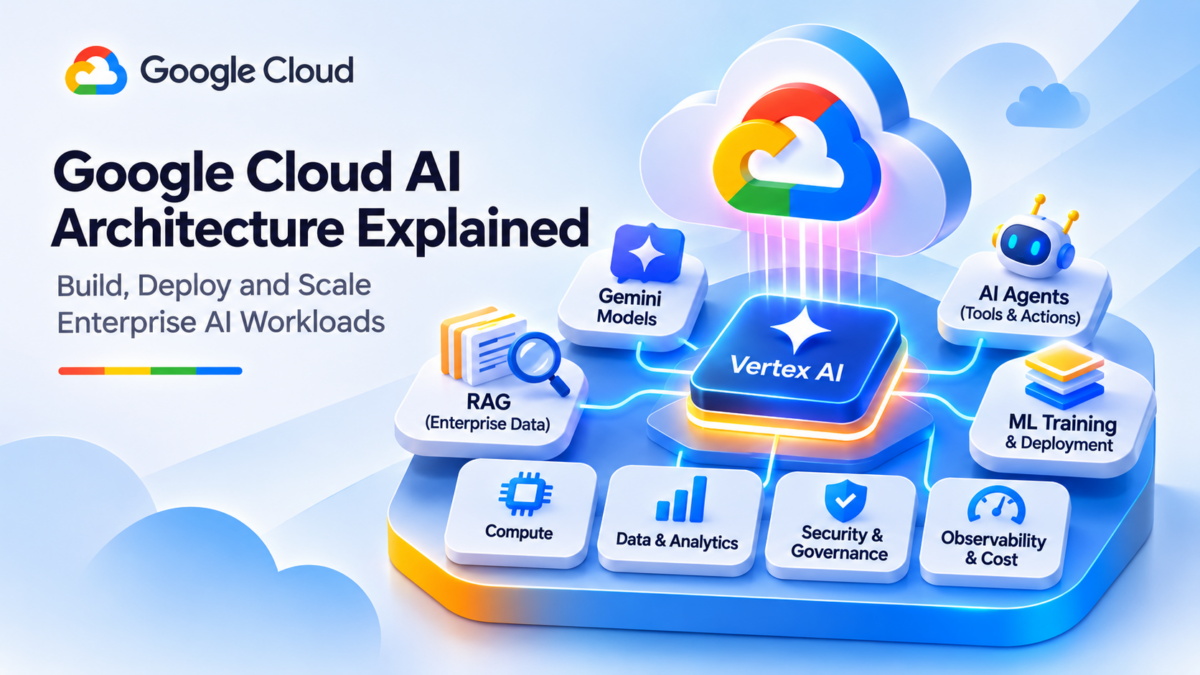
Google Cloud AI Architecture Explained: Vertex AI, Gemini, RAG, AI Agents, and Enterprise Networking
Google Cloud provides an extensive ecosystem for developing, deploying, and operating artificial intelligence applications. From managed Gemini models and Vertex AI to enterprise retrieval, agent orchestration, and private cloud networking, these services can be combined into scalable AI architectures.
The engineering challenge is not simply choosing a foundation model. A production AI application must integrate model inference, enterprise data, application orchestration, secure connectivity, identity controls, and operational monitoring.
Google Cloud provides managed AI capabilities through Vertex AI, including access to Gemini models and supporting machine learning workflows. Other services such as Cloud Run, Cloud Storage, BigQuery, Vertex AI Search, and Virtual Private Cloud (VPC) support application development, data integration, and enterprise infrastructure.
This guide explores how those components work together from a practical engineering perspective. It focuses on the relationships between AI services, application design, networking, security, retrieval, and production operations.
The Five Layers of a Google Cloud AI Platform
A useful way to understand enterprise AI architecture is to separate the platform into five logical layers. These layers represent engineering responsibilities rather than a mandatory deployment topology.
Conceptual platform architecture. Security, networking, and observability are cross-cutting responsibilities, not necessarily sequential network hops.
Six Engineering Domains Behind Production AI
Understanding Google Cloud AI requires knowledge of several engineering disciplines. Each contributes a different capability to the overall system.
AI Model Architecture
Understand Gemini model capabilities, inference requests, model selection, context handling, and deployment options.
Machine Learning Infrastructure
Explore training pipelines, managed compute, model deployment, experiment tracking, and MLOps.
Retrieval-Augmented Generation
Connect AI applications to enterprise documents using embeddings, retrieval, and grounded response generation.
Agentic AI and Tools
Design controlled agent workflows that invoke approved tools, retrieve information, and execute permitted operations.
Private AI Networking
Investigate private service connectivity, DNS, hybrid networking, routing, and enterprise security boundaries.
Production Operations
Measure model quality, inference performance, application reliability, security posture, and cost.
What You Will Learn
By the end of this guide, you should be able to evaluate the major architectural decisions involved in building enterprise AI applications on Google Cloud.
From Foundation Models to Enterprise AI Architecture
Vertex AI and Gemini provide important building blocks, but enterprise AI systems depend on far more than model inference. A complete architecture combines application engineering, enterprise retrieval, secure networking, identity management, agent orchestration, and operational governance. This guide examines how these components work together and where engineering decisions determine the reliability, security, and scalability of the resulting platform.
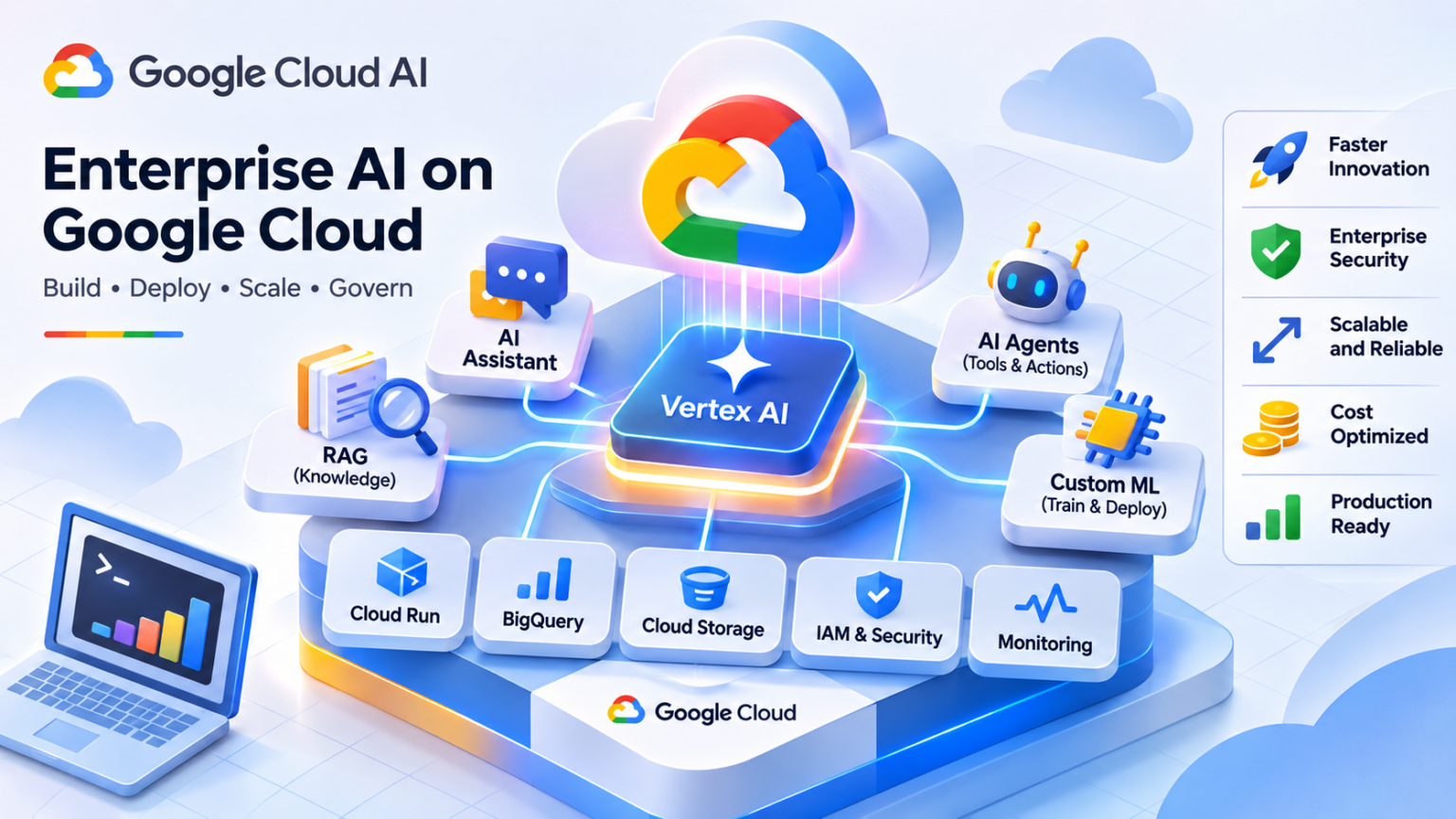
Explore the Google Cloud AI Architecture
Follow nine connected engineering topics, from the Google Cloud AI platform and Gemini models to enterprise retrieval, AI agents, private networking, security, operations, and production architecture.
Google Cloud AI Platform Architecture
Google Cloud AI is an ecosystem of managed services, infrastructure, data platforms, and application development capabilities that can be combined to build enterprise artificial intelligence systems.
At the centre of many Google Cloud AI architectures is Vertex AI, which provides managed capabilities for working with foundation models, developing machine learning solutions, evaluating models, and deploying AI applications.
However, Vertex AI is only one part of the architecture. Production applications frequently depend on Cloud Run, Cloud Storage, BigQuery, Virtual Private Cloud, Cloud IAM, and operational monitoring to connect AI capabilities with enterprise systems.
How the Google Cloud AI Services Fit Together
A typical enterprise AI application receives a user request, applies business logic, invokes a managed AI service, and optionally retrieves enterprise knowledge or calls authorized business tools.
Enterprise Applications and APIs
Web Applications · Cloud Run · Enterprise APIs · User Authentication
Vertex AI and Gemini
Managed model inference, model development capabilities, evaluation, and AI integration through supported APIs.
Enterprise Data
Cloud Storage, BigQuery, databases, and governed business information.
Retrieval and Search
Enterprise search, embeddings, vector indexes, and retrieval pipelines.
Application Tools
Cloud Run services, enterprise APIs, and authorized business actions.
VPC · Private Service Connect · IAM · Cloud KMS · Cloud Logging · Cloud Monitoring
Conceptual service relationship. Data retrieval and tool invocation are generally orchestrated by application or agent logic; they are not automatic operations performed by every Gemini request.
Six Core Google Cloud AI Service Responsibilities
Vertex AI
Provides managed capabilities for model access, ML development, model evaluation, deployment, and supported AI workflows.
Gemini Models
Supply foundation model capabilities for supported text, code, multimodal, and reasoning tasks.
Cloud Run
Hosts application backends, inference orchestration, API integrations, and supporting business logic.
BigQuery and Cloud Storage
Provide analytical data, documents, datasets, and storage capabilities for enterprise AI workloads.
Networking and Connectivity
VPC networking, Private Service Connect, Cloud VPN, and Cloud Interconnect support workload connectivity.
Security and Operations
IAM, encryption, logging, monitoring, and governance provide controls for production AI applications.
The Six Stages of a Google Cloud AI Request
Understanding the request lifecycle helps engineers identify which service is responsible for authentication, application logic, inference, retrieval, and response handling.
User Request
A user submits a prompt through an enterprise application.
Application Logic
The backend validates identity, permissions, and request context.
Context Retrieval
Optional retrieval adds authorized enterprise information.
Model Invocation
The application sends an inference request to a supported model.
Model Response
The model generates output based on the supplied context.
Response Delivery
The application validates and returns the result to the user.
Choosing the Correct Google Cloud AI Service
| Engineering Requirement | Candidate Service | Architecture Consideration |
|---|---|---|
| Managed foundation model inference | Vertex AI with Gemini | Model availability, latency, supported capabilities, quotas, and cost. |
| Custom ML training | Vertex AI training capabilities | Training compute, datasets, experiment management, and model lifecycle. |
| Serverless application backend | Cloud Run | Authentication, concurrency, scaling, network connectivity, and application deployment. |
| Enterprise analytics | BigQuery | Data governance, query permissions, analytics integration, and cost. |
| Document storage | Cloud Storage | Object access, encryption, retention, and ingestion. |
| Private service connectivity | VPC and Private Service Connect | Supported endpoints, DNS, routing, access controls, and hybrid design. |
Google Cloud AI Architecture Design Checklist
Google Cloud AI Is a Distributed Service Architecture
Vertex AI and Gemini provide important AI capabilities, but production applications also depend on application compute, enterprise data, secure networking, identity management, and operational monitoring. The most important architectural skill is understanding how these services connect, where their responsibilities begin and end, and which controls are required for reliable enterprise deployment.
Google Cloud AI Service Architecture Explorer
Explore how Gemini, Vertex AI, enterprise data services, agent orchestration and Google Cloud infrastructure combine to deliver production AI applications.
Gemini Enterprise Assistant
Service responsibilities and execution trace
Select any component in the architecture to investigate its role in an enterprise Google Cloud AI deployment.
Request / workflow trace
Vertex AI and Gemini Models
Gemini models provide Google Cloud applications with managed generative AI capabilities for supported text, code, multimodal, and reasoning workloads. Through Vertex AI, developers can integrate these models into enterprise applications using managed inference APIs.
An inference request typically includes instructions, user content, optional context, and generation configuration. The selected model processes the request and produces a response according to its supported capabilities.
Model selection involves engineering trade-offs between response quality, latency, context capacity, supported modalities, throughput, availability, and cost. The most capable model is not necessarily the most appropriate choice for every application.
How Gemini Inference Works on Vertex AI
The application sends an inference request to a supported model endpoint. The request is authenticated and processed according to the relevant Google Cloud service permissions, model configuration, and API contract.
Enterprise Application
User Prompt · Application Context · Generation Parameters · Authentication
Gemini Model on Vertex AI
Managed inference processes supported input modalities and produces generated content based on model capabilities, request configuration, and context.
Generated Content
Text responses, summaries, explanations, and supported structured output formats.
Function Calls
Structured tool-call requests that application logic must validate and execute.
Response Metadata
Supported usage information, finish reasons, and other API response metadata.
Conceptual inference flow. Tool execution is not automatic: the application or orchestration layer remains responsible for authorizing and performing actions.
Six Engineering Dimensions of Gemini Model Selection
Model Capability
Evaluate task accuracy, reasoning quality, instruction following, and supported input/output modalities.
Context Window
Determine whether the model supports the required input context and output budget. Larger contexts may affect latency and cost.
Inference Latency
Measure end-to-end latency, time to first token where supported, and response generation performance.
Multimodal Processing
Verify support for required text, image, audio, video, or other input and output formats for the model version.
Throughput and Quotas
Review request limits, token throughput, concurrency, supported capacity options, and retry behavior.
Cost and Availability
Compare model pricing, supported locations, data handling requirements, and lifecycle availability.
The Six Stages of a Gemini Inference Request
Understanding the inference lifecycle helps engineers troubleshoot failures, optimize performance, and establish appropriate application-level controls.
Build Request
The application assembles instructions, input, and optional context.
Authenticate
Google Cloud verifies credentials and applicable service permissions.
Validate
The service processes supported request configuration and limits.
Infer
The selected model processes the request and generates output.
Return
The API returns generated content and available metadata.
Apply Controls
Application logic validates the result and handles next actions.
Gemini Inference Engineering Troubleshooting Matrix
| Symptom | Likely Investigation Area | Engineering Action |
|---|---|---|
| Permission denied | Identity and access control | Verify application credentials, IAM roles, API access, and applicable policy restrictions. |
| Model unavailable | Model version or location | Confirm the model identifier, supported region or endpoint, lifecycle status, and access requirements. |
| Request exceeds context limits | Input and output token budgets | Reduce prompt size, retrieved context, or configured output requirements. |
| High inference latency | Model processing and request size | Measure prompt size, output length, concurrency, application overhead, and model response time. |
| Throttled requests | Quota and throughput | Inspect service limits, retry strategy, traffic bursts, and supported capacity options. |
| Unexpected output format | Generation configuration | Validate response schemas, prompting, model support, and application-side parsing. |
Gemini Production Inference Checklist
Model Selection Is a Production Engineering Decision
Gemini models on Vertex AI provide managed generative AI inference, but successful integration depends on selecting the correct model for the workload and validating capability, context limits, latency, throughput, availability, security, and cost. Production systems should evaluate model behavior using representative requests rather than relying on model specifications alone.
Gemini Model Selection & Deployment Lab
Compare Gemini model profiles, configure inference workloads and investigate the engineering trade-offs between latency, throughput, token consumption and cost.
Select a Gemini model profile
Estimated workload characteristics
Inference execution pipeline
Model comparison
| Model | Latency | Cost / req | Context |
|---|
Vertex AI Training and ML Infrastructure
Vertex AI provides managed infrastructure and lifecycle capabilities for building, training, evaluating, and deploying machine learning models on Google Cloud. These capabilities help engineering teams move from experimental notebooks to repeatable production ML systems.
Unlike invoking a managed Gemini model, custom machine learning development may require engineers to prepare datasets, select training algorithms, provision suitable compute resources, execute training jobs, evaluate results, and deploy model artifacts.
Vertex AI helps coordinate these responsibilities through services such as custom training, managed pipelines, model registry, prediction endpoints, and experiment tracking. The precise infrastructure requirements depend on the model architecture, training framework, dataset size, and deployment objectives.
From Training Data to a Production ML Endpoint
A typical Vertex AI workflow begins with datasets and transformation logic, executes managed training, stores versioned model artifacts, and deploys approved models for inference.
Data Sources
Cloud Storage, BigQuery, and prepared datasets.
Data Preparation
Cleaning, validation, feature engineering, and dataset splitting.
Training Jobs
Managed compute, training containers, and model optimization.
Model Artifacts
Evaluation, versioning, registry workflows, and approval.
Inference Endpoint
Model deployment, prediction requests, and production serving.
Conceptual lifecycle. Some workloads use batch prediction, specialized serving infrastructure, or managed models instead of a dedicated custom prediction endpoint.
Six Engineering Responsibilities in Vertex AI Training
Dataset Engineering
Prepare representative training, validation, and test datasets. Control quality, lineage, access, and reproducibility.
Compute Selection
Choose suitable CPU, GPU, memory, and machine configurations based on model requirements and expected training duration.
Training Orchestration
Execute custom training jobs, configure containers, track parameters, and handle failures or retries.
Distributed Training
Coordinate multiple workers where supported, accounting for synchronization overhead, communication patterns, and data throughput.
Model Evaluation
Compare model versions against relevant metrics, data slices, robustness tests, and production acceptance criteria.
Deployment and MLOps
Manage model artifacts, endpoint configuration, monitoring, rollback, and controlled promotion into production.
The Six Stages of the ML Training Lifecycle
Production machine learning is a continuous engineering process. New data, changing workload patterns, and model performance can trigger retraining, evaluation, or deployment changes.
Prepare
Validate and version datasets and training inputs.
Configure
Select frameworks, containers, compute, and parameters.
Train
Execute training workloads and capture metrics.
Evaluate
Validate quality, robustness, and acceptance criteria.
Deploy
Register approved models and configure serving resources.
Monitor
Observe predictions, operational metrics, and drift signals.
Vertex AI Training Troubleshooting Matrix
| Symptom | Likely Investigation Area | Engineering Action |
|---|---|---|
| Training job cannot start | Quota, capacity, or configuration | Check available accelerator quota, machine compatibility, job settings, and supported regional capacity. |
| Dataset access failure | IAM and storage permissions | Validate service account permissions, dataset locations, object paths, and network restrictions. |
| GPU utilization is low | Input pipeline or model workload | Investigate preprocessing, batch size, storage throughput, and data-loading bottlenecks. |
| Distributed training is slow | Synchronization and communication | Examine worker balance, collective communication overhead, network throughput, and training strategy. |
| Model accuracy is poor | Dataset quality and training configuration | Review label quality, data leakage, evaluation splits, hyperparameters, and generalization. |
| Endpoint deployment fails | Model artifact or serving configuration | Validate serving container, model compatibility, endpoint quota, IAM, and deployment configuration. |
Production ML Infrastructure Checklist
ML Infrastructure Connects Model Development to Production
Vertex AI training and MLOps capabilities help engineering teams coordinate the complete machine learning lifecycle, from datasets and compute resources to model artifacts and production endpoints. Successful ML infrastructure requires careful attention to data quality, accelerator utilization, distributed training efficiency, reproducibility, deployment reliability, and cost.
Vertex AI Training Pipeline & Compute Explorer
Configure custom machine learning infrastructure, investigate training compute requirements and diagnose failures across a simulated Vertex AI Pipeline.
Training compute and dataset
Training workflow
Pipeline execution trace
Select Execute Training Pipeline to begin.
Retrieval-Augmented Generation on Google Cloud
Retrieval-Augmented Generation (RAG) connects foundation models to external knowledge by retrieving relevant information before generating a response. On Google Cloud, RAG architectures can combine Gemini, Vertex AI, enterprise storage, search services, and vector retrieval technologies.
Foundation models do not automatically possess current or private enterprise knowledge. RAG addresses this limitation by retrieving selected information from external sources and supplying it to the model as additional context.
Google Cloud offers several possible building blocks, including Cloud Storage, BigQuery, Vertex AI Search, managed RAG capabilities where supported, and vector search technologies. The appropriate combination depends on data format, retrieval requirements, scale, authorization, and operational constraints.
Two Connected Pipelines: Indexing and Query-Time Retrieval
A production RAG architecture generally contains two distinct processing paths. The indexing pipeline prepares enterprise knowledge for retrieval, while the query-time pipeline identifies relevant information for each incoming user request.
Enterprise Documents
Cloud Storage, datasets, databases, and approved enterprise sources.
Chunking
Extract text, preserve metadata, and divide content into useful chunks.
Embeddings
Generate vector representations using compatible embedding models.
Retrieval Index
Store searchable content, vectors, metadata, and access attributes.
User Query
Receive a question and identify the authorized user context.
Retrieve
Search relevant indexed content using supported retrieval methods.
Build Context
Apply authorization, select useful passages, and construct model context.
Gemini Inference
Generate a response using the user query and supplied evidence.
Grounded Enterprise Response
Application response with relevant source references where supported, validation, and appropriate access controls.
Conceptual architecture. Managed services may combine multiple stages, and the precise data flow depends on the selected Google Cloud retrieval implementation.
Six Engineering Decisions That Determine RAG Quality
Document Preparation
Extract useful content, preserve structure, handle document formats, and maintain metadata and source provenance.
Chunking Strategy
Choose chunk boundaries, sizes, and overlap to preserve meaning without creating excessive irrelevant context.
Embedding Models
Select compatible embedding models and validate semantic retrieval quality against real queries.
Retrieval and Ranking
Evaluate vector search, keyword retrieval, hybrid strategies, filters, and reranking where supported.
Context Construction
Balance relevant passages, token budgets, citations, and instructions to reduce unsupported answers.
Data Authorization
Enforce document-level permissions and tenant isolation before sensitive content reaches the model.
The Six Stages of a RAG Query
Receive
Accept the query and establish user identity.
Search
Retrieve candidate passages from approved indexes.
Authorize
Enforce access restrictions on retrieved documents.
Rank
Select relevant evidence and remove poor matches.
Generate
Supply selected context to Gemini for response generation.
Validate
Check output, source attribution, and application policy.
RAG Retrieval Troubleshooting Matrix
| Symptom | Likely Investigation Area | Engineering Action |
|---|---|---|
| Relevant document not retrieved | Index coverage and retrieval quality | Verify ingestion status, chunk boundaries, embeddings, query formulation, and filters. |
| Incorrect or unsupported answer | Evidence quality and generation | Inspect retrieved passages, grounding instructions, ranking quality, and answer validation. |
| Excessive retrieval latency | Search infrastructure and query design | Measure index performance, retrieval stages, reranking, and application overhead. |
| Unauthorized content appears | Document access enforcement | Audit permission filters, tenant boundaries, source authorization, and retrieval-time checks. |
| Outdated enterprise information | Index freshness | Inspect synchronization, ingestion schedules, document updates, and stale index entries. |
| Context exceeds token budget | Chunking and context assembly | Reduce retrieved passages, improve ranking, compress context, or adjust supported budgets. |
Production RAG Engineering Checklist
Reliable RAG Begins with Reliable Retrieval
Retrieval-Augmented Generation connects Gemini models to enterprise knowledge, but production quality depends on more than the model itself. Engineers must optimize document preparation, indexing, retrieval relevance, authorization, context construction, and grounding evaluation. The result should be a controlled knowledge retrieval system, not simply a chatbot with access to documents.
Vertex AI RAG Retrieval Quality Lab
Investigate semantic retrieval, chunking, ranking, access filtering and evidence grounding in a Google Cloud enterprise RAG architecture.
Enterprise knowledge query
Retrieval and generation pipeline
Ranked retrieval results
Results appear after the retrieval stage.
Simulated grounded answer
Google Cloud AI Agents and Tool Integration
AI agents extend foundation model applications by combining model reasoning with application state, tool selection, external APIs, and controlled multi-step execution. On Google Cloud, agent architectures can use Gemini, Vertex AI services, Cloud Run, and enterprise integrations to perform useful engineering and business workflows.
A traditional model invocation produces a response to an input. An agentic application can instead evaluate the current task, request a tool operation, receive the result, and continue processing until a completion condition or execution boundary is reached.
Google Cloud supports agent development through tools and services such as Gemini function calling, Agent Development Kit (ADK), Vertex AI Agent Engine, and Cloud Run. These components have different responsibilities: models generate decisions or tool requests, orchestration code controls execution, and external services perform authorized operations.
How an AI Agent Connects Gemini to Enterprise Tools
An agent architecture separates model-driven decision making from the actual execution of tools. This separation creates important security, reliability, and observability boundaries.
Enterprise User or Application
Task Request · User Identity · Authorized Context · Business Objective
Gemini + Agent Orchestration
The model interprets the task and may propose tool calls. The orchestration layer manages state, validation, execution, results, and completion conditions.
Cloud Run Tools
Application functions, validation services, and controlled API operations.
Enterprise Knowledge
Approved search, databases, BigQuery, and retrieval services.
Operational Systems
Monitoring, ticketing, automation, and authorized infrastructure workflows.
IAM · User Authorization · Tool Allowlists · Input Validation · Human Approval · Audit Logging
Conceptual architecture. Agent Engine is an optional managed runtime rather than a requirement for every agent. Actual tool execution occurs through the application or orchestration environment.
Six Engineering Principles of Agentic AI
Agent Orchestration
Manage execution steps, state transitions, tool responses, retries, and termination conditions outside the model itself.
Tool Contracts
Define tool names, argument schemas, expected outputs, and error handling for predictable integration.
Identity and Permissions
Apply least privilege to service identities and enforce the requesting user's authorization for sensitive operations.
State and Memory
Maintain task state, conversation context, tool results, and controlled persistence where required.
Execution Guardrails
Limit tool access, validate inputs, apply timeouts, prevent unsafe actions, and require approval for high-impact changes.
Observability
Trace model decisions, tool requests, execution results, latency, failures, and operational costs.
The Six Stages of an Agent Tool-Execution Cycle
Agentic workflows are often iterative. After a tool returns its result, the orchestration layer may provide that result to the model for another decision or final response.
Receive Task
Establish user identity, objective, and execution context.
Evaluate
The model assesses the task and available tool descriptions.
Request Tool
The model proposes a structured tool invocation.
Authorize
Application logic validates permissions, arguments, and policy.
Execute
The approved tool runs and returns its result or error.
Continue
The agent processes the result and either continues or finishes.
AI Agent Troubleshooting Matrix
| Symptom | Likely Investigation Area | Engineering Action |
|---|---|---|
| Tool call fails | Tool schema or backend API | Validate argument structure, endpoint availability, API responses, and execution logs. |
| Agent repeats the same action | State handling and termination | Inspect tool-result processing, loop limits, state transitions, and completion conditions. |
| Unauthorized operation attempted | Identity and tool permissions | Enforce user-level authorization, service identity restrictions, tool allowlists, and approvals. |
| Agent selects the wrong tool | Tool descriptions and model behavior | Improve tool contracts, clarify descriptions, test representative tasks, and inspect decision traces. |
| Execution is excessively slow | Model and tool latency | Measure model calls, tool response times, retries, and sequential dependencies. |
| Agent produces unreliable results | Tool outputs and validation | Validate returned data, handle tool failures, test final outputs, and prevent untrusted content from becoming instructions. |
Production Agent Security and Reliability Checklist
Agentic AI Requires Controlled Execution, Not Just Model Reasoning
Gemini and Google Cloud agent development services can support applications that reason about tasks and request external operations. However, the engineering foundation remains the orchestration layer, tool contracts, identity controls, execution guardrails, state management, and observability. Reliable agents are systems that make model-driven decisions within explicitly controlled operational boundaries.
AI Agent Tool Execution & Orchestration Lab
Investigate how Gemini-powered agents select enterprise tools, enforce authorization, execute operations and recover from failures.
Network Troubleshooting Agent
The agent proposes an operation that may change enterprise infrastructure. Review the requested action before execution.
Agent orchestration flow
Agent execution and audit trace
Google Cloud AI Networking Architecture and Private Connectivity
Enterprise AI applications depend on reliable connectivity between application workloads, managed AI services, data platforms, and on-premises infrastructure. Google Cloud provides networking services that support these communication paths while allowing engineers to control routing, access, DNS, and security.
A typical deployment might host an application on Cloud Run or Compute Engine, connect it to enterprise data sources, and invoke Gemini through Vertex AI APIs. Depending on the workload and deployment model, the application may use public Google API endpoints, private access mechanisms, or supported Private Service Connect configurations.
Google Cloud networking introduces several important components: Virtual Private Cloud (VPC), Private Google Access, Private Service Connect, Cloud DNS, Cloud VPN, Cloud Interconnect, and Cloud Router. Each solves a different connectivity problem and should not be treated as interchangeable.
Hybrid Enterprise Connectivity to Google Cloud AI
A hybrid AI architecture can connect on-premises applications and enterprise data systems to workloads running in Google Cloud. The precise path depends on whether the destination is a VPC-hosted workload or a Google-managed service API.
Enterprise Data Centre
Private applications, enterprise databases, identity systems, and internal services.
Google Cloud VPC
Compute workloads, application services, subnetworks, routing, firewall policies, and private connectivity.
Managed Google AI Services
Vertex AI APIs, Gemini inference, and supported managed AI capabilities.
DNS Resolution · Routes · Firewall Rules · IAM · TLS · Logging · VPC Service Controls Where Applicable
Conceptual hybrid architecture. Cloud VPN and Cloud Interconnect connect networks; they do not automatically make every Google API privately reachable. Supported API access methods must be configured separately.
Six Networking Principles for Enterprise AI
VPC Architecture
Define subnetworks, IP address planning, workload placement, firewall rules, and connectivity boundaries.
Private Google Access
Allow eligible workloads without external IP addresses to reach supported Google APIs using the appropriate network configuration.
Private Service Connect
Use supported PSC endpoint configurations to privately access Google APIs or published services.
DNS Architecture
Validate endpoint name resolution, private DNS zones, hybrid DNS forwarding, and service-specific hostname requirements.
Hybrid Connectivity
Connect enterprise networks using Cloud VPN or Cloud Interconnect, with Cloud Router where appropriate.
Network Security
Combine network controls with IAM, TLS, logging, service perimeters, and application-level authorization.
Six Engineering Checks Along an AI Network Request
A private AI request can fail before reaching the model. Engineers should investigate connectivity in a structured order rather than assuming that every error originates from Vertex AI.
Source
Identify the calling workload and its network attachment.
DNS
Resolve the correct service hostname and endpoint.
Routing
Verify the path toward the selected API destination.
Firewall
Check applicable egress controls and connectivity policy.
API Access
Validate TLS, credentials, IAM, and service access.
Response
Measure service response, latency, and application handling.
Google Cloud AI Networking Troubleshooting Matrix
| Symptom | Likely Investigation Area | Engineering Action |
|---|---|---|
| Vertex AI endpoint cannot be reached | DNS, routing, or endpoint selection | Validate service hostname, resolved IP addresses, supported access method, and network route. |
| Private API access fails | Private Google Access or PSC configuration | Verify applicable subnet settings, PSC endpoint configuration, DNS records, and supported APIs. |
| Hybrid application cannot connect | VPN, Interconnect, and routing | Inspect tunnel or attachment status, BGP route exchange, destination reachability, and firewall policy. |
| API returns permission denied | IAM or service policy | Confirm caller identity, required permissions, API enablement, and applicable organization policies. |
| Intermittent latency | Network and service performance | Measure connection setup, application processing, service response time, and regional placement. |
| Traffic violates security requirements | Endpoint and data boundary design | Review approved access paths, network egress controls, service perimeters, and data governance requirements. |
Production AI Networking Checklist
Private AI Connectivity Requires More Than a VPC
Google Cloud AI networking connects application workloads, enterprise systems, and managed AI services through carefully designed access paths. Engineers must understand VPC routing, DNS, Private Google Access, Private Service Connect, hybrid connectivity, IAM, and service-specific network requirements. Reliable enterprise AI networking is achieved by validating the complete request path, not simply deploying resources into a private subnet.
Private AI Network Path Investigation
Trace application connectivity to Google Cloud AI services and diagnose DNS, routing, firewall, private access and identity failures.
Public Vertex AI API Access
Connectivity assessment
Network investigation trace
Google Cloud AI Security, Identity, and Governance
Enterprise AI systems introduce new security considerations because they combine foundation models, sensitive business data, application identities, external tools, and managed cloud services. Google Cloud provides security capabilities that can help organizations establish controlled access, protect information, and monitor AI operations.
Security controls must apply across the entire AI architecture. Protecting the model endpoint alone is insufficient when an application can retrieve confidential documents, invoke enterprise APIs, or perform actions through an AI agent.
Relevant Google Cloud capabilities include Cloud IAM, service accounts, Cloud KMS, VPC Service Controls, Sensitive Data Protection, Cloud Audit Logs, and Model Armor. These services address different risks and should be combined with application-level authorization, secure development practices, and operational governance.
Five Security Layers Around an Enterprise AI Application
A layered security architecture reduces dependence on any single protective mechanism. Identity, data controls, network boundaries, model safeguards, and operational auditing each address distinct risks.
Layer 1 — Identity and Authorization
Cloud IAM, service accounts, workload identity, least privilege, and user-level application permissions.
Layer 2 — Data Protection
Encryption, Cloud KMS, sensitive data classification, access filtering, and retention controls.
Layer 3 — Network and Service Boundaries
VPC controls, supported private connectivity, service perimeters, and controlled network egress.
Layer 4 — Model and Agent Safeguards
Input screening, prompt-injection defenses, output validation, tool restrictions, and approval workflows.
Layer 5 — Audit and Governance
Cloud Audit Logs, security monitoring, policy review, incident response, and operational accountability.
Protected Enterprise AI Workload
Gemini · Vertex AI · RAG · Agents · Enterprise Data · Authorized Tool Execution
Conceptual defense-in-depth architecture. Individual controls have service-specific support and limitations; no single product guarantees protection against every AI security threat.
Six Core AI Security Engineering Domains
Identity and Access
Use narrowly scoped IAM roles, managed workload identities, and explicit authorization for AI applications and tool operations.
Data Governance
Classify enterprise information, enforce access restrictions, manage retention, and prevent unauthorized retrieval or disclosure.
Encryption and Keys
Protect data in transit and at rest. Evaluate Cloud KMS and customer-managed encryption options where supported.
Service Perimeters
Apply VPC Service Controls to supported services where appropriate, while accounting for perimeter configuration and operational limitations.
Model and Prompt Security
Evaluate prompt injection, sensitive data exposure, unsafe output, and the use of Model Armor or other supported safeguards.
Audit and Compliance
Capture relevant access events, configuration changes, security findings, and operational evidence for investigation.
How Identity and Authorization Apply to AI Tool Execution
Agentic applications may use a service identity to access Google Cloud resources. However, the service account's permissions must not automatically become unrestricted permissions for every application user.
User Identity
Authenticate the requesting user and establish their permissions.
Application Policy
Validate the requested action against business authorization rules.
Workload Identity
Use a narrowly scoped service identity for permitted backend operations.
Resource Access
Enforce applicable resource permissions, execute authorized actions, and audit.
Enterprise AI Threat and Security Control Matrix
| Security Threat | Relevant Control | Engineering Consideration |
|---|---|---|
| Unauthorized model access | Cloud IAM and application authentication | Restrict API access, validate caller identity, and review service account permissions. |
| Sensitive information exposure | Data authorization and Sensitive Data Protection | Classify data, enforce retrieval permissions, and inspect sensitive content where appropriate. |
| Prompt injection | Model safeguards and application validation | Treat retrieved text as untrusted, restrict tool execution, and evaluate supported Model Armor protections. |
| Data exfiltration through services | VPC Service Controls and egress policies | Use supported service perimeters, network controls, and application-level data restrictions. |
| Excessive agent permissions | Least privilege and tool authorization | Separate user permissions from backend service permissions and require approval for sensitive actions. |
| Untraceable operational changes | Cloud Audit Logs and application audit trails | Capture relevant identity, resource, and tool execution events while avoiding unnecessary sensitive data in logs. |
Production AI Security and Governance Checklist
Secure AI Requires Controls Across the Entire Execution Path
Google Cloud AI security depends on combining identity, data protection, network boundaries, model safeguards, and operational governance. Technologies such as Cloud IAM, Cloud KMS, VPC Service Controls, Sensitive Data Protection, Model Armor, and Cloud Audit Logs can support a defense-in-depth architecture. The essential requirement is ensuring that AI models and agents operate within clearly defined authorization and security boundaries.
AI Identity & Security Policy Lab
Evaluate service identities, IAM permissions, encryption controls and service perimeters across enterprise AI workloads.
Vertex AI Inference Security
Policy evaluation workflow
Access decision matrix
| Security control | Decision |
|---|
Security audit trace
Google Cloud AI Monitoring, Evaluation, and Cost Optimization
Production AI applications require continuous observation of model performance, inference latency, application reliability, token consumption, and infrastructure expenditure. Google Cloud provides monitoring, logging, evaluation, and billing capabilities that support these operational tasks.
Traditional application monitoring focuses on availability, latency, resource utilization, and errors. AI operations must also account for model-specific concerns such as answer quality, grounding, token usage, retrieval relevance, and agent tool execution.
Relevant Google Cloud capabilities include Cloud Monitoring, Cloud Logging, Cloud Trace, Vertex AI evaluation tools, Cloud Billing, and billing export to BigQuery. These capabilities provide complementary information; no single dashboard captures every operational dimension automatically.
Observing an Enterprise AI Workload
An operational dashboard should combine application metrics, model behavior, and expenditure rather than treating AI inference as an isolated API call.
Response Latency
Illustrative end-to-end application response time
Request Success
Illustrative successful request percentage
Quality Score
Example evaluation result from a defined test set
Cost per Request
Illustrative average allocated workload cost
Illustrative demonstration metrics — not live Google Cloud measurements.
This is a static editorial visualization. Production dashboards require actual telemetry collection, metric definitions, and billing-data attribution.
Six Operational Disciplines for Production AI
Inference Performance
Measure request latency, response time distribution, throughput, token usage, and workload concurrency.
Model Evaluation
Test answer quality, task completion, grounding, safety, and application-specific acceptance criteria.
Reliability Engineering
Track API failures, retries, quota limits, timeouts, and recovery behavior across the application.
Distributed Observability
Correlate model calls, retrieval operations, application services, and agent tool execution through logs and traces.
Cost Attribution
Attribute spending to models, projects, applications, teams, and usage patterns where the data allows.
Optimization
Evaluate model choice, prompt size, caching, retrieval efficiency, batching, and infrastructure utilization.
Understanding the Cost of an AI Request
The total cost of an AI application extends beyond the foundation model invocation. RAG, agentic workflows, data storage, compute infrastructure, and operational telemetry may all contribute to expenditure.
Model Usage
Input and output token consumption, model selection, and applicable service pricing.
Retrieval
Search requests, embeddings, index infrastructure, and data storage.
Compute
Application services, custom model serving, accelerators, and supporting infrastructure.
Operations
Logging, monitoring, network usage, data processing, and supporting services.
A useful engineering metric is cost per successful business task, rather than simply cost per model call. This captures the additional cost of retries, unsuccessful generations, multi-step agent workflows, and supporting infrastructure.
AI Operations Troubleshooting Matrix
| Operational Symptom | Likely Investigation Area | Engineering Action |
|---|---|---|
| High inference latency | Model selection, request size, or service behavior | Measure model response time, token volume, concurrency, retries, and application overhead. |
| Unexpected cost increase | Usage growth or inefficient execution | Inspect token consumption, model choice, repeated tool calls, retries, and supporting services. |
| Reduced answer quality | Model behavior, prompts, or retrieval | Compare evaluation datasets, prompt versions, retrieval quality, and model configuration. |
| Intermittent request failures | Quotas, timeouts, or service errors | Review API responses, rate limits, retry policies, and service availability. |
| Missing execution visibility | Instrumentation and trace correlation | Add application-level telemetry, correlation identifiers, structured logs, and traces. |
| GPU or endpoint costs remain high | Provisioned capacity and utilization | Measure accelerator utilization, endpoint scaling, idle resources, and serving architecture. |
Production AI Operations Checklist
Production AI Must Be Measurable, Reliable, and Economically Sustainable
Google Cloud AI operations combine traditional cloud observability with model-specific evaluation and financial management. Engineers should monitor latency, availability, model quality, token consumption, retrieval performance, agent execution, and total workload cost. The strongest optimization decisions balance reliability and business outcomes against operational expenditure.
AI Operations & Cost Optimization Dashboard
Monitor production inference workloads, evaluate latency and quality objectives, investigate incidents and forecast the cost of operating enterprise AI services.
Healthy AI Service
Production health indicators
Synthetic 24-hour telemetry
Estimated daily cost breakdown
Production Google Cloud AI Reference Architecture
A production enterprise AI platform is more than a foundation model endpoint. It combines application services, model inference, enterprise data retrieval, agent orchestration, secure networking, identity controls, observability, and operational governance.
Google Cloud provides a range of managed services that can support these architectural responsibilities. The engineering challenge is determining how they should interact while preserving security, reliability, performance, and cost efficiency.
A reference architecture may combine Cloud Run, Vertex AI, Gemini, Vertex AI Search or other retrieval infrastructure, enterprise databases, Cloud IAM, VPC networking, and Cloud Monitoring. Optional agent capabilities can be introduced where multi-step tool execution provides measurable value.
Five Layers of a Production Google Cloud AI Platform
The following reference architecture separates application delivery, orchestration, model services, enterprise knowledge, and infrastructure. Cross-cutting security and observability controls apply throughout.
Application and User Access Layer
AI Orchestration and Workflow Layer
Model and Inference Layer
Enterprise Knowledge and Data Layer
Cloud Infrastructure and Connectivity Layer
Cloud IAM · Cloud KMS · Service Perimeters Where Supported · Cloud Monitoring · Cloud Logging · Cloud Trace · Model Evaluation · Billing and Cost Governance
Logical architecture rather than a literal network packet path. Requests can move between layers in multiple directions, and managed Google Cloud services are not necessarily deployed inside the application VPC.
Six Critical Production Architecture Decisions
Model Strategy
Determine whether managed Gemini inference, a customized model, or custom model serving best meets application needs.
Knowledge Integration
Decide whether the application needs RAG, structured database access, or direct model inference without retrieval.
Agentic Execution
Introduce agents only where multi-step decision making and controlled tool execution improve task completion.
Network Architecture
Select supported API access methods, hybrid connectivity, DNS, routing, and private network controls.
Security Architecture
Establish identity, data permissions, service boundaries, encryption, and application security controls.
Operational Readiness
Define monitoring, evaluation, scaling, incident response, cost management, and deployment procedures.
End-to-End Enterprise AI Request Journey
Consider an enterprise assistant answering a question about an internal engineering procedure. The request crosses several logical components before returning a grounded response.
Authenticate
Validate user identity and application access.
Orchestrate
Interpret the task and select the appropriate workflow.
Retrieve
Fetch authorized enterprise evidence when required.
Infer
Invoke the selected model with relevant task context.
Validate
Apply output checks and response policies.
Observe
Record appropriate telemetry and return the response.
Production Architecture Validation Matrix
| Architecture Domain | Validation Question | Engineering Evidence |
|---|---|---|
| Model Inference | Does the selected model meet quality and latency requirements? | Evaluation results, latency measurements, representative workload tests. |
| Enterprise Retrieval | Can users retrieve only information they are authorized to access? | Retrieval tests, permission validation, data lineage and audit results. |
| Agent Execution | Are tool calls controlled and recoverable? | Tool authorization tests, execution traces, approval and failure scenarios. |
| Networking | Are the required AI service endpoints reachable through approved paths? | DNS checks, routing tests, firewall validation, connectivity measurements. |
| Security | Are identities, data, and model operations appropriately protected? | IAM reviews, threat modeling, security tests, audit configuration. |
| Operations | Can the platform be monitored, recovered, and operated within budget? | Dashboards, alerts, recovery exercises, billing reports, and operational runbooks. |
Enterprise AI Production Readiness Checklist
Production AI Is an Integrated Cloud Engineering Discipline
A reliable Google Cloud AI platform combines managed models, application orchestration, enterprise knowledge, secure networking, identity controls, and operational governance. The most important architectural decision is not how many AI services can be connected, but how effectively those services satisfy measurable requirements for security, performance, reliability, scalability, and cost. Production AI succeeds when the entire system is engineered, tested, and operated as one coordinated platform.
Enterprise Google Cloud AI Architecture Builder
Design a production AI platform, select Google Cloud components and validate architecture readiness against enterprise engineering requirements.
Enterprise AI Assistant
Logical Google Cloud architecture
Engineering requirements
Architecture review

- AI-Driven Network Operations and AIOps Explained - November 14, 2026
- MCP Architecture Explained - November 14, 2026
- Google Cloud AI Architecture Explained - November 14, 2026