
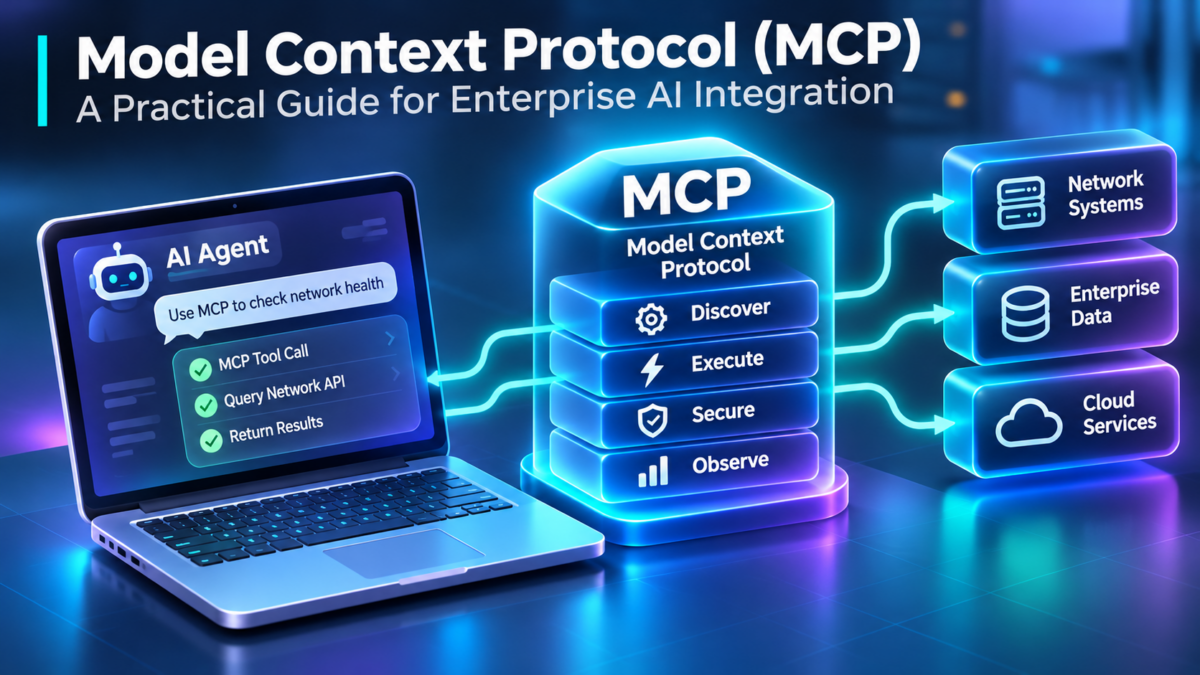
MCP Architecture Explained: Connecting AI Models to Enterprise Systems
Explore the Model Context Protocol, its host–client–server architecture, JSON-RPC communication, tools, resources, prompts, authentication, networking, and production engineering.
Artificial intelligence applications are increasingly expected to do more than generate text. They must retrieve information, query databases, inspect infrastructure, interact with APIs, and perform authorized actions across enterprise environments.
Historically, connecting an AI application to each external system often required custom integration logic. Different applications and tools could use incompatible interfaces, increasing development and maintenance effort.
The Model Context Protocol (MCP) introduces a standardized way for AI applications to discover and interact with capabilities exposed by external servers. It provides a common protocol for exchanging structured messages and accessing tools, resources, and reusable prompts.
Understanding the MCP Host–Client–Server Model
MCP separates the AI application from the systems providing external functionality. The host application manages the user experience and orchestration, while MCP clients establish protocol connections to MCP servers.
AI Application / MCP Host
User interaction, model orchestration, permissions, and MCP client management
MCP Client A
Dedicated protocol connection to Server A
MCP Client B
Dedicated protocol connection to Server B
MCP Client C
Dedicated protocol connection to Server C
MCP Server A
Enterprise APIs and operational tools
MCP Server B
Knowledge resources and documents
MCP Server C
Reusable prompts and workflows
Conceptual architecture: each client communicates with its corresponding server. A single MCP server may expose tools, resources, and prompts together. The protocol supports multiple transport mechanisms depending on deployment requirements.
Three Fundamental MCP Concepts
Standardized Communication
MCP uses structured protocol messages based on JSON-RPC 2.0. Clients and servers exchange requests, responses, and notifications according to defined protocol operations.
Capability Discovery
MCP servers can advertise supported capabilities and expose discoverable tools, resources, and prompts. Clients use this information to determine which operations are available.
Controlled External Execution
MCP enables applications to request operations from external systems. Actual permissions, safety checks, and authorization remain essential responsibilities of the surrounding system.
What This Engineering Guide Will Explore
This guide examines MCP from the perspective of architects, developers, network engineers, and security practitioners. It moves from foundational protocol concepts to production deployment and troubleshooting.
MCP Standardizes Integration — Not Trust
Model Context Protocol provides a structured integration layer between AI applications and external capabilities. Its architectural value lies in standardized communication, capability discovery, and reusable integrations. Production adoption still requires careful attention to identity, authorization, network boundaries, tool safety, and observability.
Explore MCP Architecture
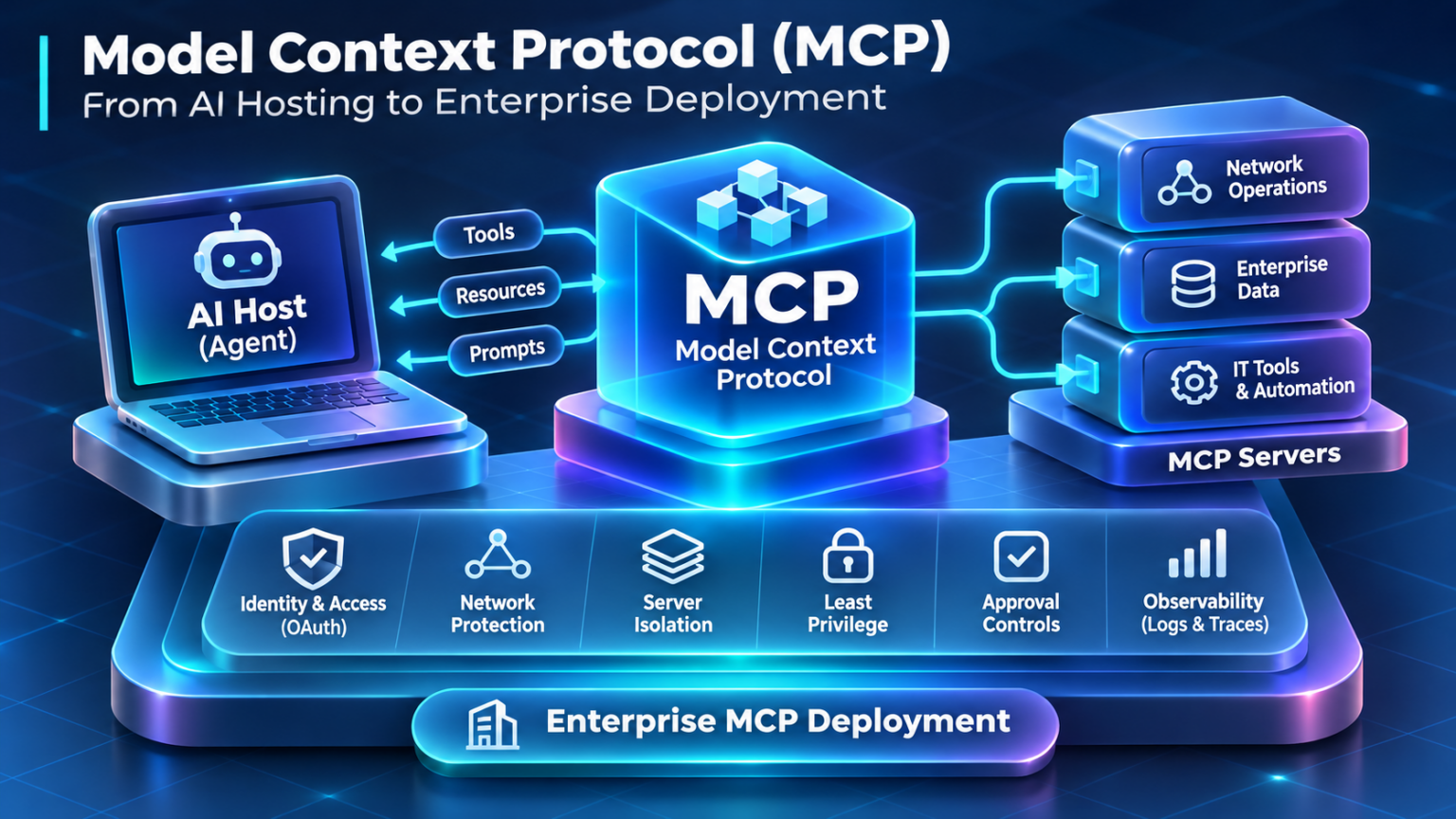
Follow the journey from MCP protocol foundations to enterprise networking, security, observability, and production architecture. Select a section to explore its engineering concepts.
Choose Your Engineering Section
09 Architecture SectionsMCP Architecture and Core Components
The Model Context Protocol uses a host–client–server architecture to connect AI applications with external tools, resources, and reusable prompts. Understanding the responsibilities of each component is essential for designing secure, reliable, and maintainable MCP integrations.
MCP does not define the internal architecture of an AI model. Instead, it defines a communication interface between an application and external capability providers. The host application remains responsible for orchestrating model interactions and deciding when external functionality should be used.
A typical MCP deployment contains an MCP host, one or more MCP clients, and one or more MCP servers. Each client maintains a logical connection to a corresponding server, allowing the host to integrate multiple external systems.
Inside the MCP Host–Client–Server Architecture
The following diagram shows how an AI application can manage several MCP client connections to different capability providers.
AI Application / MCP Host
User interaction · Model orchestration · Permission decisions · Client management
MCP Client 1
Manages the protocol connection to Server 1
MCP Client 2
Manages the protocol connection to Server 2
MCP Client 3
Manages the protocol connection to Server 3
MCP Server 1
Operational tools and enterprise APIs
MCP Server 2
Documents, databases, and knowledge resources
MCP Server 3
Reusable prompt templates and workflows
Each MCP client communicates with its corresponding server. Servers may expose multiple capability types. The diagram represents logical relationships rather than physical network topology.
Three Core MCP Component Responsibilities
MCP Host
The host is the AI application that coordinates the user experience, model interaction, and external integrations. It creates and manages MCP clients and applies application-level security and authorization decisions.
MCP Client
The client implements the MCP protocol on behalf of the host. It establishes communication with a server, negotiates capabilities, exchanges messages, and processes protocol responses.
MCP Server
The server exposes external functionality through MCP interfaces. It can provide tools, resources, and prompts, while enforcing relevant server-side validation and access controls.
How an MCP Request Moves Through the Architecture
Consider an AI assistant asked to retrieve the current status of a network device. The host determines whether an appropriate tool is available, and the MCP client communicates with the relevant server.
User Request
The user asks the AI application to inspect a device.
Host Decision
The application selects an available and authorized tool.
MCP Client
The client sends a structured tool-call request.
MCP Server
The server validates and executes the requested operation.
Result
The response returns to the application for interpretation.
MCP Components Compared
| Component | Primary Responsibility | Engineering Boundary |
|---|---|---|
| MCP Host | AI application orchestration and client management | User experience, application authorization, model interaction, and tool selection |
| MCP Client | MCP protocol communication with one server | Connection lifecycle, capability negotiation, message exchange, and response handling |
| MCP Server | Expose capabilities through MCP interfaces | Tool implementation, resource access, input validation, and server-side security |
| AI Model | Generate responses and support reasoning within the host workflow | Does not independently establish MCP permissions or replace application authorization |
MCP Is an Integration Architecture, Not an AI Model
The MCP host coordinates the AI application, the MCP client manages protocol communication, and the MCP server exposes external capabilities. This architecture enables reusable integrations while preserving the need for explicit authorization, controlled execution, and secure communication between system components.
MCP Host–Client–Server Architecture Explorer
Explore how AI applications manage MCP clients, how clients connect to MCP servers, and how servers expose enterprise capabilities across independent architectural boundaries.
Network Operations MCP Architecture
Selected component
Client–server connections
Disable one connection to observe how the host retains access to other independent MCP servers.
Architecture trace
MCP Transport and JSON-RPC Communication
MCP communication is built around structured protocol messages. Clients and servers exchange requests, responses, and notifications using JSON-RPC 2.0, while transport mechanisms determine how those messages move between processes or across networks.
Separating the message format from the transport allows MCP to support both local integrations and remote service deployments. A local MCP server may communicate through standard input and output, while a remotely hosted MCP server may use Streamable HTTP.
Engineers must understand both layers because a successful network connection does not necessarily indicate a valid MCP protocol session. Transport connectivity, protocol initialization, capability negotiation, and authorization can fail independently.
How JSON-RPC Messages Move Between MCP Components
A client typically sends a request containing a method name and parameters. The server processes the operation and returns a response associated with the original request identifier. Notifications communicate events without requiring a corresponding JSON-RPC response.
MCP Client
Sends requests and processes responses
MCP Server
Processes protocol operations and exposes capabilities
Simplified exchange after successful MCP initialization. A tools/call request also requires a corresponding result or error response. Message identifiers associate responses with requests.
Three JSON-RPC Message Types
Request
Invokes a method and expects a response.
{
  "jsonrpc": "2.0",
  "id": 1,
  "method": "tools/list",
  "params": {}
}
Response
Returns a result associated with the request ID.
{
  "jsonrpc": "2.0",
  "id": 1,
  "result": {
    "tools": []
  }
}
Notification
Communicates an event without a response ID.
{
  "jsonrpc": "2.0",
  "method":
    "notifications/tools/list_changed"
}
Two Important MCP Transport Mechanisms
Standard Input / Output (stdio)
The host launches or communicates with a local MCP server process. Protocol messages are exchanged through standard input and output. This approach is useful for local development, desktop integrations, and processes operating within a controlled execution environment. Standard output must remain reserved for protocol messages.
Streamable HTTP
MCP messages are exchanged using HTTP requests and responses. Depending on the operation and negotiated behavior, servers may use Server-Sent Events for streaming messages. This transport supports remote deployments where TLS, authentication, network routing, and service availability become important.
Transport Engineering Comparison
| Engineering Area | stdio | Streamable HTTP |
|---|---|---|
| Deployment | Typically local process | Local or remote HTTP service |
| Communication | Process input/output streams | HTTP requests and responses; optional SSE streaming |
| Network Dependency | No network connection required between client and local server | HTTP connectivity, routing, DNS, and TLS as applicable |
| Authentication | Typically relies on local execution and OS security boundaries | Requires appropriate remote authentication and authorization controls |
| Troubleshooting | Process startup, stdin/stdout handling, permissions, malformed messages | HTTP status, endpoint reachability, authentication, streaming, and protocol errors |
Common MCP Communication Failure Scenarios
MCP failures can originate from the transport layer, the JSON-RPC message structure, or MCP-specific protocol rules. Identifying the failing layer reduces troubleshooting time.
| Symptom | Potential Cause | Engineering Investigation |
|---|---|---|
| Server does not start | Process execution or configuration failure | Inspect process permissions, startup arguments, environment variables, and standard error output. |
| HTTP connection fails | DNS, routing, TLS, firewall, or endpoint issue | Validate endpoint resolution, connectivity, certificates, and HTTP response status. |
| JSON-RPC error response | Invalid method, parameters, or server-side execution | Inspect error code, message, request ID, and method parameters. |
| Protocol initialization fails | Incompatible version or initialization behavior | Examine initialize exchange, protocol version, and advertised capabilities. |
| Tool request is rejected | Authorization failure or unsupported operation | Check server permissions, tool availability, input validation, and application policy. |
MCP Communication Has Distinct Protocol and Transport Layers
JSON-RPC 2.0 defines structured requests, responses, and notifications. stdio and Streamable HTTP provide mechanisms for exchanging those messages. Reliable MCP engineering requires validating transport connectivity, protocol initialization, message structure, authorization, and application behavior as separate concerns.
MCP Message & Transport Inspector
Inspect JSON-RPC messages, compare stdio and Streamable HTTP, follow client–server exchanges and diagnose malformed protocol communication.
Client–server communication
Protocol diagnostics
Selected message
MCP Tools, Resources, and Prompts
MCP servers expose functionality through standardized capability interfaces. Three important interfaces are tools, resources, and prompts. Each serves a different purpose in connecting AI applications to external systems.
Rather than requiring an application to understand every proprietary integration, MCP provides common operations for discovering available functionality and interacting with it through structured protocol messages.
These capabilities allow AI applications to execute approved operations, retrieve contextual information, and obtain reusable prompt templates. However, capability discovery does not automatically imply that an operation is safe or authorized.
How MCP Servers Expose Capabilities
MCP servers advertise supported capabilities during initialization. Clients can then use the relevant discovery methods to retrieve definitions and determine which functionality is available.
MCP Server
Capability advertisement · Discovery interfaces · Request handling · Access control
Tools
Executable operations with structured inputs and defined results
tools/listResources
Addressable contextual content such as documents, files, and data
resources/listPrompts
Reusable prompt templates with optional arguments
prompts/listThese interfaces are distinct but complementary. A server may expose multiple capabilities, and clients discover them using the supported MCP methods.
Understanding the Three Capability Types
MCP Tools
Tools expose callable operations such as querying network devices, searching enterprise systems, creating tickets, or invoking APIs. Tool definitions include names, descriptions, and input schemas. Servers validate inputs and enforce appropriate permissions before execution.
MCP Resources
Resources expose addressable content identified by URIs. Examples include configuration files, documentation, knowledge records, and structured data. Clients can discover resources and request their contents without treating every retrieval as an executable tool.
MCP Prompts
Prompts provide reusable interaction templates that clients can retrieve and incorporate into application workflows. They may accept arguments and return structured messages that guide a specific task, such as troubleshooting or analysis.
Capability Discovery Through JSON-RPC
Discovery requests use standardized MCP method names. The following examples show how a client can request available tools and retrieve a resource.
{
  "jsonrpc": "2.0",
  "id": 10,
  "method": "tools/list",
  "params": {}
}{
"jsonrpc": "2.0",
"id": 11,
"method": "resources/read",
"params": {
"uri": "network://router/r1"
}
}The resource URI above is an illustrative identifier for a hypothetical network information server. Actual URI schemes and available resources depend on the server implementation.
Tools vs Resources vs Prompts
| Capability | Primary Purpose | Common MCP Methods | Network Engineering Example |
|---|---|---|---|
| Tools | Invoke an operation with structured inputs | tools/list, tools/call | Execute an approved read-only interface status query |
| Resources | Retrieve addressable contextual information | resources/list, resources/read | Read a stored network configuration document |
| Prompts | Retrieve reusable prompt templates | prompts/list, prompts/get | Load a structured BGP troubleshooting prompt |
Engineering Considerations for Capability Design
Capability design influences security, reliability, and the usability of an MCP integration. A tool should expose a clearly defined operation with constrained inputs. A resource should provide meaningful content with predictable addressing. A prompt should guide a repeatable interaction without assuming unrestricted access to external systems.
Important: Discovery Is Not Authorization
A client discovering a tool does not mean every user or AI workflow should be allowed to invoke it. Production MCP servers should validate requests, apply appropriate authorization checks, protect sensitive resources, and avoid exposing unnecessary capabilities. Applications should also treat server-provided descriptions and content as potentially untrusted.
MCP Capabilities Define What an Integration Can Expose
Tools expose executable operations, resources provide addressable context, and prompts supply reusable interaction templates. Together, these interfaces allow MCP servers to provide structured functionality to AI applications. Effective engineering requires clear capability definitions, input validation, and explicit authorization.
MCP Capability Discovery Lab
Discover server-exposed tools, resources, resource templates and prompts. Inspect capability metadata, explore paginated catalogs and investigate stale client inventories.
Network Operations MCP Server
Discover capability category
Discovery exchange
Discovered server capabilities
Select a discovered capability to inspect its metadata.
Capability metadata
Server-advertised capabilities
MCP Connection Lifecycle and Session Management
Before an MCP client can invoke tools or retrieve resources, it must establish communication with a server and complete protocol initialization. This process determines the protocol version, available capabilities, and whether the connection is ready for normal operations.
MCP lifecycle management separates transport connectivity from protocol readiness. A process may be running, or an HTTP endpoint may be reachable, without the client and server having successfully initialized an MCP connection.
Production implementations must also handle transport interruptions, request failures, server restarts, session expiration, and orderly shutdown. These concerns become particularly important when MCP servers are deployed across enterprise networks.
The Five Stages of an MCP Connection
Transport
Establish stdio communication or reach the HTTP endpoint.
Initialize
Exchange protocol version and capability information.
Ready
Client sends initialized notification after successful negotiation.
Operate
Discover capabilities and exchange supported operational messages.
Terminate
Close communication and release resources when appropriate.
This is a conceptual lifecycle. Exact transport and session behavior depends on the MCP protocol version and server implementation.
Inside the MCP Initialization Exchange
During initialization, the client sends an initialize request containing its supported protocol version, capabilities, and implementation information. The server responds with its selected protocol version, supported capabilities, and server information.
After receiving the initialization response, the client sends the notifications/initialized notification. The connection can then proceed to normal capability discovery and operation.
MCP Client
Initiates protocol negotiation
MCP Server
Responds with supported capabilities
Example Initialization Messages
The following JSON-RPC messages illustrate the initialization structure. The protocol version shown is an example and must be negotiated according to the versions supported by the client and server.
{
  "jsonrpc": "2.0",
  "id": 1,
  "method": "initialize",
  "params": {
    "protocolVersion": "2025-06-18",
    "capabilities": {},
    "clientInfo": {
      "name": "network-insight-client",
      "version": "1.0.0"
    }
  }
}{
"jsonrpc": "2.0",
"id": 1,
"result": {
"protocolVersion": "2025-06-18",
"capabilities": {
"tools": {}
},
"serverInfo": {
"name": "network-insight-server",
"version": "1.0.0"
}
}
}Session Management in MCP Deployments
MCP session behavior depends on the selected transport. Local stdio communication is generally associated with the lifetime of the connected processes and streams. Streamable HTTP can support server-managed sessions using identifiers returned by the server.
Session Identification
A Streamable HTTP server may assign a session identifier during initialization. Clients must preserve and send that identifier on subsequent requests when the server requires it.
Session Continuity
Clients must distinguish recoverable transport interruptions from session termination. A disconnected HTTP stream does not always mean the entire MCP session has ended.
Failure Recovery
Applications should handle expired sessions, server restarts, unavailable endpoints, and interrupted requests. Retrying operations requires care because some tools may have side effects.
Connection and Session Troubleshooting
| Failure | Likely Layer | Engineering Investigation |
|---|---|---|
| Server process fails to launch | Local transport | Check executable path, permissions, environment, dependencies, and stderr logs. |
| Remote endpoint unreachable | Network / HTTP transport | Inspect DNS, routing, firewall policy, TLS, proxy configuration, and HTTP status. |
| Initialization rejected | MCP lifecycle | Verify initialize parameters, supported protocol versions, and server implementation. |
| Capability unavailable | Negotiation / discovery | Examine advertised capabilities, discovery requests, and server configuration. |
| Session identifier rejected | Streamable HTTP session | Validate session identifier handling and whether the server has terminated or expired the session. |
| Interrupted tool execution | Application / transport | Determine whether execution completed before retrying, especially for operations with side effects. |
Protocol Readiness Requires More Than Connectivity
MCP connections progress through transport establishment, initialization, capability negotiation, operational communication, and termination. Reliable implementations must distinguish network failures from protocol failures, manage sessions according to the transport, and recover carefully from interrupted operations.
MCP Initialization & Session State Simulator
Establish an MCP connection, negotiate protocol capabilities, complete initialization and investigate lifecycle failures across stdio and Streamable HTTP.
Protocol state progression
Protocol event timeline
Protocol exchange and session evidence
Inspect the initialization sequence, negotiated version, capabilities and session-related errors.
Engineering interpretation
MCP Tool Execution and AI Agent Integration
MCP provides a standardized mechanism through which AI applications and agents can access external tools. However, the protocol itself does not determine when a tool should be invoked. That decision belongs to the host application's orchestration logic, often with assistance from an AI model.
In an agent-enabled workflow, the model may identify an appropriate tool based on the user's request and the available tool definitions. The host application validates the proposed operation, applies policy, and delegates execution through an MCP client.
The MCP server receives the structured request, validates its inputs, executes the underlying operation when authorized, and returns a result. The host can then supply that result to the model for further interpretation or user-facing output.
Inside an Agent-to-MCP Tool Execution Architecture
User Request
Example: Inspect the operational state of a network interface
AI Application / Agent Host
Orchestration · Tool selection · Policy enforcement · User approval
MCP Client
JSON-RPC tools/call request
MCP Server
Validate input · Check authorization · Execute tool implementation
Enterprise System
Network controller · Database · Monitoring API · Cloud platform
The diagram represents the outbound execution path. Results return through the MCP server and client to the host application. Tool execution is subject to the application's and server's security controls.
Seven Stages of an MCP Tool Execution Workflow
User Intent
The user requests information or an authorized action.
Tool Selection
The application identifies a suitable discovered tool.
Policy Check
Inputs, permissions, and required approvals are evaluated.
MCP Request
The client sends tools/call with structured arguments.
Execution
The server validates and invokes the underlying operation.
Tool Result
The server returns execution output or an error.
Agent Response
The host interprets the result and responds to the user.
Example MCP Tool Execution Messages
The following example shows a hypothetical read-only network interface inspection tool. The tool name and arguments are implementation-specific; MCP standardizes the surrounding request structure.
{
  "jsonrpc": "2.0",
  "id": 21,
  "method": "tools/call",
  "params": {
    "name": "get_interface_status",
    "arguments": {
      "device": "R1",
      "interface": "GigabitEthernet0/1"
    }
  }
}{
"jsonrpc": "2.0",
"id": 21,
"result": {
"content": [
{
"type": "text",
"text": "Interface is up"
}
],
"isError": false
}
}Three Essential Tool Execution Controls
Schema Validation
Tool arguments should match the declared input schema. Servers must validate values independently rather than trusting model-generated input.
Human Approval
Sensitive or state-changing operations may require explicit user approval. The application should distinguish observation from modification.
Least Privilege
Tools should execute with only the permissions required for their intended purpose. Avoid unrestricted administrative access or broad credentials.
Common Agent-to-MCP Tool Execution Failures
| Failure | Likely Cause | Engineering Investigation |
|---|---|---|
| Tool not available | Tool was not discovered or advertised | Inspect tools/list, server capabilities, and client initialization. |
| Invalid tool arguments | Input does not match the tool schema | Validate parameter names, types, required fields, and server-side constraints. |
| Execution denied | Authorization or approval policy failure | Check identity, permissions, application policy, and server authorization. |
| Tool returns an error | Underlying API, application, or execution failure | Examine the tool result, isError field, server logs, and downstream service. |
| Agent misinterprets result | Incorrect model reasoning or ambiguous tool output | Inspect the original tool response, model context, and output validation. |
The Agent Proposes — The Application Authorizes
MCP enables AI applications to invoke external capabilities through standardized tools/call requests. The model may assist with tool selection, but the host and server must enforce input validation, authorization, least privilege, and execution controls. This separation is fundamental to safe enterprise agent integration.
Agent-to-MCP Tool Execution Trace
Trace how an AI agent selects an enterprise tool, routes a tools/call request through MCP, executes server-side logic and incorporates the result.
Network Diagnostics
Execution stages
Runtime execution evidence
JSON-RPC / MCP tool payload
Execution trace
Engineering diagnosis
MCP Networking and Enterprise Connectivity
Remote MCP deployments introduce familiar enterprise networking requirements into AI integration architectures. MCP clients must reach server endpoints through DNS, routing, firewalls, proxies, and encrypted HTTP connections, while servers may need controlled access to internal enterprise systems.
The MCP protocol does not replace the underlying network infrastructure. Streamable HTTP operates over standard HTTP networking, meaning that connectivity, TLS negotiation, authentication, load balancing, and proxy behavior can directly affect MCP availability.
From a network engineering perspective, it is important to distinguish the client-to-MCP-server path from the MCP-server-to-enterprise-system path. These paths may cross different security zones and require different access policies.
Enterprise MCP Network Architecture
The following diagram illustrates a possible remote MCP deployment. An AI application connects through an enterprise-controlled network path to an MCP server, which then communicates with an authorized backend system.
AI Application / MCP Client
Agent orchestration · JSON-RPC requests · Client authentication
Enterprise Proxy / Egress Control
Approved destinations · Proxy policy · Network inspection
API Gateway / Load Balancer
HTTPS routing · Access controls · Service availability
Remote MCP Server
Streamable HTTP · JSON-RPC handling · Tool authorization
Enterprise Systems
Network controllers · Databases · Monitoring platforms · Internal APIs
Conceptual deployment example. Proxies and gateways are optional architectural components. The exact traffic path, TLS termination points, and security controls depend on the enterprise design.
Five Network Stages of a Remote MCP Request
DNS
Resolve the MCP server endpoint to a reachable address.
Connectivity
Establish transport connectivity through permitted network paths.
TLS / HTTP
Validate encryption and deliver the HTTP request.
MCP Processing
Validate the MCP request and apply server policy.
Backend Access
Reach the authorized enterprise API or data source.
Three Common Enterprise Deployment Patterns
Local MCP Integration
An MCP server runs alongside the host application and communicates using stdio. This minimizes remote network dependencies but still requires secure process execution, local permissions, and controlled access to external systems.
Private Enterprise MCP
An MCP server is hosted inside a private enterprise environment. Clients reach it through approved private connectivity, internal routing, and identity controls. This pattern supports tightly governed access to internal APIs.
Remote Managed MCP Service
A server is accessed through an HTTPS endpoint, potentially behind an API gateway or load balancer. Network security, authentication, session behavior, and service availability become important operational concerns.
MCP Network Troubleshooting Matrix
| Symptom | Potential Cause | Engineering Check |
|---|---|---|
| Hostname cannot be resolved | DNS configuration or resolver failure | Inspect DNS records, resolver configuration, and split-horizon DNS behavior. |
| Connection timeout | Routing, firewall, proxy, or endpoint availability | Check network path, egress rules, proxy configuration, and server reachability. |
| TLS handshake failure | Certificate, trust, hostname, or TLS compatibility issue | Inspect certificate chain, server name, trusted CAs, and TLS negotiation. |
| HTTP 401 or 403 | Authentication or authorization failure | Validate credentials, token audience, scopes, and access policy. |
| HTTP 404 or 405 | Incorrect endpoint or unsupported HTTP method | Verify MCP endpoint path, gateway routing, and transport implementation. |
| Streaming messages interrupted | Proxy buffering, idle timeout, or connection interruption | Examine SSE handling, intermediary timeouts, and transport reconnection behavior. |
| MCP server reachable but tool fails | Downstream API or internal network failure | Investigate server-to-backend DNS, routing, firewall policy, and service credentials. |
Security Boundary: Remote MCP Is Not Automatically Trusted
An HTTPS connection protects communication in transit when TLS is configured correctly, but it does not prove that every requested operation is authorized. Remote MCP deployments should enforce authenticated access, appropriate authorization, origin validation where applicable, controlled network exposure, and least-privilege backend credentials.
MCP Connectivity Depends on the Enterprise Network
Remote MCP communication uses familiar networking components such as DNS, HTTPS, TLS, proxies, firewalls, and load balancers. Engineers must validate both the client-to-server path and the server-to-backend path, while treating transport security, application authorization, and MCP protocol correctness as separate concerns.
MCP Network Path & Failure Investigation
Trace enterprise connectivity from an MCP client to a remote MCP server and its backend dependency. Diagnose DNS, routing, proxy, firewall, TLS and API failures.
Public HTTPS MCP Endpoint
Selected network component
Select a topology component to inspect its networking responsibility.
Connectivity evidence
Follow the synthetic diagnostic checks and identify the first failed network dependency.
Failure analysis
MCP Authentication, Authorization, and Security
MCP servers can expose powerful enterprise capabilities to AI applications. These capabilities may include reading sensitive information, querying infrastructure, or performing state-changing operations. Security controls must therefore operate across the host application, MCP transport, server implementation, and downstream systems.
Remote MCP deployments commonly require authenticated access. MCP's HTTP authorization framework is based on OAuth-related standards, allowing clients to obtain access tokens for protected MCP resources. However, authentication alone is insufficient. Servers must also determine whether a particular operation is permitted.
The security challenge becomes more complex when an AI model participates in tool selection. Model-generated arguments and external content must not be treated as inherently trustworthy.
Enterprise MCP Security Architecture
AI Application / MCP Client
User context · Application policy · Tool approval
Authorization Server
OAuth authorization · Token issuance · Identity and consent
Protected MCP Server
Token validation · Audience and scope checks · Tool-level authorization
Enterprise Backend
Internal APIs · Databases · Network controllers · Sensitive information
Conceptual security architecture. In an OAuth deployment, the client obtains tokens through the authorization server and presents them to the MCP server. The authorization server is not normally a transit hop for each MCP tool request.
Five Stages of Remote MCP Authorization
Discover
Identify the protected MCP resource and authorization requirements.
Authorize
Complete the appropriate OAuth authorization flow.
Token
Obtain an access token intended for the MCP server.
Validate
Verify token validity, audience, and applicable permissions.
Enforce
Apply tool-level policy and backend authorization.
Five Essential MCP Security Controls
Authentication
Verify the identity or authorized client context using suitable mechanisms. Remote HTTP deployments should use supported authorization flows and secure token handling.
Least Privilege
Restrict MCP tools and backend credentials to the minimum permissions required. Separate read-only inspection from configuration changes or administrative actions.
Input Validation
Validate tool arguments against declared schemas and server-side rules. Prevent unsafe command construction, unauthorized resource identifiers, and unexpected input values.
Human Approval
Require explicit approval for sensitive operations when appropriate. Approval should identify the intended action, target resource, and potential impact.
Untrusted Content Handling
Treat tool results, resource content, and server descriptions as potentially untrusted. Prevent external text from overriding application instructions or authorization policy.
MCP Security Threats and Mitigations
| Threat | Risk | Recommended Control |
|---|---|---|
| Prompt injection | Untrusted content attempts to influence model behavior | Enforce instruction boundaries, validate tool actions, and require approval where appropriate. |
| Excessive tool permissions | AI workflows gain unnecessary access to sensitive systems | Least privilege, scoped permissions, and separate read/write capabilities. |
| Token misuse | Stolen or incorrectly scoped tokens enable unauthorized access | Validate audience, issuer, expiration, and relevant scopes; protect token storage. |
| Unauthorized backend access | MCP server performs operations outside intended permissions | Server-side authorization, restricted service identities, and backend access policies. |
| Tool output manipulation | Malicious or incorrect results influence agent decisions | Validate structured output, maintain provenance, and separate evidence from instructions. |
| Untrusted MCP server | Malicious integrations expose unsafe tools or misleading descriptions | Server allowlisting, integration review, controlled installation, and monitoring. |
Engineering Warning: Avoid Token Passthrough
An MCP server should not blindly forward a token received from a client to an unrelated downstream API. Access tokens are issued for specific resources and authorization contexts. Downstream access should use an appropriate credential or authorized delegation mechanism, with audience restrictions and least-privilege permissions preserved.
MCP Security Requires Multiple Independent Controls
Secure MCP deployment requires more than encrypted communication. Authentication, token validation, tool authorization, input validation, least privilege, and protection against untrusted content must operate together. The host application, MCP server, and enterprise backend each retain responsibility for enforcing their own security boundaries.
MCP Security Boundary Investigation Lab
Investigate authentication, token validation, authorization, host approval, prompt injection and backend permissions across enterprise MCP trust boundaries.
Valid Authorized Access
Security evaluation sequence
Authorization decision
Illustrative token claims
Security event log
Engineering remediation
MCP Observability, Troubleshooting, and Performance
Production MCP systems require visibility into how requests travel between AI applications, MCP clients, servers, and enterprise services. Observability allows engineers to identify failures, measure performance, investigate security events, and understand how tool execution affects the overall agent workflow.
MCP troubleshooting is inherently multi-layered. A request may successfully traverse the network but fail during JSON-RPC processing, authorization, tool execution, or downstream API access. Without correlated telemetry, these failures can appear as a single generic agent error.
Effective MCP observability combines structured logs, distributed traces, operational metrics, and application-level execution records. Each provides a different perspective on the behavior of the system.
Enterprise MCP Observability Architecture
A production monitoring architecture should capture telemetry at the host, MCP server, and downstream service layers. Correlation identifiers can help connect events across components, even when each system maintains separate logs.
AI Host / Client
Tool selection · Request timing · Approval decisions
MCP Server
JSON-RPC handling · Authorization · Tool execution
Backend Services
API latency · Dependency failures · Service availability
Observability Platform
Logs · Metrics · Traces · Correlation IDs · Dashboards · Alerts
Conceptual telemetry architecture. MCP does not automatically provide end-to-end distributed tracing across every component. Correlation and instrumentation must be implemented by the participating systems.
Three Pillars of MCP Observability
Structured Logging
Record meaningful events such as initialization, tool invocation, authorization decisions, execution errors, and session termination. Include timestamps, component identity, operation names, and correlation identifiers. Avoid logging secrets or sensitive payloads unnecessarily.
Distributed Tracing
Trace requests across the host, MCP server, and downstream APIs. Individual spans can represent network calls, authorization checks, tool execution, and backend processing. This helps identify the component responsible for latency or failure.
Operational Metrics
Monitor request volume, success and error rates, latency percentiles, active sessions, timeout frequency, and downstream dependency health. Metrics help identify degradation before it becomes a widespread outage.
Understanding MCP Request Latency
The total duration of an MCP tool operation can include network communication, protocol processing, authorization, backend execution, and response handling. Identifying the dominant latency contributor helps engineers prioritize optimization work.
Example values only, not measured production performance. Bars show each stage's share of the total request duration. This breakdown excludes model inference time before and after tool execution.
Distinguishing JSON-RPC Errors from Tool Execution Errors
JSON-RPC protocol errors indicate that a request could not be processed correctly at the protocol level. By contrast, an MCP tool may execute and return a tool-level error result. These outcomes should be represented differently in operational telemetry.
{
  "jsonrpc": "2.0",
  "id": 31,
  "error": {
    "code": -32601,
    "message": "Method not found"
  }
}
A tool-level execution failure can instead appear inside a successful JSON-RPC response containing an MCP tool result with isError: true. Monitoring systems should distinguish these cases from HTTP transport failures such as authentication errors, unavailable endpoints, or connection timeouts.
MCP Troubleshooting and Performance Matrix
| Symptom | Likely Layer | Engineering Investigation |
|---|---|---|
| High connection latency | Network / TLS / HTTP | Examine DNS timing, connection establishment, TLS negotiation, proxy behavior, and network RTT. |
| Frequent HTTP errors | Transport / authentication | Inspect status codes, authorization headers, endpoint routing, and gateway logs. |
| JSON-RPC method error | Protocol processing | Check method names, request structure, parameters, and supported capabilities. |
| Tool execution timeout | MCP server / backend | Inspect execution duration, downstream API latency, timeout configuration, and dependency availability. |
| Unexpected tool result | Application logic | Compare requested arguments, server execution records, backend responses, and returned tool content. |
| Intermittent session failure | Streamable HTTP session | Investigate session identifiers, server restarts, load balancing, and session expiration. |
| Agent workflow stalls | Host orchestration | Check pending tool calls, approval gates, model execution state, and unresolved dependencies. |
Example: Investigating a Slow Network Troubleshooting Agent
Incident Scenario / MCP Tool Latency
An AI network troubleshooting agent invokes an MCP tool to retrieve BGP neighbor information from a network monitoring platform. Users report that the agent takes several seconds to respond.
Investigation: Engineers correlate the host tool-call timestamp, MCP server execution span, and downstream monitoring API request. The trace reveals that most of the delay occurs in the backend monitoring API rather than the MCP transport.
Engineering conclusion: Optimizing JSON-RPC serialization would provide little benefit. The correct investigation focuses on backend query performance, dependency capacity, caching suitability, and timeout configuration.
Observe the Entire MCP Execution Path
Production MCP systems require visibility into transport connectivity, protocol processing, authorization, tool execution, and downstream services. Structured logs, distributed traces, and operational metrics help engineers distinguish network problems from application failures and identify the true source of latency or instability.
MCP Protocol Diagnostics Console
Investigate JSON-RPC requests, correlation identifiers, protocol errors, tool execution failures, latency and timeout behavior using structured diagnostic evidence.
Protocol request performance
Generate synthetic requests, compare their outcomes and inspect the execution stages contributing to latency.
Selected request latency breakdown
No request selected.
Request history
No requests recorded.
Selected request evidence
JSON-RPC request and response
Structured diagnostic log
Engineering interpretation
Production MCP Reference Architecture
A production MCP deployment brings together AI application orchestration, protocol communication, enterprise networking, identity, authorization, backend integrations, and operational monitoring. Each component must operate within clearly defined responsibilities and security boundaries.
The objective is not simply to connect an AI agent to a tool. A production architecture must ensure that integrations remain available, requests are authorized, failures can be diagnosed, and sensitive enterprise systems are protected from unintended operations.
Enterprise MCP systems should therefore be designed as distributed applications rather than isolated protocol adapters. The architecture must account for network connectivity, service scaling, session behavior, credential management, observability, and operational recovery.
Layered Enterprise MCP Reference Architecture
The following architecture illustrates a possible enterprise deployment. It separates the AI application, access control, MCP service, and backend integration layers while treating observability as a cross-cutting capability.
AI Application Layer
Identity and Access Layer
Enterprise Connectivity Layer
MCP Service Layer
Enterprise Systems Layer
Structured Logs · Distributed Traces · Metrics · Audit Events · Alerting · Incident Investigation
Logical reference architecture, not a mandatory network topology. Authorization services are separate from the normal MCP request data path. Gateways and load balancers are optional deployment components and must be configured to preserve supported MCP transport and session behavior.
Six Production MCP Design Principles
Separation of Responsibilities
Keep model reasoning, application orchestration, protocol handling, and backend execution logically distinct. This reduces coupling and makes failures easier to isolate.
Identity and Authorization
Validate client authorization and enforce permissions for individual tools and backend resources. Avoid treating authentication as unrestricted execution authority.
Secure Network Connectivity
Use appropriate transport encryption, controlled network exposure, firewall policy, and private connectivity where required by the enterprise environment.
Scalability and Availability
Design for service capacity, dependency failures, connection interruptions, and session handling. Stateful HTTP sessions may require additional coordination across server instances.
Operational Visibility
Capture correlated logs, metrics, traces, and audit records across the host, MCP server, and downstream services. Avoid collecting unnecessary sensitive payload data.
Controlled Tool Execution
Apply schema validation, least privilege, authorization, and appropriate human approval. State-changing operations should have clearly defined safeguards and recovery procedures.
Production MCP Readiness Checklist
Before exposing MCP services to enterprise users or autonomous workflows, engineering teams should validate the following architectural requirements.
Reference checklist only. Each item requires actual engineering verification before being considered complete.
Production MCP Failure Domains
| Failure Domain | Potential Impact | Engineering Mitigation |
|---|---|---|
| AI Host / Orchestration | Incorrect tool selection, stalled workflow, or invalid execution request | Application policy, execution validation, approval gates, and workflow tracing |
| Identity Infrastructure | Token acquisition or authorization failure | Secure token lifecycle, identity monitoring, and appropriate authorization recovery |
| Network Connectivity | MCP endpoint unavailable or connection interrupted | Redundant connectivity, monitored network paths, and transport-aware recovery |
| MCP Server | Tool discovery or execution unavailable | Health monitoring, capacity planning, controlled deployment, and suitable redundancy |
| Session Management | Lost or invalid session context | Explicit session handling, lifecycle validation, and carefully designed recovery behavior |
| Enterprise Backend | Tool execution fails despite successful MCP communication | Dependency monitoring, timeouts, bounded retries, and backend availability engineering |
Production MCP Is an Enterprise Integration Architecture
MCP provides the standardized communication interface between AI applications and external capabilities. A reliable production deployment combines agent orchestration, protocol lifecycle management, secure networking, identity and authorization, controlled tool execution, high availability, and observability. These engineering disciplines determine whether an MCP integration can operate safely and reliably at enterprise scale.
Enterprise MCP Deployment Architecture Builder
Design and validate a production-style MCP deployment. Configure enterprise identity, network boundaries, server isolation, permissions and observability, then generate an architecture readiness assessment.
Local Development
Architecture controls
Architecture validation
Evaluate the selected deployment pattern against the reference architecture controls.
Engineering findings
No assessment generated.
Architecture configuration

- AI-Driven Network Operations and AIOps Explained - November 14, 2026
- MCP Architecture Explained - November 14, 2026
- Google Cloud AI Architecture Explained - November 14, 2026