
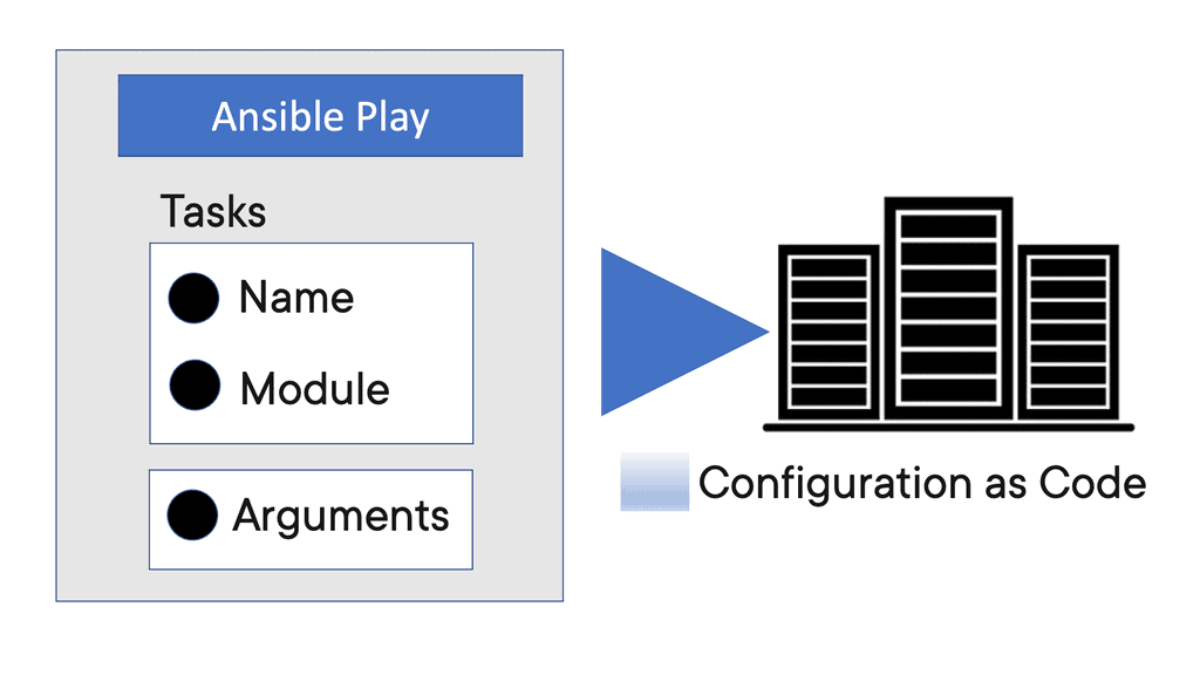
Ansible variables are one of the foundations of effective automation. They allow playbooks to separate automation logic from configuration data, making the same workflow reusable across different hosts, environments, applications, and deployment stages.
Instead of hard-coding values directly into tasks, variables can represent everything from IP addresses, ports, package versions, and service names to environment-specific configuration and credentials. This makes automation easier to maintain and allows a single playbook to adapt dynamically to the systems it manages.
Variables can be defined and consumed at several levels within Ansible, including inventory, playbooks, roles, host and group variables, and external variable files. Understanding variable scope and precedence is therefore essential. When the same variable is defined in multiple locations, Ansible follows a defined precedence model to determine which value ultimately takes effect.
Variables also become particularly powerful when combined with Jinja2 templating. Values can be inserted into configuration files, task parameters, conditions, loops, and templates, allowing playbooks to generate system configurations dynamically rather than relying on static files.
Not all variable values have to be defined in advance. Ansible can work with discovered system facts, registered task results, and dynamically evaluated expressions, allowing later tasks to react to information gathered during execution. This creates automation workflows that can make decisions based on the current state of the target infrastructure.
In larger environments, controlling sensitive variables becomes equally important. Ansible Vault provides encryption for secrets such as passwords, API keys, certificates, and other confidential configuration data, allowing sensitive values to remain protected while still being integrated into automated workflows.
The real value of Ansible variables is therefore not simply storing values. They provide the mechanism that connects inventory data, automation logic, system state, templates, and secure configuration into a reusable workflow. Understanding how variables are defined, resolved, overridden, templated, and protected is essential for building reliable Ansible automation at scale.
Ansible Variable
Ansible Variable Scope & Precedence
Variables separate automation logic from environment-specific data. Select a variable source and see how the simulated playbook resolves the final value when multiple definitions exist.
Variable Resolver
Choose a variable and change the active source. The simulator highlights the value that wins in the current scenario.
Why this matters
A reusable playbook should avoid hard-coding values that change between systems or environments. Variables allow the same automation logic to operate against different hosts and groups.
Resolution Result
The simulated resolver compares several definitions of the same variable and identifies the value currently being used.
The host-specific variable is currently supplying the value used by the simulated playbook.
Variable layers
Engineering takeaway
Variables can be defined in multiple places. When values overlap, understanding precedence is essential for predictable automation.
Highlights: Ansible Variable
Managing & Configuring Systems
In the world of automation, Ansible has emerged as a popular choice for managing and configuring systems. One of the key features that sets Ansible apart is its ability to work with variables. Variables in Ansible enable users to define and store values that can be used throughout the playbook, making it a powerful tool for automation.
Variables in Ansible can be defined in various ways. They can be set globally, at the playbook level, or even at the task level. This flexibility allows users to customize their automation process based on their needs.
Variables: Values Specific to Different Environments
One everyday use case for variables is storing configuration values specific to different environments. For example, you have a playbook that deploys a web application. Using variables, you can define the database connection string, the server IP address, and other environment-specific values separately for development, staging, and production environments. This makes reusing the same playbook easy across different environments without modifying the code.
Variables: Dynamically Created
Another powerful feature of variables in Ansible is their ability to be dynamically generated. You can use calculated or fetched variables instead of hardcoding values at runtime. For example, the “lookup” plugin can read values from external sources like files or databases and assign them to variables. This makes your automation process more dynamic and adaptable.
Ansible Automation with Ansible Variables — Dynamic, Scalable, and Reusable Playbooks
Ansible variables are the backbone of flexible automation. They allow you to write one playbook that adapts to many environments, many hosts, and many configurations without rewriting tasks. Variables make automation dynamic, reusable, and scalable — essential for modern network engineering, DevOps, and infrastructure‑as‑code workflows.
Why Variables Matter — The Core of Dynamic Automation
Without variables, Ansible playbooks become static and repetitive. Variables allow you to:
- customize configurations per host or group
- store reusable values (IP addresses, VLANs, usernames, paths)
- separate data from logic
- build templates that adapt automatically
- avoid hard‑coding values
- support multi‑environment deployments (dev, test, prod)
Variables turn Ansible into a true automation engine rather than a simple scripting tool.
Where Variables Live — Multiple Scopes for Maximum Flexibility
Ansible supports variables at different levels, each with a specific purpose:
- Inventory variables — host_vars and group_vars
- Playbook variables — defined inside the play
- Role variables — defaults and vars inside roles
- Extra vars — passed at runtime for overrides
- Facts — gathered automatically from hosts
- Registered variables — created dynamically during tasks
This multi‑layer design allows you to build complex automation pipelines with clean separation of data and logic.
Host and Group Variables — Per‑Device Customization
Network automation relies heavily on host‑specific and group‑specific variables.
Examples:
host_vars/router1.yml
host_vars/router2.yml
group_vars/branch.yml
group_vars/datacenter.yml
These files store values such as:
- interface names
- IP addresses
- BGP ASNs
- VLAN lists
- device credentials
- site‑specific parameters
Playbooks remain generic while variables define the unique configuration for each device.
Registered Variables — Capturing Output for Logic Decisions
Registered variables store the output of a task so you can use it later in the playbook.
Example:
– name: Check interface status
ios_command:
commands: show ip interface brief
register: iface_status
You can then use iface_status.stdout to make decisions, validate state, or trigger conditional tasks.
Conditionals and Loops — Variables Drive Automation Logic
Variables allow Ansible to make decisions dynamically:
Conditionals -when: bgp_enabled == true
Loops -loop: “{{ vlans }}”
This makes automation adaptive — tasks run only when needed, and configurations scale automatically.
Templates — Jinja2 + Variables = Powerful Config Generation
Templates are where variables truly shine.
A Jinja2 template can generate full device configurations based on variables:router bgp {{ bgp_as }}
neighbor {{ peer_ip }} remote-as {{ peer_as }}
This allows you to build:
- router configs
- firewall policies
- SD‑WAN templates
- cloud infrastructure definitions
- microservices configs
All driven by variables stored in host/group files.
Runtime Overrides — Extra Vars for CI/CD Pipelines
CI/CD systems often pass variables at runtime:
ansible-playbook deploy.yml -e “version=2.1.4”
This allows pipelines to:
- deploy new versions
- switch environments
- trigger conditional logic
- override defaults
Extra vars have the highest precedence, making them ideal for automation workflows.
Outcome — Clean, Scalable, Professional Automation
Using Ansible variables correctly results in:
- reusable playbooks
- clean separation of logic and data
- scalable multi‑environment automation
- dynamic configuration generation
- reduced duplication
- predictable, maintainable code
Variables are the foundation of professional‑grade automation — especially in networking, cloud, and DevOps.
**The Process of Decoupling**
For your automation journey, you want to be as flexible as possible. For this reason, within the Ansible architecture, we have a process known as decoupling. Here, we are separating site-specific code from static code. Anything specific to a server or managed device, such as an IP address, can be replaced with Ansible variables. As a best practice, always aim to have flexible playbooks, and if you want to share with someone else, all you need to change is the variables.
A) Variable Locations
As you know, variables are defined in several places. Each place you define the variables, such as the inventory with the ansible inventory variable or play header, will have an order of precedence. The most common place is for the Ansible set variables task. When you have Ansible set variables in the task, Ansible also allows setting variables directly in a task using the set_fact module. We will look at Ansible set variables in a task in a moment.
So, for an Ansible architecture with more extensive playbooks, remember the best place to hold your variables and not keep your playbooks site-specific. With Ansible, you can execute tasks and playbooks on multiple systems with a single command.
B) Ansible Tower
With Ansible Tower, you can have very complex automation requirements with the push of a button. Every site will have variations, and Ansible uses variables to manage system differences. To represent the variations among those systems, you can create variables with standard YAML syntax, including lists and dictionaries.
Ansible Variables → Dynamic Configuration
Variables become especially powerful when combined with Jinja2 templates. Change the variable values below and watch the same template generate a different network configuration.
Variable Inputs
Change the values used by the template. The generated configuration updates immediately.
hostname {{ hostname }}
router bgp {{ bgp_as }}
neighbor {{ peer_ip }} remote-as {{ peer_as }}
Generated Configuration
The template stays the same. Only the variable data changes.
Ansible Variable
Defining Ansible Variables
Ansible is open-source automation and orchestration software that can automate most of your operations with IT infrastructure components, including servers, storage, networks, and application platforms. It is one of the most popular automation tools in the IT world and has strong community support, with more than 5,000 contributors worldwide. With Ansible, we use variables.
Ansible uses variables to manage differences between systems. With Ansible, you can execute tasks and playbooks on multiple systems with a single command. To represent the variations among those systems, you can create variables with standard YAML syntax, including lists and dictionaries.
Ansible set variables in the task
Ansible is not a full-fledged programming language. However, it does have several programming language components. One of the most significant of these is variable substitution. The most straightforward way to define variables is to put a vars section in your playbook with the names and values of variables.
Here, we can have Ansible set variables in the task. The following will list the various ways you can set variables in Ansible. Keep in mind that we have an order of preference when doing so.
You can define your variables in several places: your playbooks, inventory, reusable files or roles, or at the command line. During a playbook run, you can create variables by registering a task’s return value or value as a new variable.
When defining variables in multiple places, they have variable precedence. After creating variables, you can use them in module arguments, such as conditional “when” clauses, templates, and loops. All of these are potent constructs to have in your automation toolbox.
Define variables: Vars: Section
If you are starting your automation journey, the simplest way to define variables is to put a vars section in your playbook with the names and values of variables. This allows you to define several configuration-related variables. So, to define variables in plays, include a vars: section in the header of the play where the variables are needed.
Variables defined in plays are only valid within that specific play and don’t have playbook scope. So, if you need a variable in a different play, you must define it again. This may be inconvenient and difficult to manage across extensive playbooks with multiple teams working on playbook development.
Define variables: Set_fact Module.
We also have the set_fact module. This module is used anywhere in a play to set variables. Any variable set this way applies as a fact to the host in which it is set. The set_fact relates the variable to the host used in the play.
Here, you can dynamically set variables based on the result of any task in the playbook. So, set_fact dynamically defines variables. Keep in mind that setting variables this way will have a playbook scope.
Define variables: Vars_files
You can also put variables into one or more files using the section called vars_files. This lets you put variables in a file instead of directly in the playbook. What I like most about setting variables this way is that it allows you to separate variables that contain sensitive information. When you define variables in reusable variable files, the sensitive variables are separated from playbooks.
This separation enables you to store your playbooks in, for example, source control software and even share them without the risk of exposing passwords or other sensitive personal data. So, when you put variables in files, they are referenced in the playbook using vars_files.
Use var_files to specify a list of files that include variables you want to include. This is convenient when you want to manage the variables independently of the place using them and is helpful for security purposes.
Define variables: Vars_Promt
So, here, we can use vars_promt in the play header to prompt users for a variable value. This has a playbook scope. By default, the variable is flagged as private, so the user does not see anything while entering it. We can if we have set private to no here.
Define variables: Defining variables at runtime
When you run your playbook, you can define variables by passing them at the command line using the—- extra-vars (or—e) argument.
Define variables: Task Variables
Task variables are made from data discovered while executing tasks or in the fact-gathering phase of a play. These variables are host-specific and are added to the host’s host vars. Variables of this type can be discovered via gather_facts and fact modules, populated from task return data via the register task key, or defined directly by a task using the set_fact or add_host modules.
**Facts / Variables**
Ansible Fact: System Variables
Ansible facts are a type of variable. You don’t define Ansible facts; they are discovered. Facts are system variables that contain information about the managed system. Each playbook starts with an implicit task to gather facts. This can also be disabled in the playhead. Gathering facts takes time, so if you are not going to use it, we can disable it.
We can also gather facts manually by using the setup modules. All of the facts are stored in one big variable called ansible_facts. However, within the variable, we have the second-tier variables. All of the facts are categorized into different variables. These facts are variables, and you can use the facts in conditionals and when statements.
Speeding up Fact Gathering
Fact collection can be slow as you may work against many hosts you can use and set up a fact cache. If fact-caching is enabled, Ansible will store facts in a cache for the first time; it connects to the host. This is added to your Ansible.cfg with the “fact_caching_timeout” value. So if your playbook does not reference any ansible facts, you can turn off fact-gathering for that play. Here we use the “gather_facts” clause in the play and the Ansible.cfg.
**Ansible Inventory Variable**
Ansible Variables are a key component of Automation. They allow for dynamic play content and reusable plays across different sets of inventory. Variable data, such as specific details on how to connect to a particular host in your inventory, can be included along with an inventory in various ways.
While Ansible can discover data about a system during the setup phase, not all data can be found. We can define data with the inventory that will expand what Ansible has been to discover.
Ansible variables: The Ansible inventory variables
- Host and group variables
In inventory, you can store variable values related to a specific host or group. This allows you to add variables directly to the hosts and groups in your main inventory file. Adding more managed nodes to your Ansible inventory will likely allow you to store variables in separate host and group variable files.
- [host_var and group_var]
Ansible looks for host variable files in a directory called host_vars and group variable files in a directory called group_vars. Remember that Ansible expects these directories to be in either the directory that contains your playbooks or the directory adjacent to your inventory file. You can break things out even further if you want to go further. Ansible lets us define, for example, group_vars/production as a directory instead of a file.
Behavior inventory variables
Behavioral inventory parameters allow you to describe your machines with additional parameters in your inventory file. Such as the ansible_connection parameter may be helpful. By default, Ansible supports multiple means of transport, which Ansible uses to connect to the managed host. Here is a list of some expected behavior inventory variables and the behaviors they intend to modify:
- ansible_host: This is the DNS name or the Docker container name that Ansible will initiate a connection to.
- ansible_port: This specifies the port number that Ansible will use to connect to the inventory host if it is not the default value 22.
- ansible_user: This specifies the username Ansible will use to communicate with the inventory host, regardless of the connection type.
**A key point: Ansible inventory scalability**
If you don’t have many hosts, you can use the inventory to store host and group variables. However, as your environment grows, managing variables in the inventory will become more challenging. In this case, you need to find a more scalable approach to keeping track of your host and group variables.
Even though Ansible variables can hold Booleans, strings, lists, and dictionaries, you can specify only Booleans and strings in an inventory file. Therefore, we have a more scalable approach to keeping track of host and group variables: you can create a separate variable file for each host and group. Ansible expects these variable files to be in YAML format, which allows you to break the inventory into multiple files.
Highlighting Ansible conditionals
– In a playbook, you may want to execute different tasks depending on the value of a fact, a variable, or the result of a previous task. You may wish to the value of some variables to depend on the value of other variables. You can do all of these things with conditionals. Ansible uses Jinja2 tests and filters in conditionals. Basic conditionals are used with the when clause.
– The most straightforward conditional statement applies to a single task. Create the Task, then add a when statement that applies a test. When running the task or playbook, Ansible evaluates the test for all hosts. For example, if you are installing MySQL on multiple machines, some of which have SELinux enabled, you might have a task to configure SELinux to allow MySQL to run.
– You would only want that Task to run on machines with SELinux enabled. Sometimes, you want to execute or skip a task based on facts. With conditionals based on facts, you can install a specific package only when the operating system is a particular version. You can skip configuring a firewall on hosts with internal IP addresses. You can perform cleanup tasks only when a filesystem is getting full.
**Ansible conditionals and When Clause**
You can also create conditionals based on variables defined in the playbooks or inventory. So, we have playbook variables, registered variables, and facts that can all be used in conditions and ensure that tasks only run if specific conditions are true.
**Handlers and When Statement**
There are several ways Ansible can be configured for conditional task execution. We have, for example, Handlers for conditional task execution. It is used when a task has changed something. Then we have a very powerful When statement. The When statement allows you to run tasks when specific conditions are true. You can also use the Register in combination with When statements.
**Using Handlers for conditional task execution**
A handler is a task only executed when triggered by a task that has changed something. Handler is executed after all tasks in a play, so you need to organize the contents of your playbook accordingly. If any task fails after the task is called the handler, the handlers are not executed. We can use the “force-handler: to change this.
Keep in mind that handlers are operational when something has changed. We have a force handler that allows you to force the handler to be started even if subsequent tasks are failing. Simply put, a handler is a particular type of Task that is called only if something changes.
**Handlers in Pre and Post tasks**
Each task section in a playbook is handled separately; any handler notified in pre_tasks, tasks, or post_tasks is executed at the end of each section. As a result, it is possible to execute one handler several times in one play.
- Using Blocks
Blocks create logical groups of tasks. Blocks also offer ways to handle task errors, similar to exception handling in many programming languages. Blocks can also be used in error conditional handling. So you have to use a block to define the main Task to run and then rescue to define tasks that run if tasks defined in the block fail. You can use “Always to Define” tasks that will run regardless of the success or failure of the Block and Rescue.
- Ansible loops
What happens, however, if you have a single task but need to run it against a list of data, for example, creating several user accounts, directories, or something more complex? Like any programming language, Ansible loops provide an easier way of executing repetitive tasks using fewer lines of code in a playbook.
Examples of commonly used loops include changing ownership of several files and directories with the file module, creating multiple users with the user module, and repeating a polling step until a particular result is reached.
**A final point: Managing failures with the Fail Module**
Ansible looks at a task’s exit status to determine whether it has failed. When any task fails, Ansible aborts the rest of the playbook on that host and continues with the next host. We can change this with a few solutions. For example, we can use ignore_errors in a task to ignore failure—force_handlers to force a handler that has been triggered to run even if another task fails.
But remember, there needs to be a change. We can also use these Failed_When, which allows you to specify what to look for in command output to recognize a failure. You may have a playbook used to clean up resources, and you want the playbook to ignore every error, keep going on till the end, and then fail if there are errors. In this case, when using the fail module, the failing Task must have Ignore Errors set to yes.
Ansible Conditional Automation Lab
Variables do more than provide configuration values. They can control whether tasks run, drive loops, and expose information returned by earlier tasks through registered variables.
Automation Inputs
Change the variables below. The task engine will show which simulated tasks execute and which are skipped.
when: bgp_enabled == true
# Loop
loop: "{{ vlans }}"
# Registered result
register: iface_status
Task Execution
This simulation evaluates the variables and shows the resulting automation path.

- Fortinet’s new FortiOS 7.4 enhances SASE - April 5, 2023
- Comcast SD-WAN Expansion to SMBs - April 4, 2023
- Cisco CloudLock - April 4, 2023