
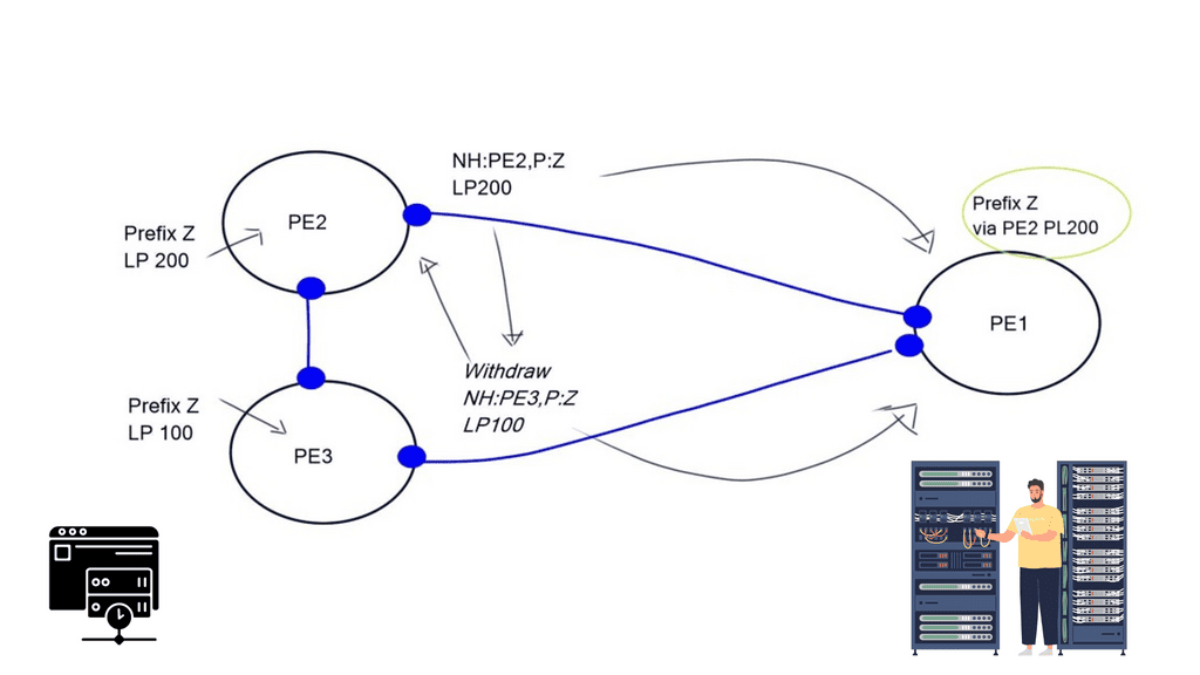
A BGP router can learn several routes to the same destination, select a preferred path, and still install multiple next hops for forwarding. Understanding how these decisions interact is essential when designing resilient, load-sharing networks and troubleshooting unexpected traffic behaviour.
BGP Multipath allows a router to install multiple eligible paths for a prefix, subject to its configuration, path-selection rules and platform capabilities. Instead of relying on a single forwarding next hop, the router can use a set of next hops to distribute traffic and maintain forwarding options when a path becomes unavailable.
The important distinction is that routes learned by BGP are not automatically routes installed in the forwarding table. A route may be present in the BGP table yet fail a multipath eligibility check. Even when several paths are installed, the actual traffic distribution depends on the forwarding implementation and its hashing behaviour.
If a router learns two or more paths to the same prefix, what determines which next hops reach the FIB, how is traffic distributed across them, and what happens when one path fails?
Understand the path set
Follow candidate routes from BGP selection through multipath eligibility to the next hops installed in the forwarding table.
Verify traffic distribution
Compare installed paths with forwarding state, interface counters, traffic demand and path characteristics.
Find the missing path
Use routing evidence to identify why a candidate path is excluded and validate the result after a change or failure.
This guide combines routing concepts with interactive engineering labs. You will examine candidate paths, change the permitted multipath count, investigate a missing forwarding next hop, and explore how Route Reflectors and BGP Add-Path affect the visibility and advertisement of alternative routes.
Engineering guide · Navigation
4 investigation stagesBGP Multipath: Engineering Navigation
Follow the route from BGP selection to real forwarding behaviour. Each stage builds on the previous one, moving from architecture and visibility to fault isolation and verified recovery.
When Does a BGP Route Become a Forwarding Next Hop?
Learning multiple routes does not mean installing every route. A router evaluates candidate paths, applies its BGP decision process and checks which alternatives qualify for multipath forwarding. Follow the decision chain below.
Section 1 — From BGP Paths to Forwarding
BGP multipath is the ability to install multiple eligible routes to the same destination into a router's forwarding state, rather than relying on a single next hop. It can improve link utilisation and provide additional forwarding options, but only when the routes satisfy the platform's multipath rules and the forwarding hardware can use them.
The important engineering distinction is between routes BGP knows about and next hops the router actually uses to forward packets. A router may learn several paths for a prefix yet select only one for installation. Seeing multiple paths in a BGP table is therefore not proof that multipath forwarding is active.
Engineering question: For a destination prefix, which candidate paths qualify for multipath, which next hops are installed in the forwarding information base (FIB), and what evidence proves packets can use those next hops?
1.1 The path from route learning to packet forwarding
BGP receives route advertisements from peers and evaluates the attributes and policies associated with each path. The routing process then determines the eligible route or routes. If multipath is configured and the relevant eligibility conditions are met, the router may install multiple next hops for the same prefix. The data plane uses the installed forwarding state to direct packets.
Receive BGP UPDATEs and maintain paths learned from peers.
Apply policy, compare attributes and assess route eligibility.
Determine whether additional paths satisfy configured rules.
Program usable forwarding entries and verify the resulting FIB.
These stages describe the conceptual workflow; exact implementation details differ between vendors and operating systems. Some platforms expose a separate multipath set, while others present the selected route and additional forwarding next hops through different commands.
1.2 BGP RIB versus FIB: two different views
The routing information base (RIB) represents route information maintained by the control plane. The forwarding information base (FIB) contains the entries used by the forwarding plane. The two are related, but they answer different operational questions.
| Evidence source | What it tells you | What it does not prove alone |
|---|---|---|
| BGP route table | Which BGP paths are known, their attributes and their selection status. | That every visible path is installed for forwarding. |
| Routing table / RIB | Which route or routes the routing process has selected for the destination. | That all intended next hops are programmed and usable in hardware. |
| Forwarding table / FIB | Which next-hop entries the forwarding plane uses for matching packets. | That traffic is distributed evenly or that every path is healthy under load. |
| Interface and traffic counters | Whether interfaces carry traffic and how utilisation changes. | That BGP multipath is the only cause of the observed traffic pattern. |
1.3 What makes a path eligible for multipath?
Enabling a maximum-paths setting does not mean that any route to the same prefix can be installed alongside the current best path. The router must still apply its route-selection process and its implementation-specific multipath criteria. Those criteria can include path attributes, peer type, next-hop reachability, routing policy and other platform-specific constraints.
Best-path selection and multipath eligibility are related, but not identical
BGP first evaluates routes according to its decision process. Multipath then permits additional paths that satisfy the implementation's requirements to be installed alongside the selected path. Depending on the platform and configuration, some attributes that matter to best-path selection may need to match or meet specific conditions for multipath. Do not assume identical requirements across vendors.
Compare attributes such as Local Preference, AS_PATH, origin and MED where relevant to the platform's multipath rules.
Verify that each candidate next hop resolves through the routing table and has a usable forwarding path.
Check the applicable maximum-paths command, address family, peer type, policy and platform limits.
1.4 Configuring multipath: verify the scope, not just the command
Many BGP implementations provide a command such as maximum-paths to control how many eligible paths can be installed. The precise command, supported path types and default behaviour depend on the vendor, software release and address family. eBGP and iBGP multipath may use separate configuration.
Treat the following as an illustrative configuration pattern, not a universal command sequence:
router bgp 65001
 address-family ipv4 unicast
  maximum-paths 2
Before applying configuration, confirm the syntax and placement in your platform's documentation. After making a change, verify the operational result in both the routing table and the FIB. A configured limit of two paths is a ceiling, not a guarantee that two paths will qualify.
1.5 Worked example: three candidate paths, two installed next hops
Consider router R1 learning prefix 203.0.113.0/24 through three candidate paths. Assume Paths A and B meet the configured multipath criteria, while Path C does not. In this example, the router installs two next hops for the destination.
| Candidate | Control-plane observation | Forwarding result |
|---|---|---|
| Path A | Selected best path and eligible for multipath. | Installed |
| Path B | Meets the configured additional-path eligibility rules. | Installed |
| Path C | Visible as a candidate but fails a required eligibility condition in this scenario. | Not installed |
The router can now forward matching traffic using the installed next-hop set. How traffic is divided depends on the forwarding platform, hashing algorithm, flow characteristics and configuration. Two installed next hops do not guarantee a 50/50 traffic split, and packet ordering or per-flow behaviour depends on the implementation.
1.6 How to prove multipath is operational
Validate the state at three levels. First, inspect BGP to confirm the candidate routes and their attributes. Second, inspect the routing and forwarding tables to confirm that the expected next hops are installed. Third, observe interface counters or traffic telemetry under an appropriate test load to see whether traffic is actually using the available paths.
1. Identify the destination prefix.
2. Inspect all relevant BGP paths and attributes.
3. Check the selected route and multipath eligibility.
4. Inspect the installed FIB next hops.
5. Compare interface counters before and during traffic.
6. Repeat after a controlled path failure and recovery.
Command names differ across platforms, so use the equivalent BGP route, routing-table, forwarding-table and interface-counter commands for your environment. Establish a baseline before testing, and avoid injecting a failure into production without an approved maintenance or test procedure.
Multipath is proven by more than seeing two BGP routes. Establish which paths are eligible, verify the installed next-hop set in the FIB, and then measure forwarding behaviour. This separates control-plane visibility from actual packet forwarding.
How Does BGP Multipath Turn Several Routes into One Forwarding Decision?
BGP normally identifies a single best path. With multipath enabled, multiple paths that satisfy the implementation's multipath eligibility rules can be installed and used for forwarding. Explore the difference between candidate paths and installed next hops.
Are Multiple Paths Carrying Traffic as Intended?
A multipath configuration is not proof of successful forwarding. Engineers need to compare routing state with the forwarding table and real traffic measurements. Each evidence source answers a different operational question.
BGP and RIB state
Confirm which candidate routes are learned, which paths qualify for multipath, and whether the expected number of next hops is selected for installation.
FIB and interface counters
Verify that multiple next hops are programmed and inspect interface packet and byte counters to see whether traffic traverses the expected links.
Traffic and utilisation
Compare per-link utilisation and traffic over time. Uneven distribution is not automatically a fault: flow hashing, traffic patterns and link capacity all matter.
Section 2 — Verify Traffic Distribution
Installing multiple BGP next hops creates the possibility of multipath forwarding; it does not prove that traffic is being distributed as expected. Engineers must correlate the control-plane view with forwarding entries, interface counters and measured traffic to establish what the network is actually doing.
A routing table can show two installed next hops while one physical link carries substantially more traffic than another. That observation is not automatically a fault. Traffic distribution depends on the forwarding implementation, hash inputs, flow sizes, path capacity, traffic direction and other network conditions.
Engineering question: Are all intended next hops installed and healthy, and does observed traffic behaviour match the forwarding design and expected workload?
2.1 Three evidence sources, one operational picture
Reliable validation combines evidence from different layers. No single command or counter provides the complete picture.
Confirm the destination prefix, candidate paths, selected route, path attributes and the router's multipath status.
Verify the actual installed forwarding entries, resolved next hops and outgoing interfaces for the prefix.
Compare interface counters, flow telemetry, drops, errors and utilisation over a consistent measurement interval.
2.2 Why two paths rarely mean an exact 50/50 split
Many routers use a hash to map flows or packets to next hops. Depending on the platform and configuration, hash inputs may include source and destination addresses, transport ports, protocol identifiers or other fields. This helps preserve packet ordering for a flow, but it does not guarantee equal byte counts across links.
Imagine two installed next hops. If a few high-volume flows hash to the first path while many small flows hash to the second, their utilisation can differ considerably. The paths may both be functioning correctly.
| Observation | Possible explanation | Next check |
|---|---|---|
| Both next hops are installed, but one link is busier. | Uneven flow sizes or hash distribution. | Compare flow-level telemetry, byte counters and the hashing policy. |
| One expected next hop is absent from the FIB. | Multipath eligibility, route resolution, policy or programming issue. | Recheck the BGP paths, routing table and forwarding entries. |
| A link's utilisation rises while drops also increase. | Congestion, insufficient capacity, errors or a downstream bottleneck. | Inspect queue drops, interface errors and downstream links. |
| Traffic changes after a path failure. | Traffic has moved to surviving paths, possibly with a temporary convergence effect. | Check route state, FIB changes, loss, latency and remaining capacity. |
2.3 Measure counters correctly
Interface counters are cumulative, so compare changes over a defined interval rather than relying only on their absolute values. Record the starting and ending byte or packet counts, the elapsed time, and whether the interface counters reset during the test.
1. Record interface counters at time T1.
2. Generate or observe representative traffic.
3. Record counters again at time T2.
4. Calculate counter deltas over T2 − T1.
5. Compare utilisation, drops and errors across paths.
6. Repeat under comparable traffic conditions.
For byte counters, the approximate average bit rate over the interval is:
\((\text{byte delta} \times 8) \div \text{elapsed seconds}\)
Compare this value with the interface's usable capacity. Account for units, counter width, measurement interval and traffic direction when interpreting the result.
2.4 Confirm the measurement point
A router's egress interface counters show traffic transmitted through that interface; they do not necessarily describe what the remote endpoint received. Conversely, ingress counters measure traffic arriving at that interface. Drops, encapsulation overhead, congestion and measurement placement can make these values differ.
When investigating an imbalance, identify where each measurement was taken and which traffic direction it represents. If possible, correlate interface counters with flow records, queue statistics and application-level observations. This helps distinguish a routing issue from a congestion, capacity or measurement issue.
2.5 Validate behaviour during a controlled failure
Multipath can provide alternate forwarding options, but it does not guarantee uninterrupted service. A failed link may trigger interface-state changes, route withdrawal, next-hop resolution changes and FIB reprogramming. The observed impact depends on the topology, protocol convergence, forwarding hardware and available capacity on the surviving paths.
In a controlled test, establish a baseline first. Then remove or fail one path using an approved method, observe the routing and forwarding changes, and measure traffic on the surviving path. Restore the path and verify that the expected operational state returns.
Record installed next hops, link utilisation, packet loss, latency and interface health.
Correlate the failed path with route changes, FIB updates, traffic movement and any loss.
Confirm the restored path is eligible, installed as expected and carrying traffic when appropriate.
2.6 Operational verification checklist
Before declaring multipath healthy, verify each of the following against the intended design:
Forwarding plane: The intended next hops appear in the FIB and resolve to usable interfaces.
Traffic plane: Counters or flow telemetry demonstrate actual traffic movement, with no unexplained drops or errors.
Resilience: A controlled path failure produces the expected transition, and recovery restores the intended state.
Multiple FIB next hops prove that forwarding options are installed; they do not prove equal load sharing, sufficient capacity or zero packet loss. Correlate route state, forwarding entries and time-based traffic measurements to determine whether multipath is operating as designed.
How Many Paths Actually Reach the FIB?
Multipath is not simply “use every route.” Change the number of permitted paths, traffic demand and path similarity to see how the forwarding set changes. The model below illustrates the engineering decision rather than a vendor-specific command syntax.
Two Routes Are Visible. Why Is Only One Installed?
When a second path is missing from the FIB, do not assume that the BGP neighbour is down or that multipath is broken. Start with the evidence and work through the routing and forwarding decision chain until the exclusion point is identified.
Confirm route availability
Check the peer session, received prefix, route validity and next-hop reachability. Establish whether the candidate path is actually usable.
Compare path attributes
Examine Local Preference, AS_PATH, origin, MED where applicable, and other attributes required by the implementation's multipath rules.
Verify multipath configuration
Check the relevant maximum-paths settings, peer-type requirements, address family and platform-specific eligibility conditions.
Inspect forwarding installation
Compare the BGP path set with the installed FIB next hops. If a path qualifies but is absent from forwarding, investigate programming errors and resource constraints.
Section 3 — Investigate: Why Is the Second Path Missing?
When a router learns two BGP paths but installs only one forwarding next hop, the correct response is not to increase the maximum-paths value blindly. The task is to discover where the expected state diverges from the actual state, using evidence from route learning, path selection, multipath eligibility and forwarding installation.
A missing path can result from route policy, a difference in path attributes, an unresolved next hop, an incompatible peer type, an address-family configuration issue, a platform limitation or a forwarding-programming problem. These causes occur at different stages and require different remedies.
Engineering question: At which stage does the second path stop qualifying, and what observable evidence identifies the cause?
3.1 Troubleshoot in dependency order
Follow the route through the system in sequence. This prevents an engineer from changing a downstream setting before confirming that the upstream prerequisite is satisfied.
Verify the prefix is learned from the expected peer and has not been rejected, filtered or withdrawn.
Compare the candidate paths and identify differences that affect best-path selection or multipath eligibility.
Verify the correct address family, peer type, maximum-paths setting, import policy and platform-specific requirements.
Confirm each next hop resolves through a valid route and is usable by the forwarding plane.
Determine whether the path is excluded during route selection, omitted from the multipath set or missing from the FIB.
Repeat the checks after a targeted change and confirm both forwarding state and traffic behaviour.
3.2 Read the evidence before changing the configuration
A useful incident investigation records what was expected, what was observed and what the evidence rules out. The following examples illustrate how to narrow the search without assuming that a single attribute explains every multipath failure.
| Observed evidence | Likely investigation area | Next verification |
|---|---|---|
| Only one path appears in the received routes. | Advertisement, route policy, session or route visibility. | Check peer state, received routes where supported, filters and upstream advertisement. |
| Two paths are known, but one is rejected by policy. | Import policy, route map, prefix list or community-based filtering. | Inspect policy evaluation and the resulting accepted route attributes. |
| Both paths are known but differ in a relevant attribute. | Best-path decision or platform-specific multipath criteria. | Compare the full attribute set and the vendor's documented eligibility rules. |
| Attributes appear compatible, but one next hop is unresolved. | Reachability, recursive resolution or IGP dependency. | Check the route to the next-hop address and the associated outgoing interface. |
| The routing table shows multipath, but the FIB has one next hop. | Forwarding installation, hardware constraints or implementation-specific state. | Inspect platform forwarding diagnostics, resource limits and programming status. |
| The FIB has multiple next hops but traffic looks uneven. | Traffic hashing, flow distribution, capacity or measurement placement. | Compare time-based counters, flow telemetry, errors and drops. |
3.3 Do not confuse a best-path difference with a multipath failure
BGP attributes affect route selection, but not every attribute difference automatically makes multipath impossible on every platform. For example, the treatment of AS_PATH, MED, IGP cost to the next hop and other attributes can depend on the implementation and configuration. Use the router's best-path explanation and documented multipath rules rather than relying on a generic list of attributes that must match.
Local Preference is an important example. A higher Local Preference normally favours a path in the BGP decision process. If two routes have different Local Preference values, do not assume they will be installed together as equal multipath alternatives. Establish which path wins, then verify whether the platform supports any relevant relaxation or special configuration.
Record the complete relevant path attributes, the selected best path, the platform's multipath eligibility result and the installed next hops. Matching two visible attributes is not proof that two paths meet all eligibility requirements.
3.4 Distinguish three different failure points
Failure point A — The path never reaches the router's usable candidate set
The route may not be advertised, may be filtered, or may be unavailable because the peer or address family is not functioning as expected. Investigate the sender, session, policy and received-route visibility first.
Failure point B — The path is learned but not selected for multipath
The router knows the route, but its selection process or multipath rules do not include it in the installed set. Investigate attributes, next-hop reachability, peer type, configuration scope and vendor-specific criteria.
Failure point C — The path qualifies, but forwarding state is unexpected
If the control plane reports the expected multipath set but the FIB does not reflect it, examine route installation status, hardware capabilities, resource constraints and platform diagnostics. Do not assume a control-plane configuration change is the right fix until the discrepancy is understood.
3.5 A disciplined CLI investigation
Command syntax varies by vendor and release. Use the equivalent commands for your platform to collect the following evidence before modifying configuration.
1. Inspect the BGP session and address-family state.
2. Display all available paths for the destination prefix.
3. Compare attributes and the best-path decision.
4. Inspect import policy and multipath configuration.
5. Verify recursive next-hop reachability.
6. Display the routing-table and FIB entries.
7. Review platform diagnostics and interface counters.
Save the initial outputs and note the time of each observation. This creates a baseline for comparing state after a targeted correction. In production, use approved change controls and avoid clearing BGP sessions or withdrawing routes as a first-line diagnostic action.
3.6 Confirm that the problem is actually fixed
A configuration command completing successfully is not the same as a successful operational outcome. Re-run the same checks used to establish the original fault and compare them with the expected state.
The expected candidate routes are present, and the multipath decision is consistent with the intended design.
The FIB contains the intended usable next hops, without unexplained installation errors.
Appropriate counters or flow telemetry confirm forwarding, and the original symptom no longer occurs.
Where required, a controlled failure and restoration test confirms the intended alternate-path behaviour.
Find the first point where the expected route state diverges from reality. Separate route visibility, multipath eligibility and FIB installation, then verify the fix at both the control plane and forwarding plane. This is more reliable than changing maximum-paths or comparing only a subset of BGP attributes.
Engineering workflow · Correlate & operate
Can You Prove the Alternate Path Is Visible, Installed and Ready?
A route advertised by a peer is not automatically installed as an additional forwarding path. Correlate what the router receives, which paths qualify for local multipath, what reaches the FIB, and what happens when a link fails.
Route visibility
Check which paths the upstream router or Route Reflector advertises and which paths the receiving router actually learns.
BGP updates · Adj-RIB-InLocal eligibility
Verify multipath configuration, path compatibility, next-hop reachability and platform-specific selection rules.
Best path · Multipath rulesForwarding state
Inspect the FIB and next-hop entries, then compare interface counters and traffic measurements to confirm actual forwarding.
FIB · Counters · UtilisationFailover & recovery
Withdraw or fail one path in a controlled test. Confirm the remaining path forwards traffic and the expected state returns after recovery.
Failure · Convergence · ValidationSection 4 — Correlate & Operate: Route Reflectors, Add-Path and Failover
Multiple paths can exist in the network without all of them reaching the router that needs to forward traffic. To understand the complete forwarding outcome, an engineer must correlate what upstream peers advertise, what route reflectors propagate, what the local router accepts, and what the forwarding plane actually installs.
This is the operational difference between path visibility and multipath forwarding. A route may be available somewhere in the BGP system but hidden from a particular router by route-reflection behaviour, policy, or the capabilities negotiated between peers. Even when multiple routes reach the router, local eligibility and next-hop resolution still determine whether multiple next hops can be installed.
Peer advertisement → Route Reflector decision → Receiving router's BGP table → Multipath eligibility → RIB/FIB installation → Measured traffic.
Each stage answers a different question. If a path disappears between two stages, investigate that boundary before changing configuration elsewhere.
4.1 — Route Reflectors: Which Paths Reach the Client?
Route Reflectors reduce the need for a full mesh of iBGP sessions. In a conventional route-reflection design, a reflector generally advertises its selected best path to a client for a given prefix, subject to its routing policy and implementation. A client may therefore receive fewer paths than the reflector itself knows about.
This matters when investigating multipath. If a router has only one usable candidate route, enabling a local multipath setting cannot create a second route that was never advertised or learned. First establish whether the alternate path is available at the point where the forwarding decision is made.
What the reflector knows
The reflector may learn several paths from different peers but select one path for normal advertisement to a client. Inspect its received routes, best-path decision, export policy, and advertised-route state.
What the client receives
The client can only evaluate routes available to it. Confirm its BGP table and next-hop reachability before concluding that local multipath eligibility is the problem.
4.2 — Add-Path: Advertise More Than One Path
BGP Add-Path extends BGP so that a peer can advertise multiple paths for the same Network Layer Reachability Information (NLRI), rather than being limited to a single path in the relevant advertisement context. The capability must be supported and negotiated between the peers, and the implementation and configuration must permit the intended paths to be sent and accepted.
Add-Path can improve path visibility in designs where a single advertised best path would otherwise hide useful alternatives. It can be relevant to route-reflector topologies, redundant exits, and scenarios where downstream routers need more candidate paths to make their own routing decisions.
| Mechanism | Primary purpose | What it does not guarantee |
|---|---|---|
| Multipath | Allows multiple eligible paths to be installed for forwarding, subject to platform and configuration rules. | It does not guarantee that upstream peers advertise every alternate path. |
| Add-Path | Allows multiple paths for a prefix to be advertised to a peer when negotiated and configured. | It does not, by itself, make the receiver install multiple next hops in its FIB. |
| Best External | Can advertise an eligible external path in addition to the selected best path, where supported and configured. | It is not a general replacement for Add-Path or local multipath. |
| Optimal Route Reflection (ORR) | Can help a route reflector select paths that better reflect a client's IGP perspective in supported designs. | It does not itself install multiple forwarding paths on the client. |
When Add-Path is involved, verify both ends of the relationship: the negotiated capability and the actual routes advertised and received. Then inspect the receiver's own best-path and multipath decisions. A capability being enabled in configuration is not, by itself, proof that the desired paths are reaching the destination router.
4.3 — Next-Hop Reachability, IGP Cost and Egress Choice
A BGP path is useful for forwarding only if its next hop can be resolved. In many designs, that resolution depends on the IGP and the local routing table. A path can be present in BGP but unusable for forwarding if its next hop is unreachable or cannot be resolved according to the platform's rules.
IGP cost can also influence which exit a router prefers. With hot-potato routing, a network commonly prefers to hand traffic to an external network at the closest eligible exit, often based on IGP cost after higher-priority BGP decision criteria have been considered. A topology or IGP metric change can therefore alter the selected egress even if the externally learned route attributes have not changed.
Check next-hop resolution
Confirm the BGP next hop resolves through the expected route, interface, tunnel, or recursive path. Compare the BGP next-hop value with the route used to reach it.
Check the forwarding exit
Compare IGP costs to candidate exits, installed FIB next hops, interface state, and traffic counters. A change in egress may reflect normal routing behaviour rather than a BGP session failure.
Understand the design before diagnosing instability
Interactions between MED comparison rules, route-reflection design, hot-potato decisions, topology changes, and policy can contribute to route instability in some networks. MED is not necessarily compared globally across every candidate path in the same way on every implementation or configuration, and route reflectors do not inevitably cause oscillation.
If a prefix repeatedly changes its selected path, examine the sequence of received updates, the attributes considered at each decision point, the relevant IGP metrics, and the policy applied by each router. Look for a repeatable feedback pattern rather than attributing the problem to one feature based on the symptom alone.
4.4 — Correlate Control Plane, Forwarding Plane and Telemetry
A reliable diagnosis joins several evidence sources. No single BGP command proves that traffic is using all intended paths. Likewise, interface counters alone cannot explain why a path was selected or excluded.
| Evidence source | Question answered | What to correlate next |
|---|---|---|
| Peer and update state | Are sessions established, and are route updates being exchanged? | Received prefixes, advertised routes, withdrawals, and session events. |
| Route Reflector | Which candidate paths are learned, selected, and advertised to the client? | Export policy, Add-Path negotiation, path identifiers where applicable, and client receive state. |
| Local BGP table and RIB | Which paths are available and eligible at the destination router? | Path attributes, multipath rules, next-hop resolution, and routing policy. |
| FIB and adjacency state | Which next hops are programmed for forwarding? | Installed interfaces, recursive resolution, hardware or software programming status. |
| Interface counters and telemetry | Is traffic actually using the intended links? | Counter deltas, traffic direction, hash behaviour, utilisation, drops, and latency. |
4.5 — Run a Controlled Failover and Recovery Test
A second path is operationally valuable only if the network can use it under the conditions the design is intended to tolerate. Validate the failure and recovery sequence in a controlled maintenance window or lab, with a defined rollback plan and measurable acceptance criteria.
- Record the baseline Capture BGP paths, selected route, FIB next hops, peer state, interface counters, and representative traffic measurements.
- Trigger one controlled failure Disable or isolate the intended path in the test environment. Avoid changing several variables at once.
- Observe convergence Record the failure signal, route withdrawal or selection change, FIB update, traffic movement, packet loss, and recovery time.
- Restore and verify Re-enable the path, confirm session and route recovery, inspect the resulting FIB, and compare traffic against the original baseline.
Operational acceptance checklist
- The intended alternate path is visible at the router that needs it.
- Its next hop resolves and it satisfies the platform's multipath eligibility rules.
- The forwarding table contains the expected next hops before the test.
- A single controlled failure causes the expected route and forwarding changes.
- Traffic moves to surviving paths within the defined convergence objective.
- After restoration, routing and forwarding state return to an acceptable condition.
- Logs, timestamps, counters, and test results provide evidence for the outcome.
Multipath is an end-to-end outcome, not a single configuration command. Prove that alternate routes are advertised and received, eligible locally, resolved through valid next hops, installed in the FIB, and used as intended. Then test both failure and recovery to establish that the design behaves correctly under operational conditions.
Conclusion — Proving BGP Multipath Works
BGP multipath is about more than learning two routes. It is about determining whether multiple paths are available, eligible for simultaneous installation, programmed into the forwarding plane, and used correctly when traffic flows through the network.
Effective troubleshooting follows the evidence from the control plane to the data plane. Start with the routes the router receives, establish why each path is accepted or excluded, verify the installed next hops, and measure what happens to real traffic.
Understand the path
Identify the candidate routes, their attributes, next hops, and the decisions that determine which paths are eligible.
Prove forwarding behaviour
Compare the routing table and FIB with interface counters and traffic measurements. Multiple installed paths do not guarantee equal traffic distribution.
Find the first failure point
Determine whether the alternate route is missing, ineligible for multipath, unresolved, or absent from the forwarding table.
Validate resilience
Correlate route advertisements, route-reflector behaviour, next-hop resolution, FIB changes, and telemetry during failure and recovery.
From configuration to operational confidence
Use the interactive labs in this guide to explore path eligibility, experiment with the maximum number of paths, and investigate why a second route might not be installed. Change one condition at a time, observe the resulting state, and use the evidence to support your diagnosis.
A resilient BGP design is not proven by configuration alone. It is proven when the expected paths are visible, the intended next hops are installed, traffic behaves as designed, and controlled failure-and-recovery testing confirms the result.
Why Isn't the Second BGP Path Being Installed?
Two routes appear to reach the router, but only one next hop is present in the forwarding table. Investigate the evidence and identify the most likely reason the second path is not entering the multipath set.
Review the evidence before selecting a diagnosis.

- BGP Solutions and Insights - October 8, 2026
- DMVPN - May 20, 2023
- Computer Networking: Building a Strong Foundation for Success - April 7, 2023
Amazing, this is a great article! I did enjoyed reading it, keep your post .